
Reconcile COD orders
Match the cash your courier sends back against your delivered COD orders, and record it in the right account.
Payments · 4:43 · In Nepali
Match what each courier actually pays you against what you expected, record courier fees and shortfalls, and see your real profit. Small gaps in COD payouts stop quietly eating your margin.
Part 1
See what couriers owe you
- 1
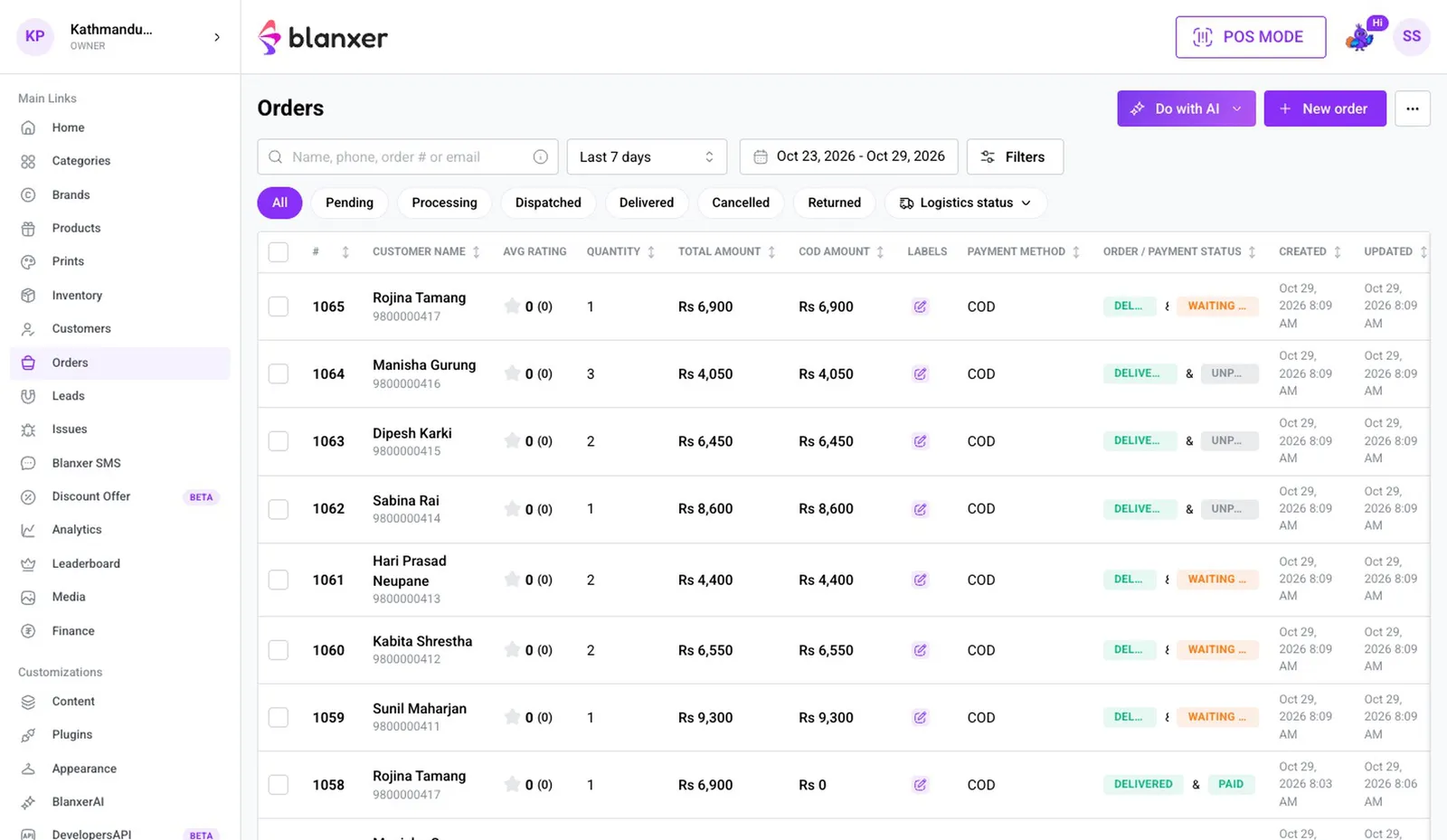
Delivered isn't paid yet
With a courier connected through Blanxer, a delivered order doesn't become Paid. It waits in Waiting Reconcile until the courier's money is matched.
- 2
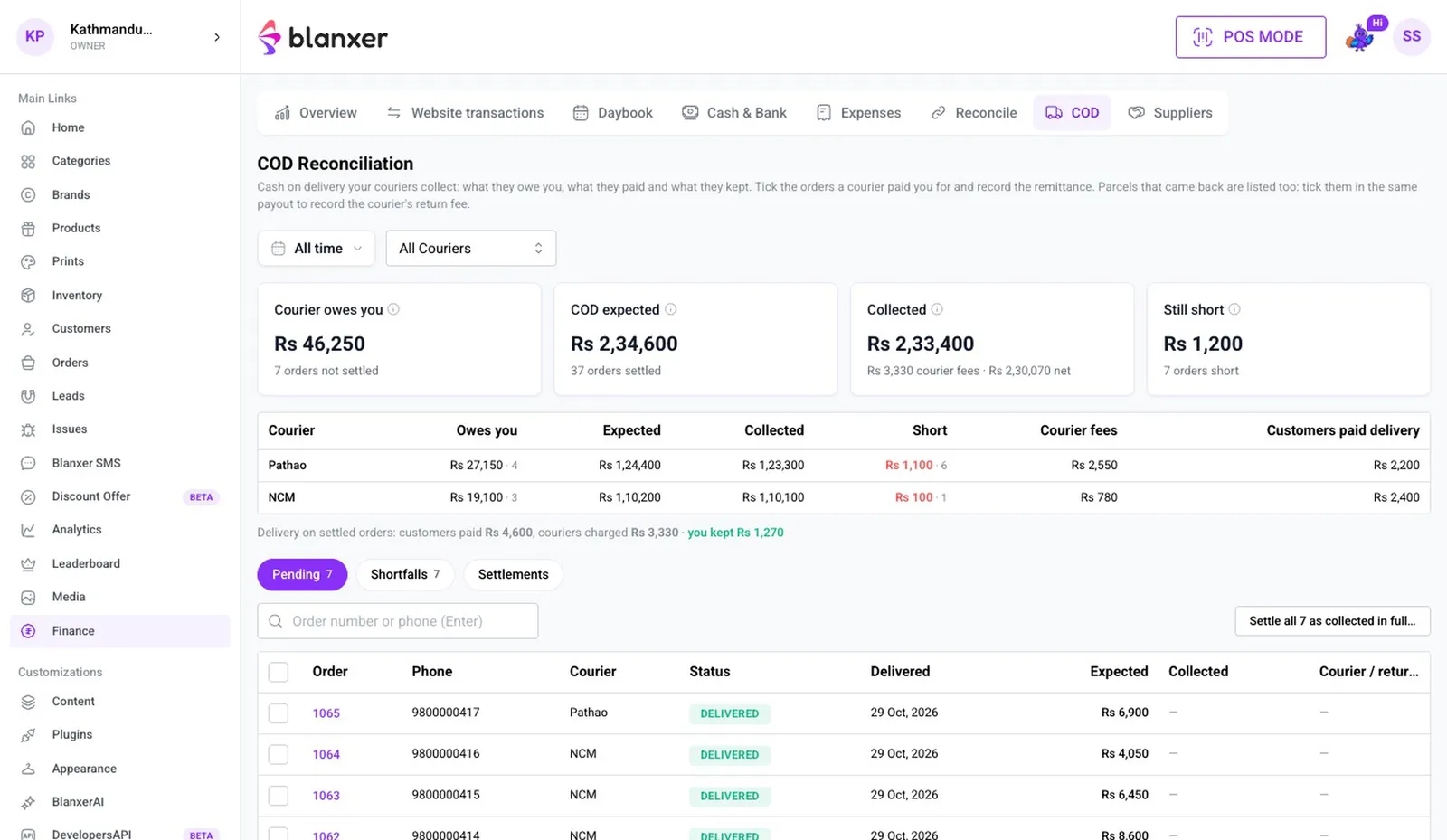
Open Finance > COD
The COD page shows what couriers owe you, what's been settled and what came up short, all in one place.
- 3
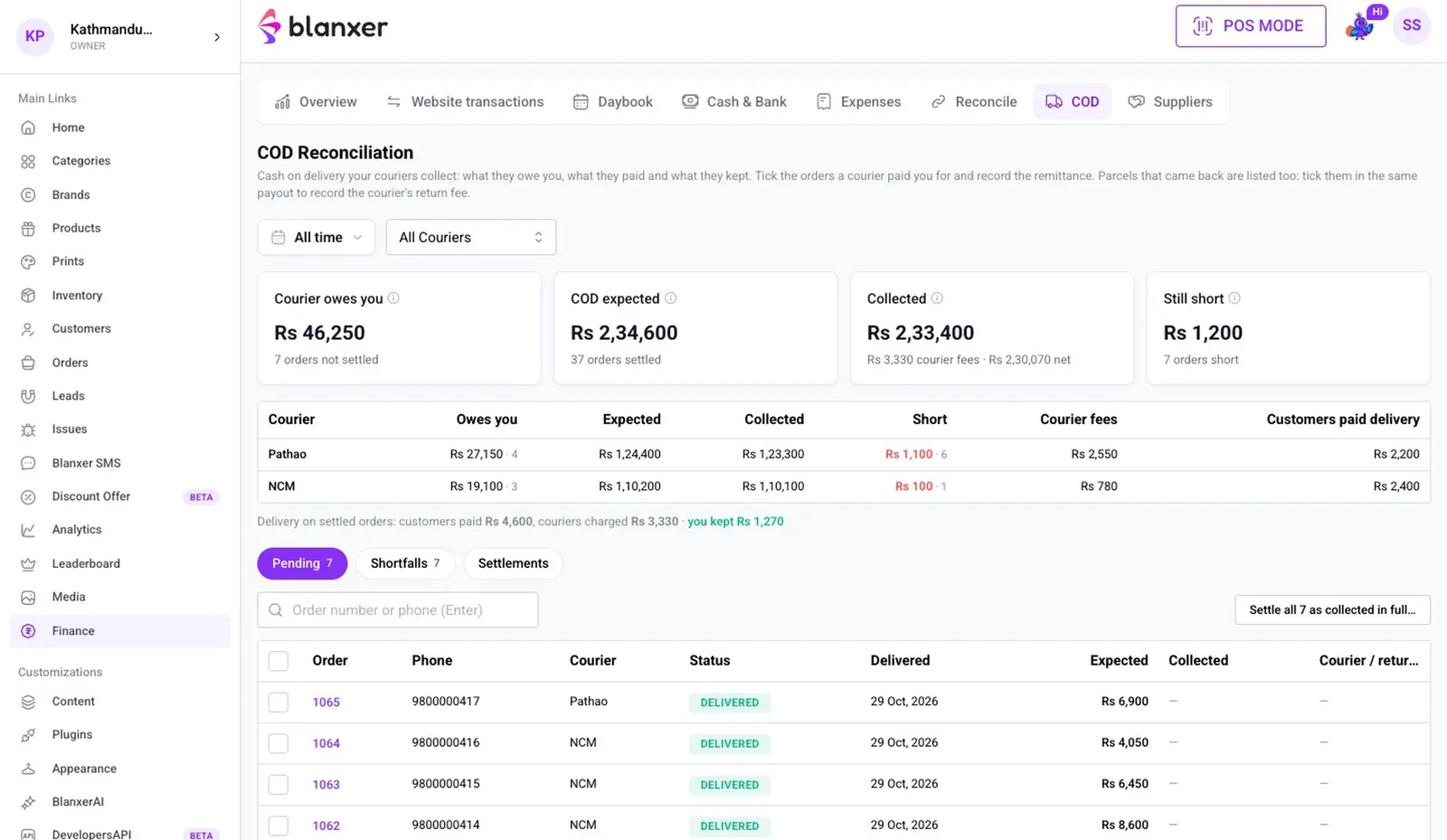
Check each courier
Each courier, such as Pathao and NCM, shows its balance, what was collected, the courier fee and the delivery charge paid by customers.
Part 2
Match a courier's invoice
- 4
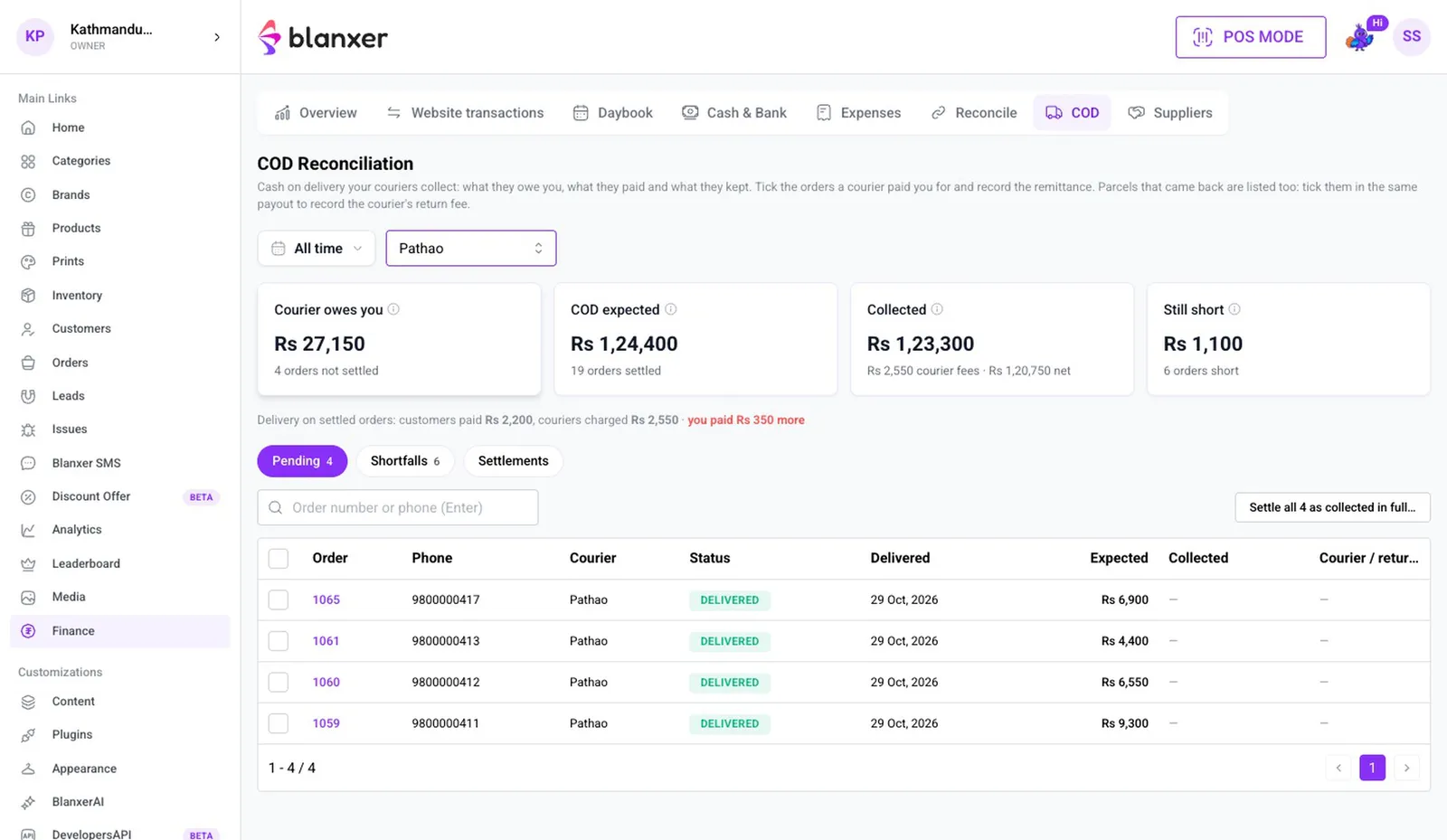
Filter by courier
Under Courier choose Pathao. Only delivered orders whose money hasn't been matched are shown.
- 5
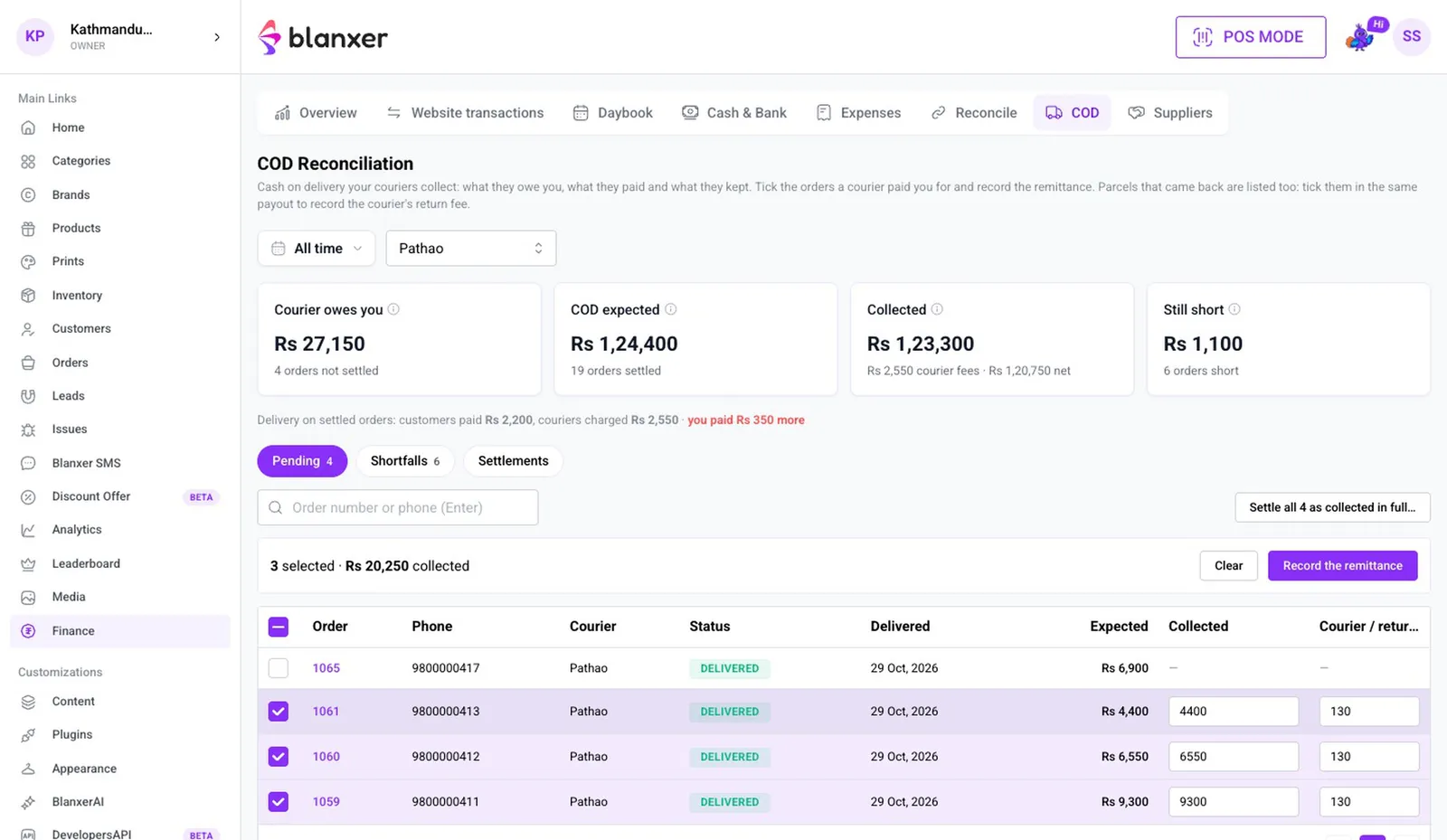
Tick the orders on the invoice
Tick the orders listed on the invoice the courier emailed you. Collected and Courier fee fill in from courier data, but confirm the final amounts against the invoice.
- 6
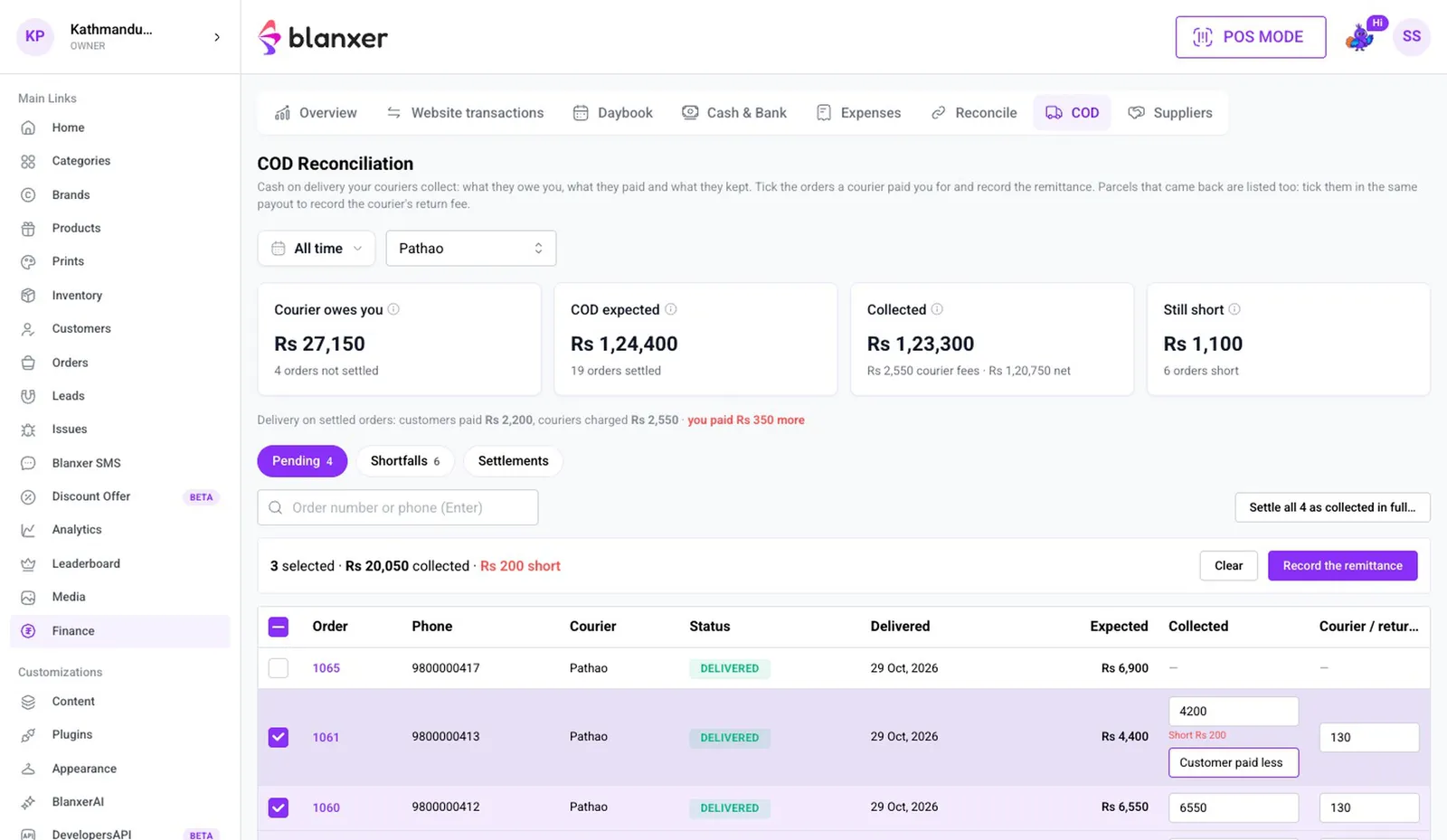
Enter what really came
If an order came up short, enter the invoice amount in Collected. Blanxer shows Short in red, and you can add a note saying why. Correct the Courier fee too if the invoice charges more.
- 7
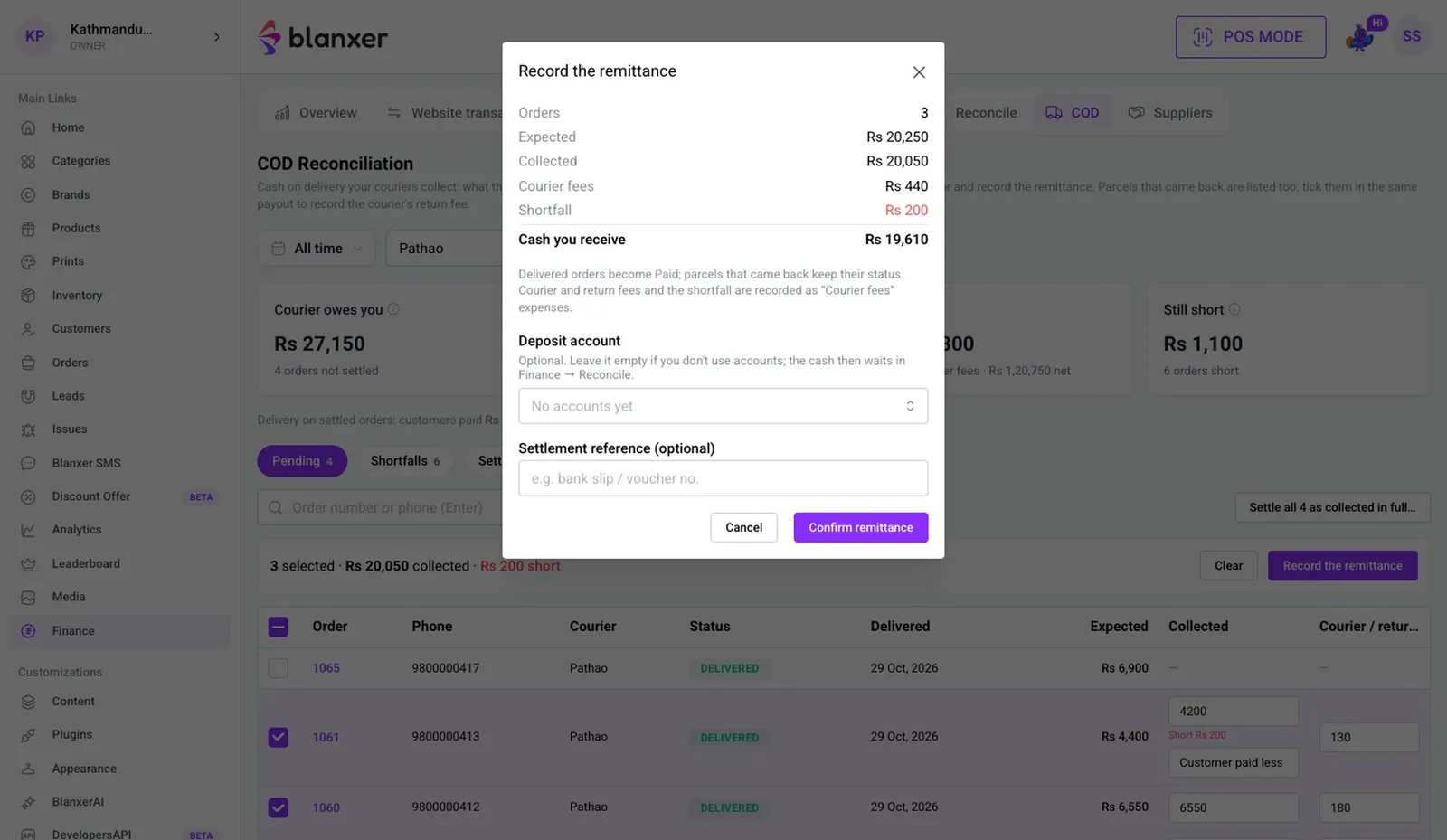
Record the remittance
Click Record the remittance to see what was expected, what came, the courier fee and any shortfall together.
- 8
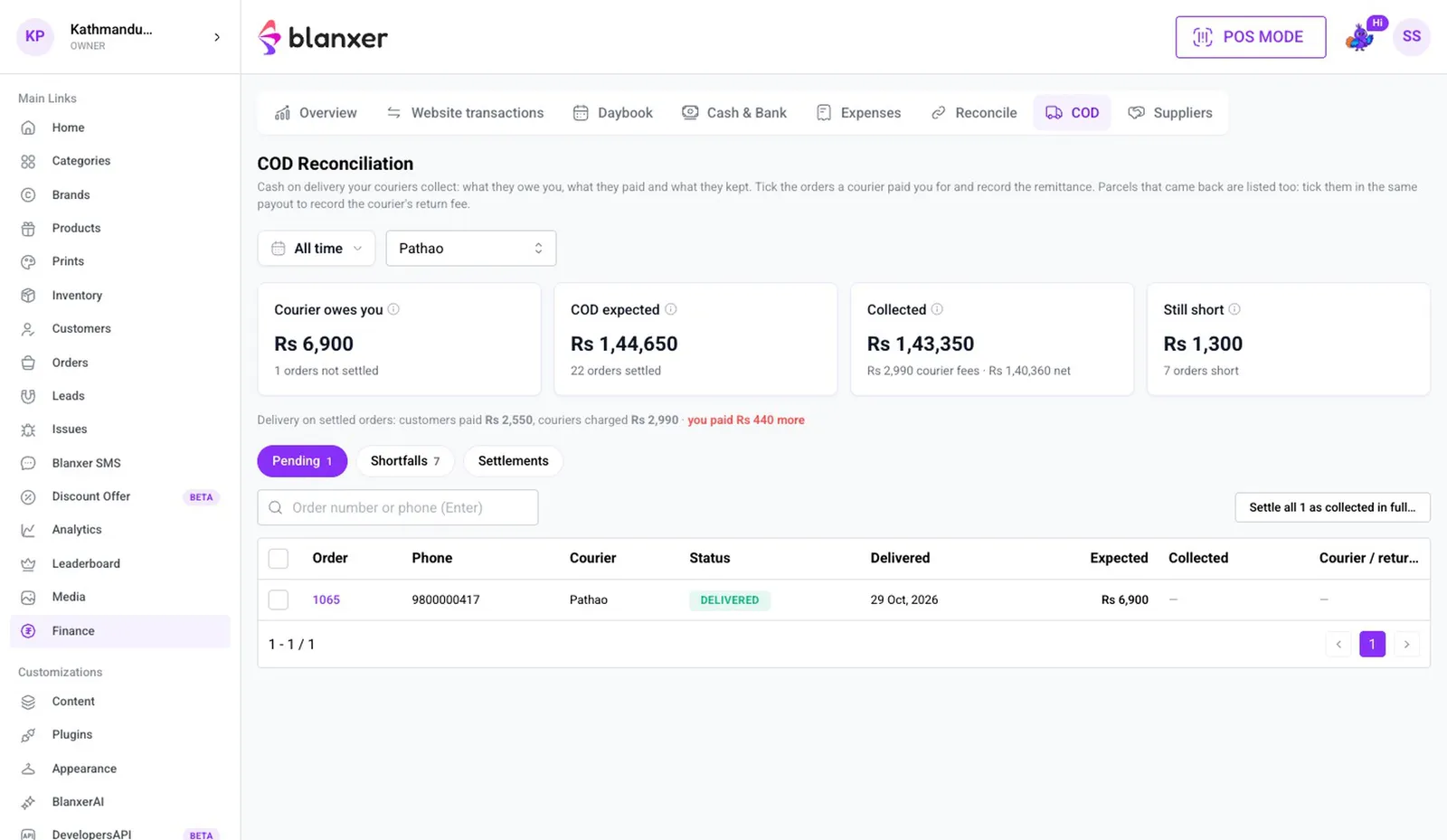
Confirm
Enter the invoice number as the reference and click Confirm remittance. The courier fee and shortfall are booked as expenses on their own.
Part 3
Couriers that don't report deliveries
- 9
Match from the emailed invoice
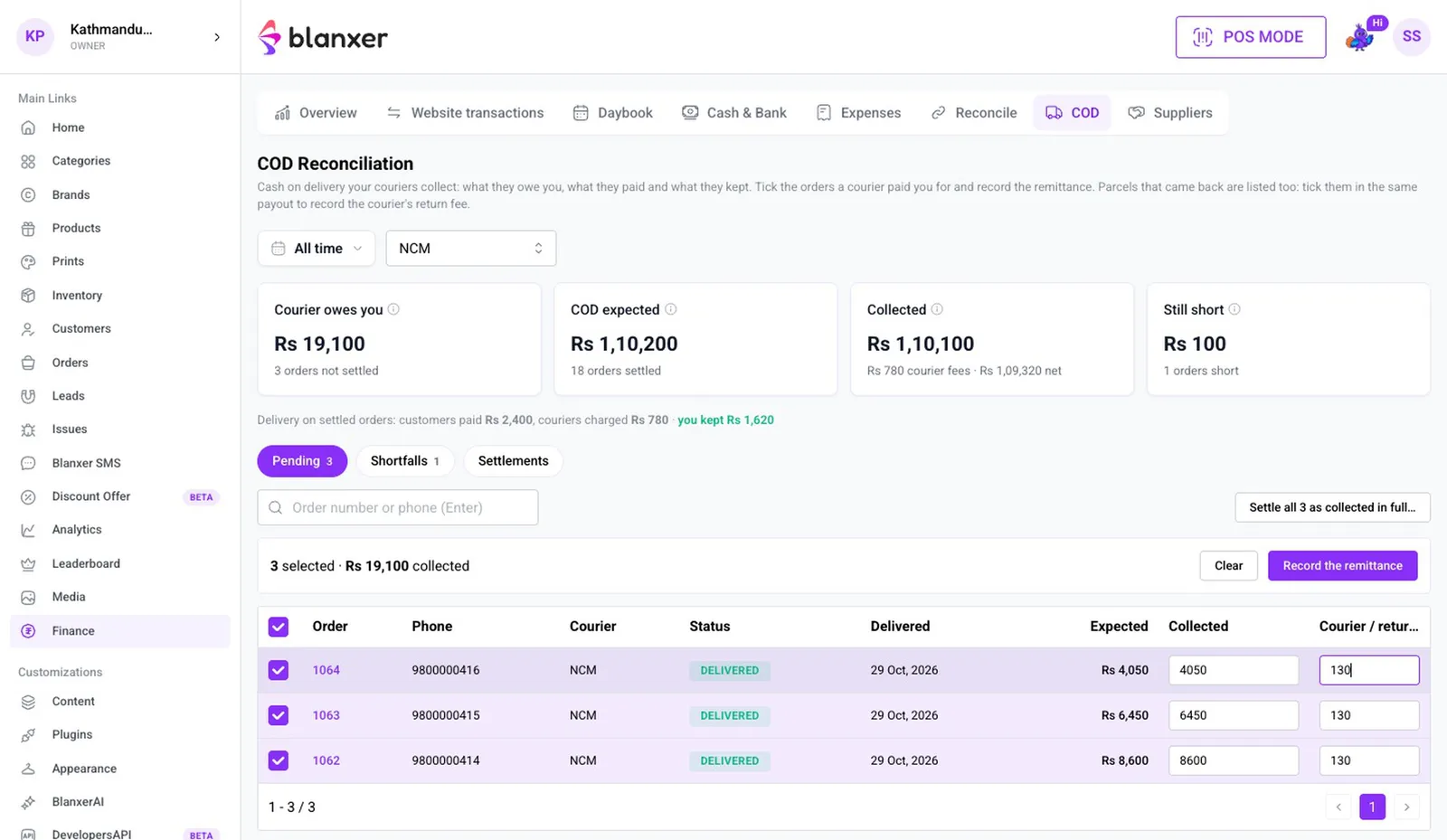
Some couriers, such as NCM, don't tell Blanxer when an order is delivered. Choose the courier, tick the orders and enter collected and courier fee from their invoice, then confirm with the invoice number.
Part 4
Reconcile one order
- 10
Reconcile from the order
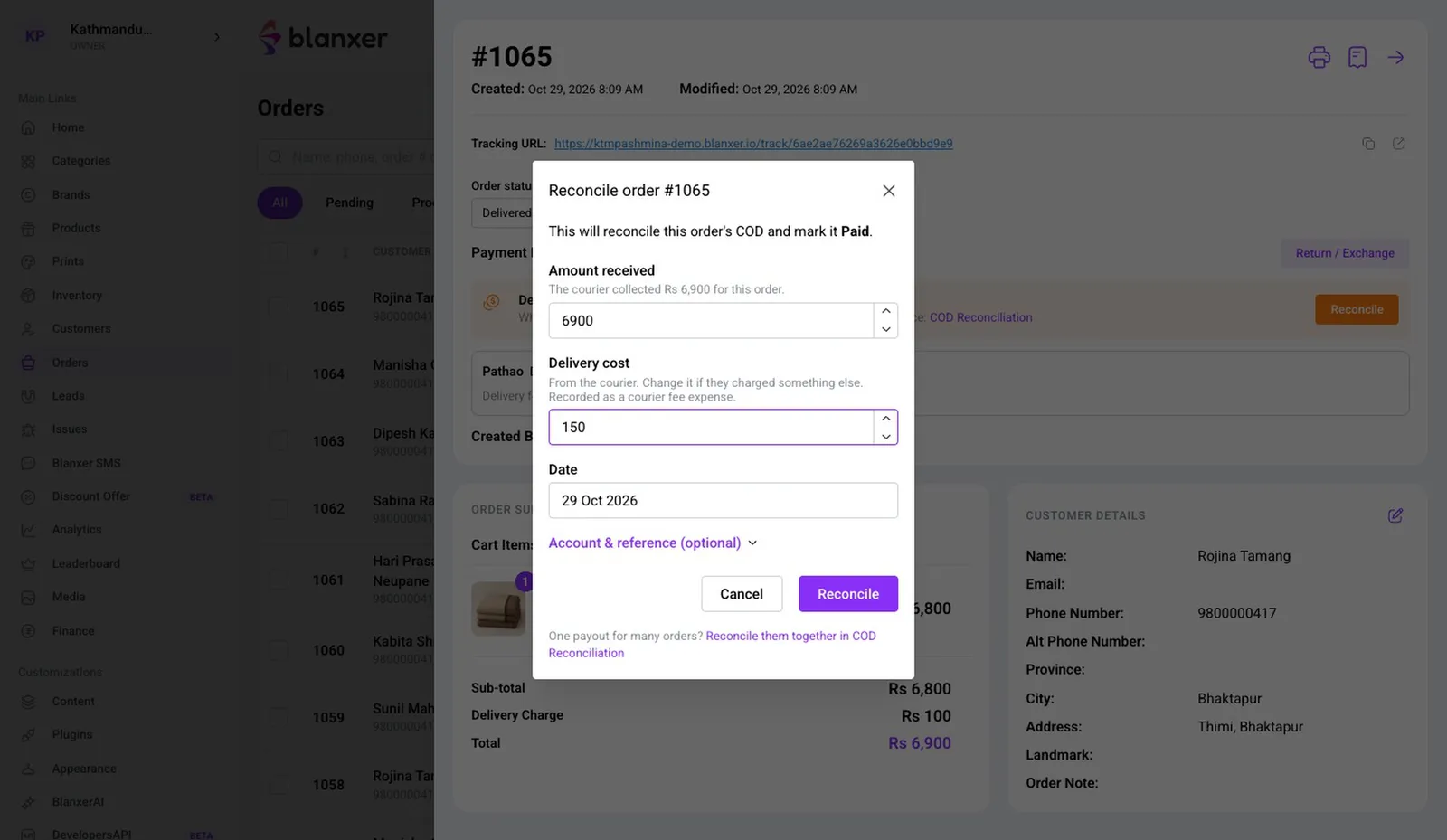
Open a Waiting Reconcile order in Orders; it shows what's left to collect from the courier. Click Reconcile and enter the amount received and the delivery cost from the invoice.
- 11
The order is Paid
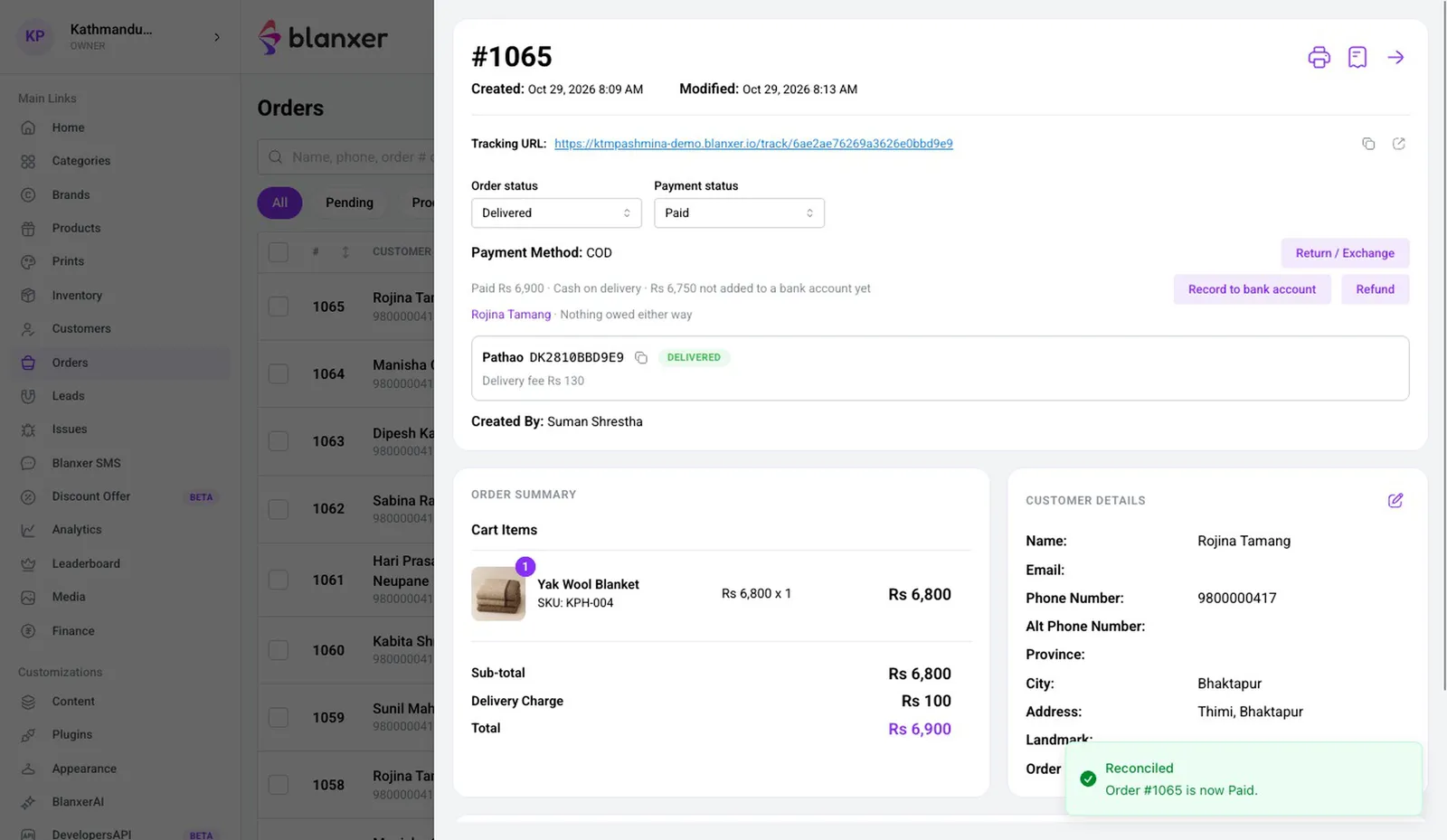
After reconciling, the order becomes Paid and the delivery cost is booked as an expense.
Part 5
Track shortfalls and settlements
- 12
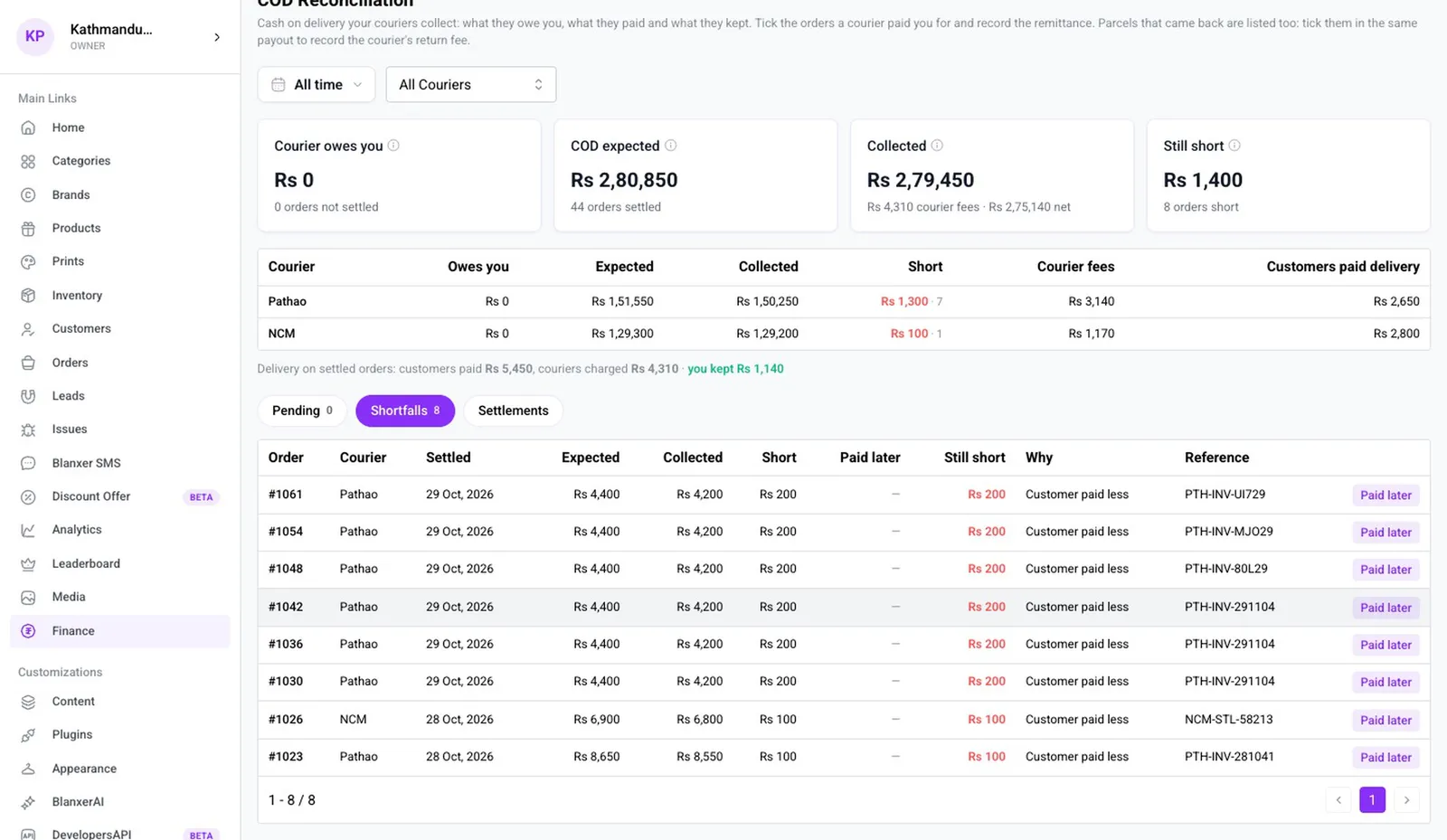
Every shortfall in one list
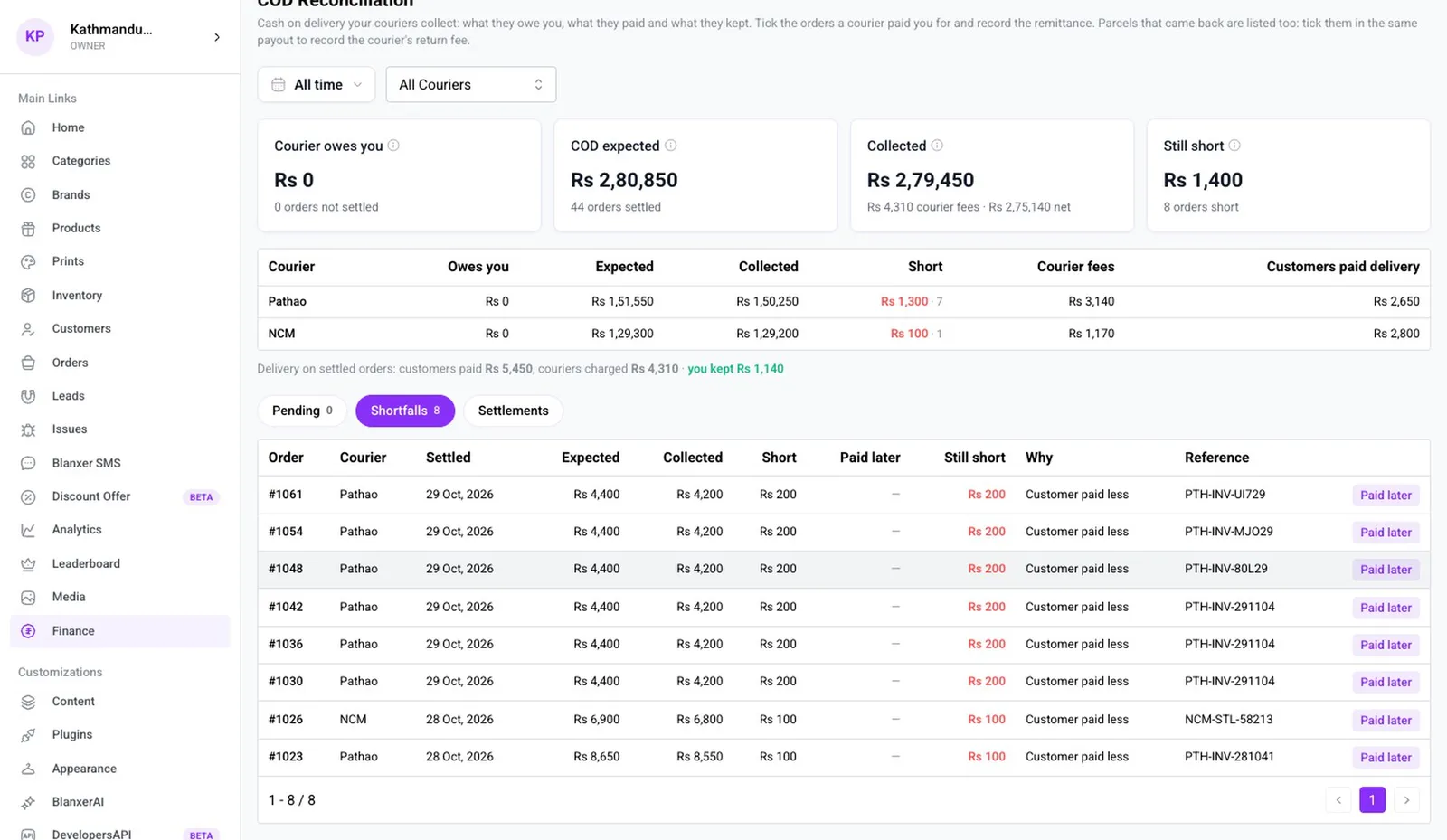
The Shortfalls tab shows which order came up short, by how much, why, and on which statement. Use it when you talk to the courier.
- 13
Paid later
If the courier pays the missing money later, click Paid later to record it. The shortfall goes down on its own.
- 14
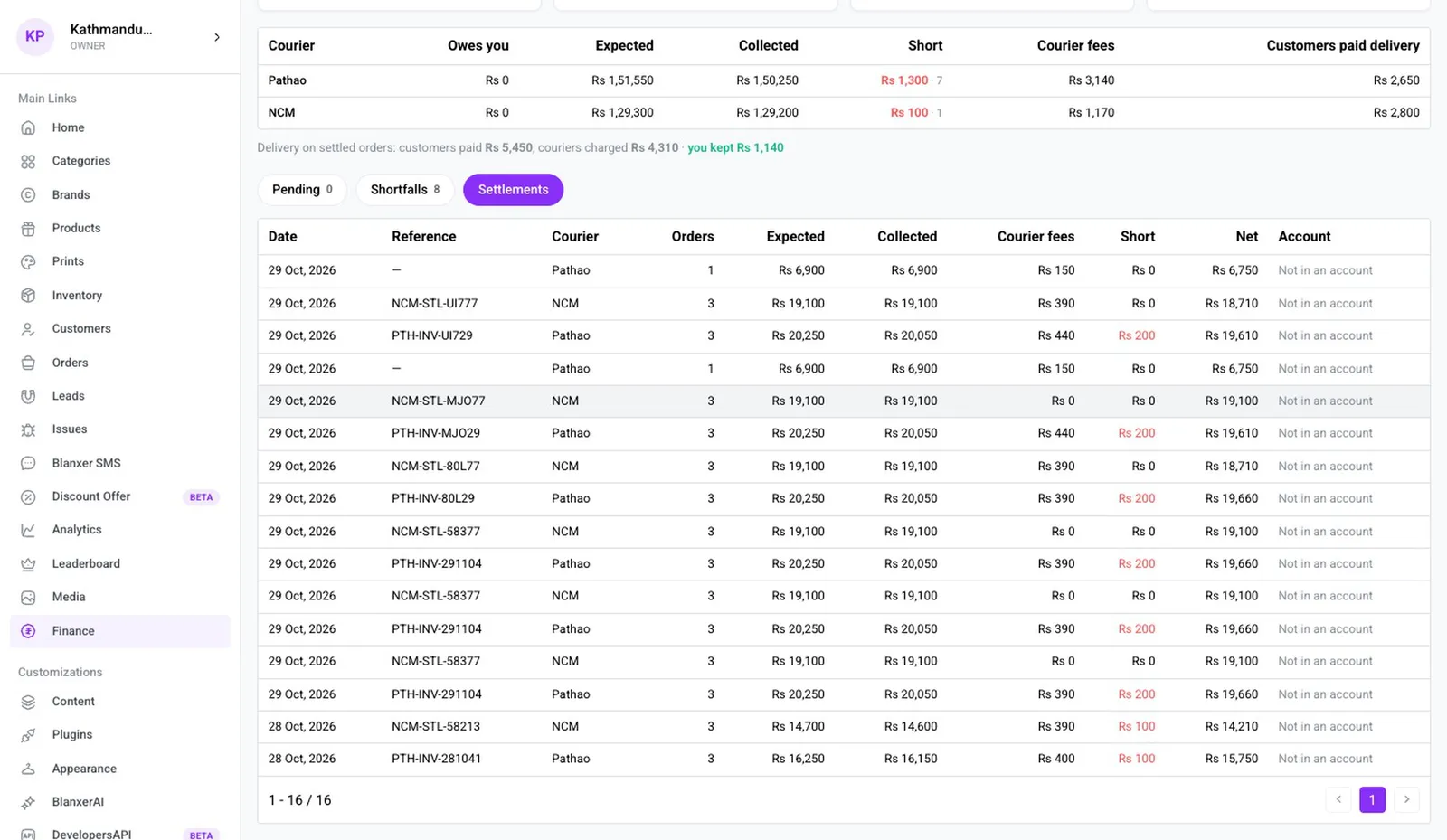
Settlements
The Settlements tab keeps a record of each courier statement: how many orders, what came, the fee and the net.
Part 6
See your real profit
- 15
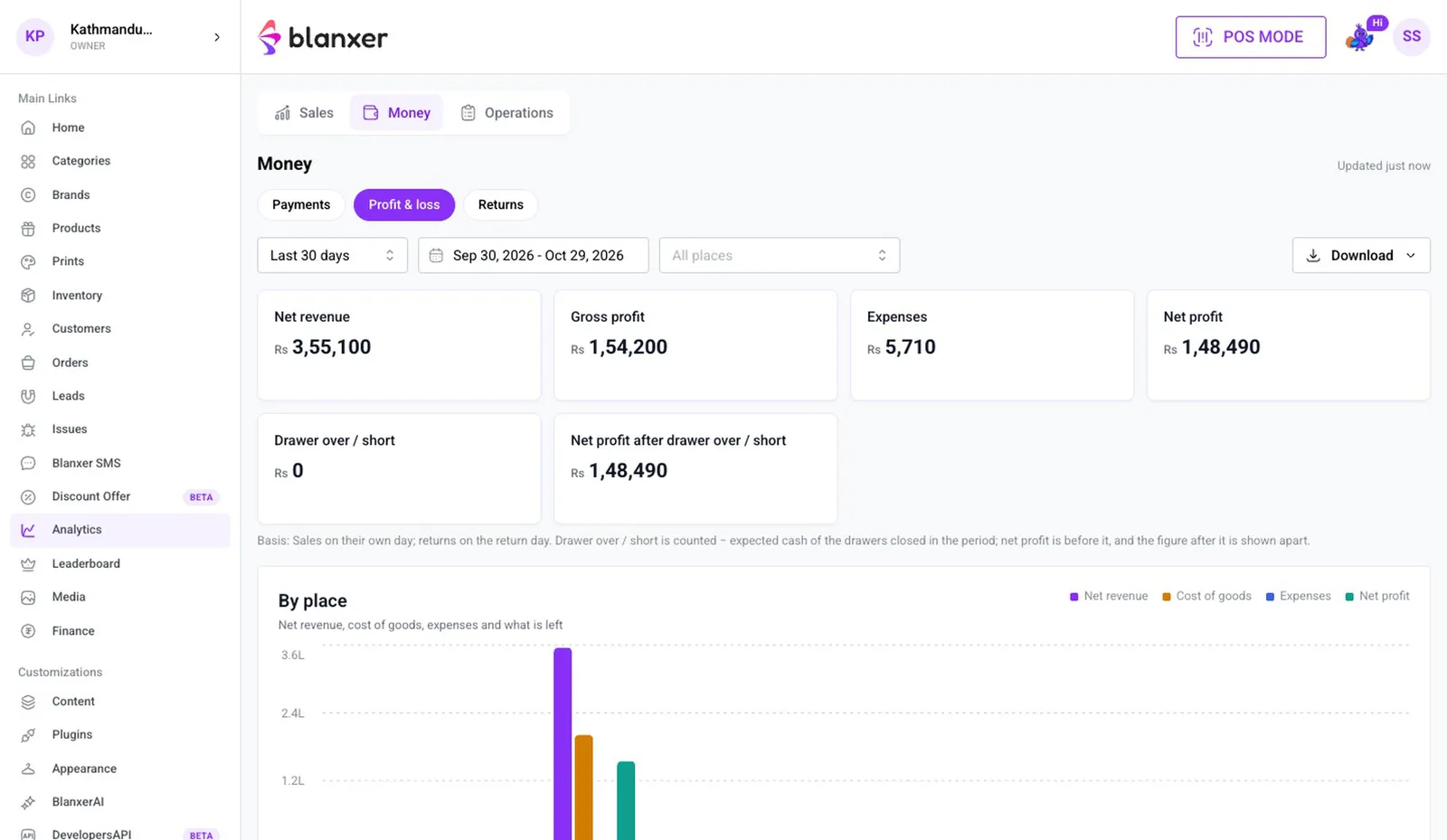
Profit and loss
Profit and loss shows sales, cost of goods, expenses and net profit, with courier fees and shortfalls already included. The delivery charge customers paid is shown separately, and courier costs sit under Shared costs.
- 16
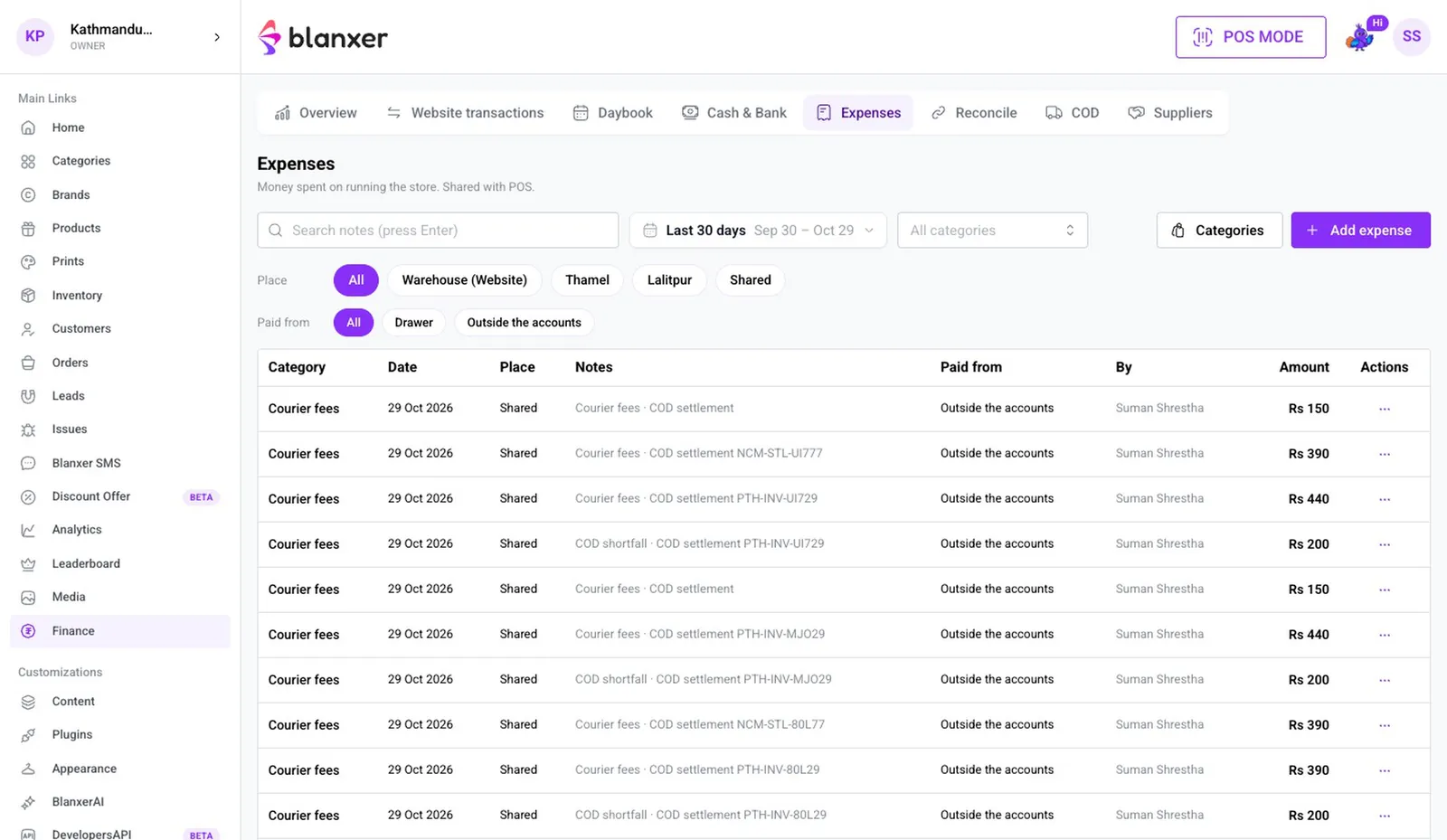
Courier fees in Expenses
Finance > Expenses lists each settlement's courier fee and shortfall line by line as Courier fees.
Good to know
- Orders only wait in Waiting Reconcile on their own when the courier is connected through Blanxer.
- Collected and Courier fee are prefilled from courier data. Always check them against the courier's invoice before you confirm.
More videos
All 33 videos 4:00
Payments
Advance and partial payment at checkout
Ask customers to pay the delivery charge or part of the order online, and collect the rest as cash on delivery.
 1:12
Getting started
What is Blanxer?
Start here: what Blanxer is and what it does for your business, before the videos on each feature.
 5:43
Products
Add products (normal inventory)
Add a product with its photos, price, variants and stock, for stores on normal inventory.
See Blanxer with your own business in mind.
Book a demo. We'll show you the store, checkout, POS and dashboard, and tell you honestly which plan you need.
Prefer to talk directly?
Already a customer? Support on WhatsApp +977 9802344850, Sun–Fri, 9 AM – 6 PM.
Follow Blanxer
 A Blanxer product
One AI inbox for every customer conversation.
Sambad.io brings WhatsApp, Instagram, Facebook, website chat and email into one inbox. Connect your Blanxer store and its AI answers from your catalogue, checks stock, quotes delivery and places the order right in the chat.
- Website chat
- Gmail
- Outlook
- Zoho Mail