
How SEO works, and how to optimise it with BlanxerAI
How Google and AI search find your website, and how the SEO plugin and BlanxerAI fix what holds it back: titles, descriptions, photo alt text and more.
Website · 8:23 · In Nepali
Every Blanxer website already handles the technical SEO and is ready for AI search like ChatGPT. The free SEO plugin adds a score, a fix list, BlanxerAI-written titles and descriptions, redirects and Search Console setup, so customers find your store on Google and AI.
Part 1
What Blanxer does for you
- 1
The basics are automatic
Every page has a title, description and one canonical link so Google doesn't count it twice. Product price and stock go out as product data Google understands, the sitemap updates with every change, and removed pages return a true 404.
- 2
Ready for AI search
Each store gets an llms.txt with your introduction, categories and every product's price and stock, so AI can answer with your store name, price and link. Google, Bing, ChatGPT and Perplexity search bots are always allowed.
Part 2
Install the SEO plugin
- 3
Install SEO
In Plugins, open the SEO card and click Install SEO. It's free for everyone.
- 4
Read your score and fix list
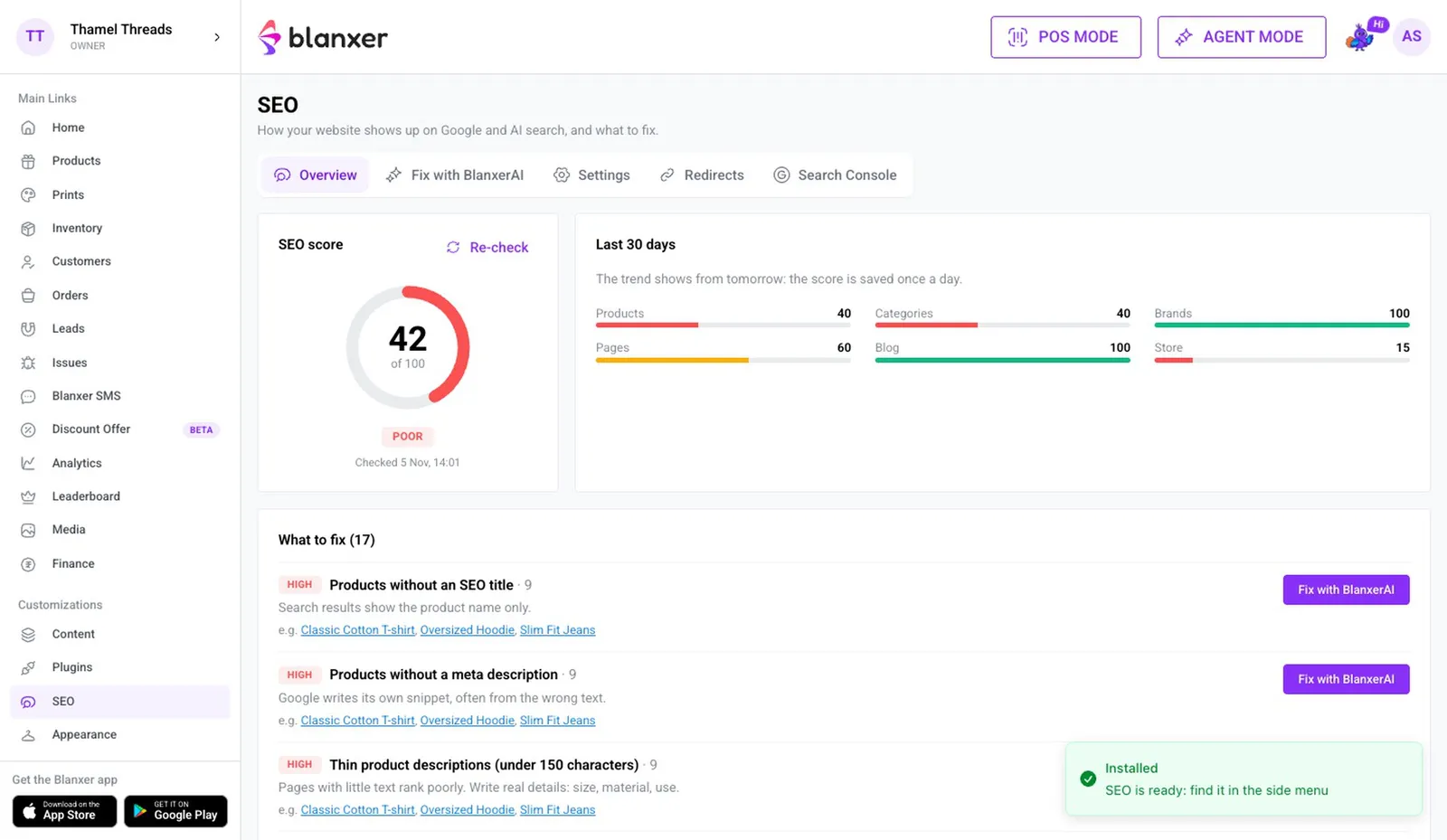
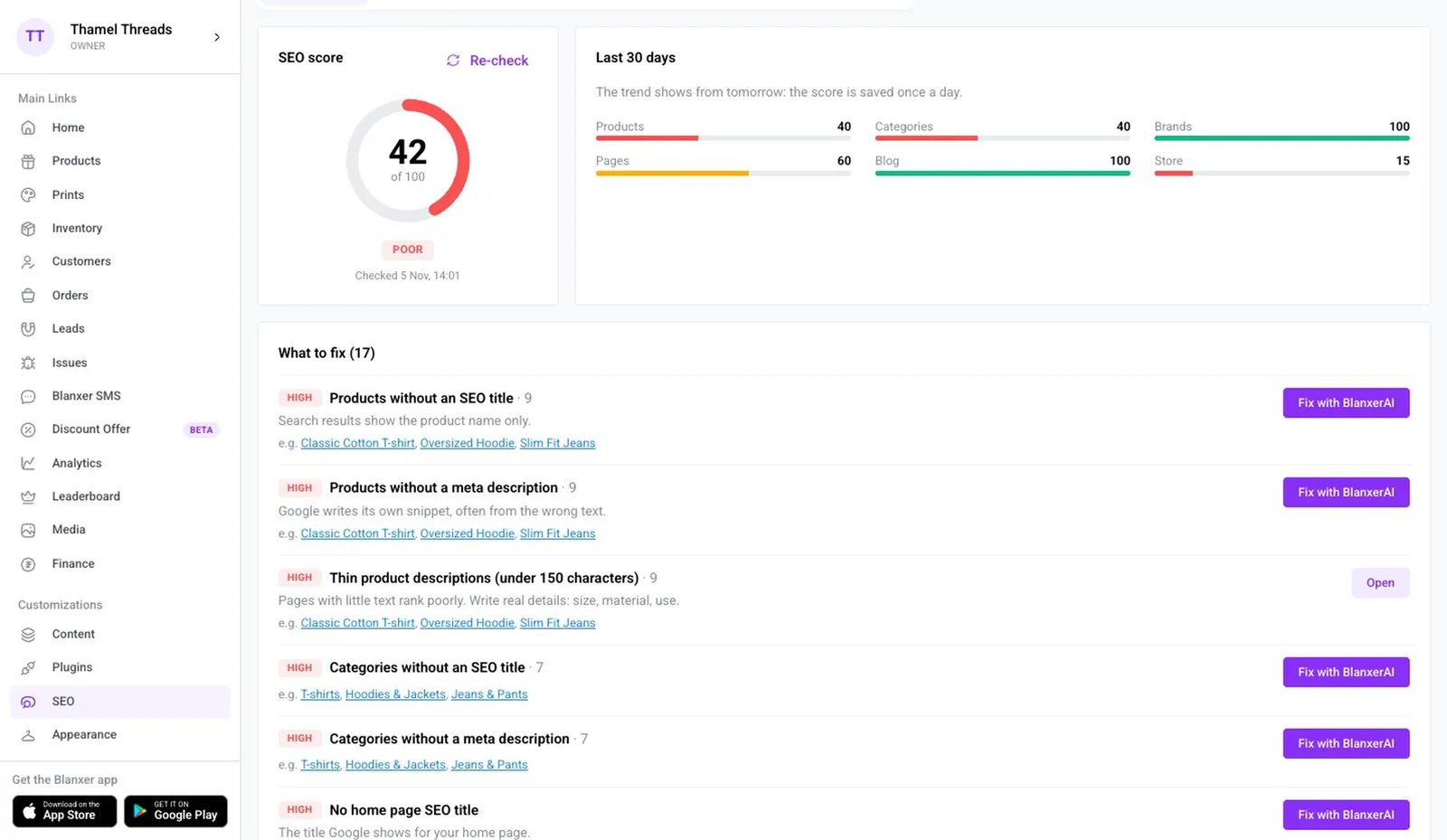
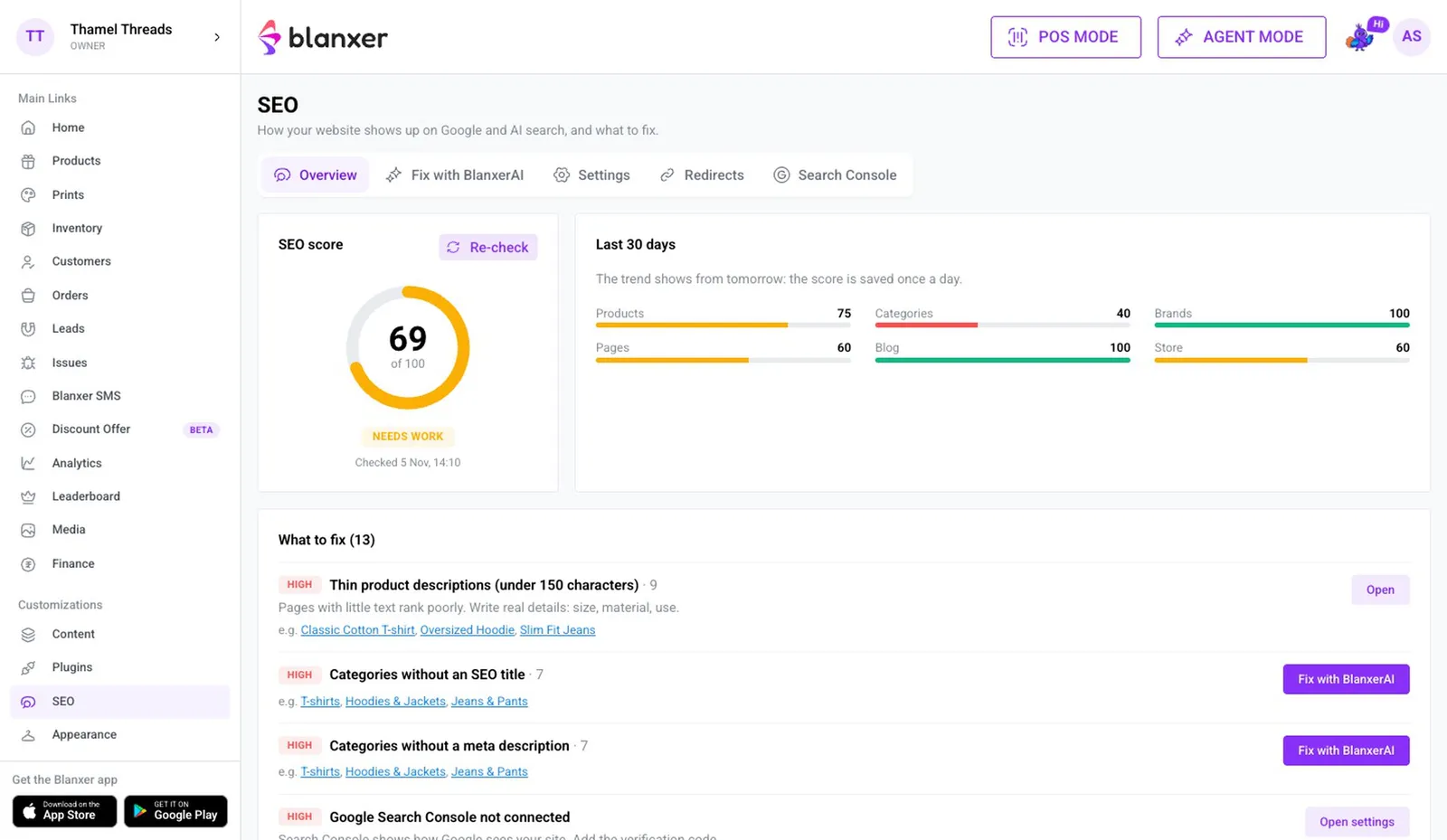
Overview shows your SEO score out of 100, with separate scores for products, categories, pages and store. Below is the fix list, most urgent first, e.g. products missing an SEO title and description.
Part 3
Fix it with BlanxerAI
- 5
Open Fix with BlanxerAI
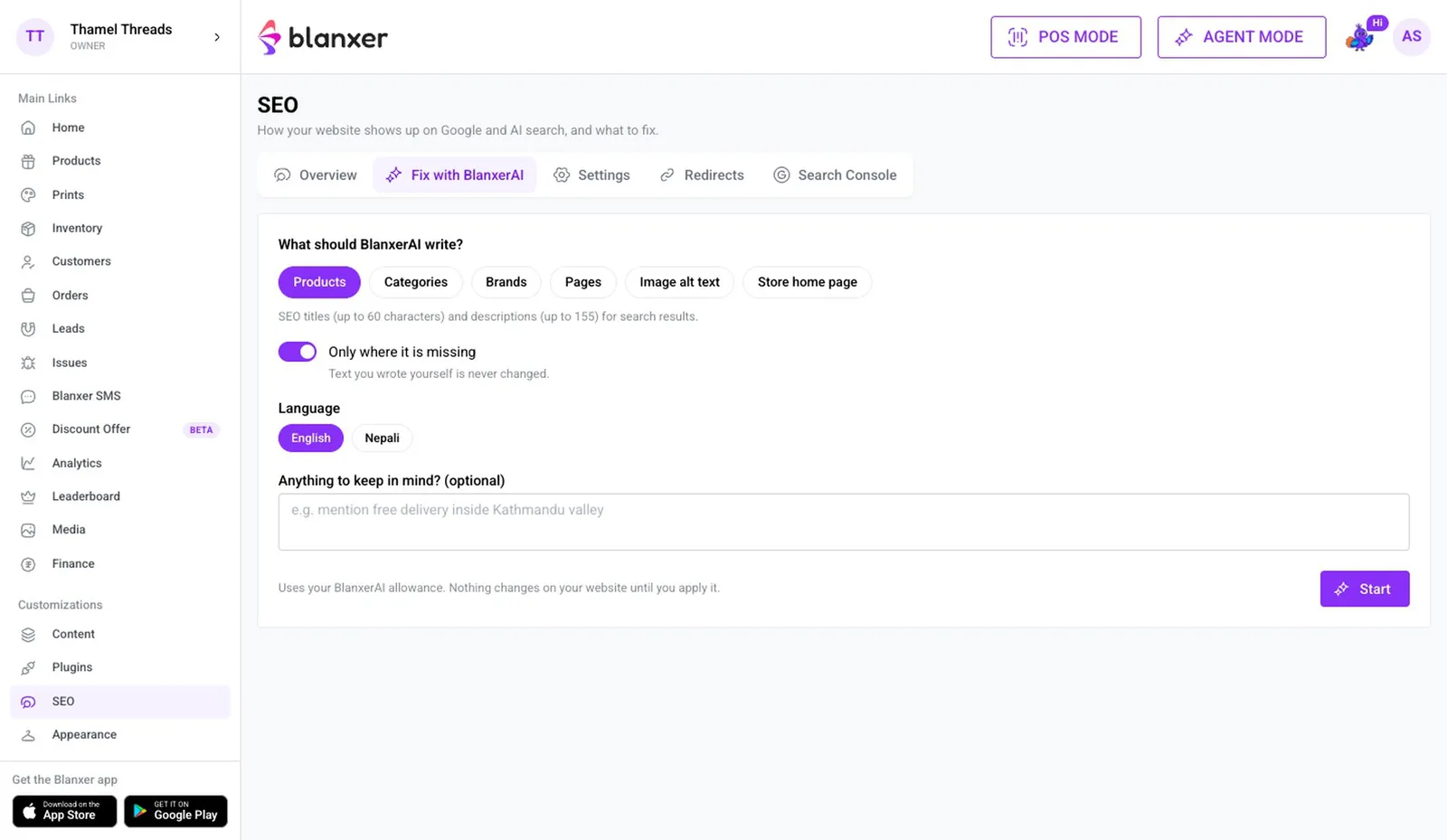
Click Fix with BlanxerAI next to an issue. The scope is already picked, e.g. Products. With Only where it is missing on, your own text is never overwritten; choose English or Nepali.
- 6
Add a note and start
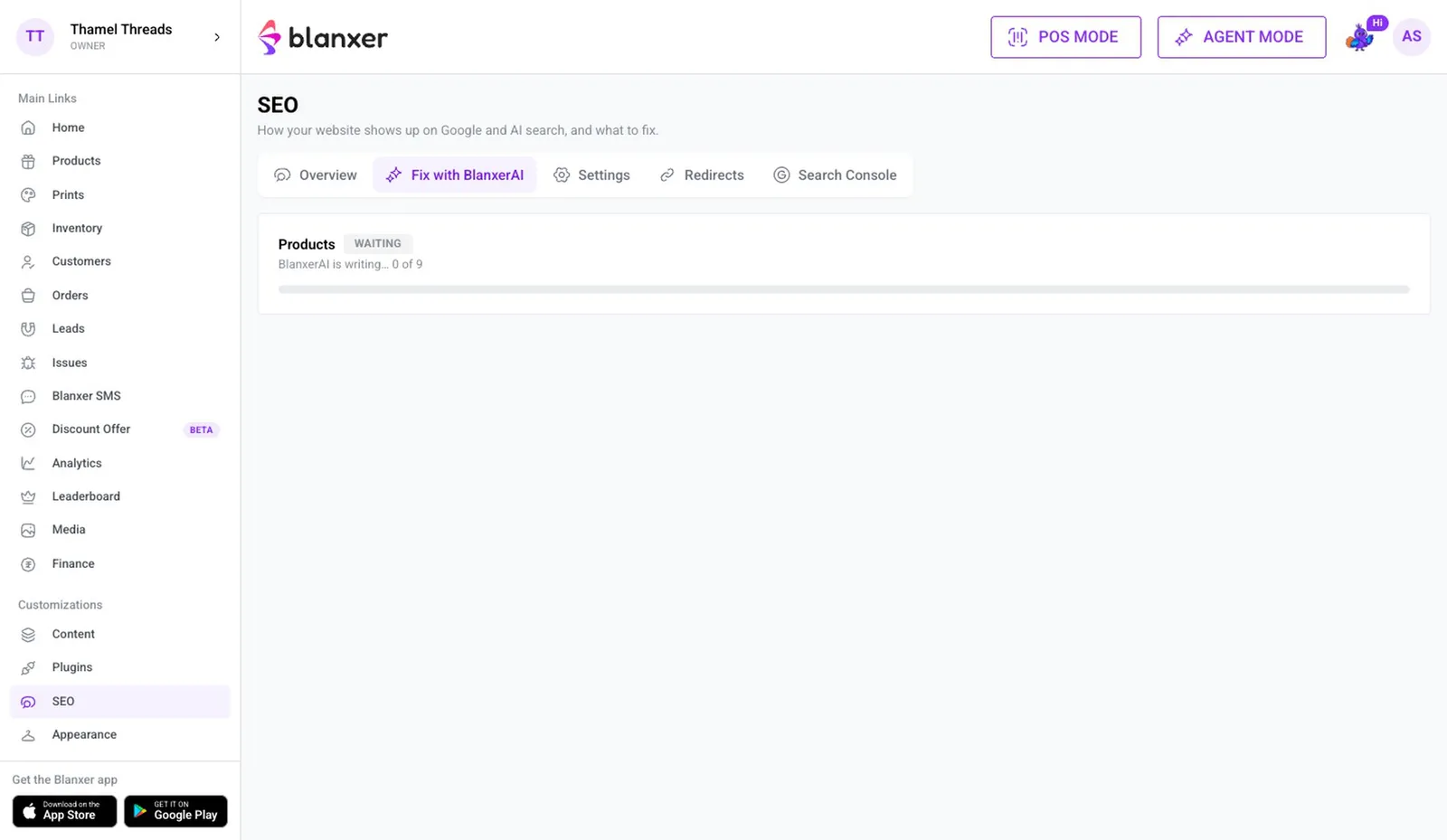
Type anything to mention, e.g. Mention cash on delivery across Nepal, and click Start. Titles and descriptions are ready in seconds.
- 7
Review old and new
Old and new show side by side; untick any you don't like. Nothing changes on the website until you apply.
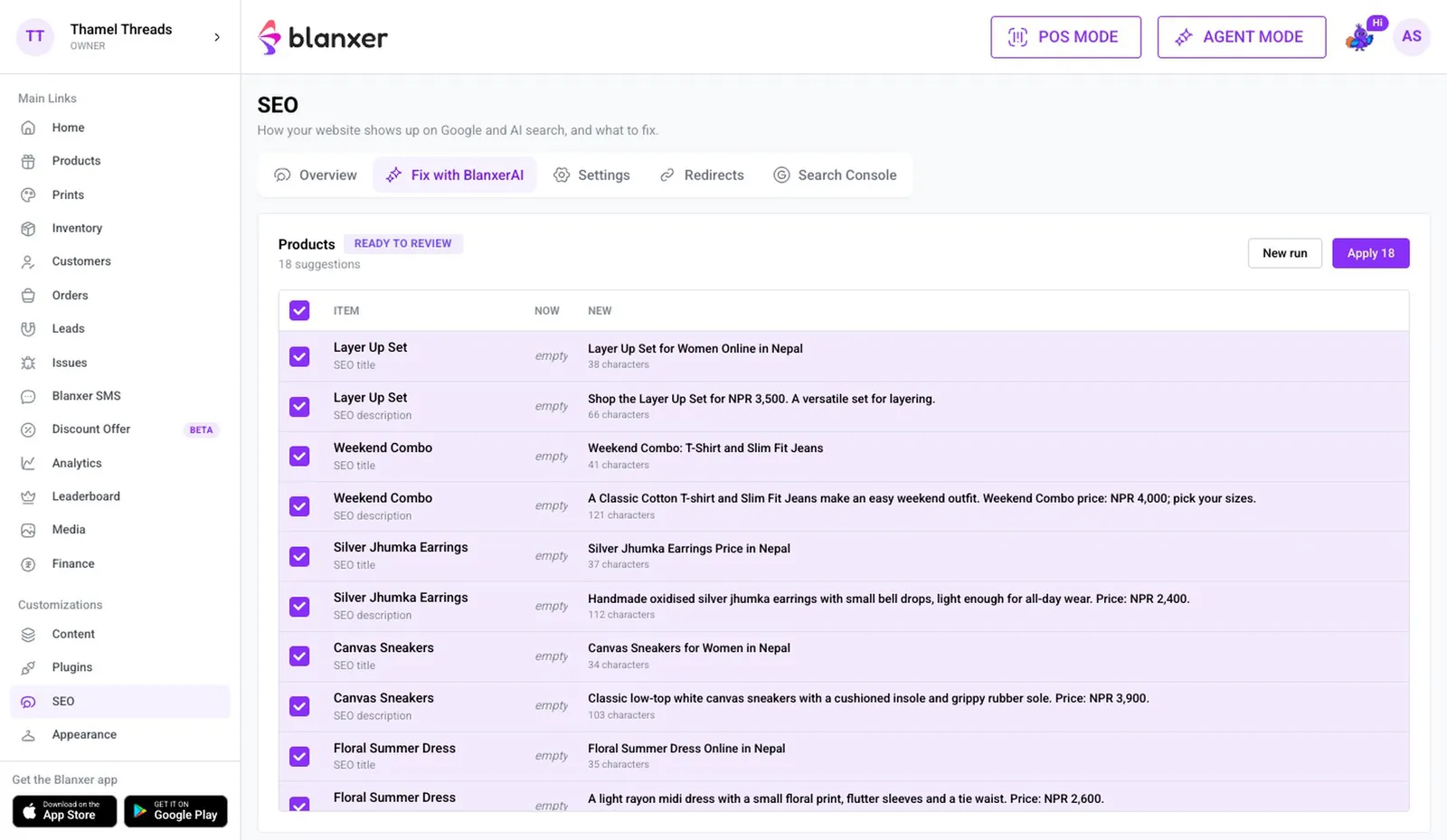
- 8
Apply
Click Apply. If something's wrong, Undo brings back the previous state.
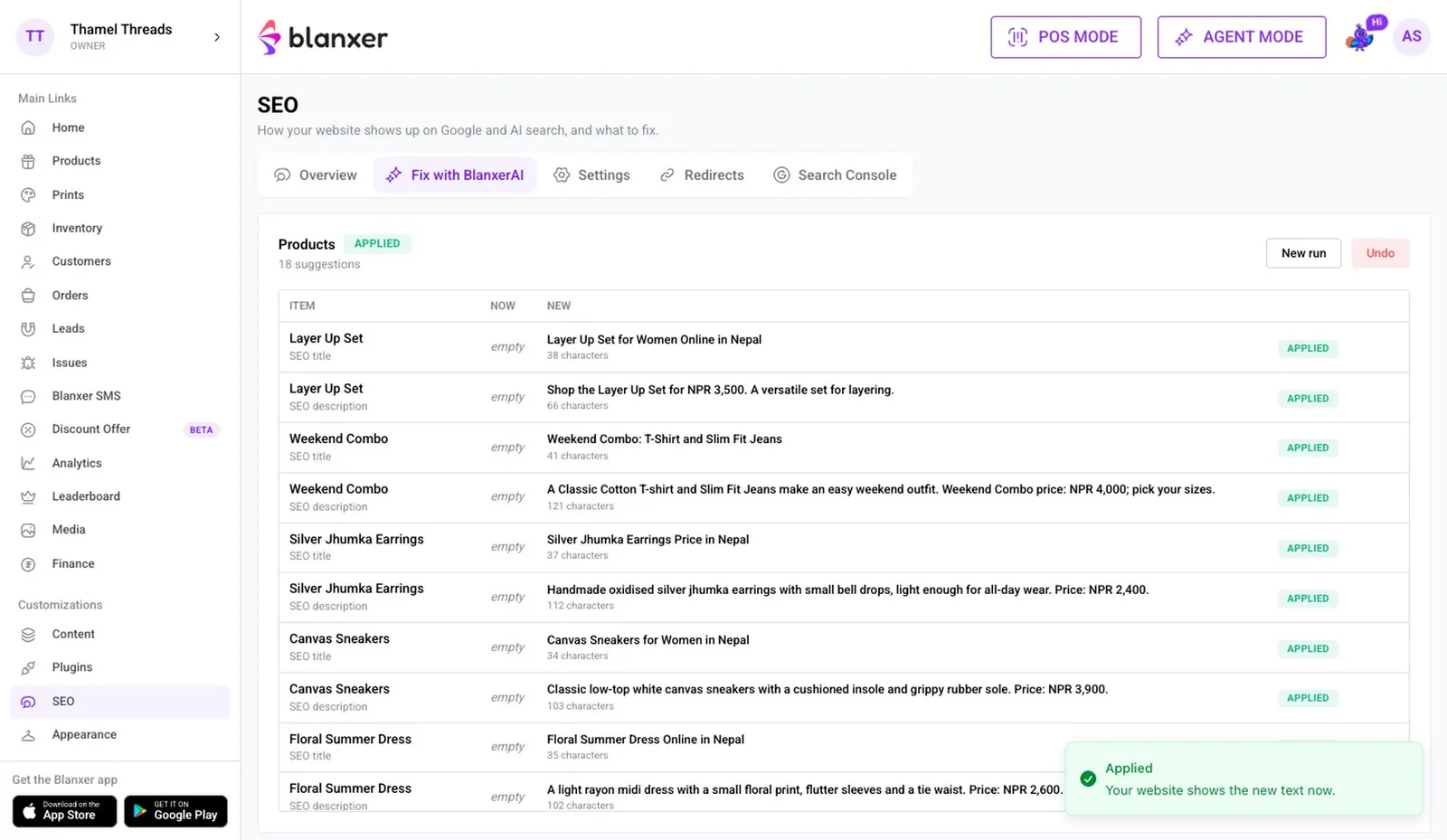
Part 4
Edit one product
- 9
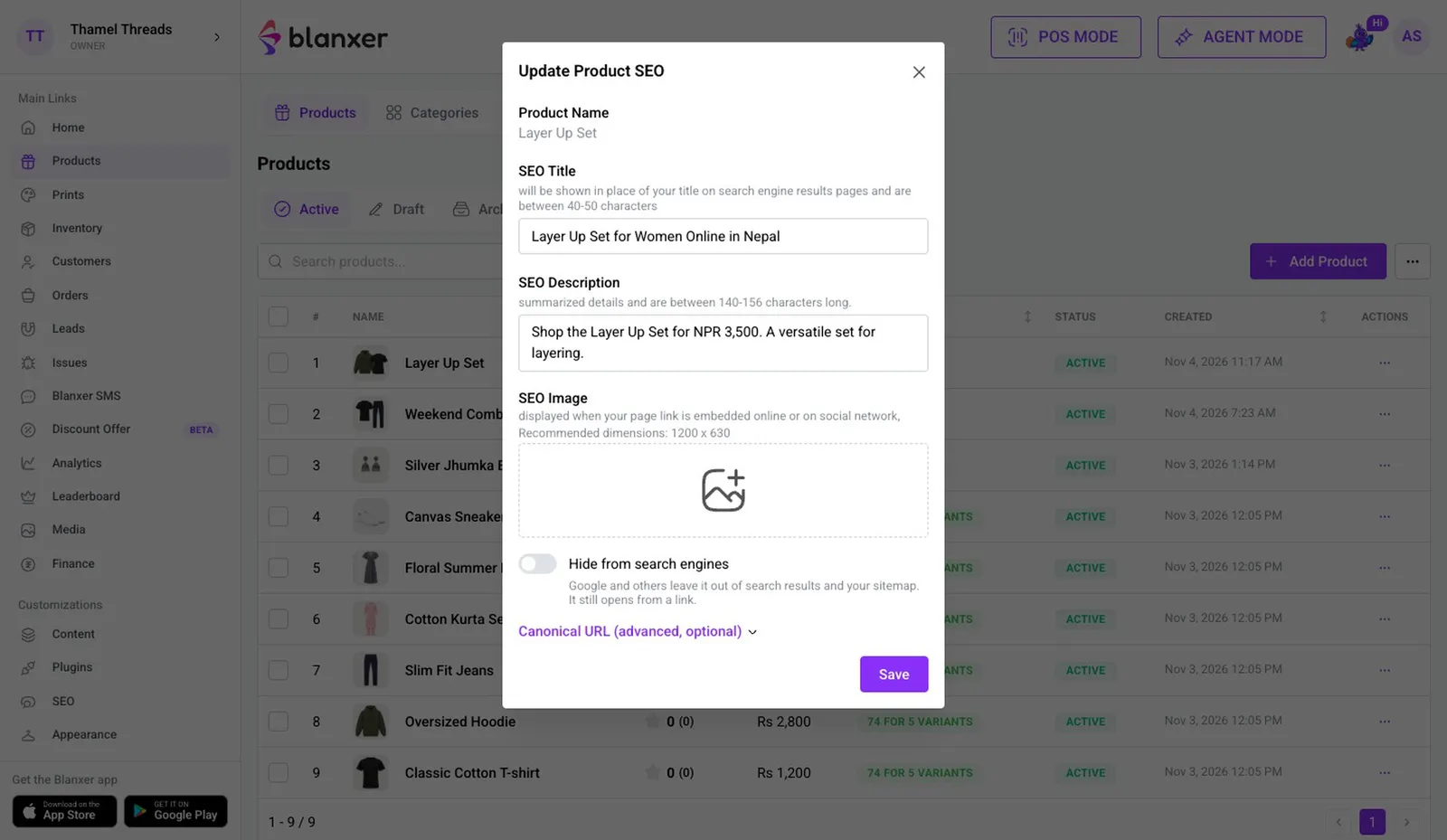
Update SEO Metadata
From a product's menu, open Update SEO Metadata to edit the title and description, BlanxerAI's or your own. Turn on Hide from search engines to keep a product off Google.
Part 5
Settings, redirects and Search Console
- 10
Home page title and description
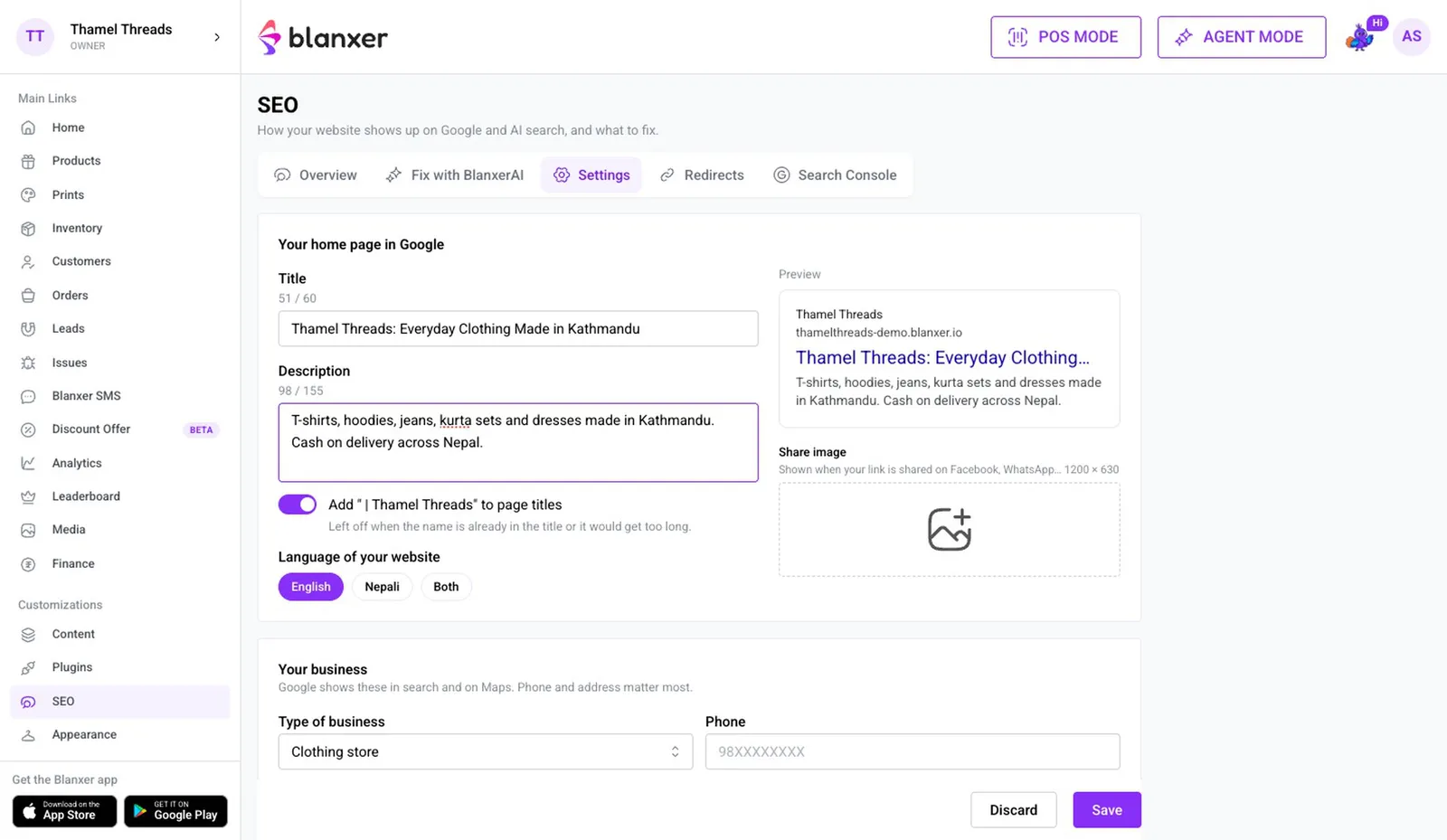
In the SEO Settings tab, write your home page title and description; a live preview shows how Google will display it.
- 11
Business details, IndexNow and AI training
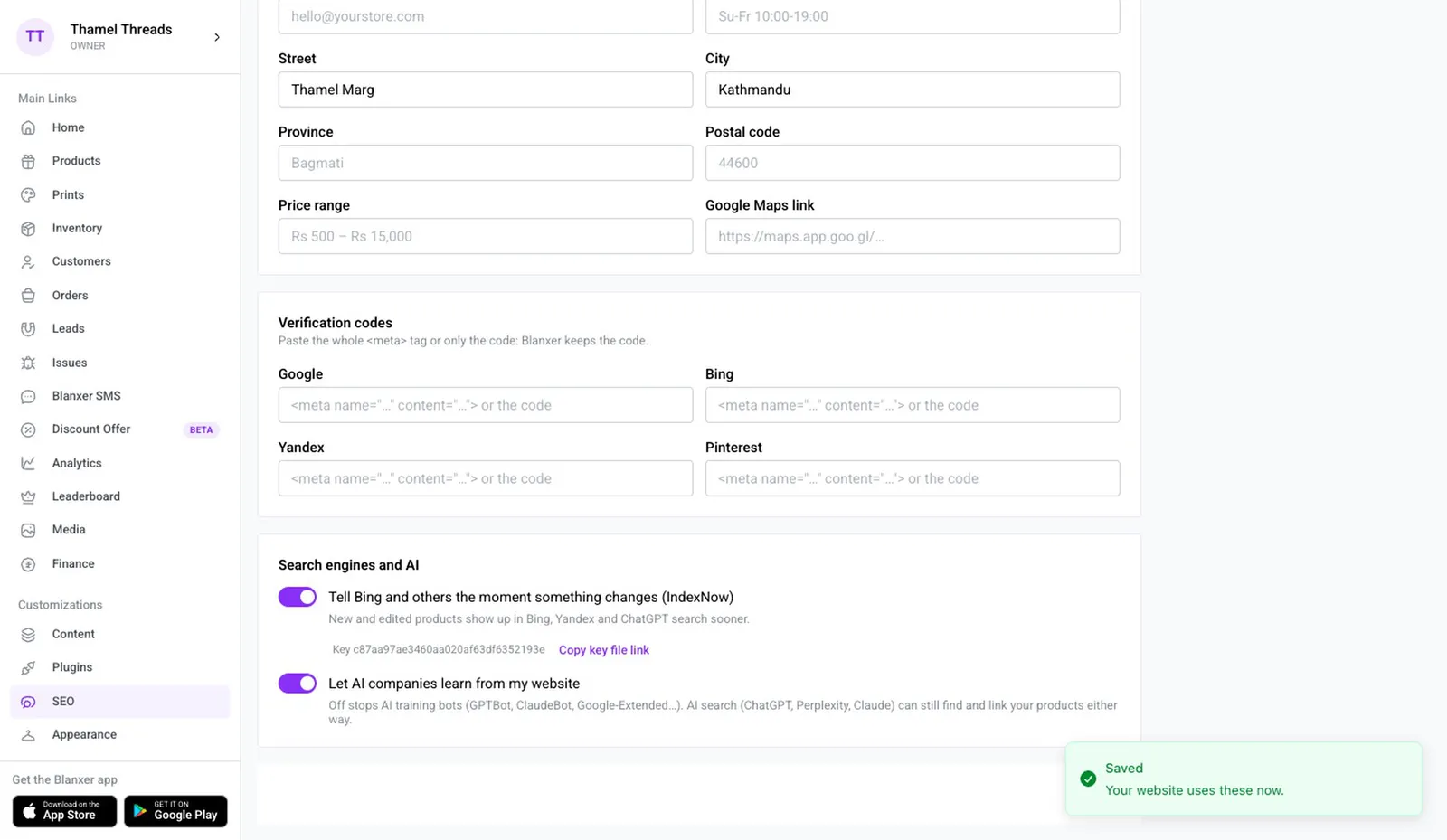
Add your business phone and address for nearby-shop searches. IndexNow gets new products to Bing and ChatGPT search faster, and the AI-training block switch is here too. Click Save.
- 12
Redirect old links
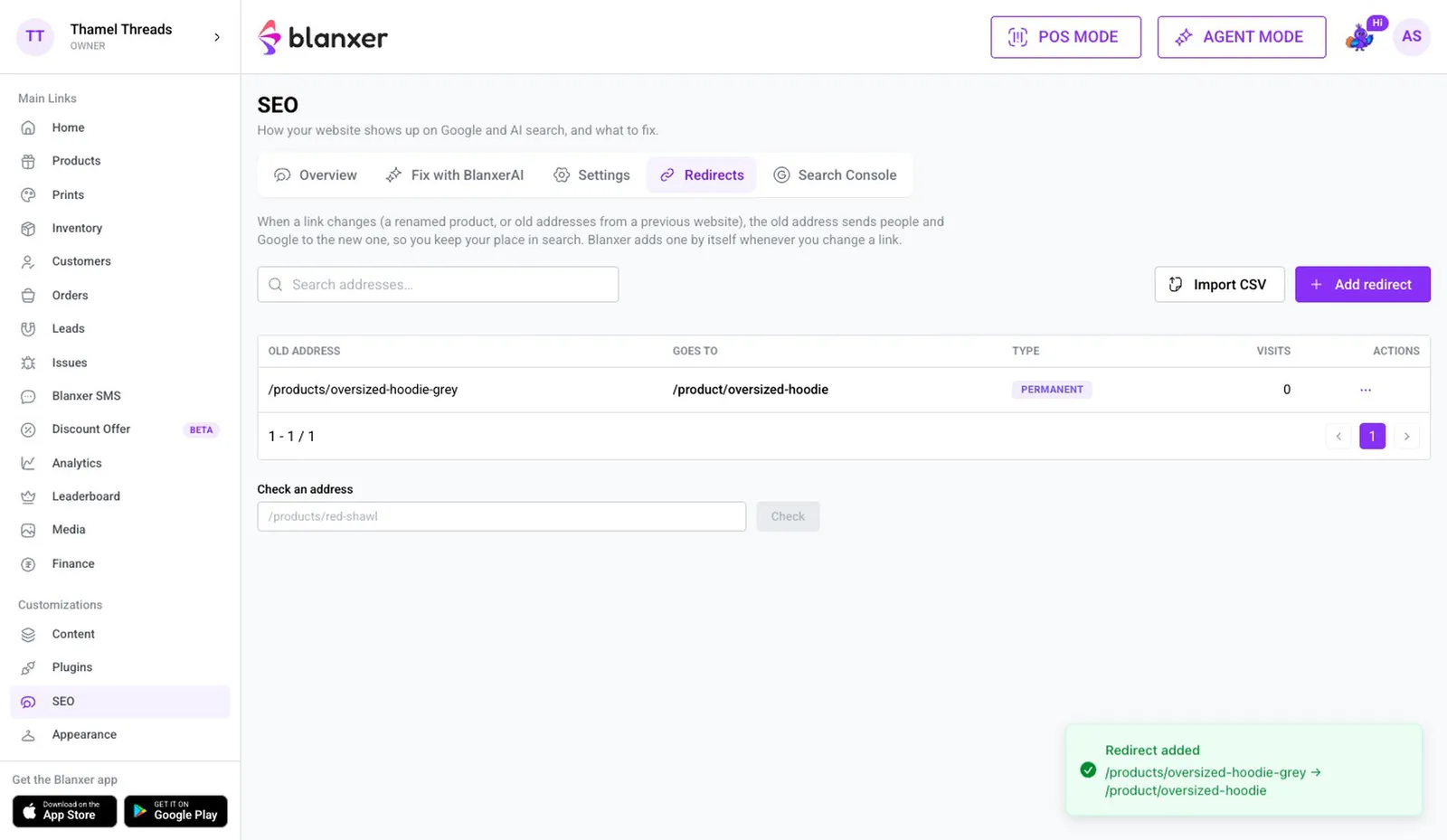
When a product link changes, Blanxer redirects the old one for you. Moving from another website? Click Add redirect, e.g. /products/oversized-hoodie-grey to /product/oversized-hoodie.
- 13
Connect Search Console
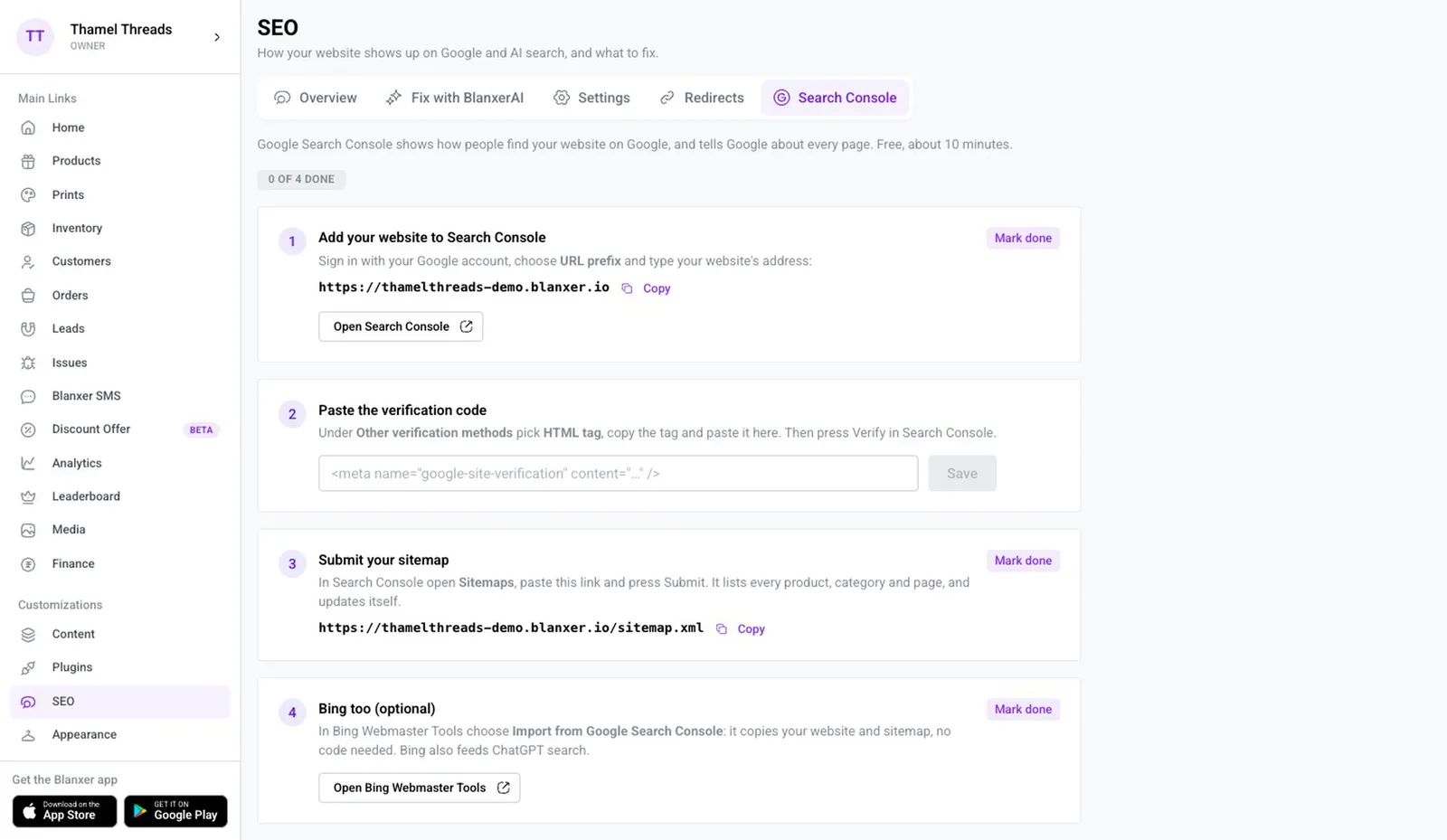
The Search Console tab has a four-step guide: add your site in Google Search Console, paste the verification code and submit the sitemap. Bing imports in one click.
Part 6
Keep improving
- 14
Link your pages together
The menu should reach every category, and each category should hold all its products. Link related products, bundles and blog posts, and never leave a product without a category.
- 15
Keep it fresh and trusted
Write each product's own description with size, fabric and use, add good photos and keep links stable. Add new products and blogs regularly, set up a Google Business Profile, ask for reviews and share your website link on social media.
- 16
Re-check every month
Click Re-check on Overview to refresh your score, e.g. after BlanxerAI fills in titles and descriptions.
Good to know
- SEO takes time: after you submit the sitemap, pages are usually indexed in 1–4 weeks, appear in some searches in 1–3 months, climb in 3–6 months, and bring regular Google customers after about 6 months. New sites and competitive terms take longer.
- BlanxerAI's changes reach your website only after you click Apply, and Undo restores the previous state.
- Whether to block AI-training bots is your choice in Settings; search bots stay allowed.
More videos
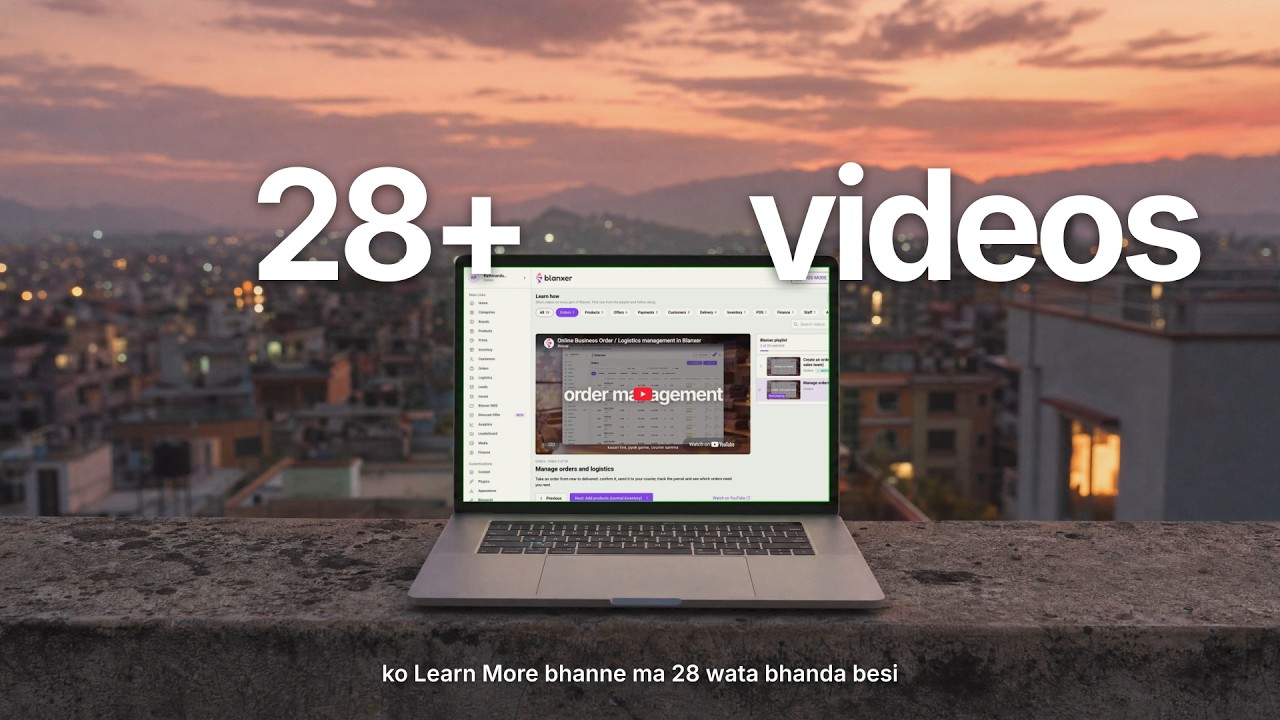
All 33 videos 4:55
Website
Blanxer API for Claude Code / Codex
Let an AI agent like Claude Code or Codex build your store website on Blanxer: get your API key, paste one prompt, and your agent does the rest.
 5:50
Website
Karma Bagz website build with BlanxerAPI x Claude
A real store website built with BlanxerAPI and Claude, start to finish: the prompt, the agent at work, and the live site.
 1:12
Getting started
What is Blanxer?
Start here: what Blanxer is and what it does for your business, before the videos on each feature.
See Blanxer with your own business in mind.
Book a demo. We'll show you the store, checkout, POS and dashboard, and tell you honestly which plan you need.
Prefer to talk directly?
Already a customer? Support on WhatsApp +977 9802344850, Sun–Fri, 9 AM – 6 PM.
Follow Blanxer
 A Blanxer product
One AI inbox for every customer conversation.
Sambad.io brings WhatsApp, Instagram, Facebook, website chat and email into one inbox. Connect your Blanxer store and its AI answers from your catalogue, checks stock, quotes delivery and places the order right in the chat.
- Website chat
- Gmail
- Outlook
- Zoho Mail