
Two ways to make bundles
Sell products together as a set: make a bundle from Products or from Offers, and see how its price and stock follow the items in it.
Offers · 4:34 · In Nepali
Sell sets in two ways. A product bundle is a fixed set sold as one product; a bundle offer is a promotion that gives the set price even when items are added to the cart separately.
Part 1
Make a product bundle
- 1
Add the items
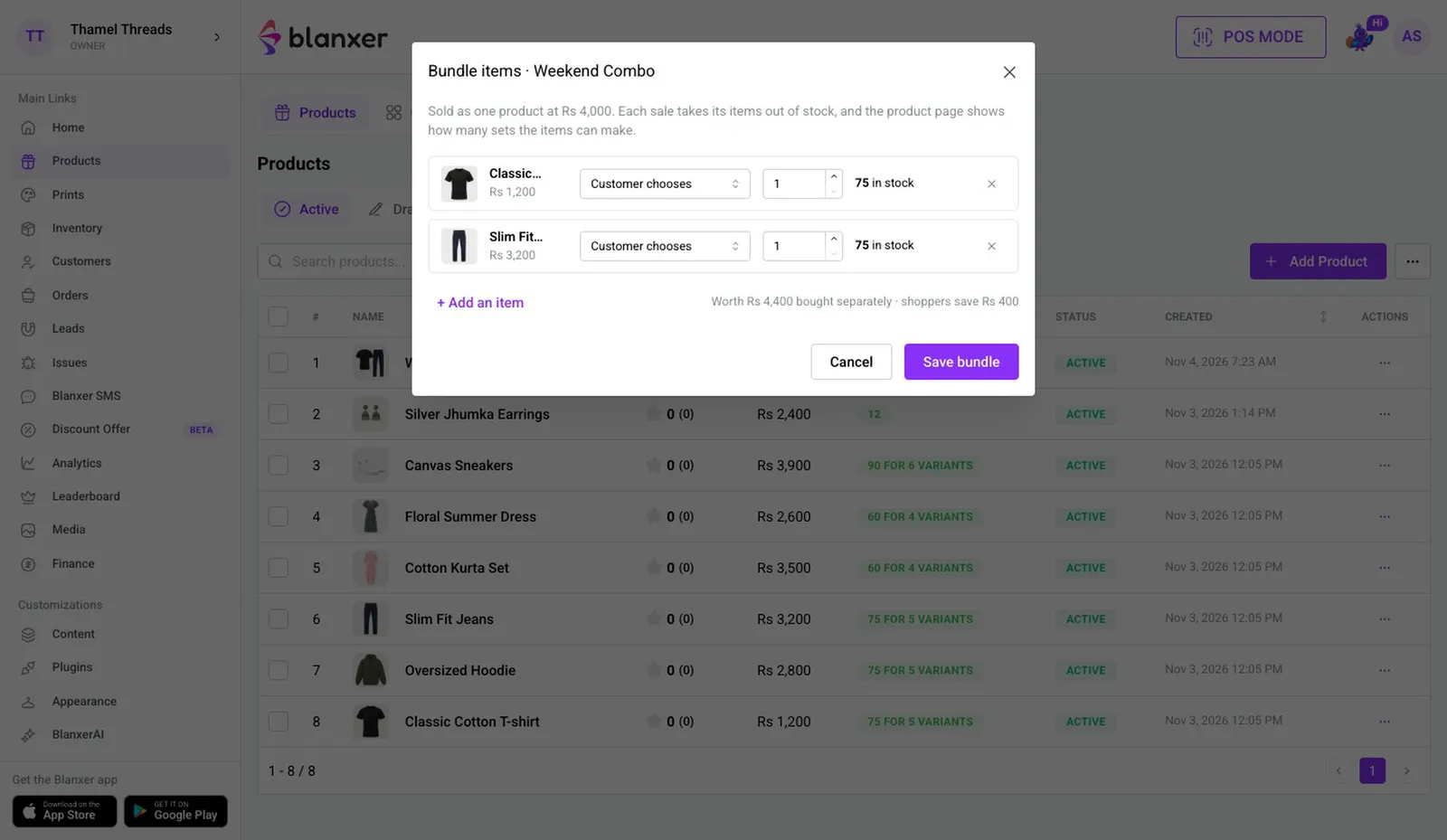
On Products, open an existing product's menu and click Bundle items. Use Add an item to pick each item in the set, e.g. a T-shirt and jeans. The product can't have variants such as size.
- 2
Save at your price
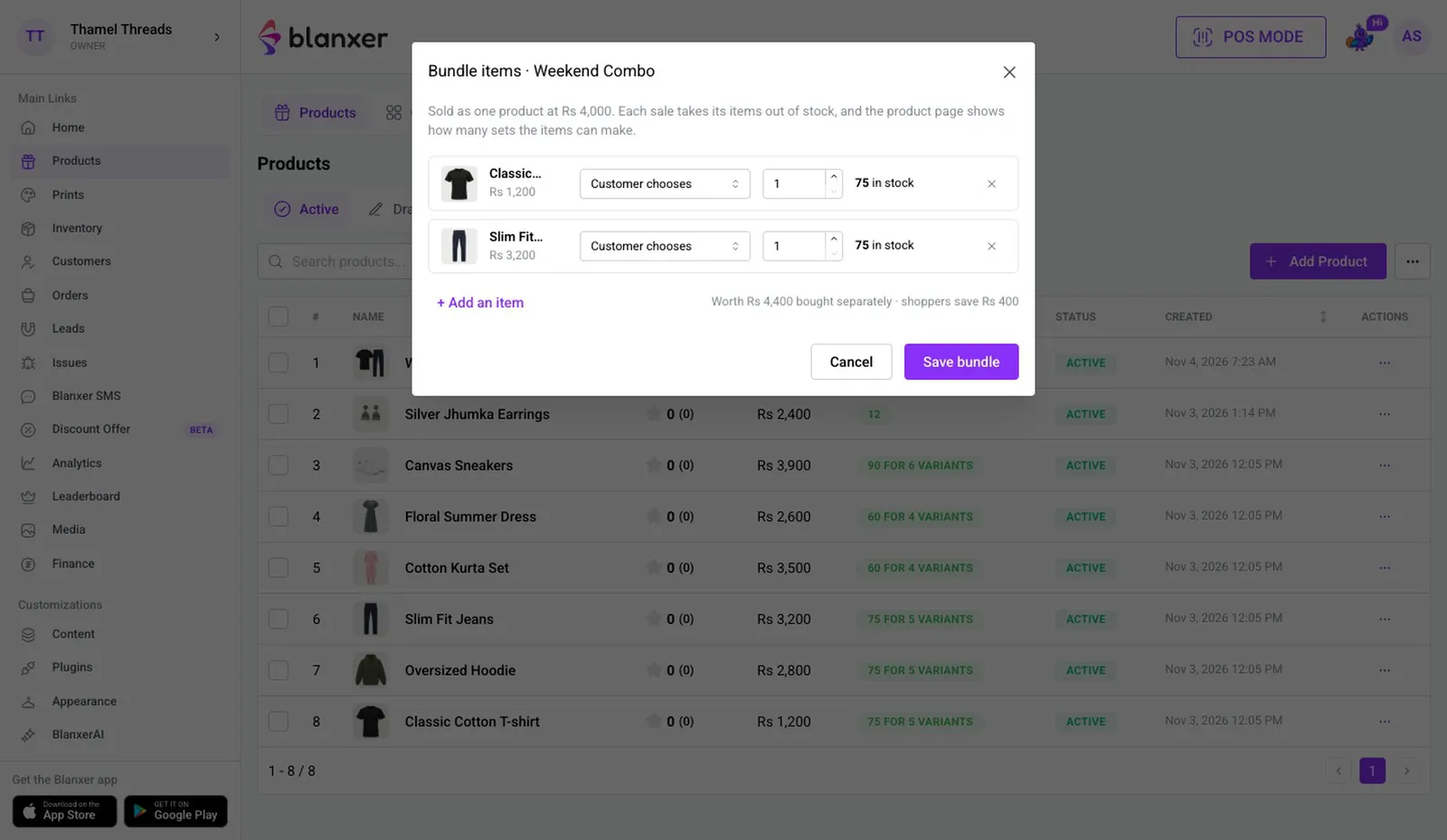
Click Save bundle. The bundle keeps the price on the product: items worth 4,400 sold for 4,000 save the customer 400.
- 3
Stock comes from the items
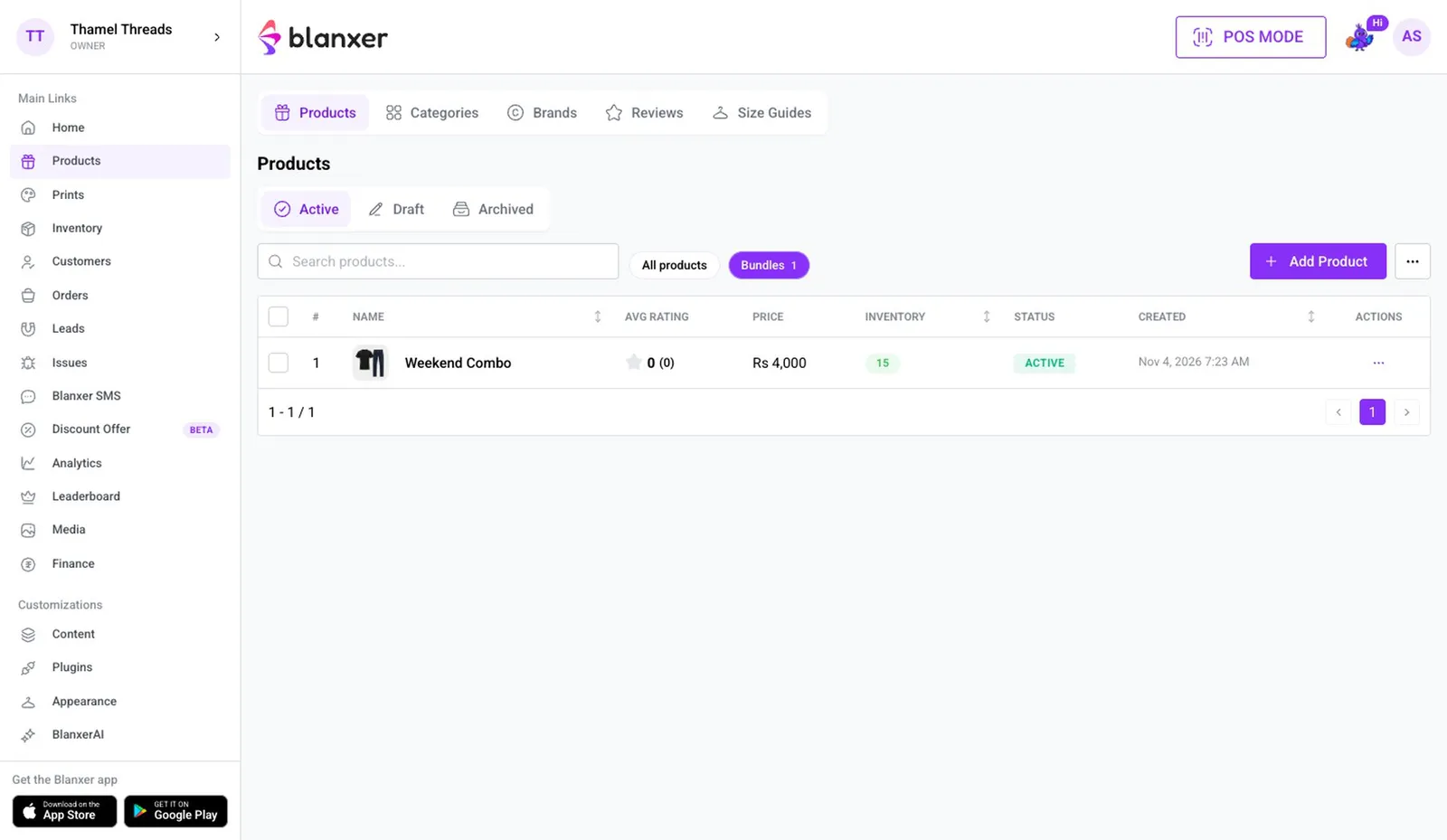
A bundle has no stock of its own. It shows as many sets as its items can make.
- 4
The customer buys the set
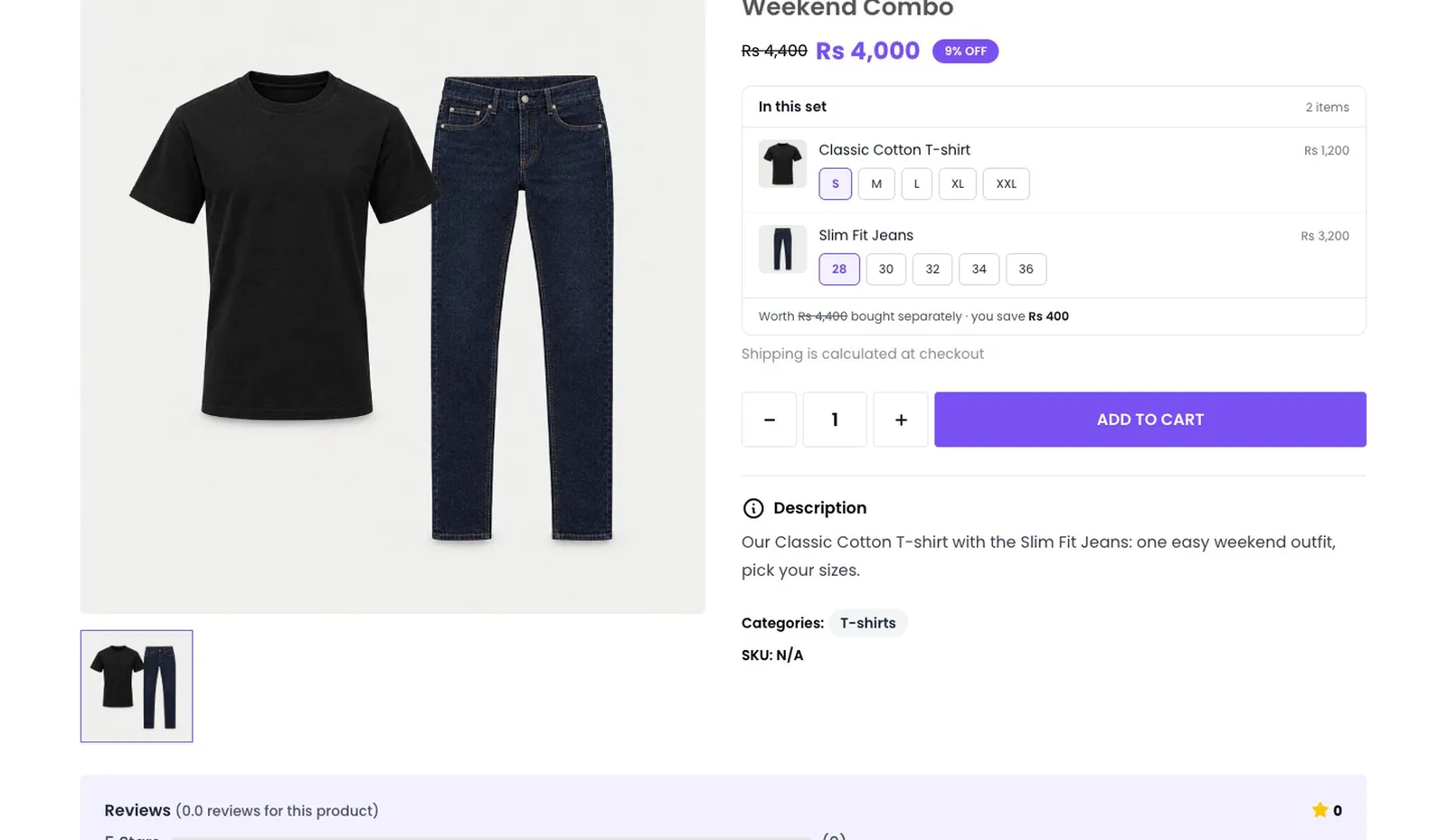
On the website the customer picks each item's size and buys the whole set. Bought separately, the items cost full price.
Part 2
Make a bundle offer
- 5
Create a Bundle offer
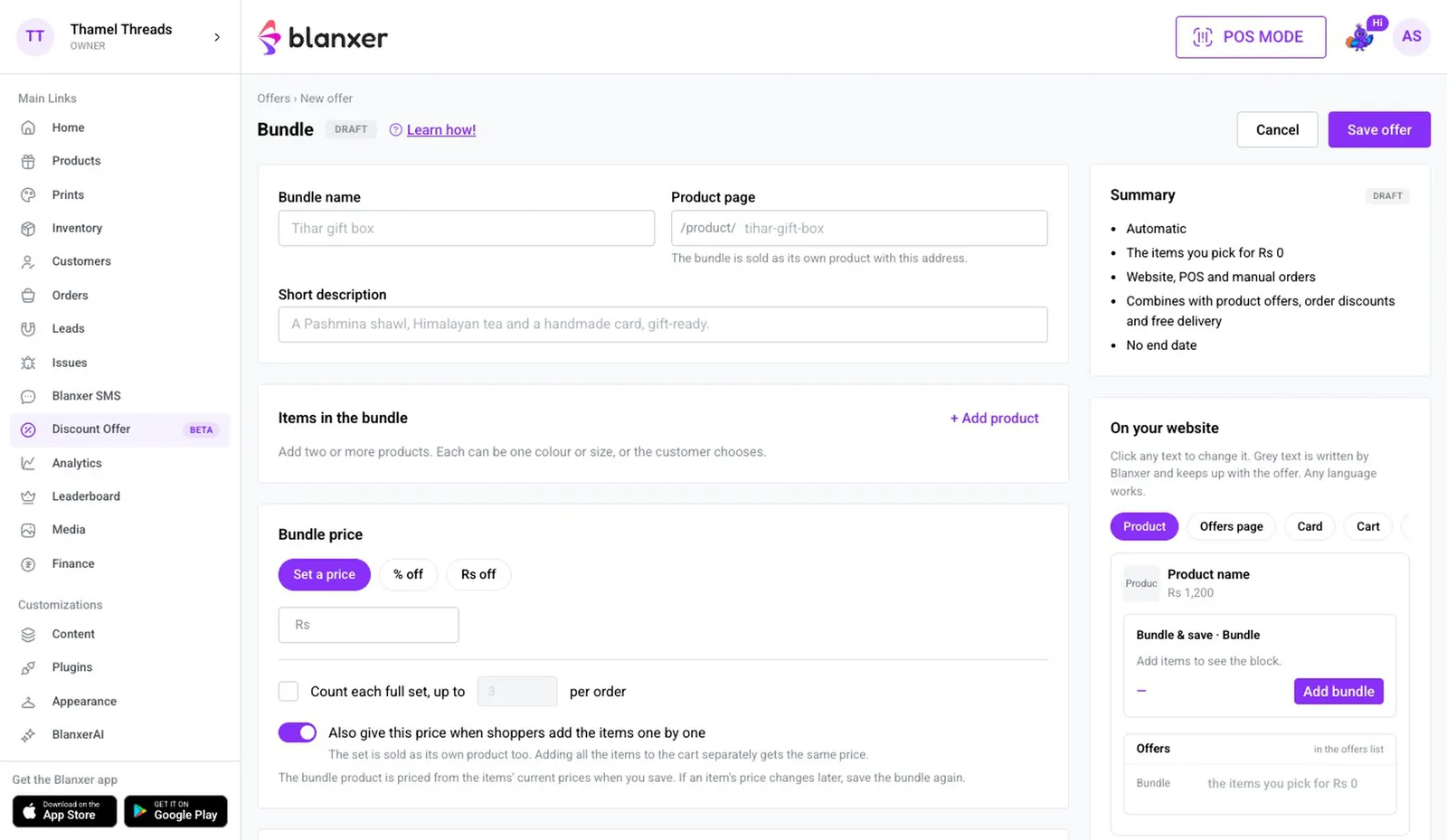
In Discount Offer, click Create offer and choose Bundle. The New bundle button on Products opens the same form.
- 6
Pick items and the price
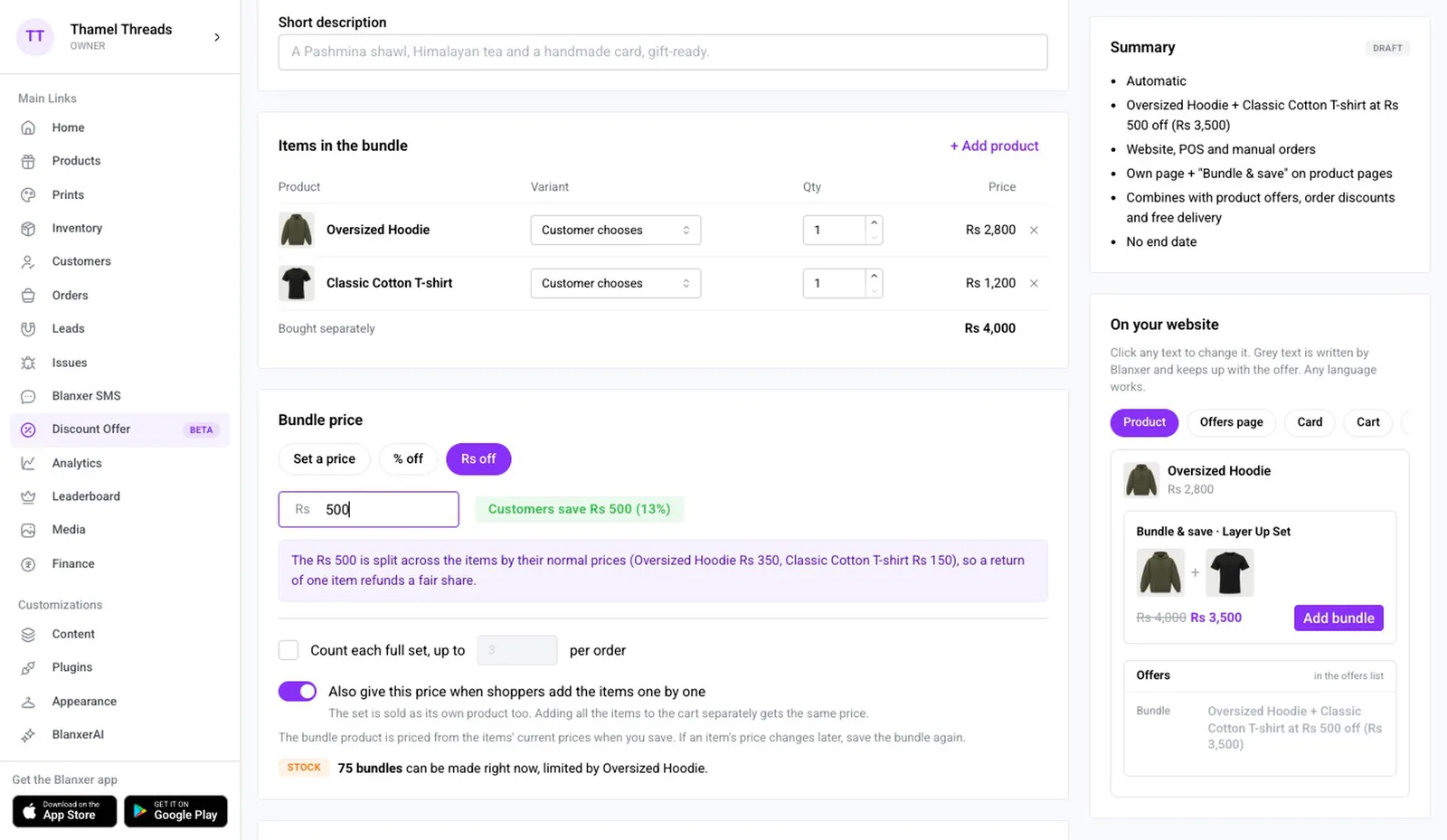
Name it, e.g. Layer Up Set, and add existing products with + Add product. Set the Bundle price as a set price, % off or Rs off, e.g. Rs 500 off.
- 7
Add a set photo
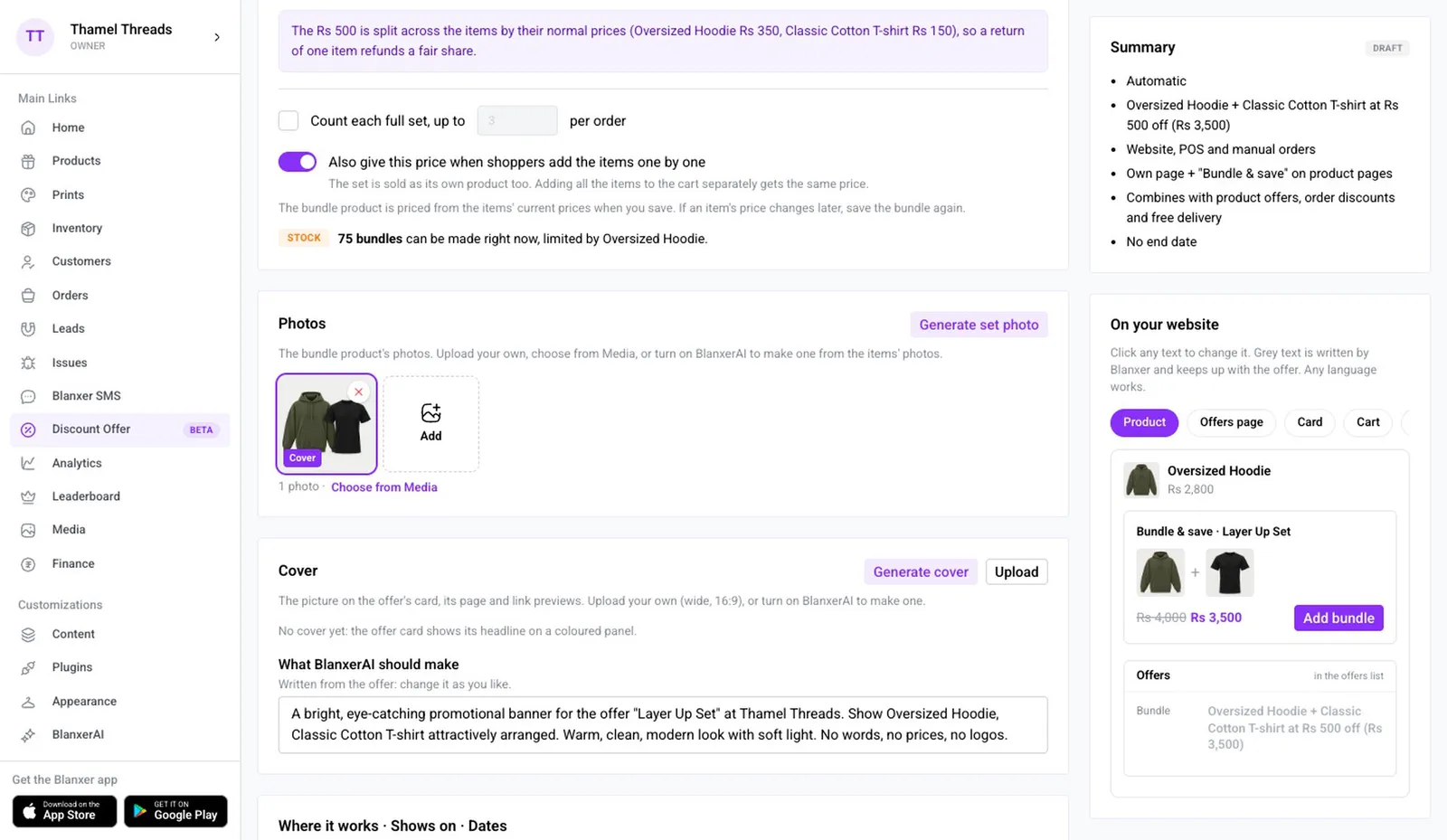
Upload a photo, choose one from Media, or click Generate set photo to make one from the item photos with BlanxerAI.
- 8
Save and turn on
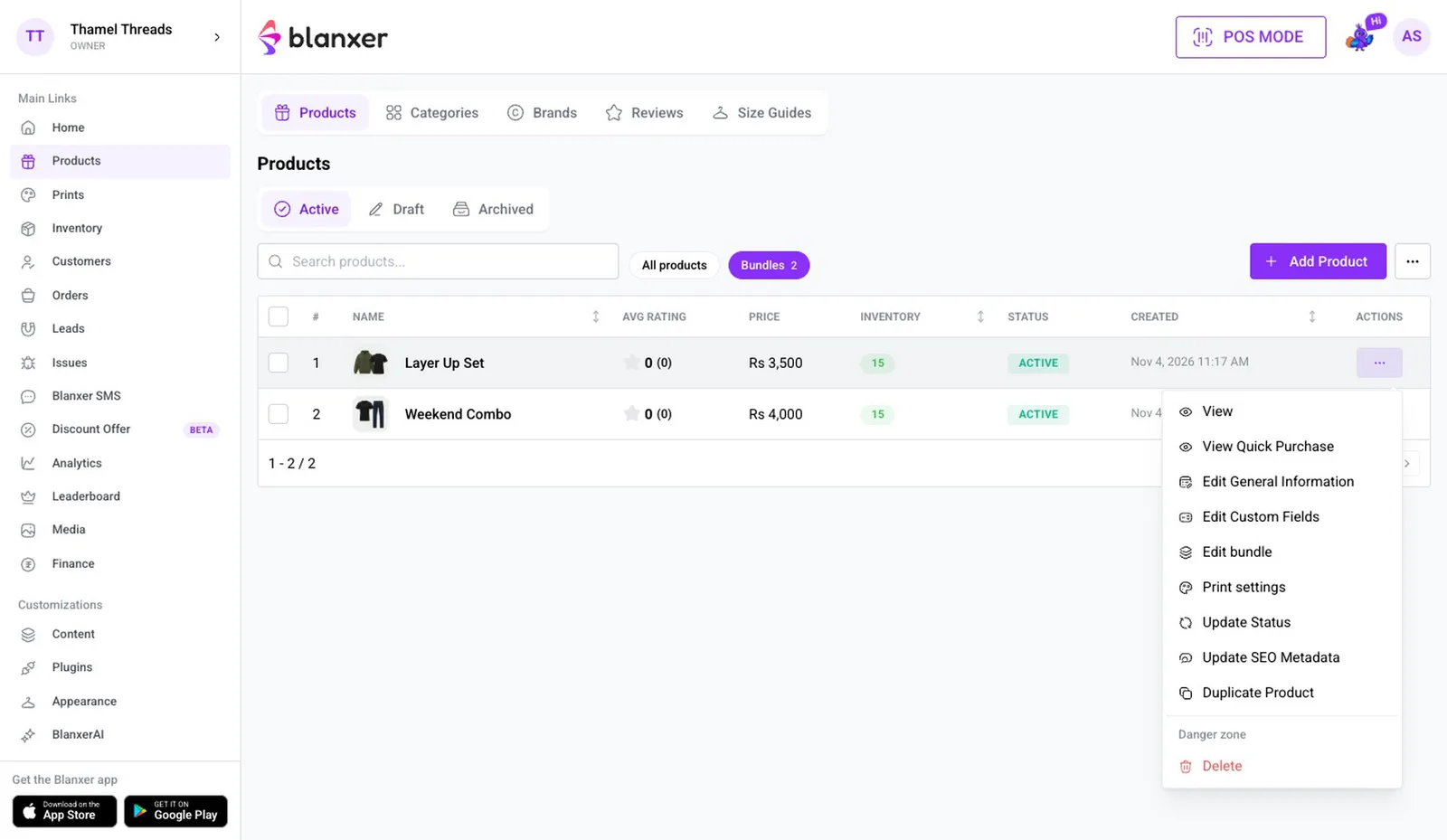
Click Save and turn on. Blanxer creates a new product with its own page for the set. Edit bundle on its menu opens the offer, where you change price and items.
- 9
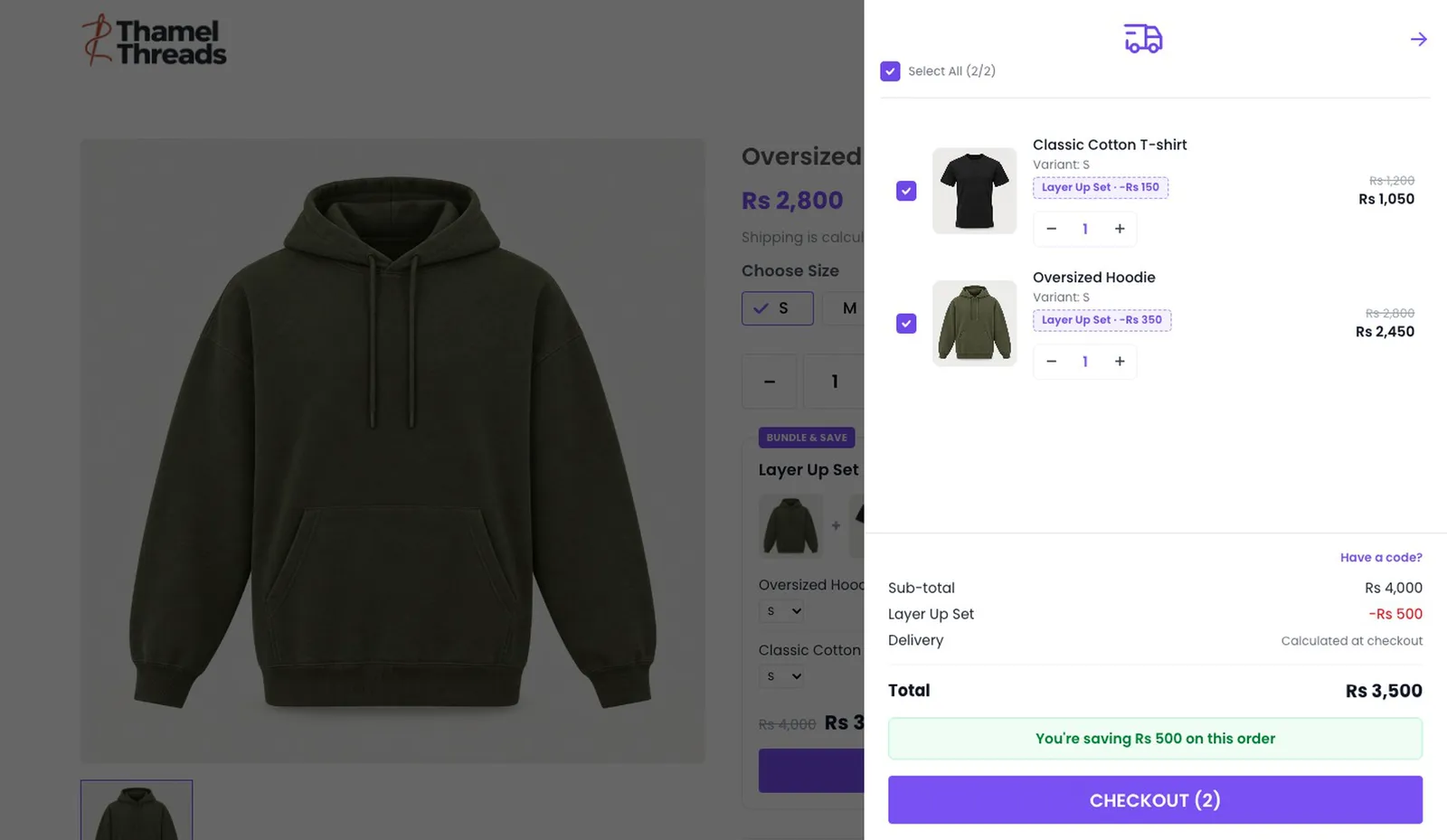
The discount applies on its own
Item pages show Bundle & save. Even if a customer adds the items to the cart separately, the bundle discount comes off automatically.
Part 3
Orders, stock and pausing
- 10
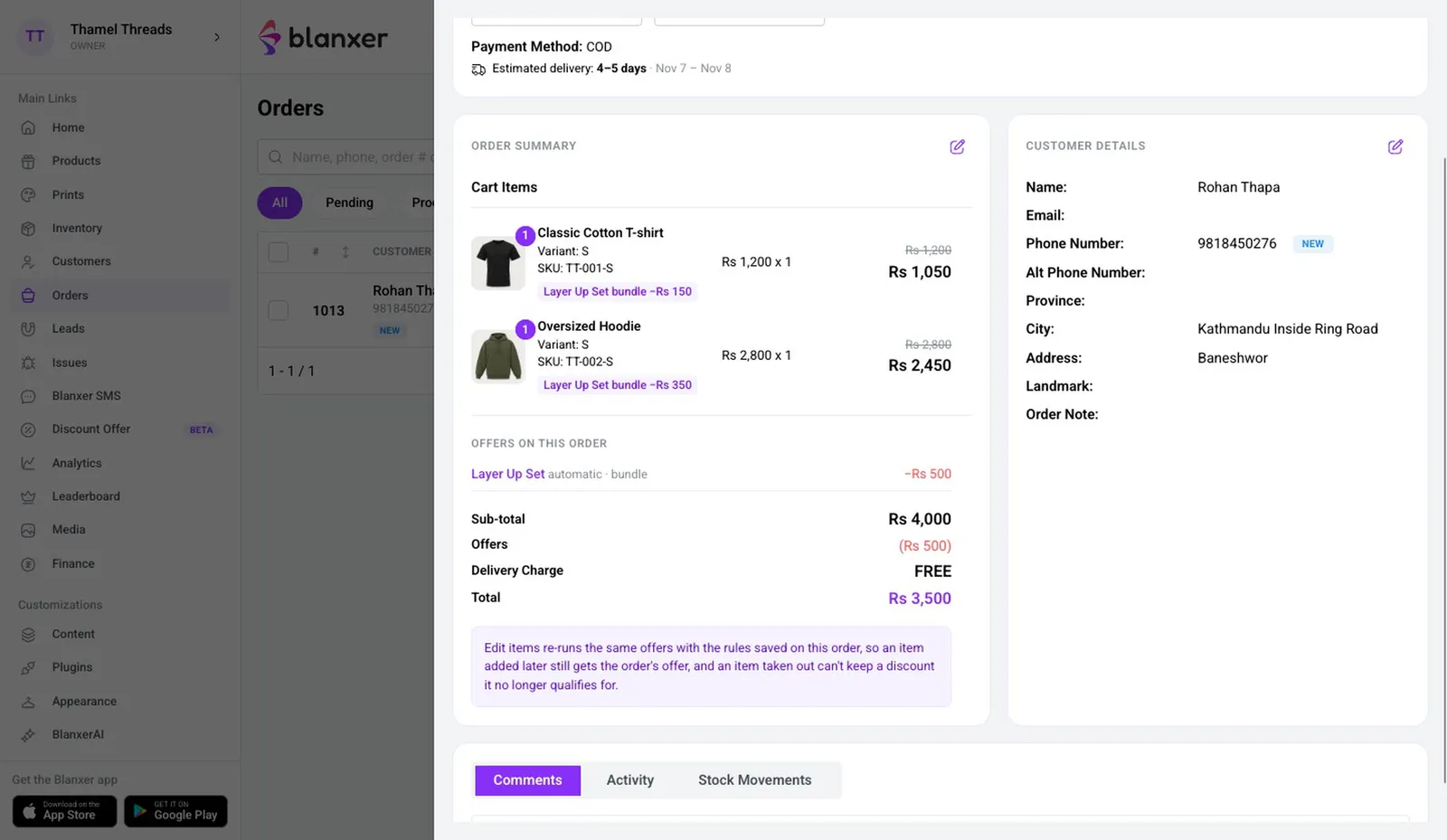
Orders list the items
Either way, the order lists the individual items at their share of the price, stock comes off those items, and returns are per item. Other offers, like 10% on T-shirts, don't apply on top inside a bundle.
- 11
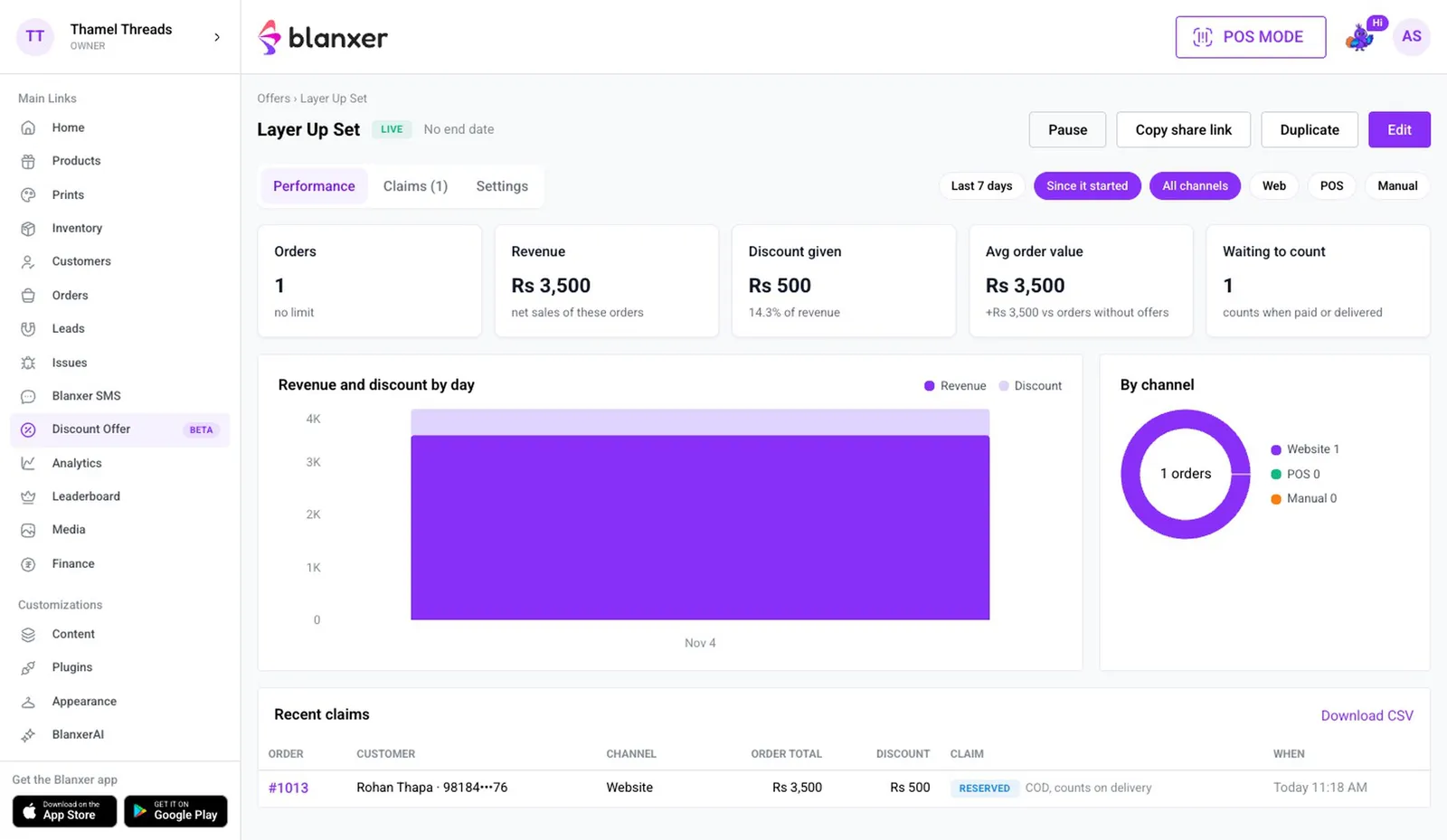
Pause the offer
Pausing a bundle offer moves its set product to Draft; resuming brings it back.
Good to know
- Use a product bundle for a fixed set sold like one product, and a bundle offer to promote a set with a discount.
- A bundle offer's price is fixed when you save it. If item prices change, open the offer and save it again.
- Never turn a product that has stock into a bundle; always create a new product for it. Make it a plain product turns a product bundle back into a normal product.
More videos
All 33 videos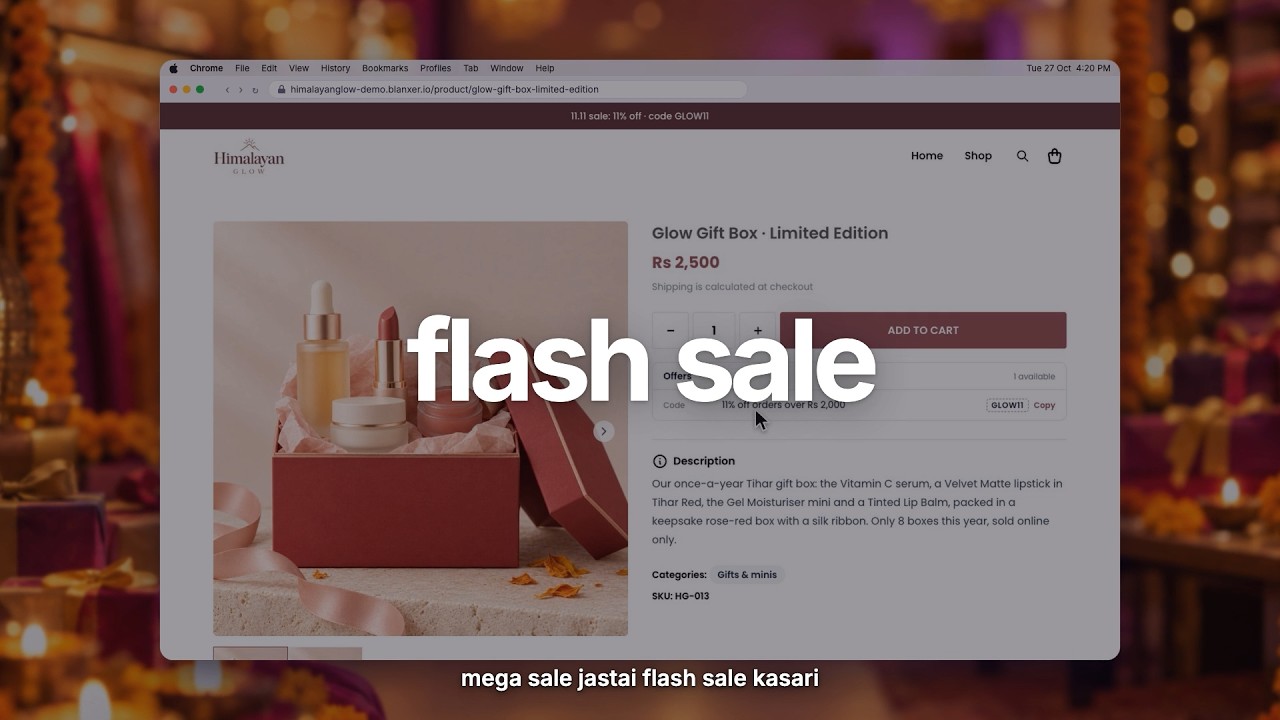 3:53
Offers
Flash sale
Run a sale for a set time: pick the products and the discount, and it starts and ends on its own.
 3:04
Offers
11.11 sale campaign
Set up a store-wide campaign for a big sale day like 11.11, with its own dates and discounts.
 3:27
Offers
Free gift offer
Add a free gift to orders that meet your conditions, so customers see it in the cart and at checkout.
See Blanxer with your own business in mind.
Book a demo. We'll show you the store, checkout, POS and dashboard, and tell you honestly which plan you need.
Prefer to talk directly?
Already a customer? Support on WhatsApp +977 9802344850, Sun–Fri, 9 AM – 6 PM.
Follow Blanxer
 A Blanxer product
One AI inbox for every customer conversation.
Sambad.io brings WhatsApp, Instagram, Facebook, website chat and email into one inbox. Connect your Blanxer store and its AI answers from your catalogue, checks stock, quotes delivery and places the order right in the chat.
- Website chat
- Gmail
- Outlook
- Zoho Mail