
Flash sale
Run a sale for a set time: pick the products and the discount, and it starts and ends on its own.
Offers · 3:53 · In Nepali
Run a Daraz-style flash sale on your own website: small stock, an exact start time and a countdown. Checkout holds and a per-order cap keep it fair, and it's a good way to clear dead stock.
Part 1
Set it up
- 1
Start a new campaign
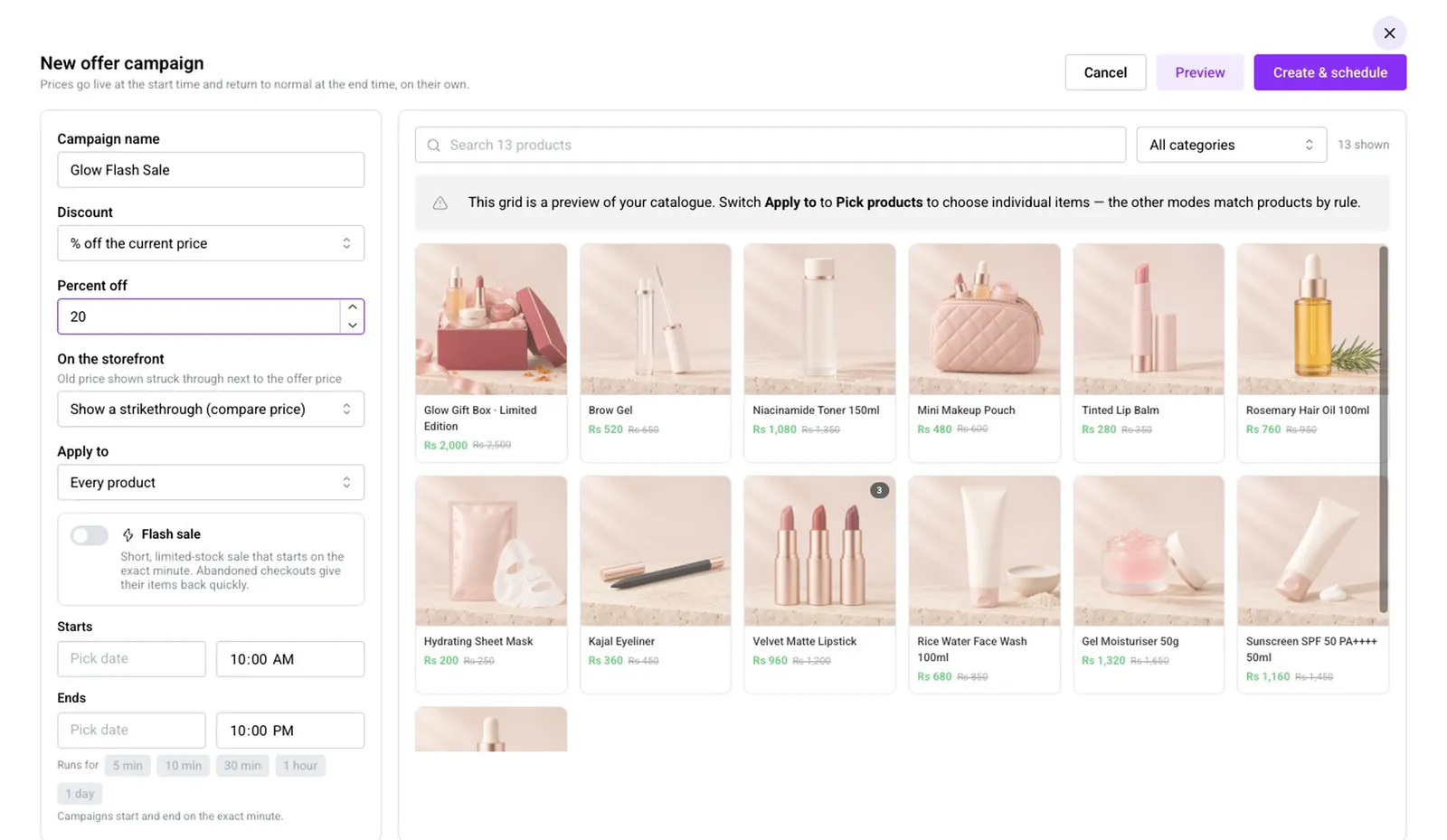
In Plugins > Offer Campaigns click New campaign, give it a name such as Glow Flash Sale, and set 20% off.
- 2
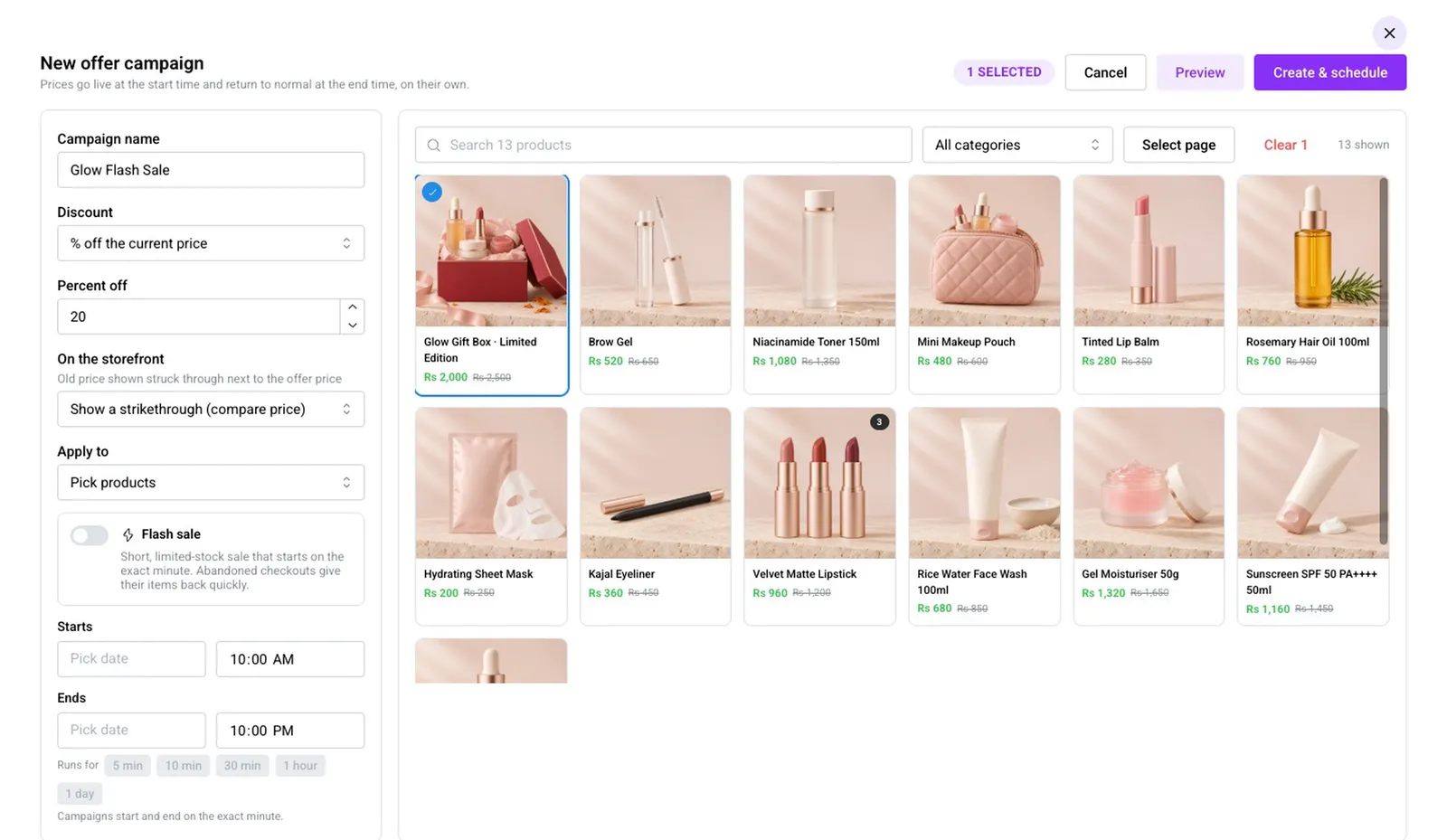
Pick the product
Under Apply to choose Pick products and select only the product going on flash sale.
- 3
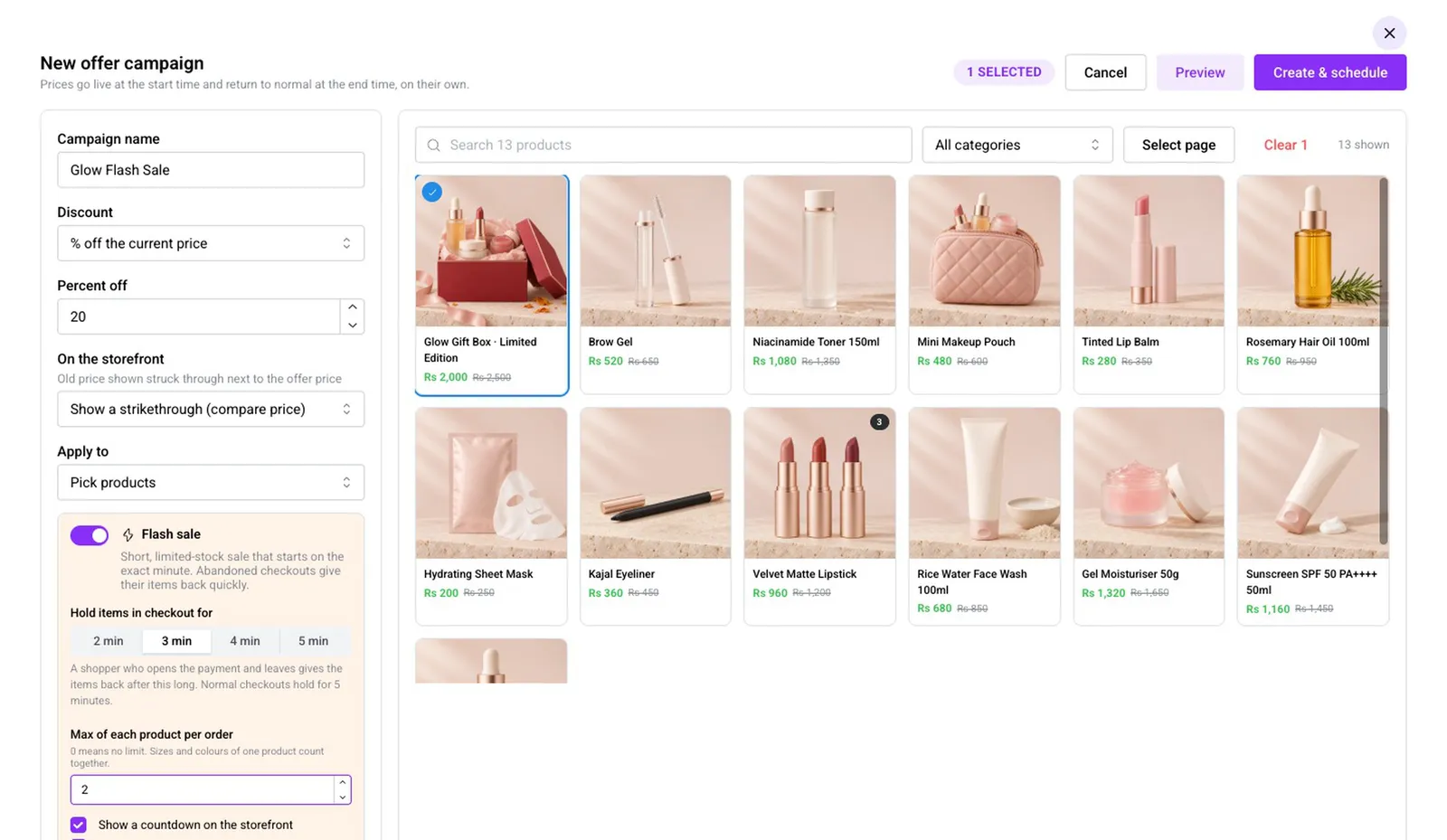
Turn on Flash sale
With Flash sale on, an item is held at checkout for 3 minutes only. If it isn't paid, it goes back to other shoppers. Set the most per order, for example 2.
- 4
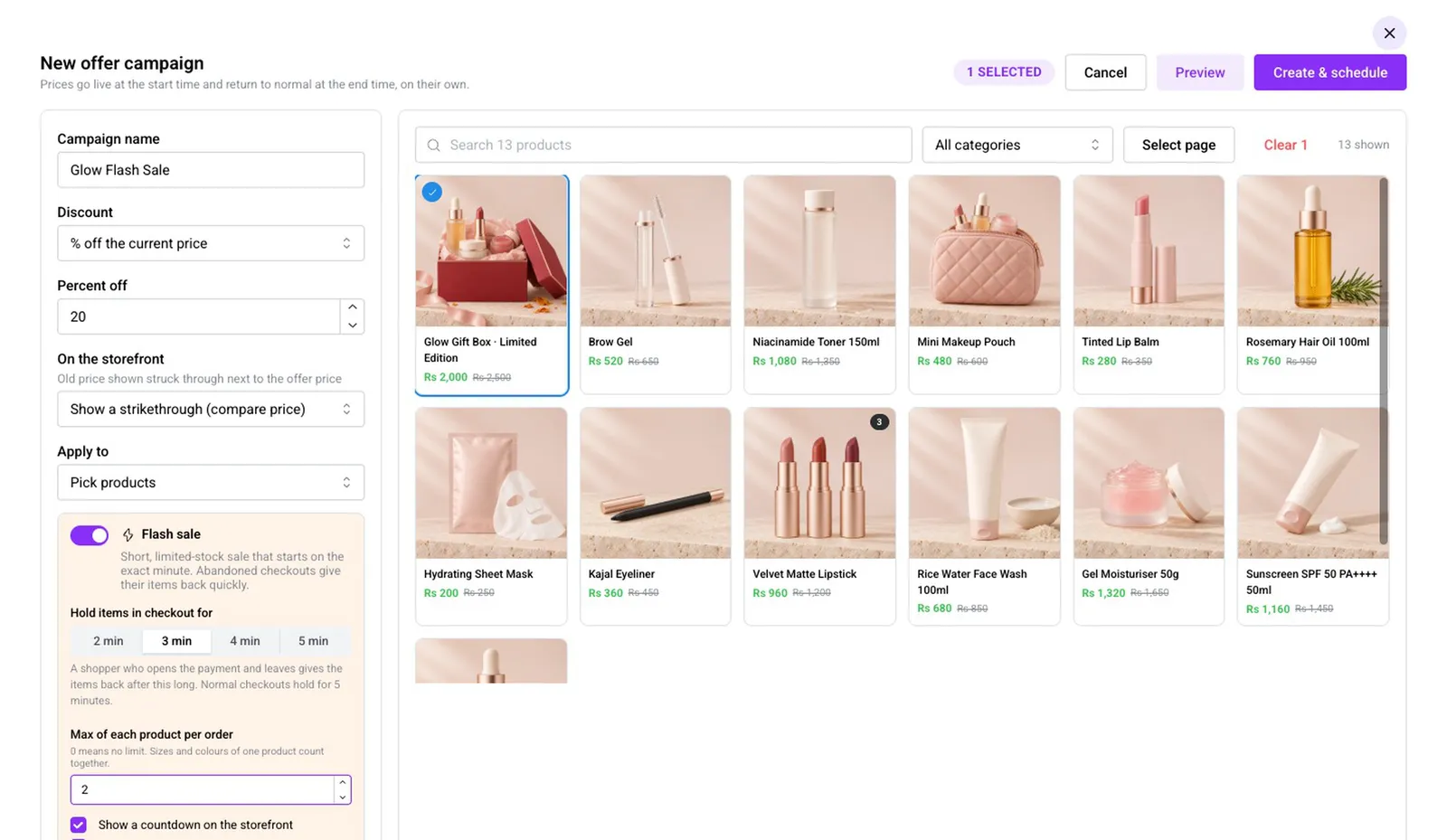
Show the countdown and stock left
Choose to show a countdown and how many are left on the website. Shoppers who tap Notify me are told when the sale starts.
- 5
Schedule it
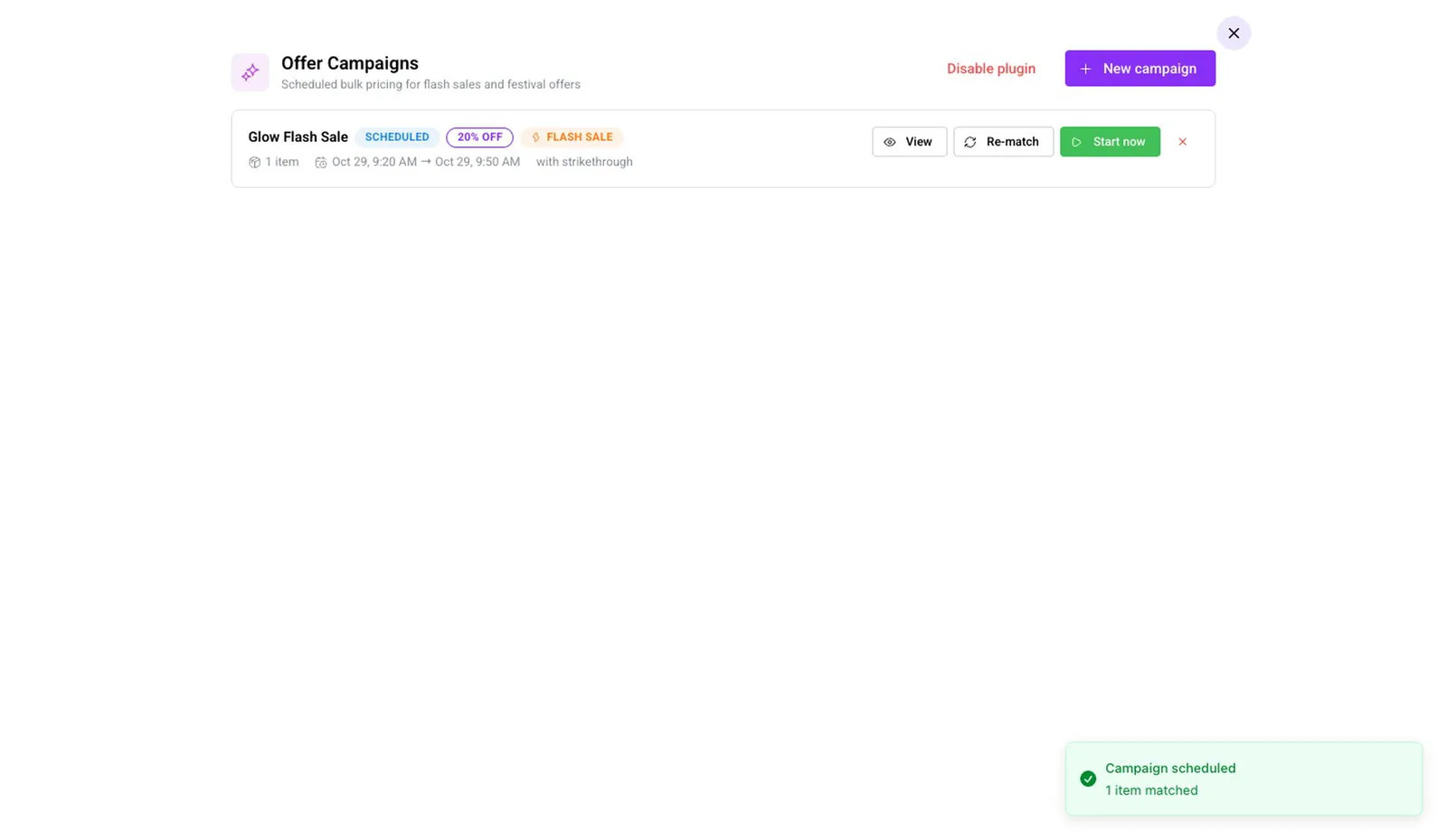
Click Pick date, set the start and a duration such as 30 min, then click Create & schedule. The flash sale shows Scheduled.
Part 2
Before it starts
- 6
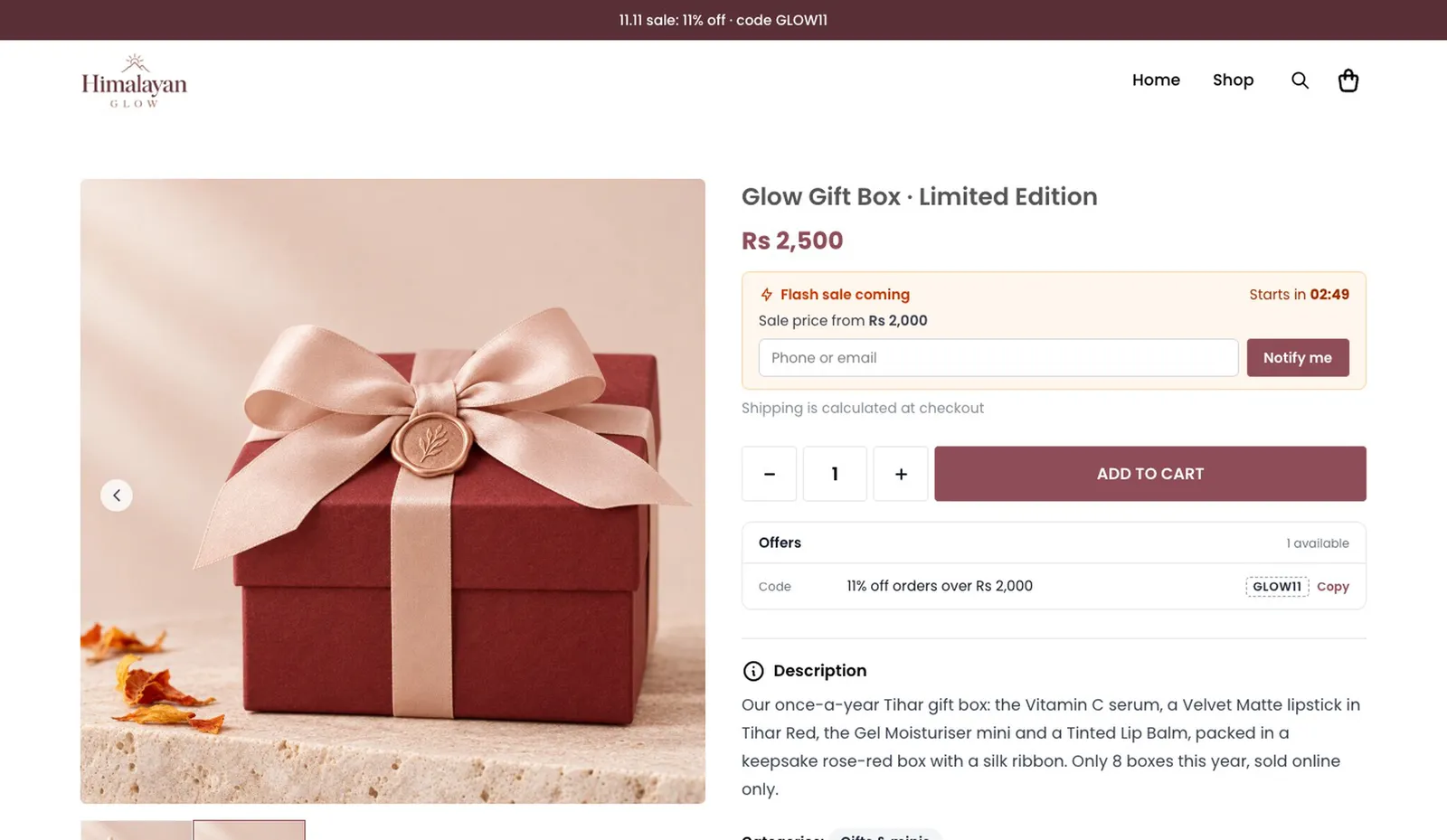
Flash sale coming
The product page shows Flash sale coming, a countdown and the sale price ahead of time.
- 7
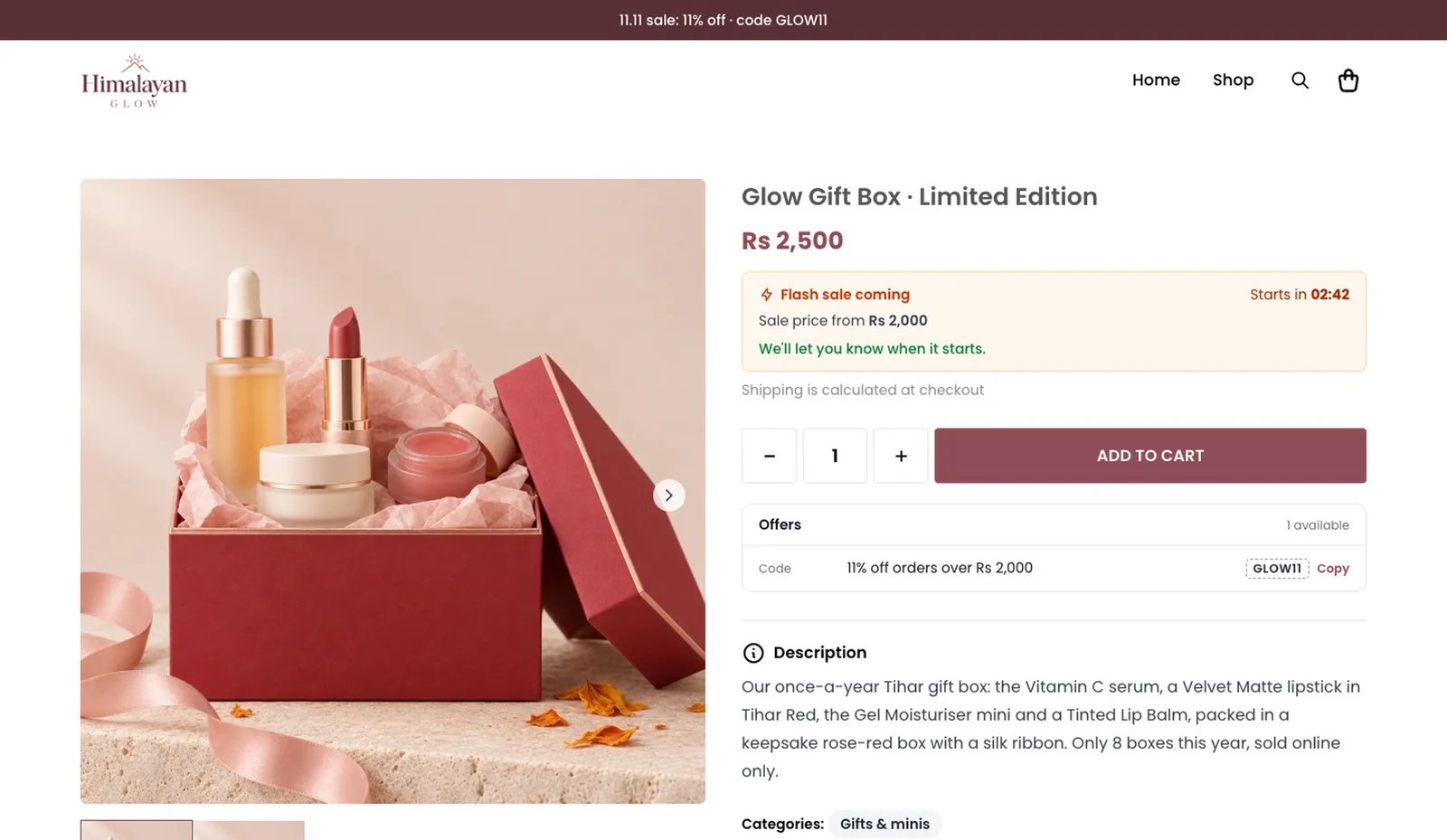
Shoppers ask to be told
A shopper enters an email or phone and clicks Notify me. They're alerted the moment the sale starts.
Part 3
The sale is live
- 8
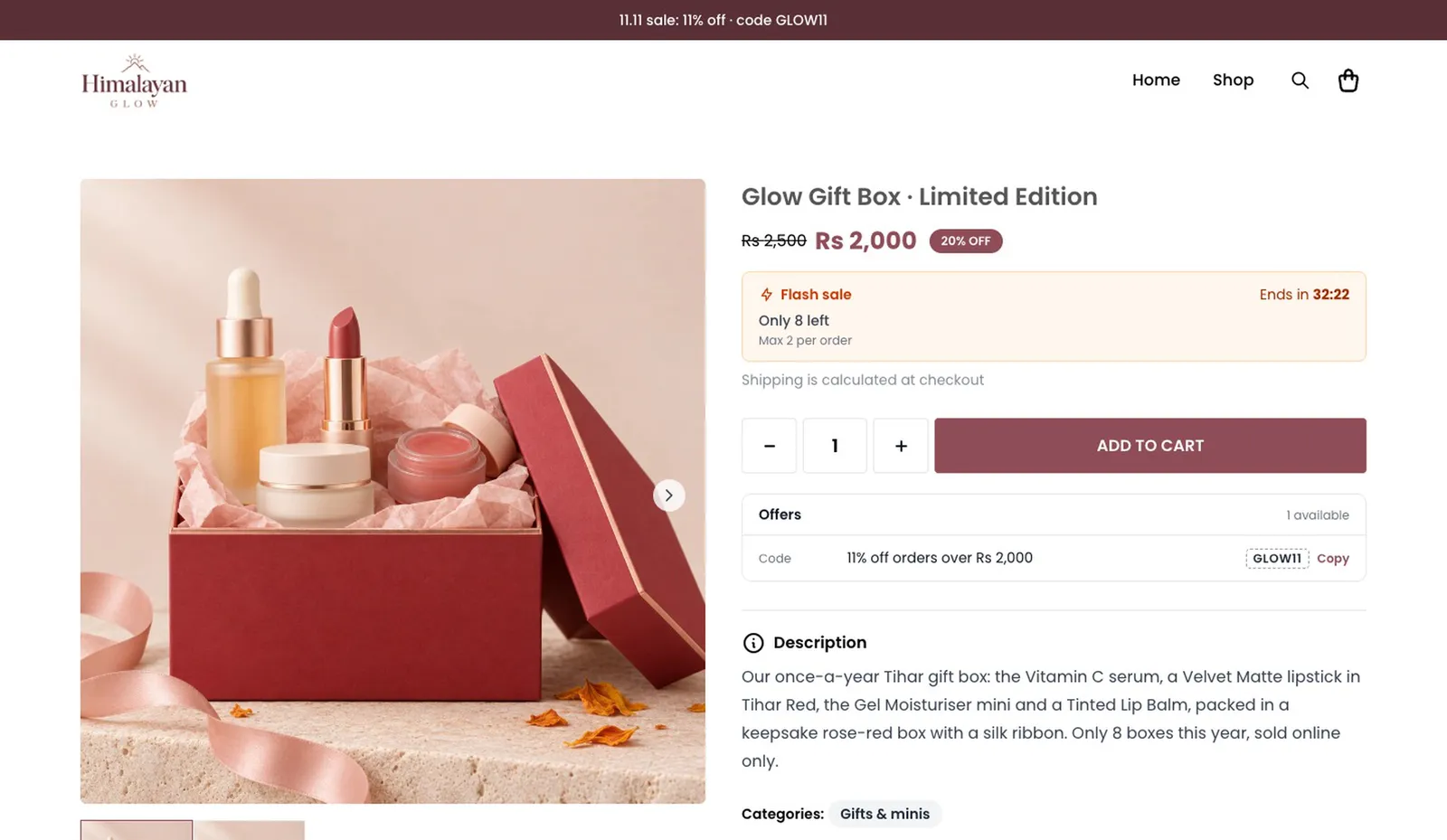
It starts at the exact time
The sale starts by itself at the set time; Start now starts it early. The page shows Ends in, the sale price and how many are left.
- 9
Held at checkout
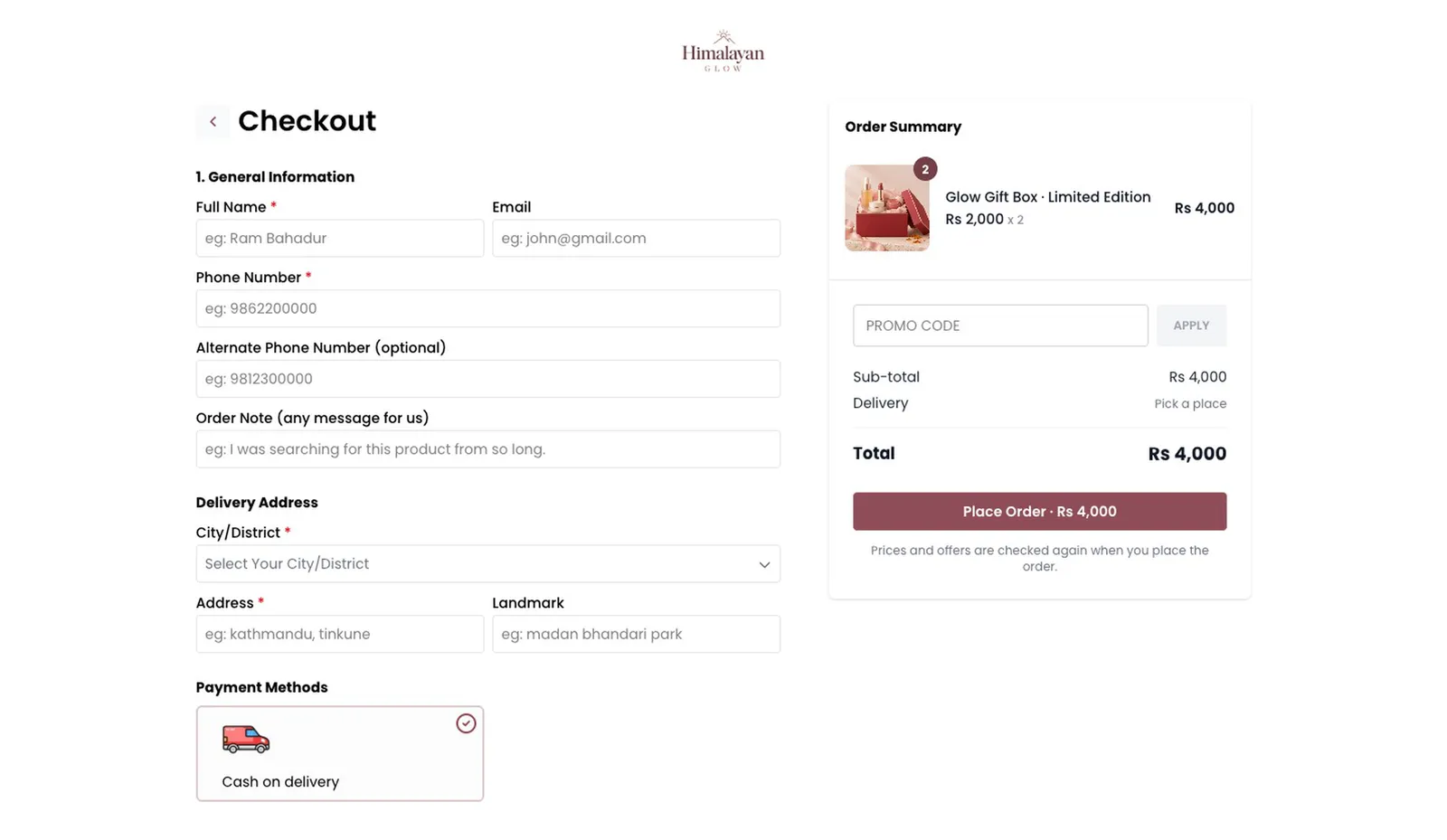
A customer adds to the cart and checks out. The items are held for them for 3 minutes while they pay by cash or Fonepay QR.
- 10
Sold out
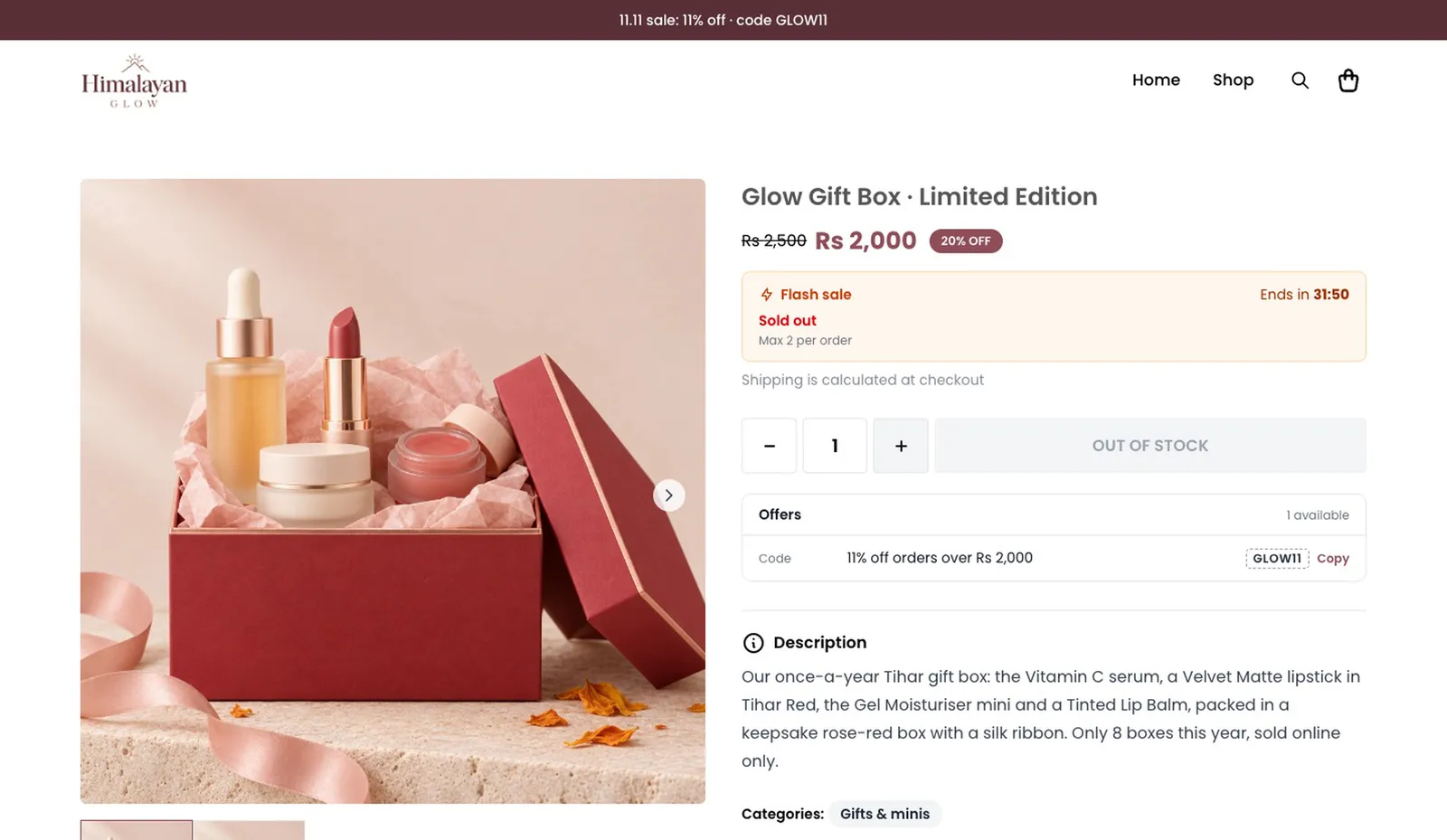
Other shoppers buy at the same time, and the page shows Sold out once stock runs out.
Part 4
What you see
- 11
Watch it live
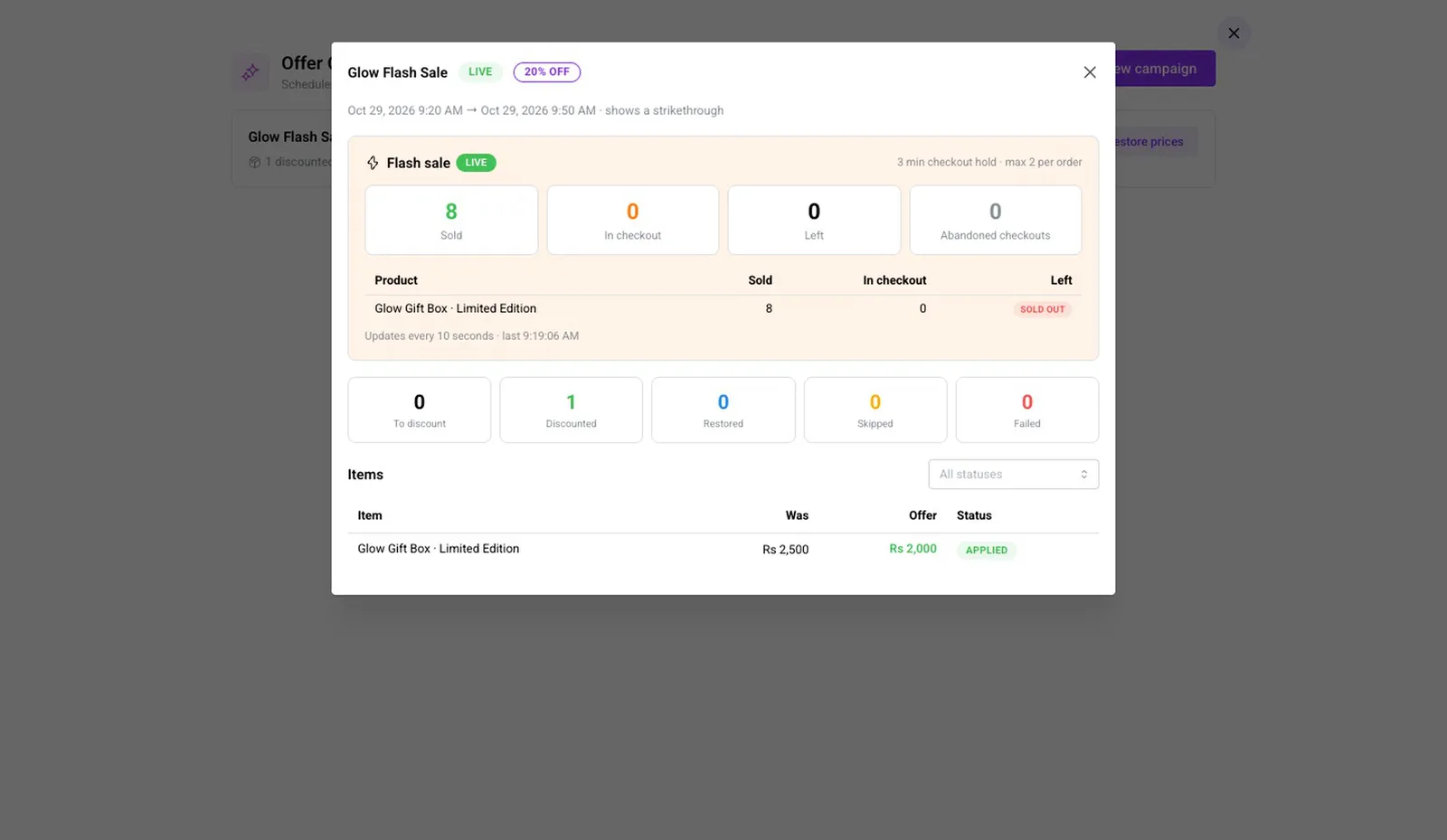
Open the campaign for a live count: how many sold, how many are in checkout, and how many are left.
- 12
Prices come back
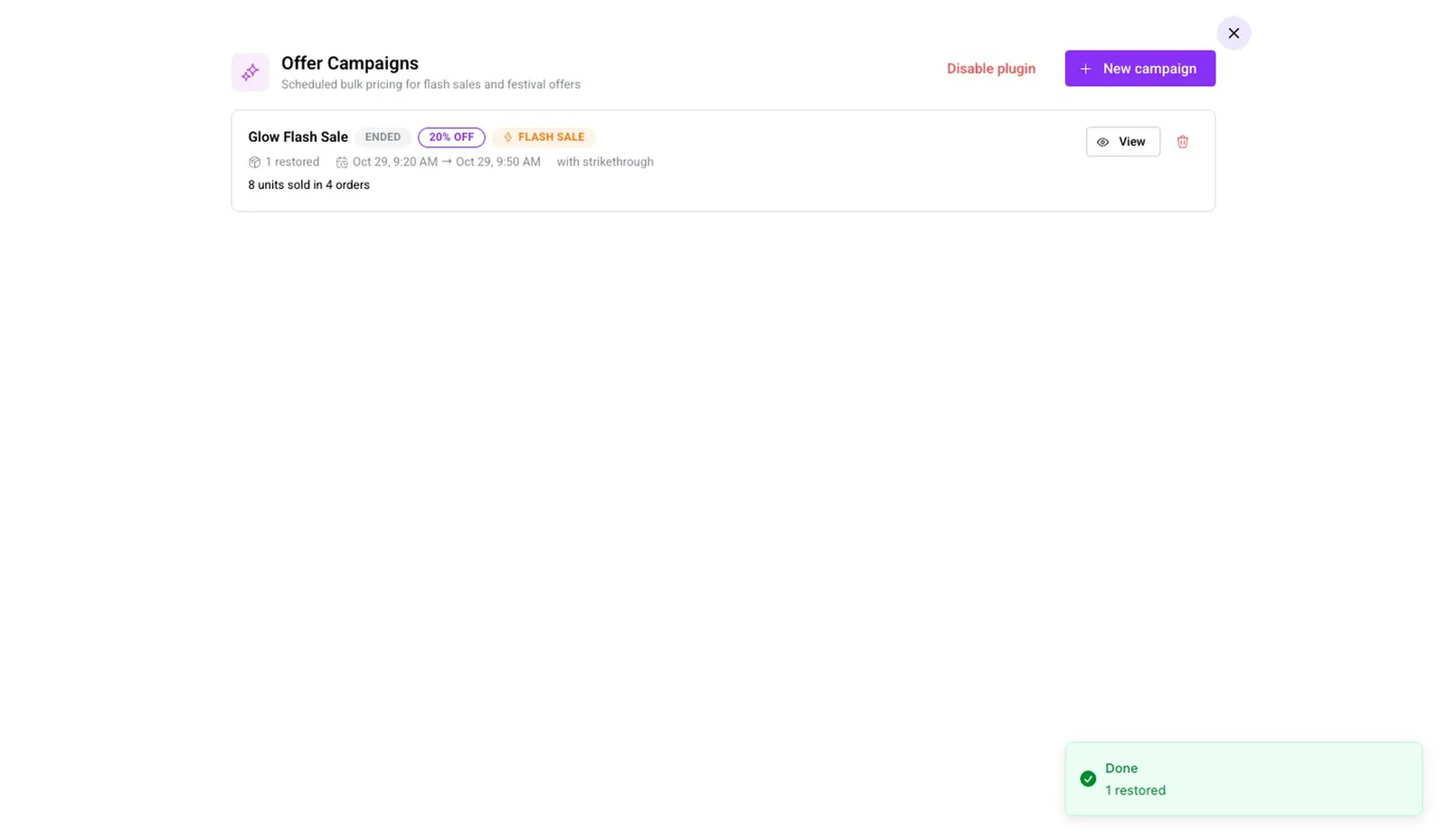
When the sale ends, prices go back on their own. Click Restore prices to end it early.
Good to know
- The 3-minute checkout hold and the per-order cap are set for each campaign.
More videos
All 33 videos 3:04
Offers
11.11 sale campaign
Set up a store-wide campaign for a big sale day like 11.11, with its own dates and discounts.
 3:27
Offers
Free gift offer
Add a free gift to orders that meet your conditions, so customers see it in the cart and at checkout.
 3:33
Offers
Buy more, save more
Give a bigger discount the more a customer buys, to grow the size of every order.
See Blanxer with your own business in mind.
Book a demo. We'll show you the store, checkout, POS and dashboard, and tell you honestly which plan you need.
Prefer to talk directly?
Already a customer? Support on WhatsApp +977 9802344850, Sun–Fri, 9 AM – 6 PM.
Follow Blanxer
 A Blanxer product
One AI inbox for every customer conversation.
Sambad.io brings WhatsApp, Instagram, Facebook, website chat and email into one inbox. Connect your Blanxer store and its AI answers from your catalogue, checks stock, quotes delivery and places the order right in the chat.
- Website chat
- Gmail
- Outlook
- Zoho Mail