Buy 1 get 1 free (BOGO)
Create a buy-one-get-one offer and choose which products count for the free item.
Offers · 3:43 · In Nepali
Run a Buy X, get Y offer, like buy 2 lipsticks and get the 3rd free. It needs no code and applies by itself on your website, at the POS and on phone orders.
Part 1
Create the offer
- 1
Choose Buy X, get Y
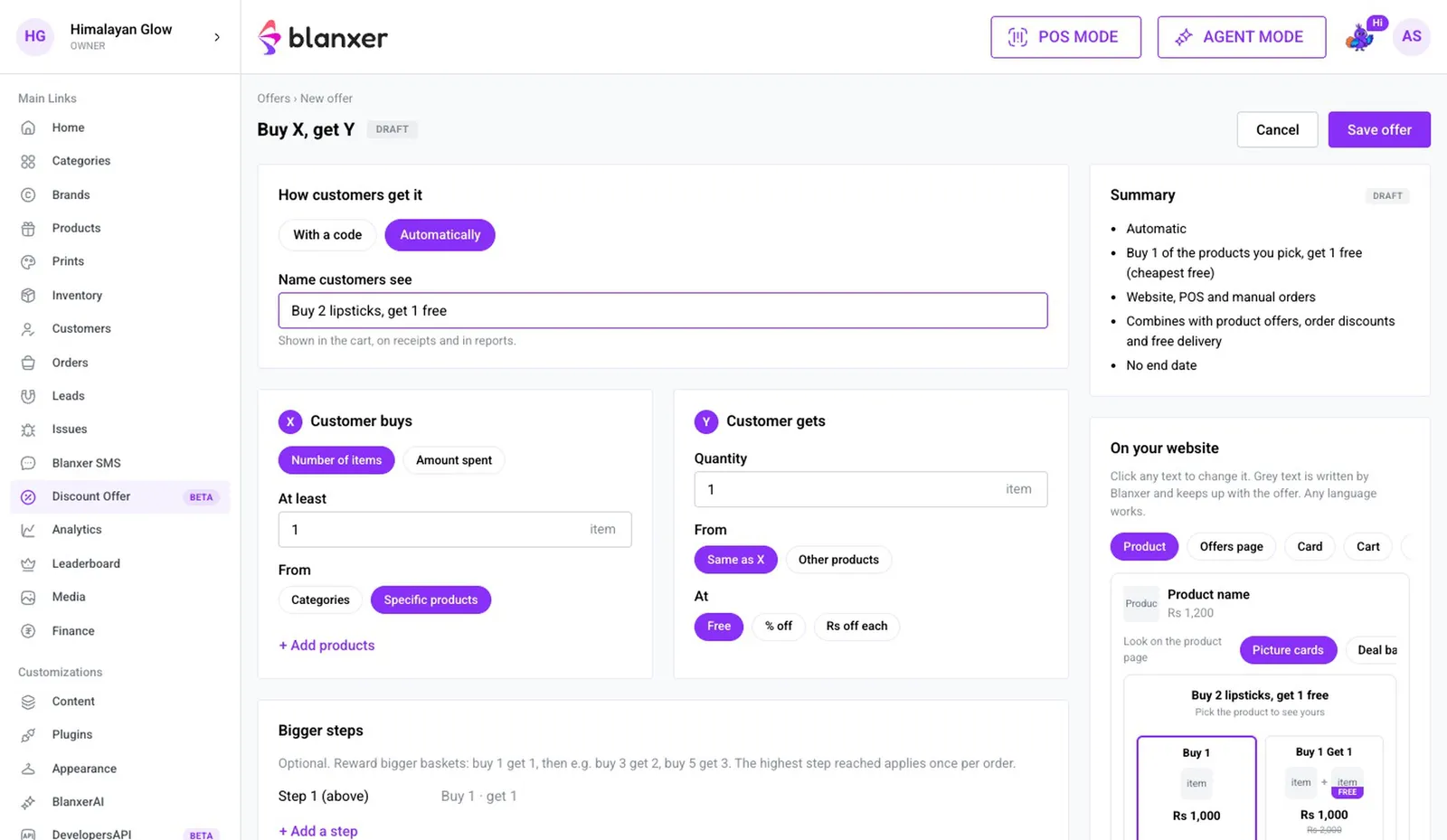
Go to Discount Offer, click Create offer and select Buy X, get Y. Type the name customers see, for example Buy 2 lipsticks, get 1 free.
- 2
Set what they buy and what's free
Under Customer buys set At least 2, click + Add products and pick the product. All its shades are included, and the 3rd one is free.
- 3
Get a pack photo
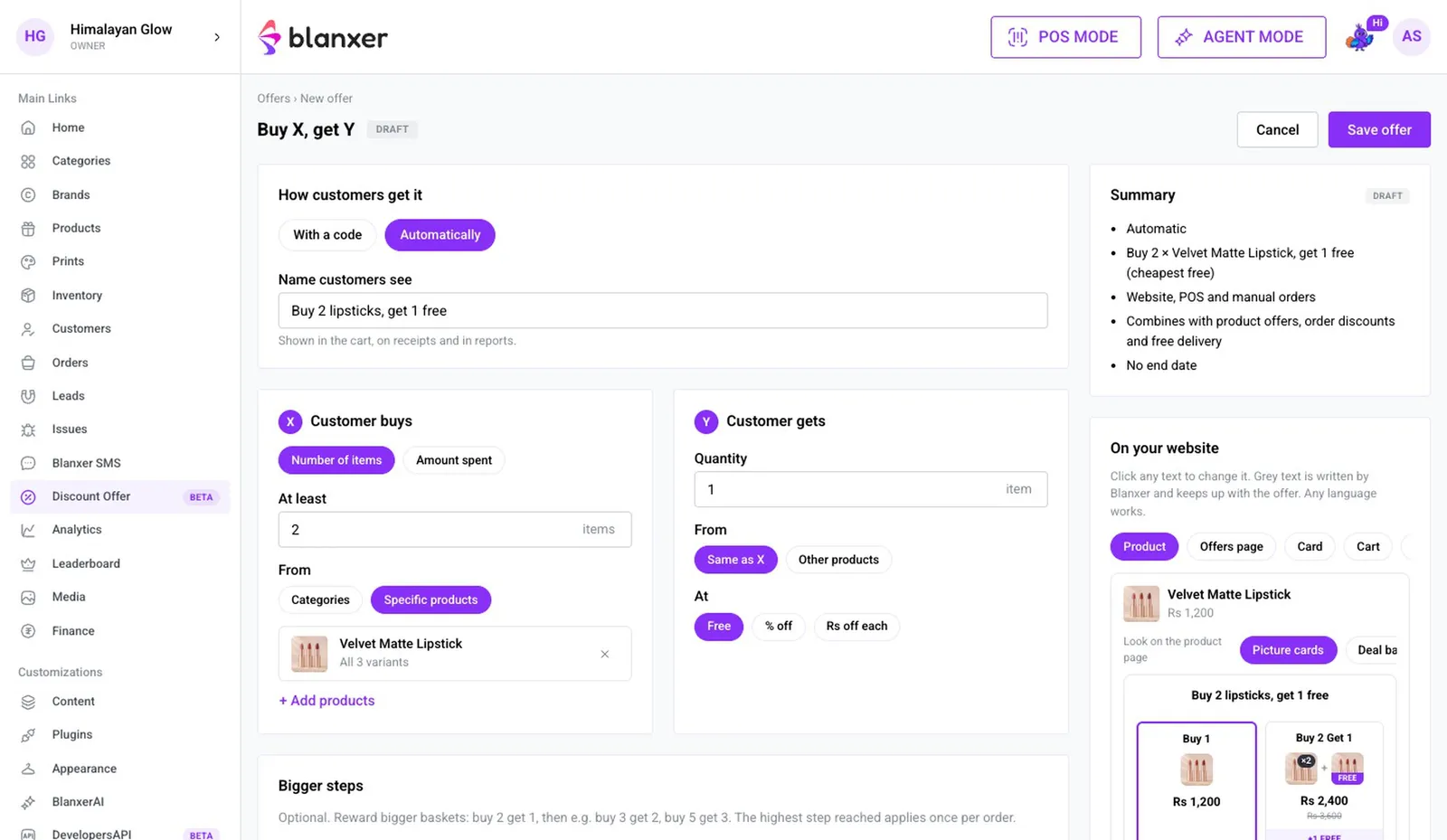
Under Shoppers see how many, BlanxerAI makes a 3-pack photo from the product's own photo. It shows on the product page.
- 4
Turn it on
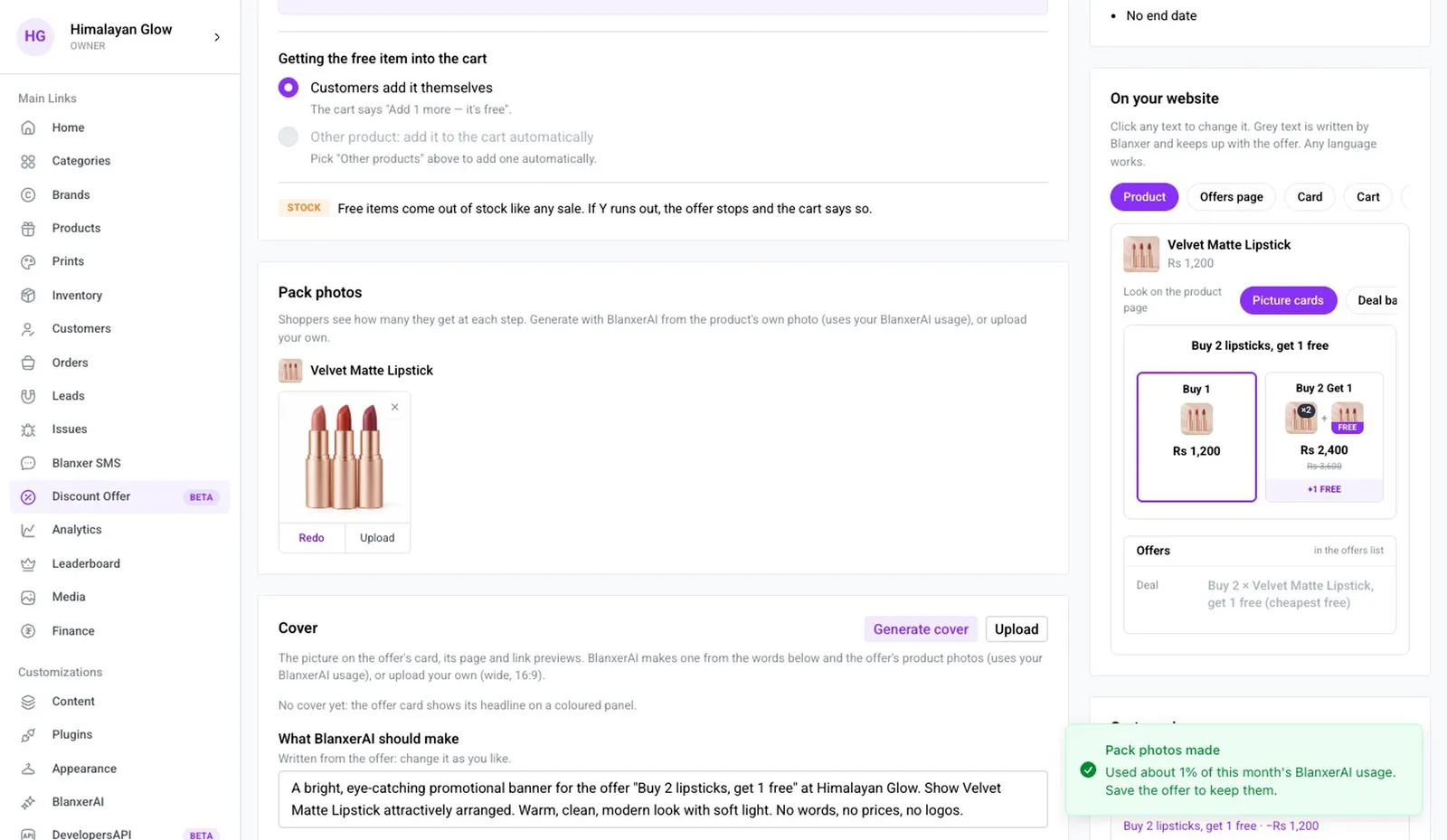
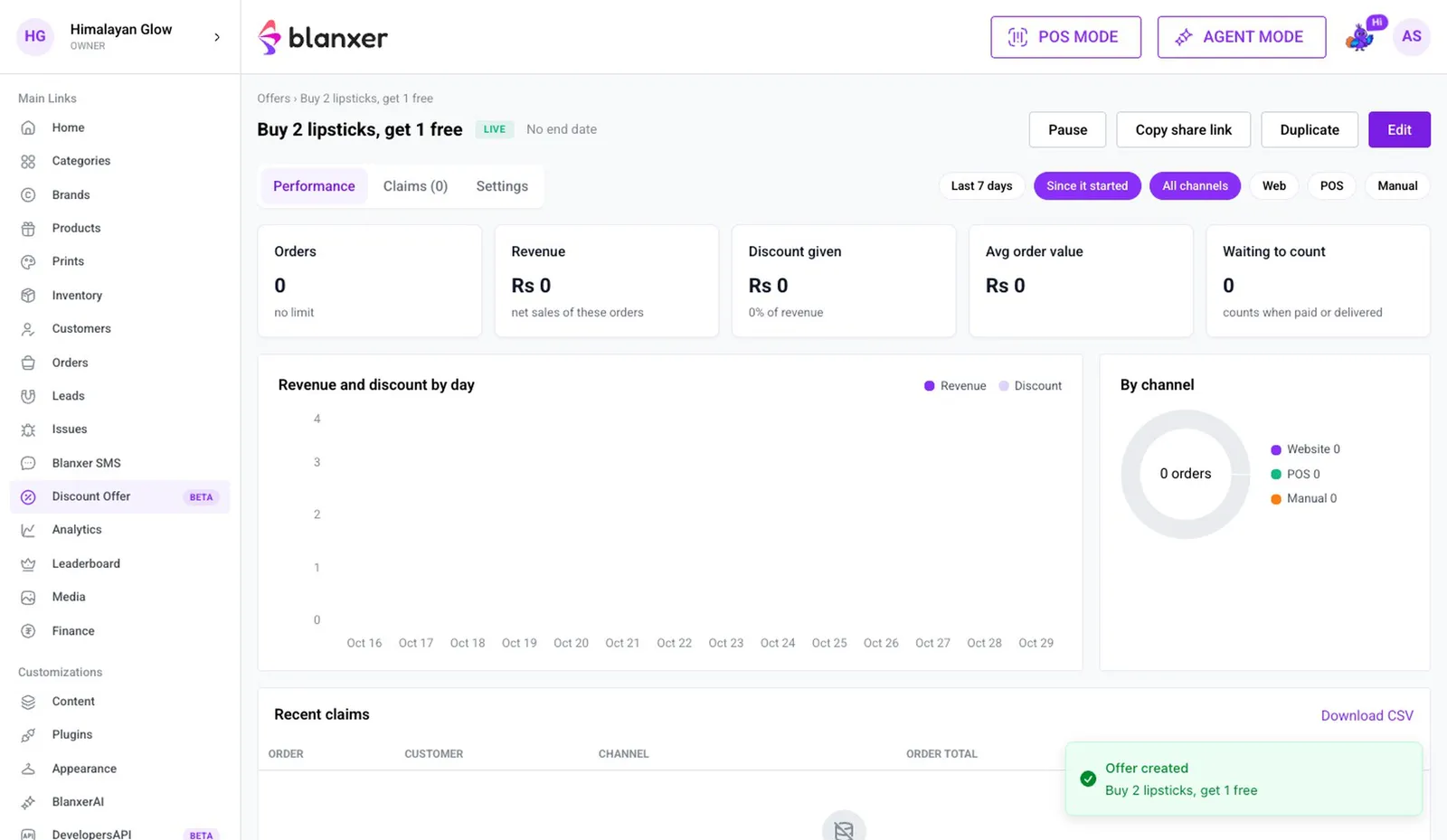
Click Save and turn on. The offer is live, with no code needed.
Part 2
What your customer sees
- 5
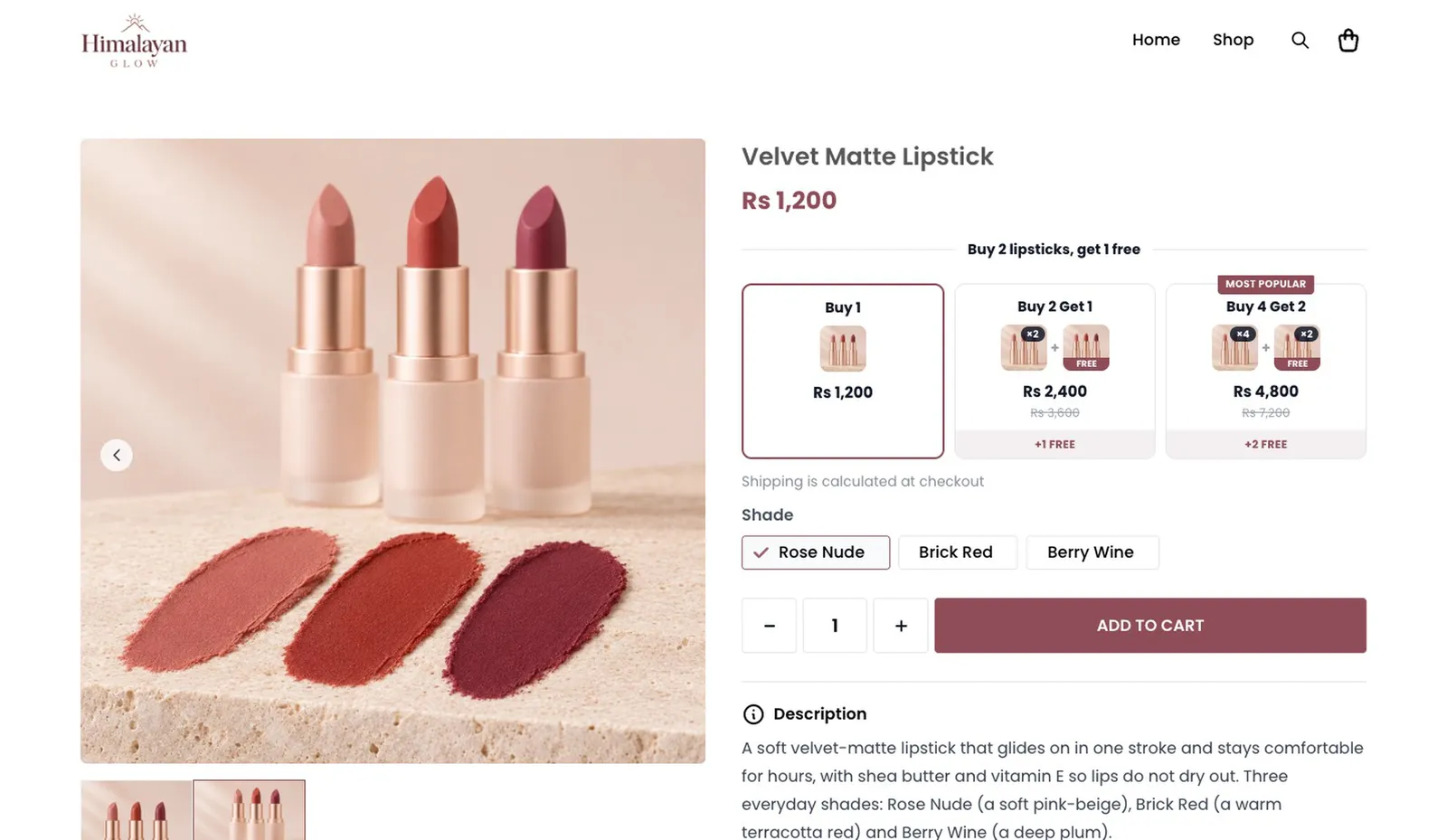
The deal on the product page
The product page shows the Buy 2 Get 1 deal with the pack photo.
- 6
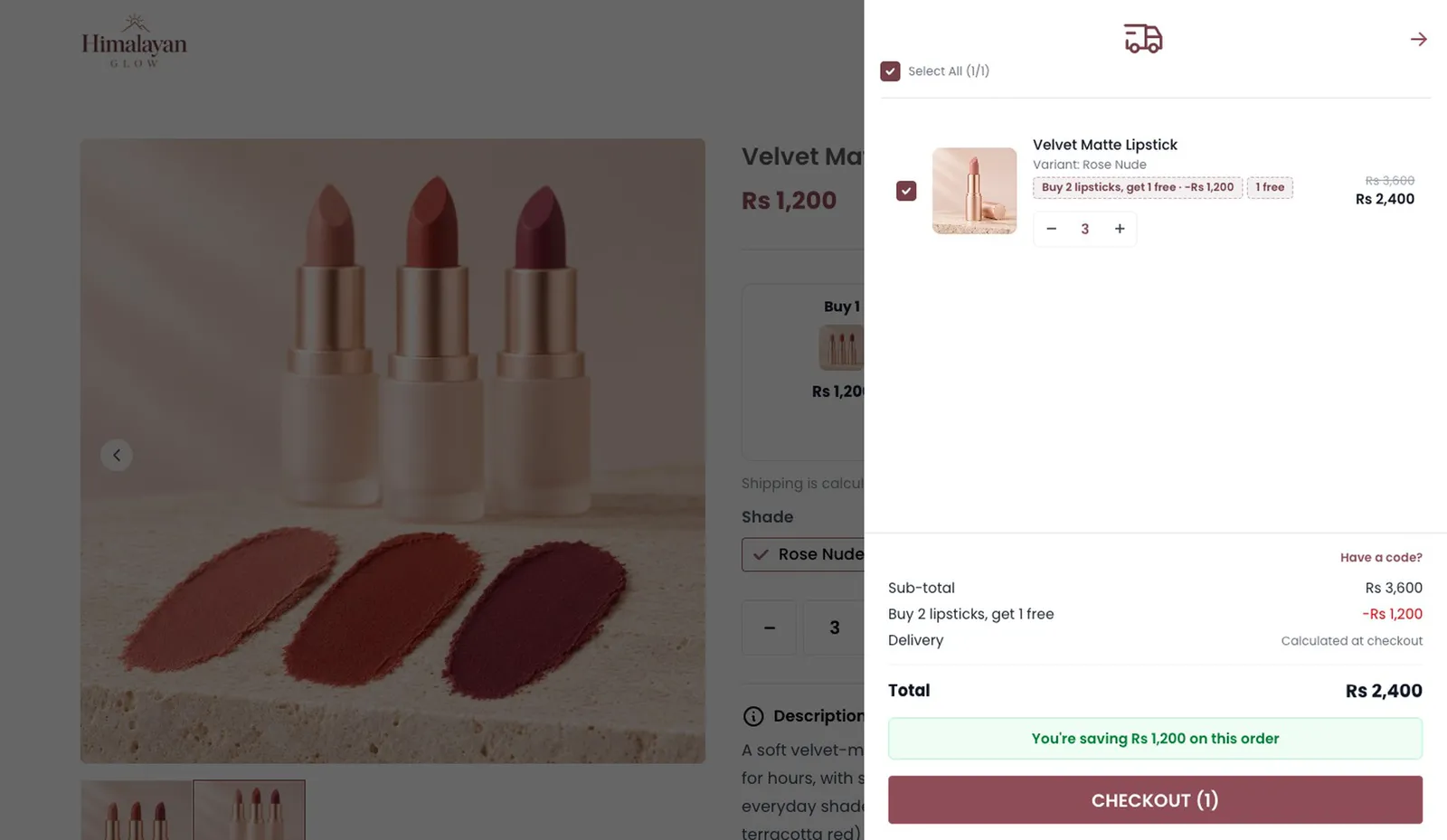
The 3rd one is free
The customer selects the deal and adds it to the cart. The 3rd item is free.
- 7
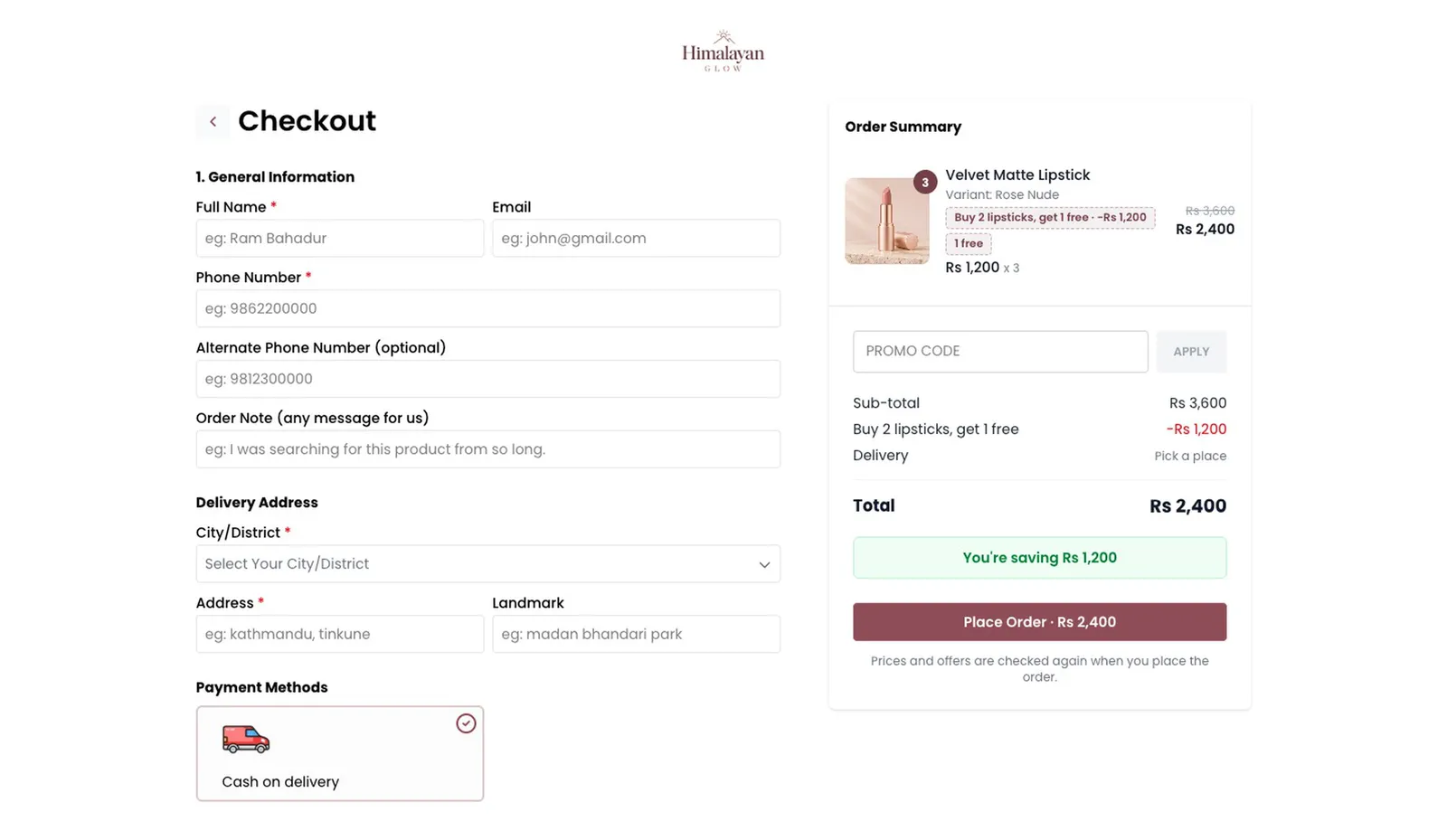
Savings at checkout
Checkout shows how much they saved. They enter name, phone and address, with no email needed, and pay by cash on delivery or Fonepay QR.
Part 3
At the counter and on phone orders
- 8
Ring it up at the POS
Open Counters & drawer, search the product and add it three times, picking the shade each time.
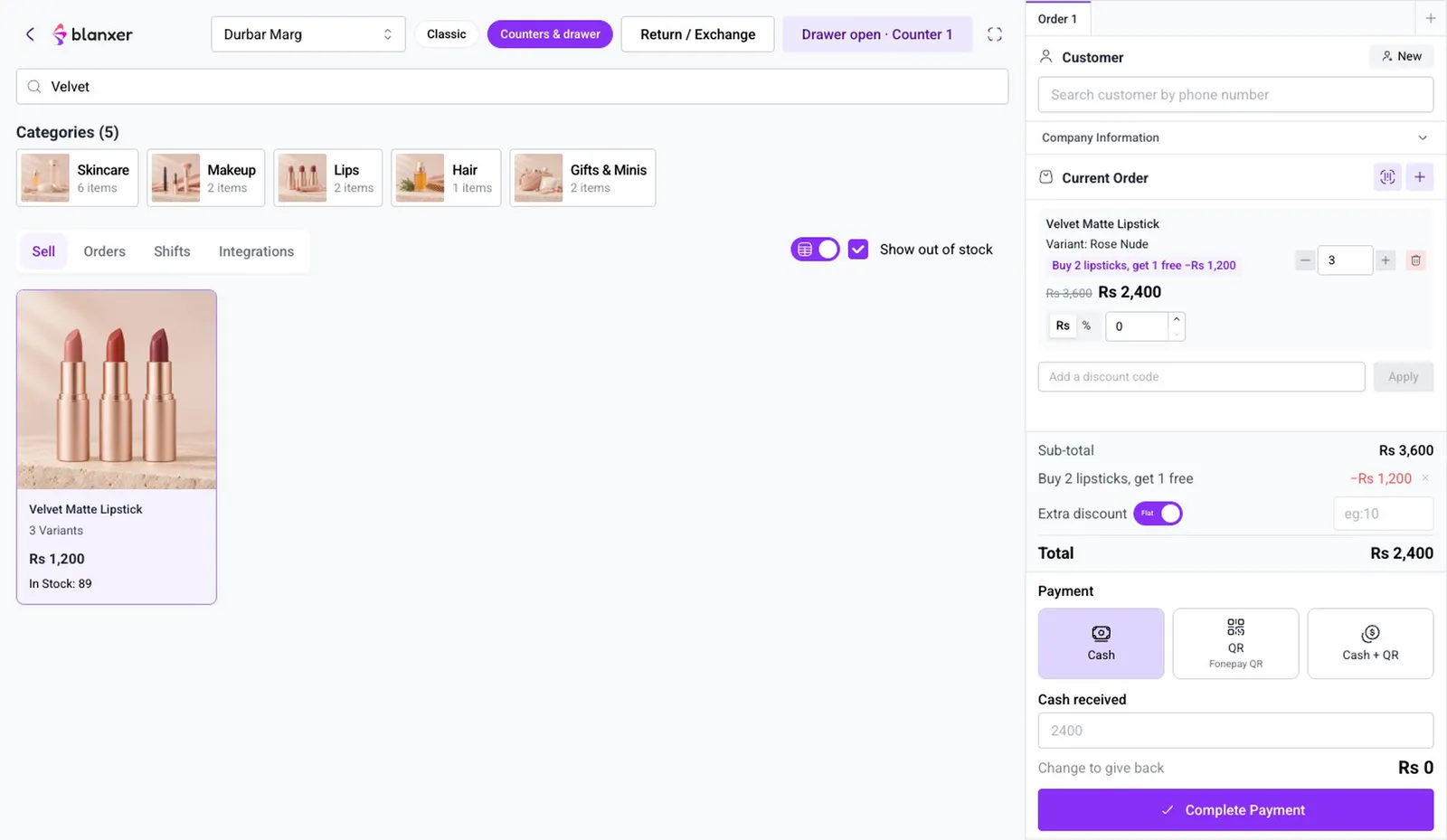
- 9
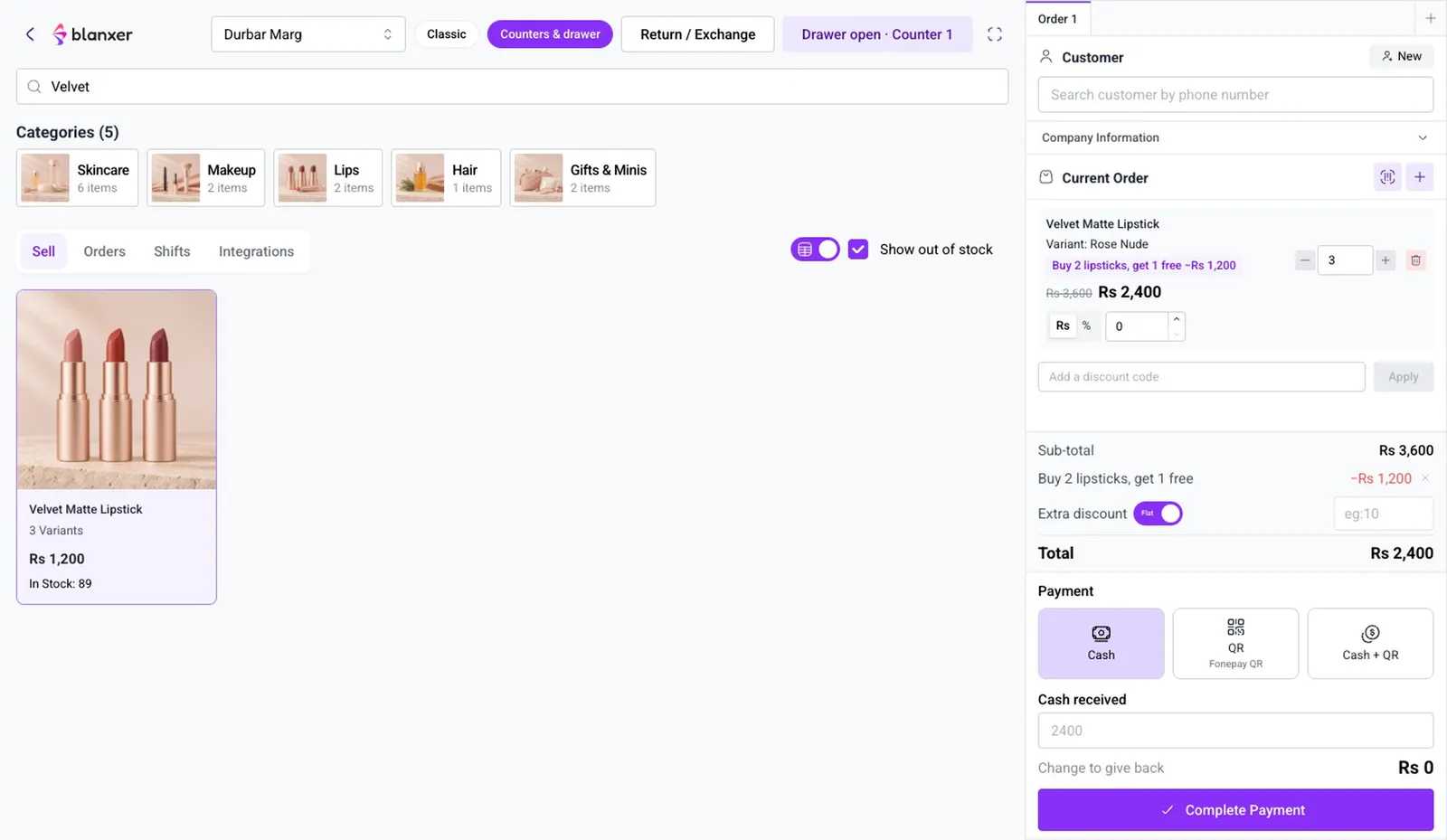
The discount applies itself
The 3rd one turns free on its own, with the same rule as the website. Staff don't work out any discount. Enter Cash received and click Complete Payment.
- 10
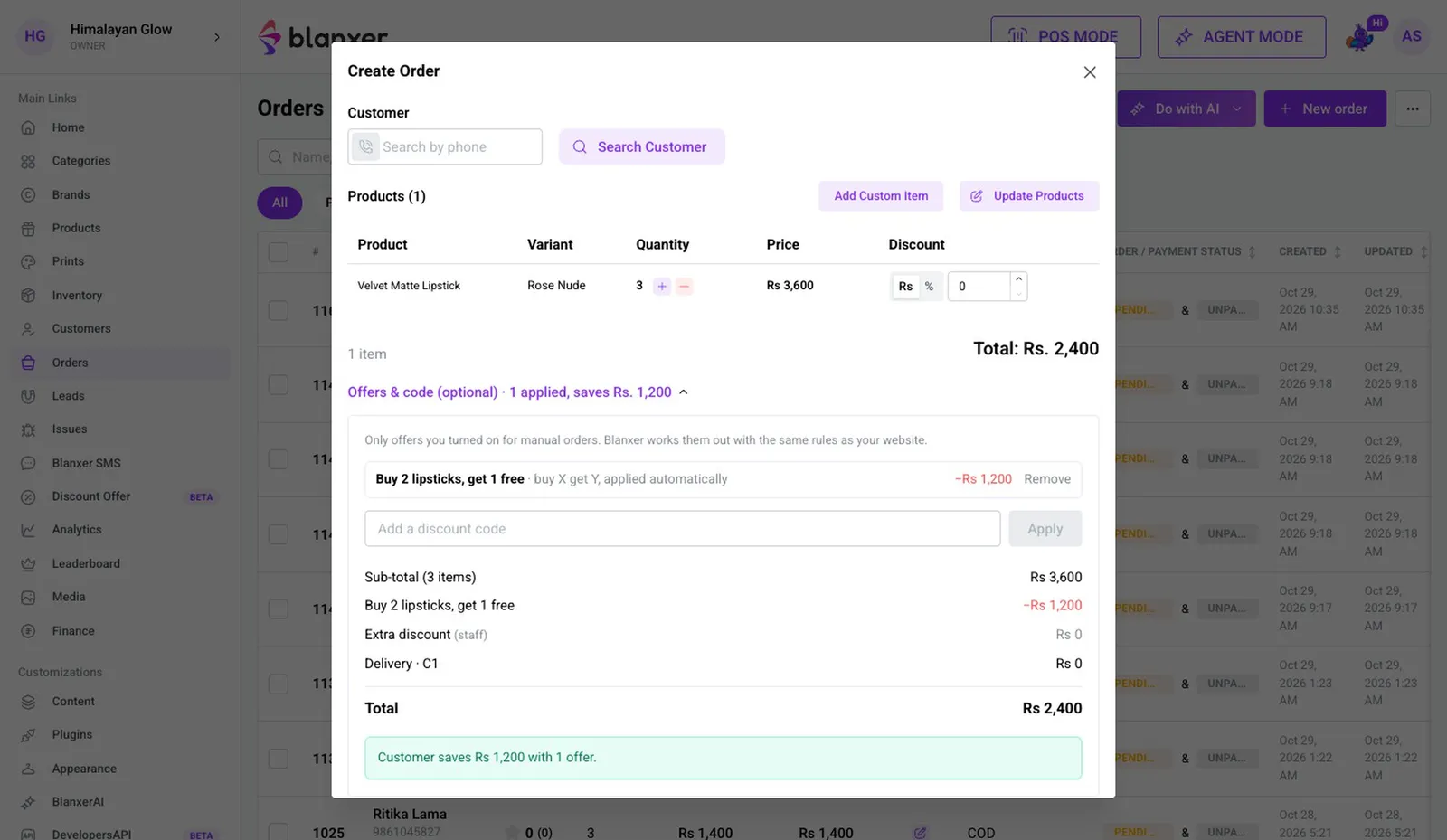
Phone, Instagram or TikTok orders
In Orders, click New order, then Add Products. Pick the product, set the quantity to 3 and open Offers & code: the offer is already applied.
Part 4
See the results
- 11
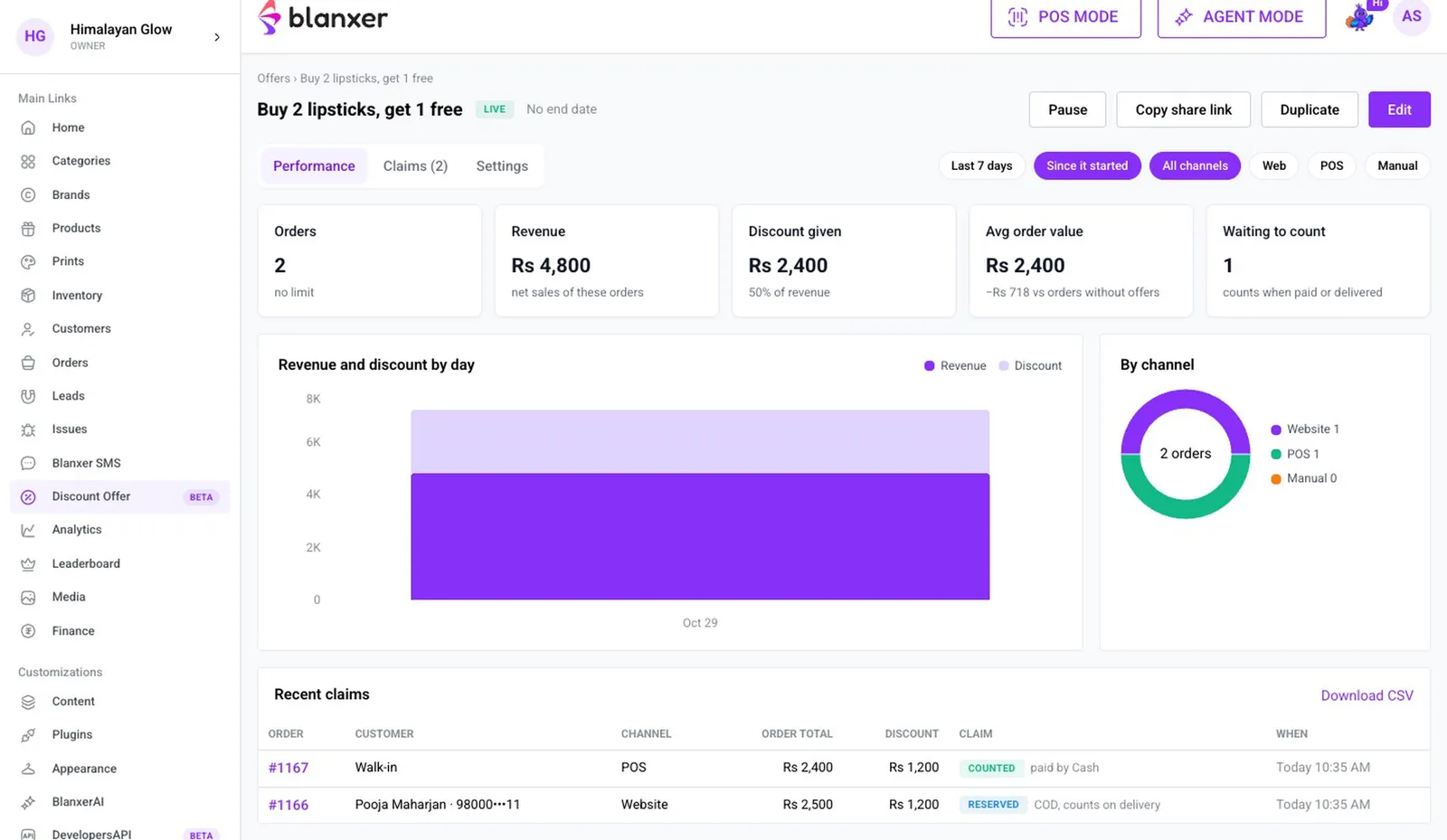
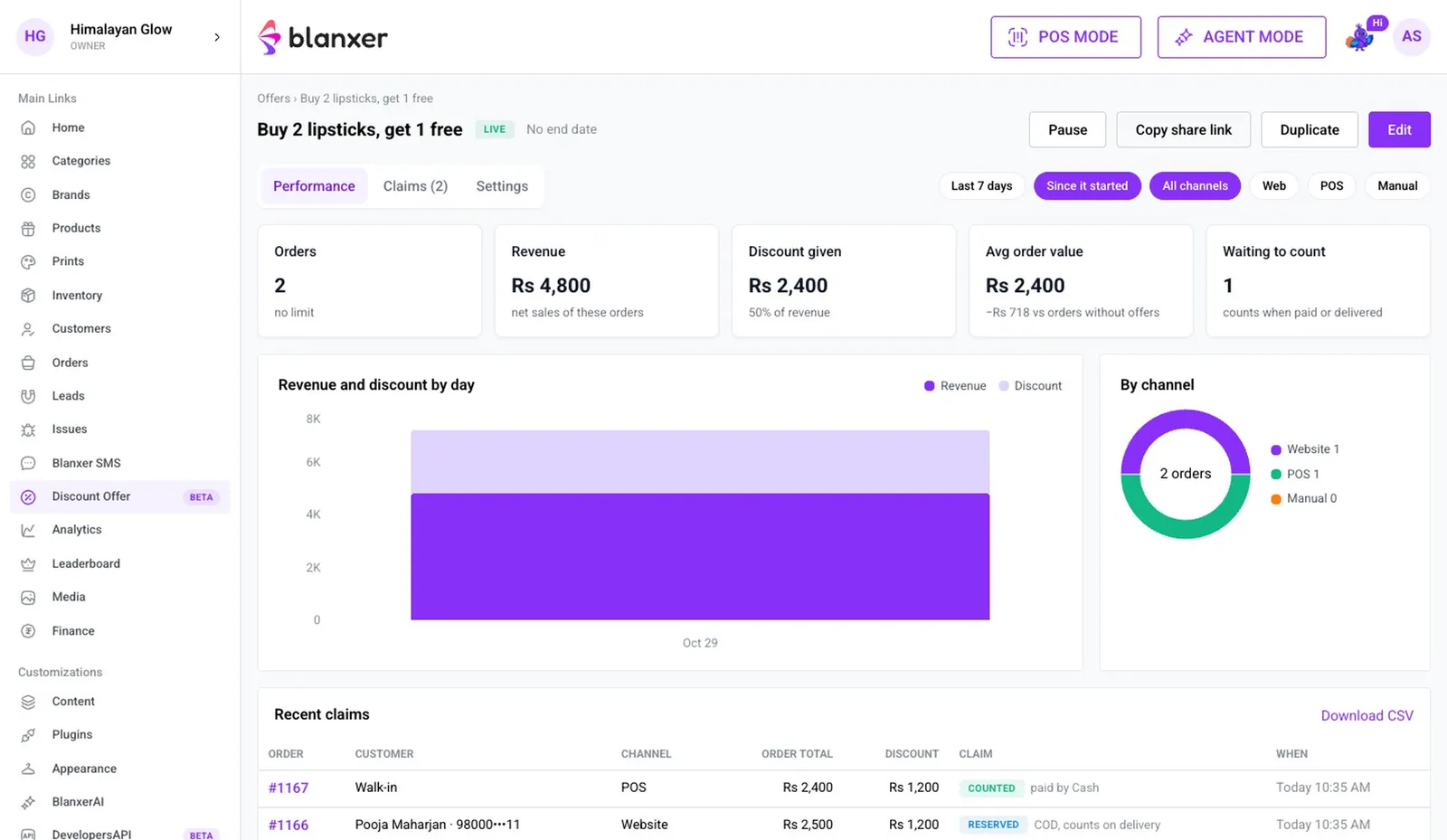
Check the offer page
Open the offer to see orders, sales and discount given, split by website, POS and manual. Analytics > By offer compares all your offers in one place.
- 12
Share it in your ads
Click Copy share link and put it in Facebook ads and TikTok videos, for example for a new shade launch, 11.11 or Dashain.
Good to know
- The offer applies automatically everywhere you sell. There is no code to type.
More videos
All 33 videos 3:53
Offers
Flash sale
Run a sale for a set time: pick the products and the discount, and it starts and ends on its own.
 3:04
Offers
11.11 sale campaign
Set up a store-wide campaign for a big sale day like 11.11, with its own dates and discounts.
 3:27
Offers
Free gift offer
Add a free gift to orders that meet your conditions, so customers see it in the cart and at checkout.
See Blanxer with your own business in mind.
Book a demo. We'll show you the store, checkout, POS and dashboard, and tell you honestly which plan you need.
Prefer to talk directly?
Already a customer? Support on WhatsApp +977 9802344850, Sun–Fri, 9 AM – 6 PM.
Follow Blanxer
 A Blanxer product
One AI inbox for every customer conversation.
Sambad.io brings WhatsApp, Instagram, Facebook, website chat and email into one inbox. Connect your Blanxer store and its AI answers from your catalogue, checks stock, quotes delivery and places the order right in the chat.
- Website chat
- Gmail
- Outlook
- Zoho Mail