
Free delivery above an amount
Make delivery free once an order goes over the amount you set, so customers add a little more to reach it.
Offers · 3:00 · In Nepali
Give free delivery in the areas you choose once an order passes a minimum amount. Customers add a little more to reach it, and fewer of them leave their cart at checkout.
Part 1
Create the offer
- 1
Choose Free delivery
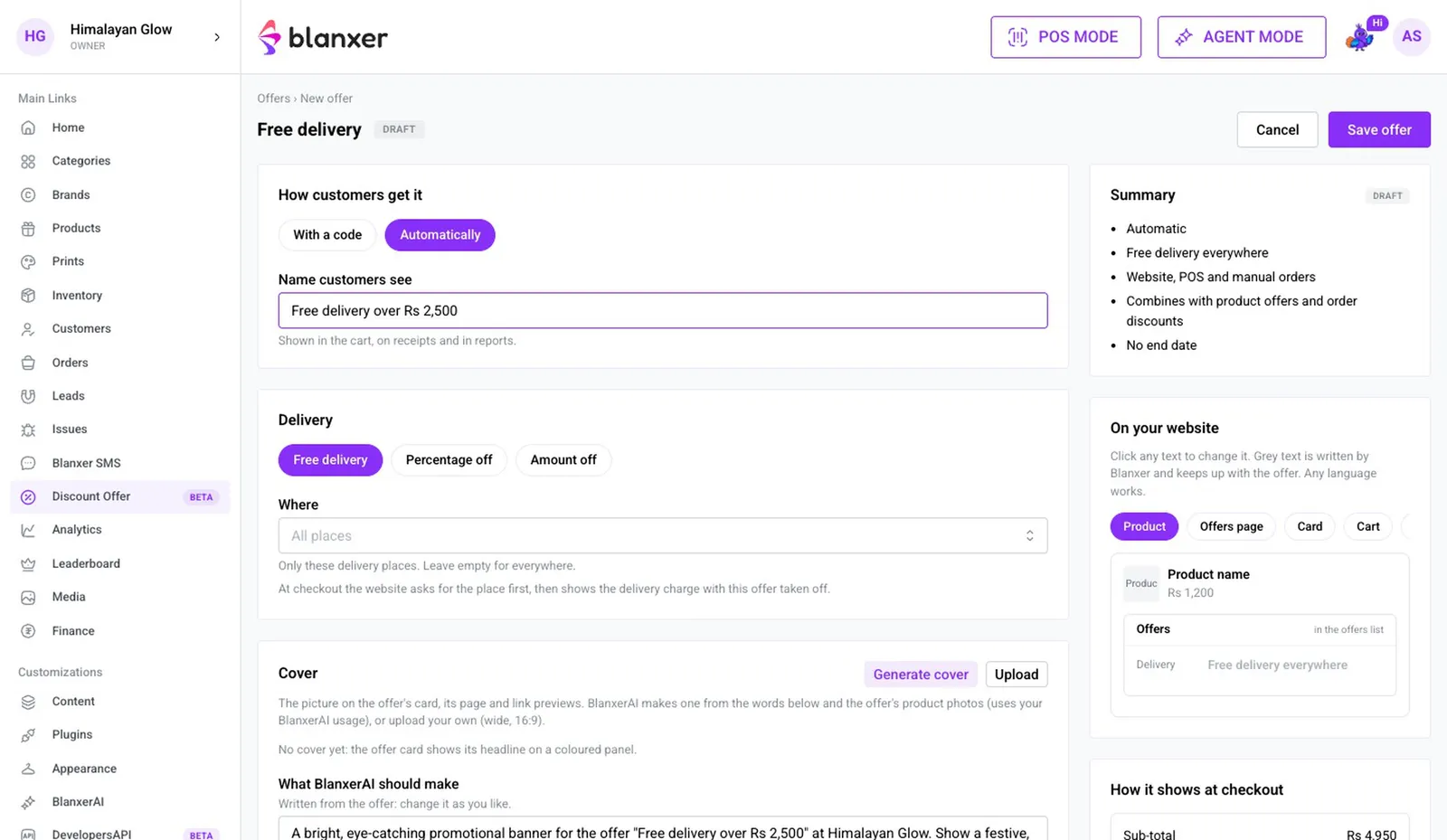
Go to Discount Offer, click Create offer and select Free delivery. Type the name shoppers see in the cart and at checkout, for example Free delivery over Rs 2,500.
- 2
Pick the areas
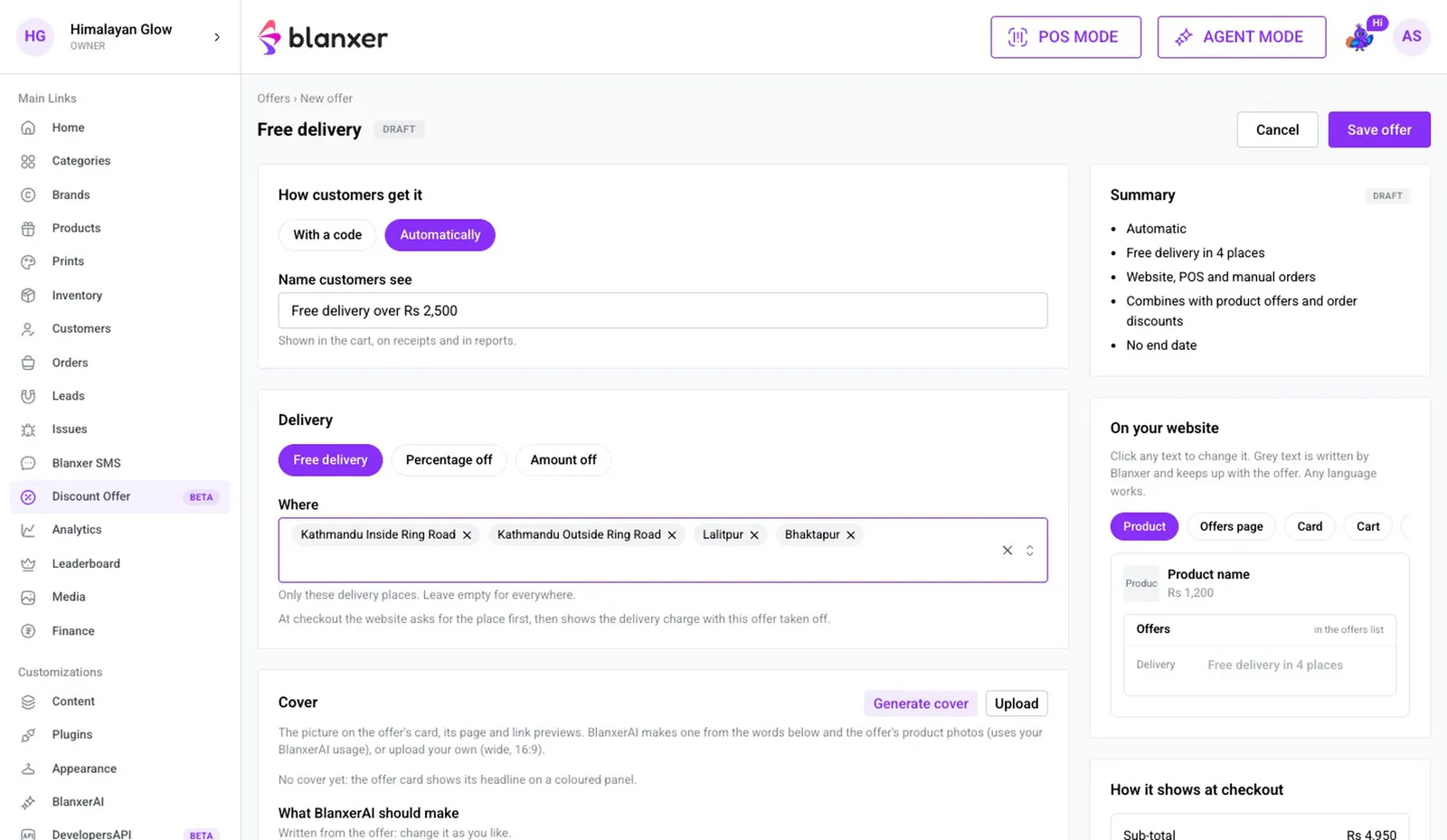
Choose where delivery is free, for example Kathmandu Inside Ring Road, Kathmandu Outside Ring Road, Lalitpur and Bhaktapur. Outside those areas the normal delivery charge still applies.
- 3
Set a minimum amount
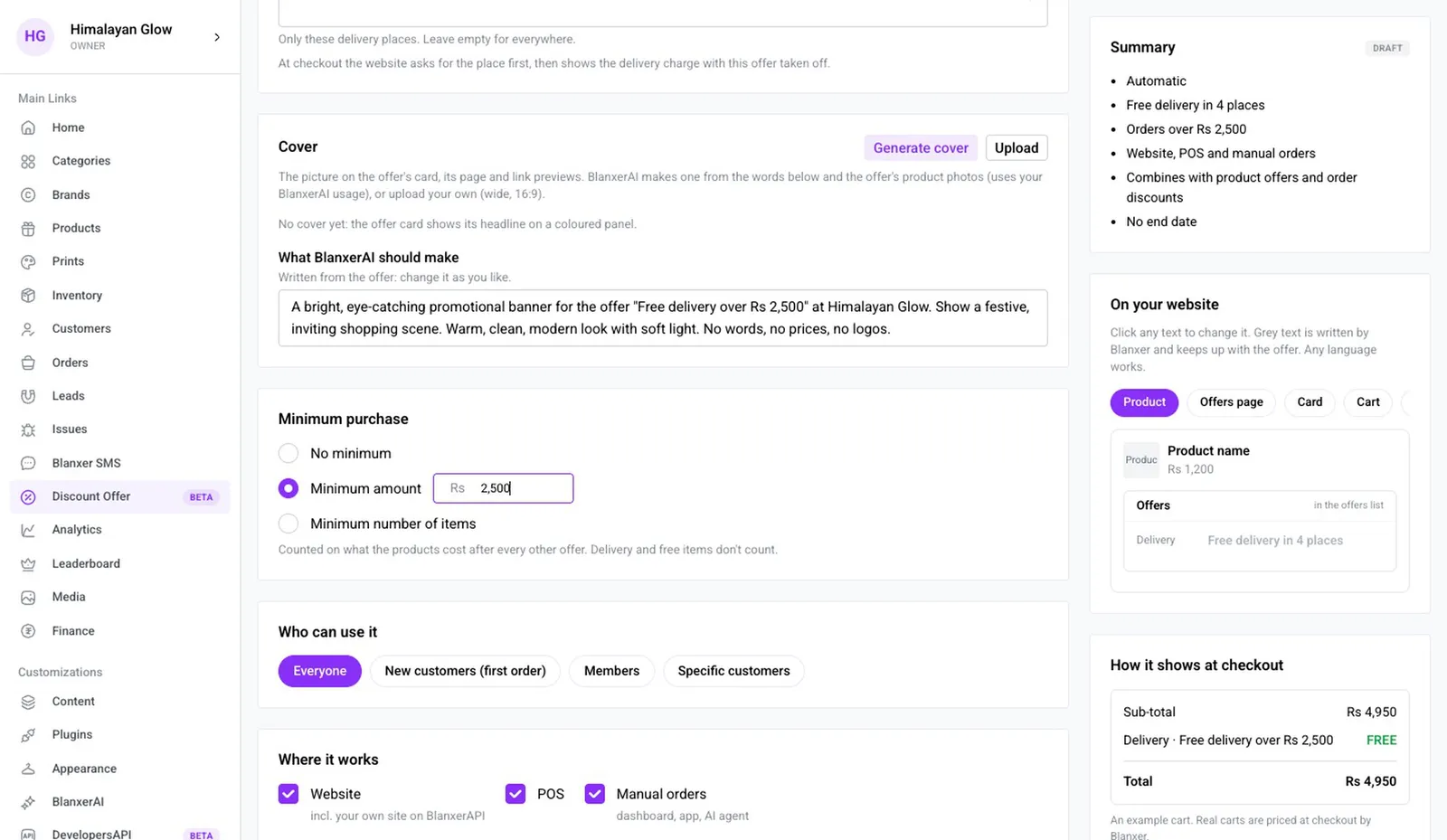
Under Minimum purchase choose Minimum amount and enter 2500. Only orders above it get free delivery.
- 4
Turn it on
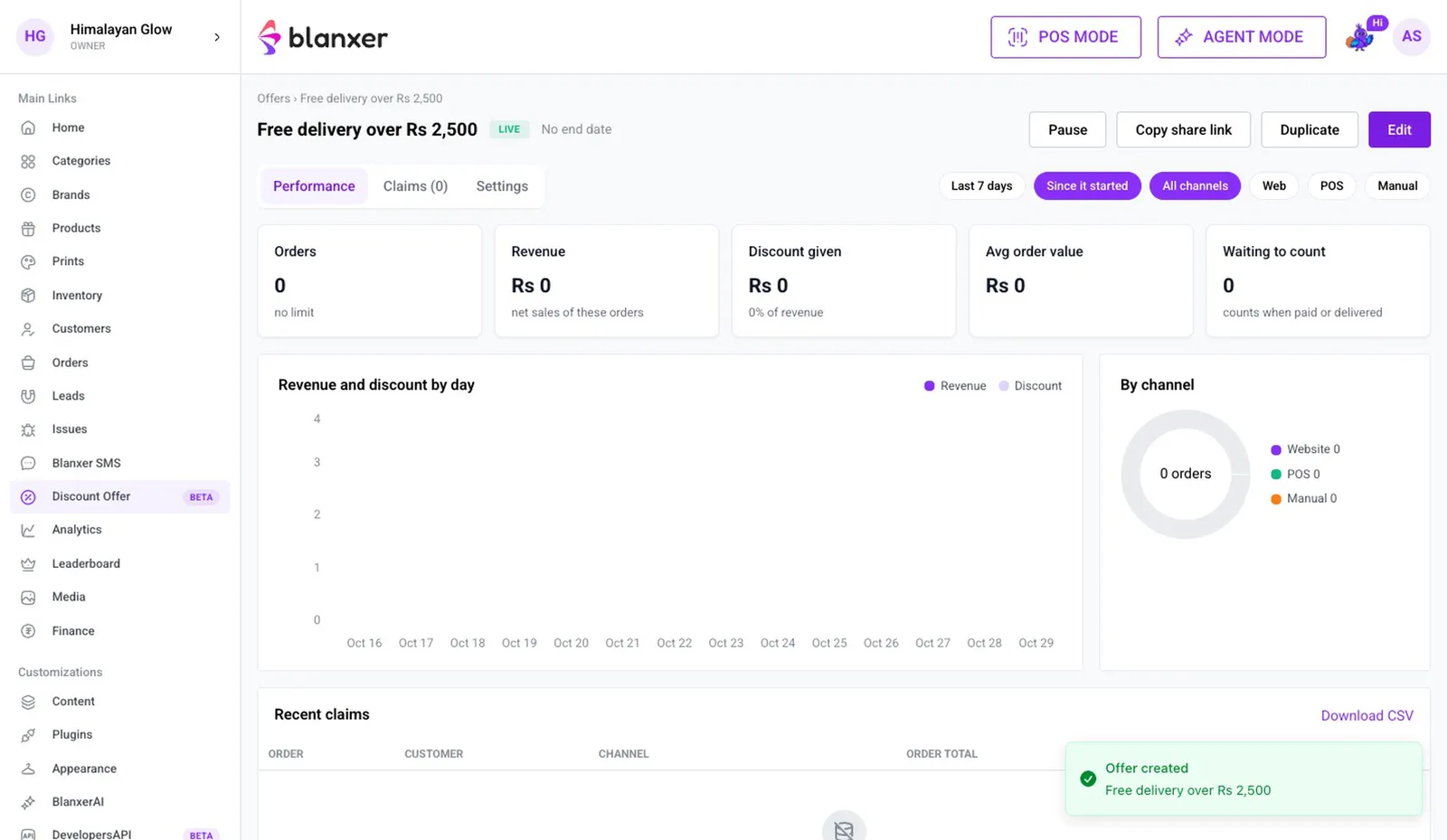
Click Save and turn on. The offer is live.
Part 2
What your customer sees
- 5
The cart shows what's left
When the customer adds a product, the cart shows how much more they need for free delivery.
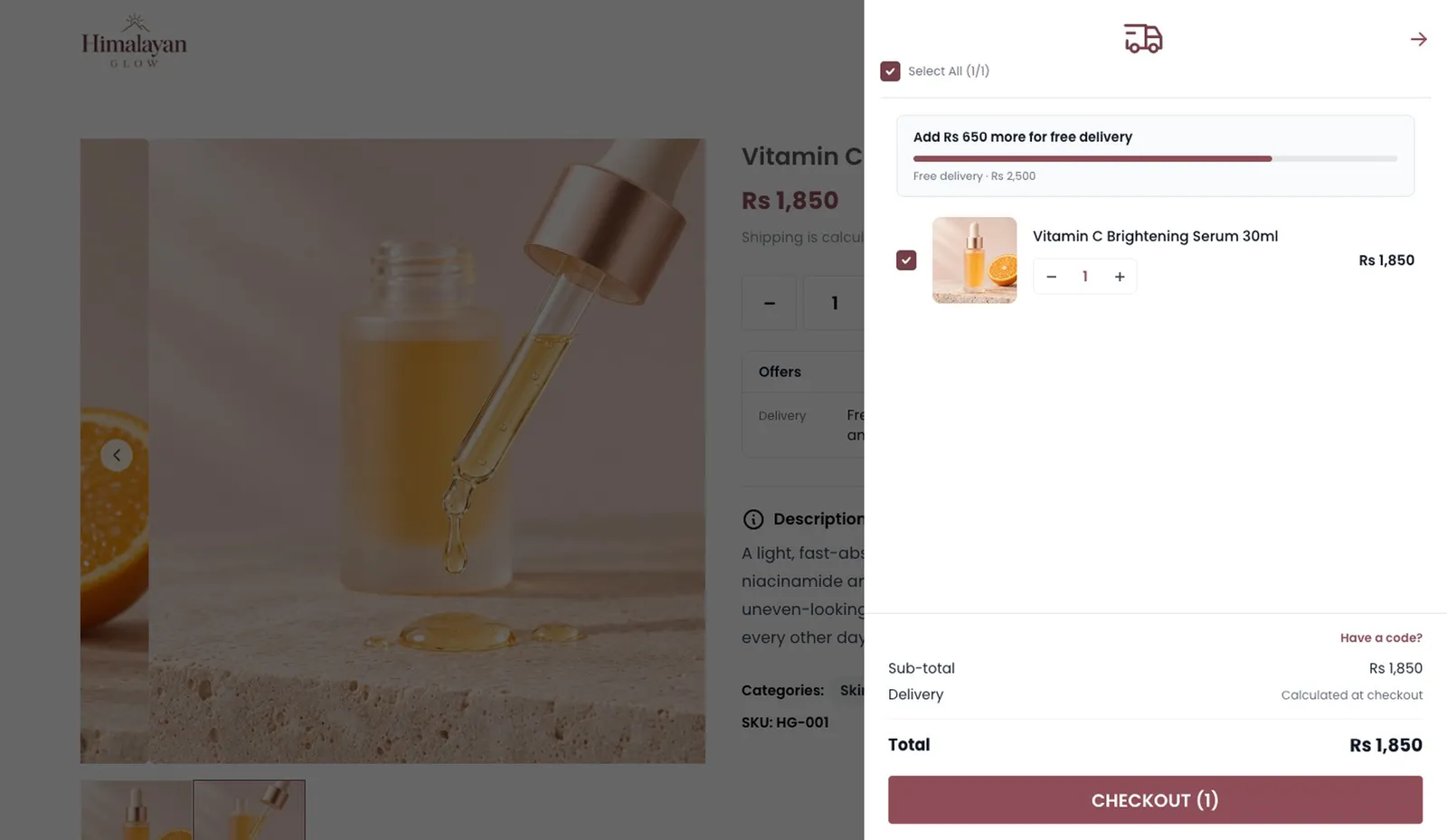
- 6
Free delivery unlocks
Once the total reaches Rs 2,500, the cart shows free delivery unlocked.
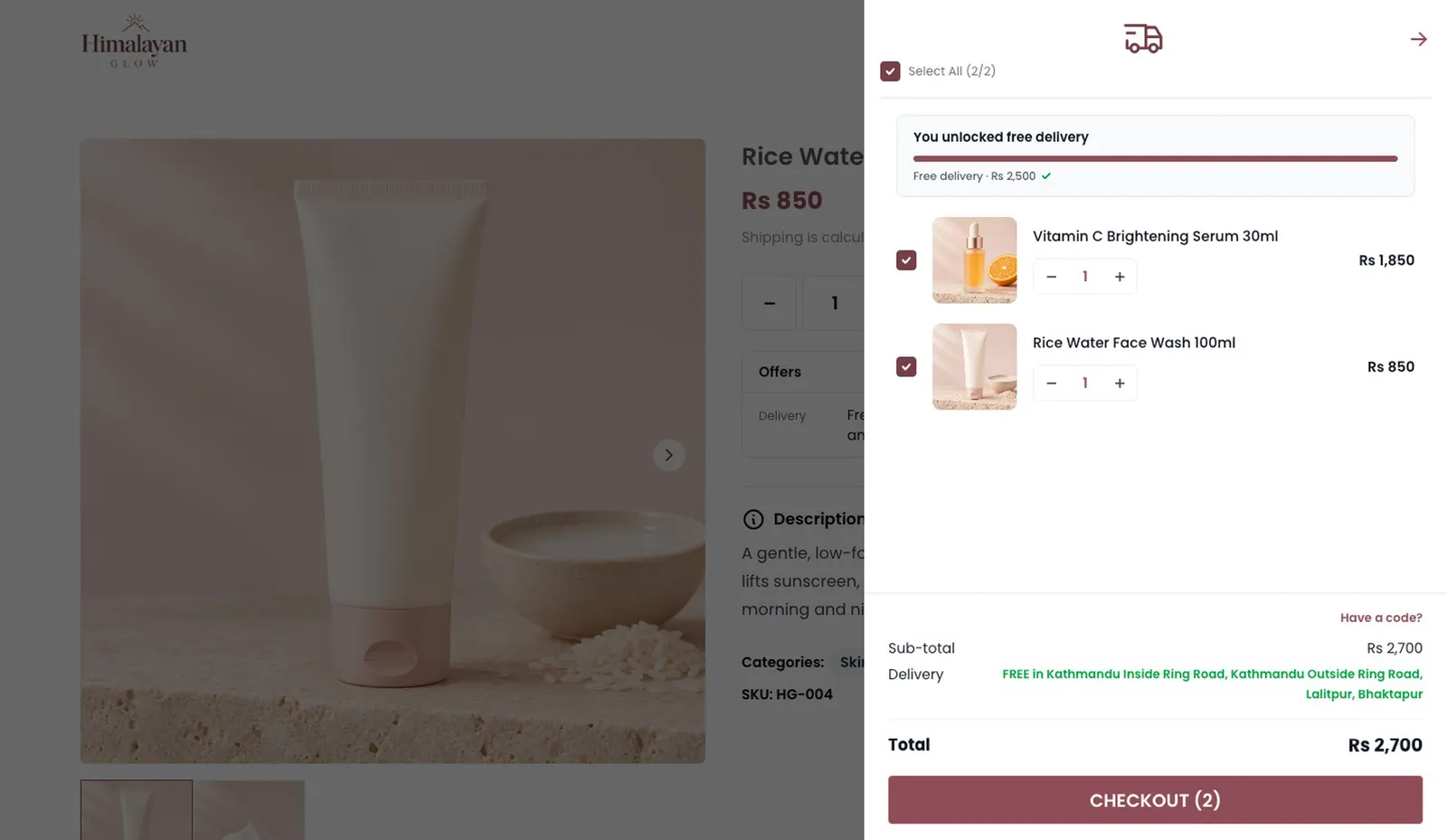
- 7
FREE at checkout
When the customer picks Lalitpur at checkout, the Rs 100 delivery charge is removed and shows FREE. They pay by cash on delivery or Fonepay QR and place the order.
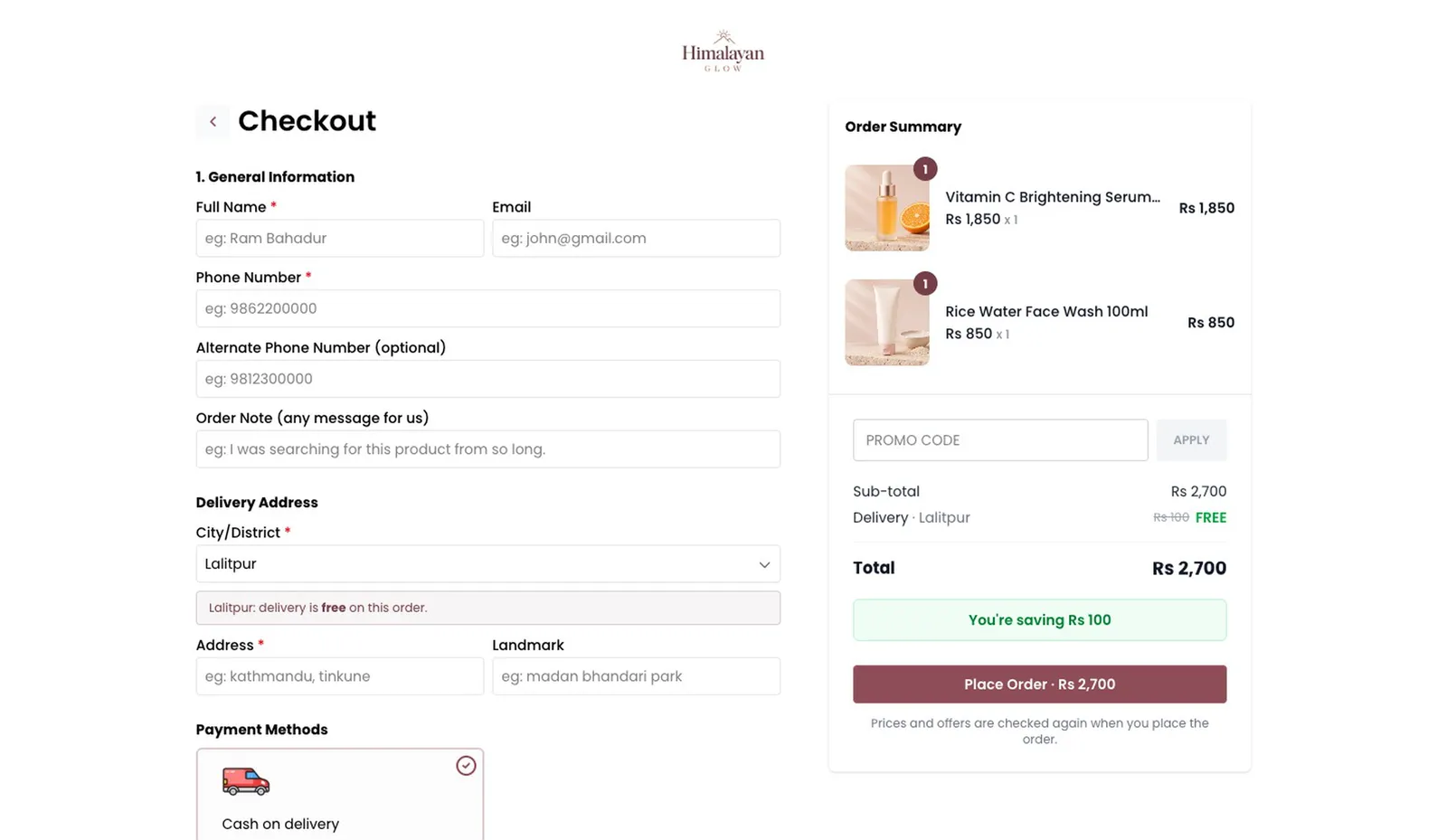
Part 3
Phone and Instagram orders
- 8
Add the items to a new order
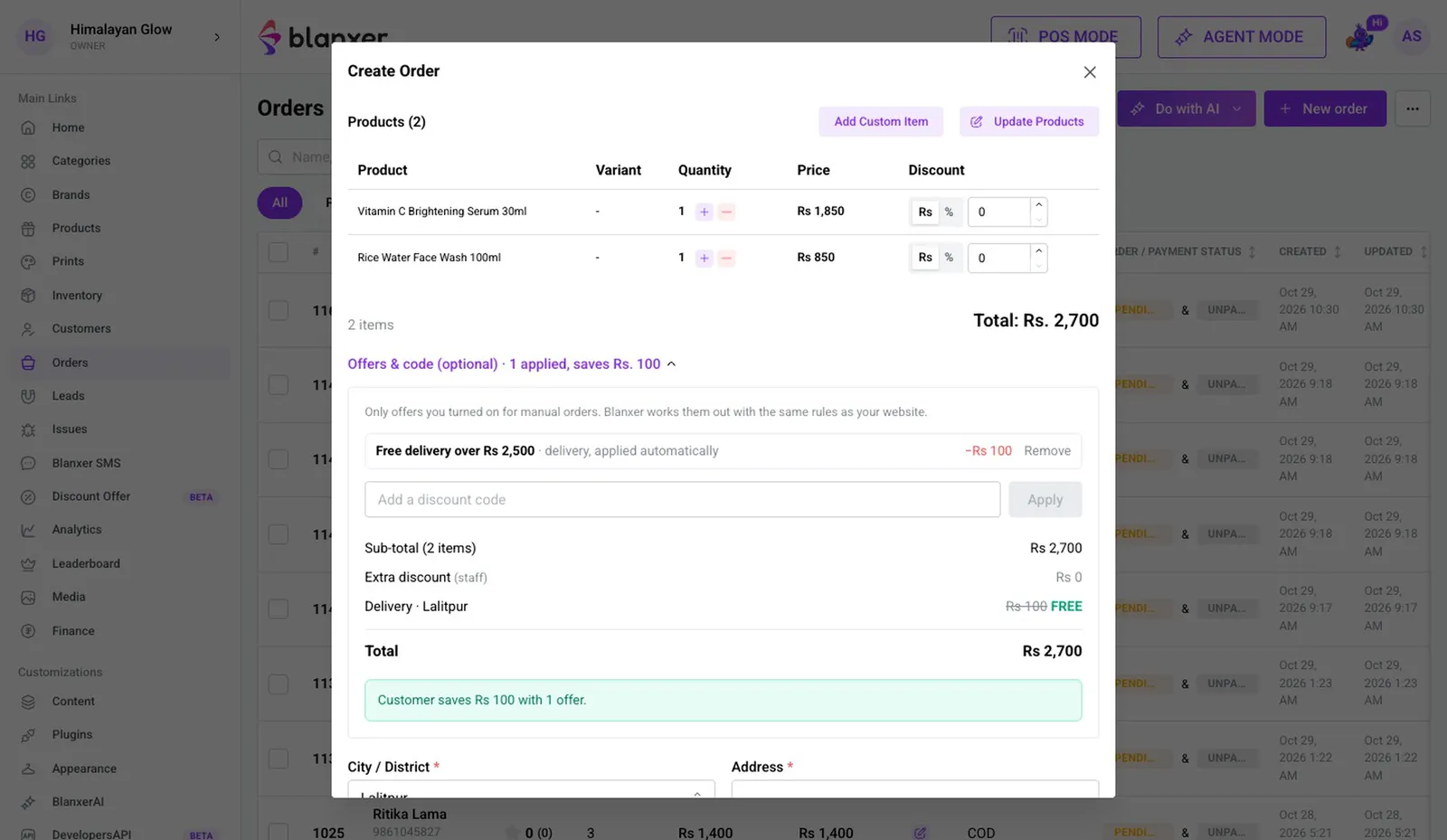
In Orders, click New order, then Add Products. Pick what the customer asked for and choose their city. Each product shows its stock, so you don't add what you don't have.
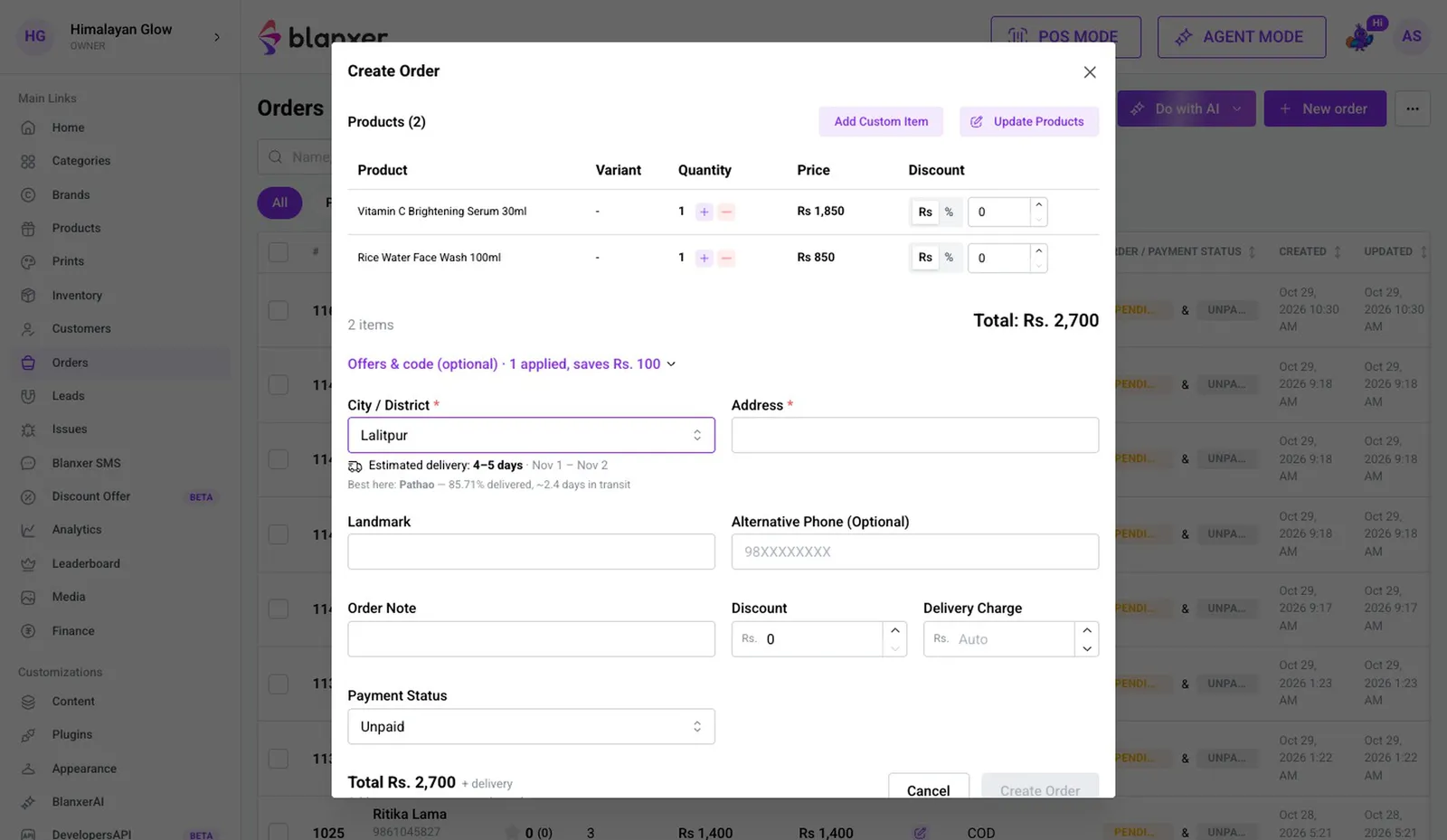
- 9
Delivery is already free
Open Offers & code. With the order over Rs 2,500, delivery shows free on its own.
Part 4
See the results
- 10
Check the offer page
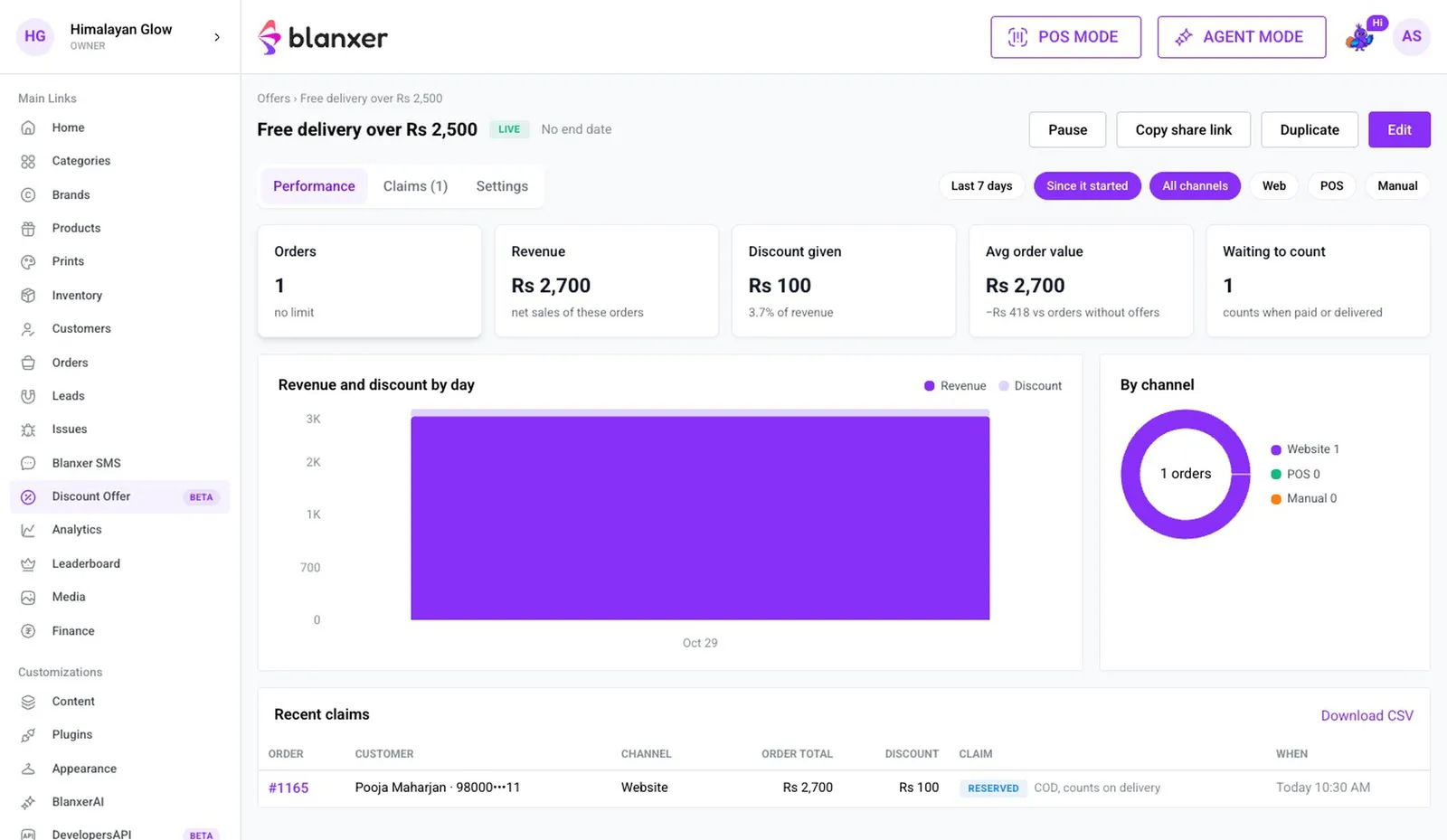
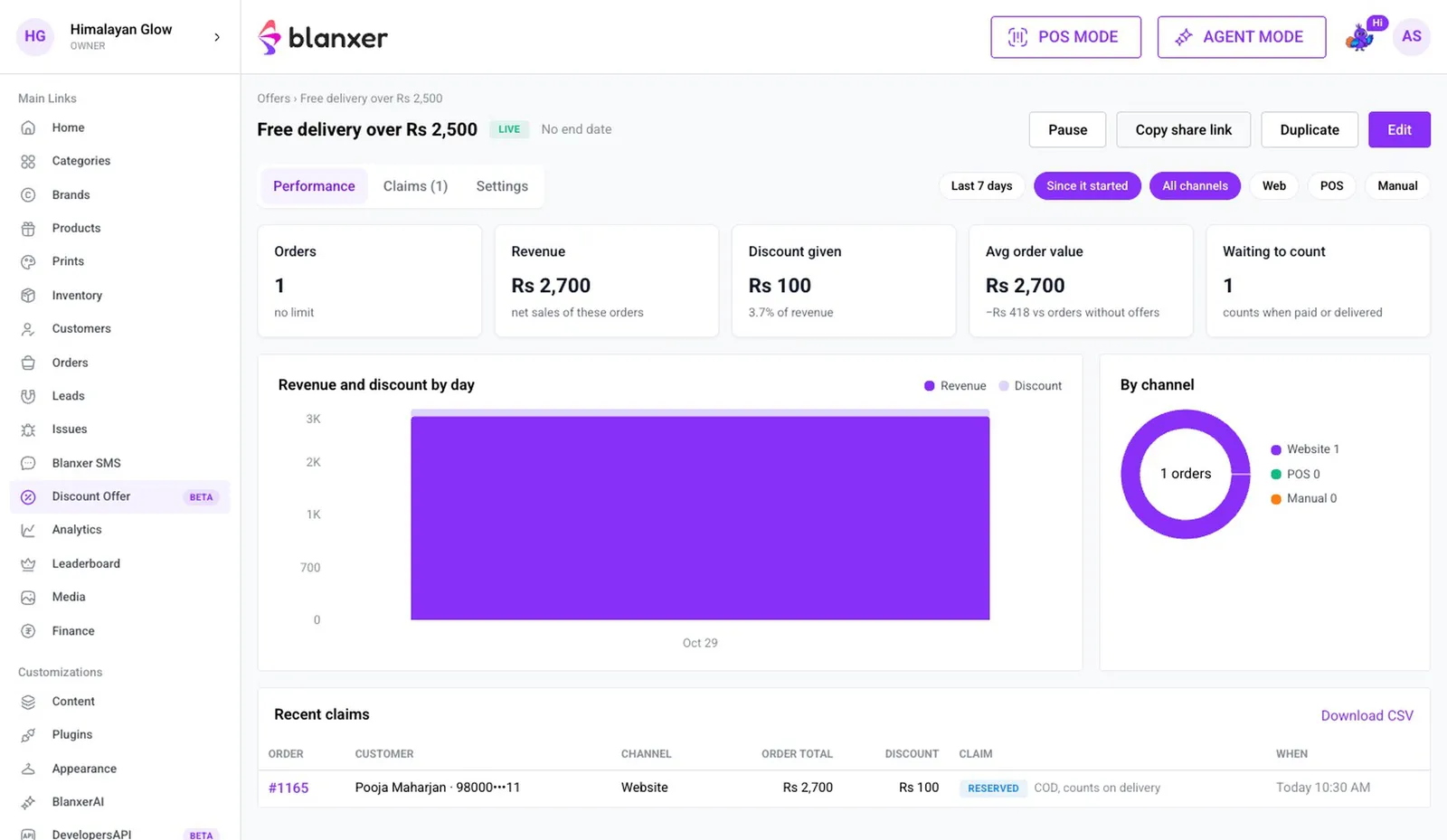
Open the offer to see orders, sales and discount given, split by website, POS and manual. Analytics > By offer compares all your offers in one place.
- 11
Share it in your ads
Click Copy share link and put it in your Facebook and TikTok ads, for example for a weekend or festive campaign.
Good to know
- Free delivery only applies in the areas you pick and above the minimum amount. Everywhere else the normal delivery charge applies.
More videos
All 33 videos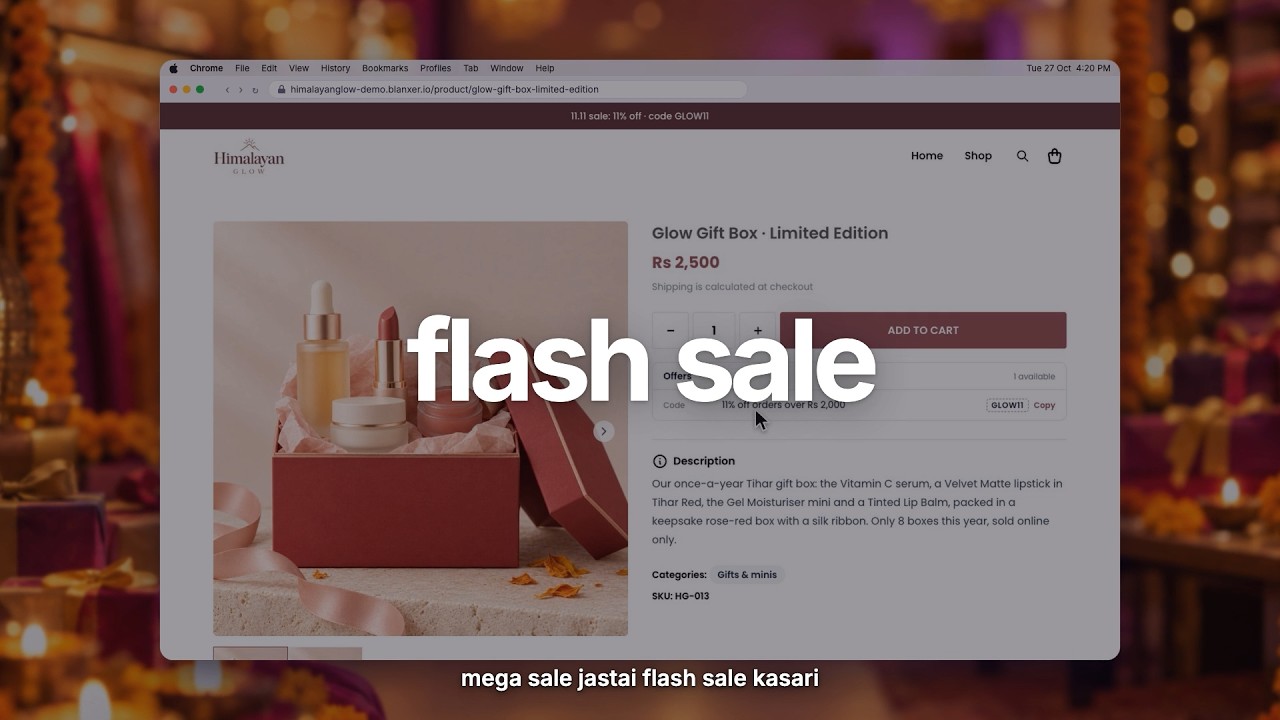 3:53
Offers
Flash sale
Run a sale for a set time: pick the products and the discount, and it starts and ends on its own.
 3:04
Offers
11.11 sale campaign
Set up a store-wide campaign for a big sale day like 11.11, with its own dates and discounts.
 3:27
Offers
Free gift offer
Add a free gift to orders that meet your conditions, so customers see it in the cart and at checkout.
See Blanxer with your own business in mind.
Book a demo. We'll show you the store, checkout, POS and dashboard, and tell you honestly which plan you need.
Prefer to talk directly?
Already a customer? Support on WhatsApp +977 9802344850, Sun–Fri, 9 AM – 6 PM.
Follow Blanxer
 A Blanxer product
One AI inbox for every customer conversation.
Sambad.io brings WhatsApp, Instagram, Facebook, website chat and email into one inbox. Connect your Blanxer store and its AI answers from your catalogue, checks stock, quotes delivery and places the order right in the chat.
- Website chat
- Gmail
- Outlook
- Zoho Mail