
Sync your catalog to Meta Commerce Manager
Give Meta your product feed link once, and your Facebook, Instagram and WhatsApp catalog follow your prices and stock every hour.
Products · 2:38 · In Nepali
Give Meta a live product feed link from Blanxer instead of a one-off CSV. Meta re-reads it every hour, so Facebook, Instagram, WhatsApp and your Meta ads keep your website's prices and stock.
Before you start
A catalog in Meta Commerce Manager.
Part 1
Copy your feed link
- 1
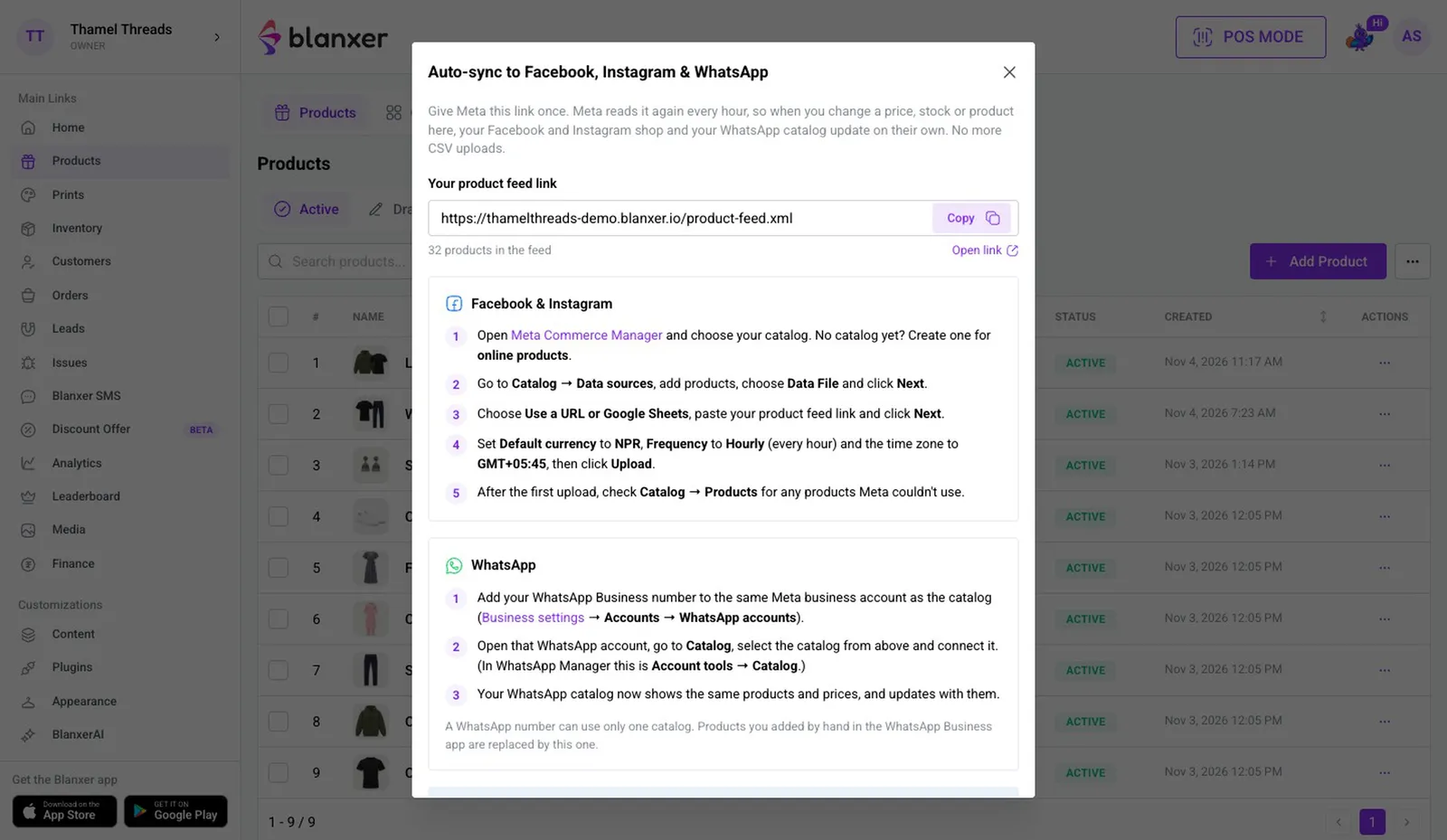
Open Auto-sync
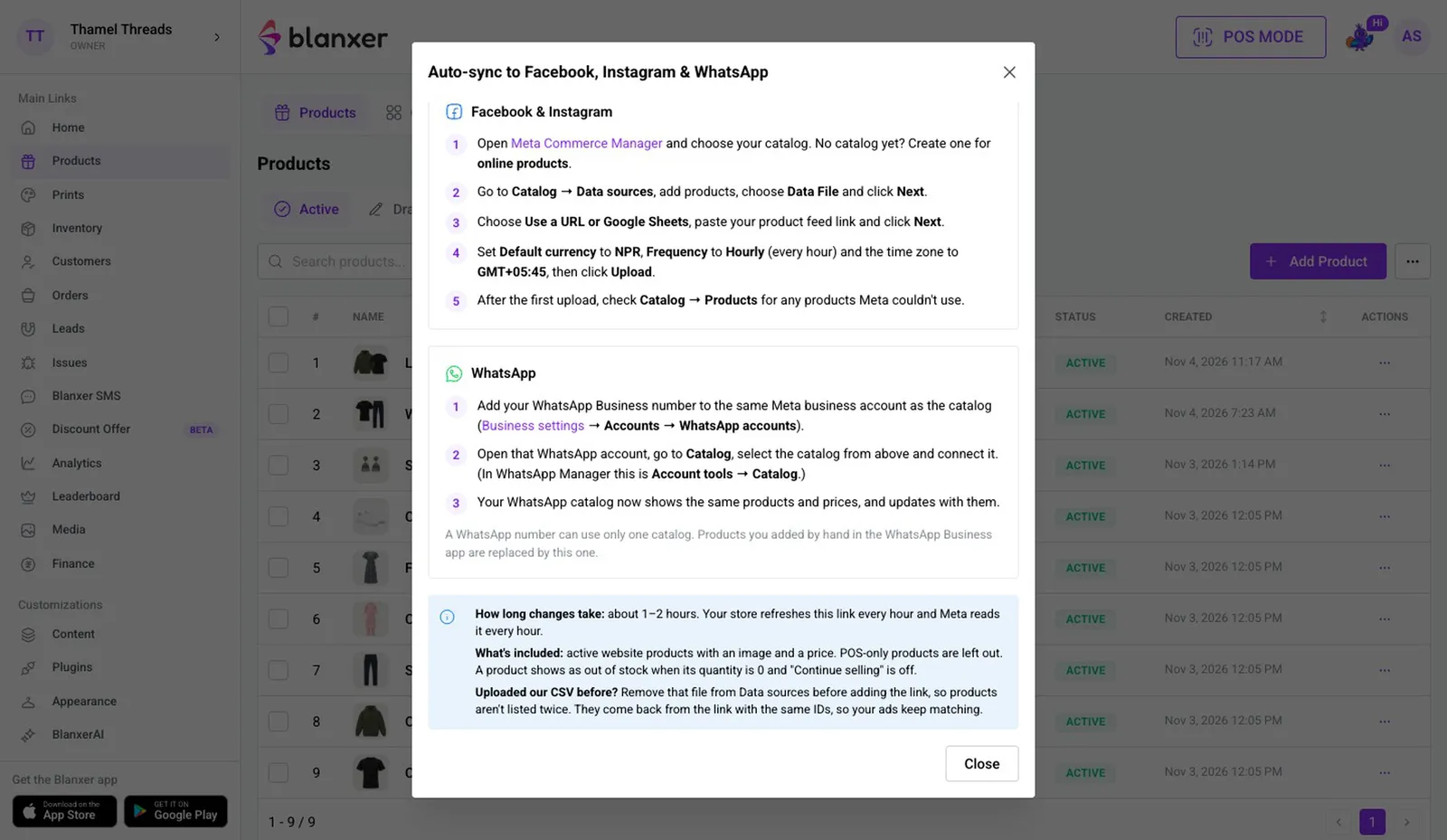
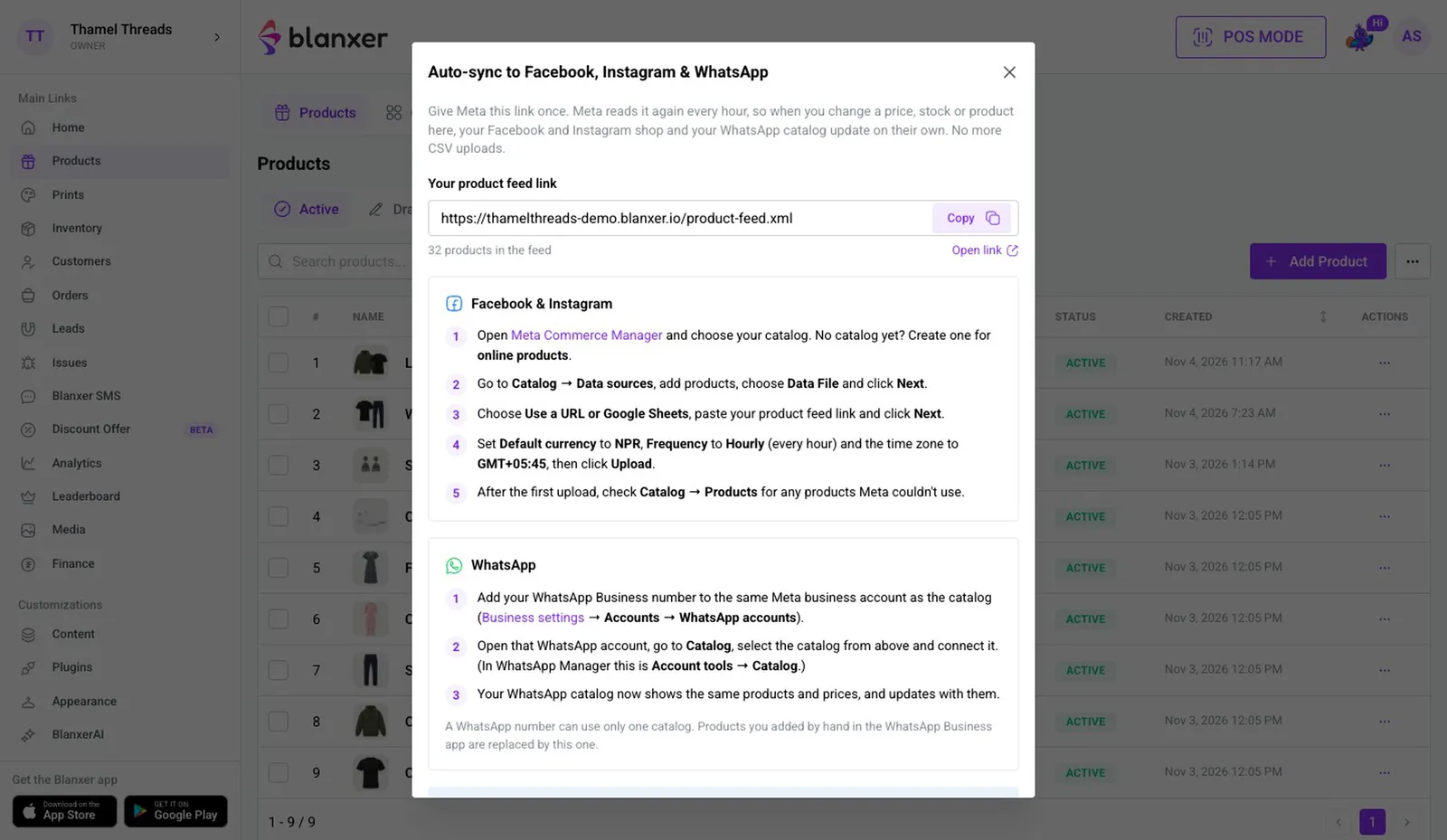
In the Products menu, click Auto-sync to Facebook & WhatsApp. Your product feed link is shown; click Copy.
- 2
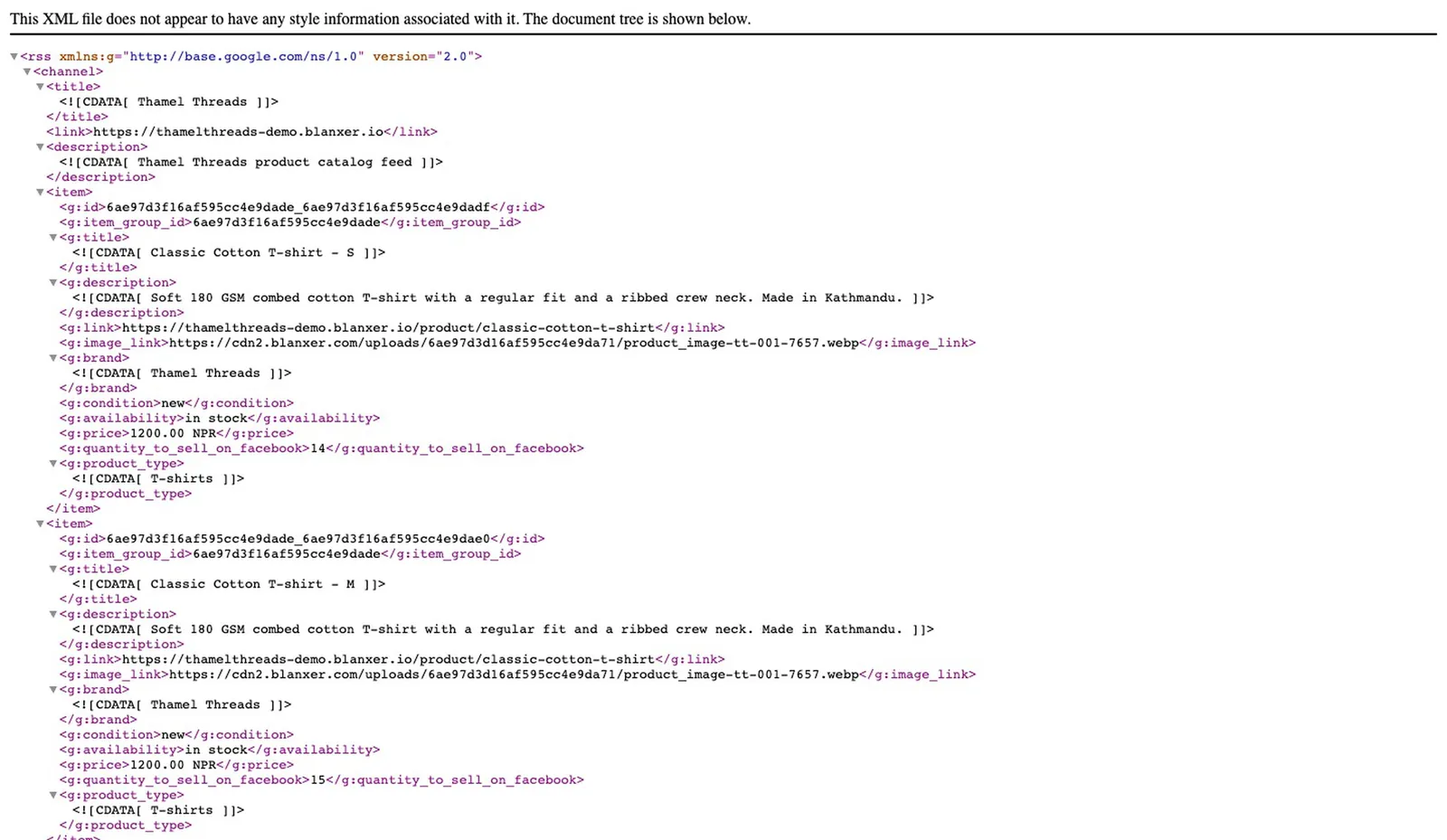
What the feed holds
Every website product with a photo and price is in it, with name, photo, price and stock in a format Meta reads. It updates by itself when products change.
Part 2
Add it in Commerce Manager, once
- 3
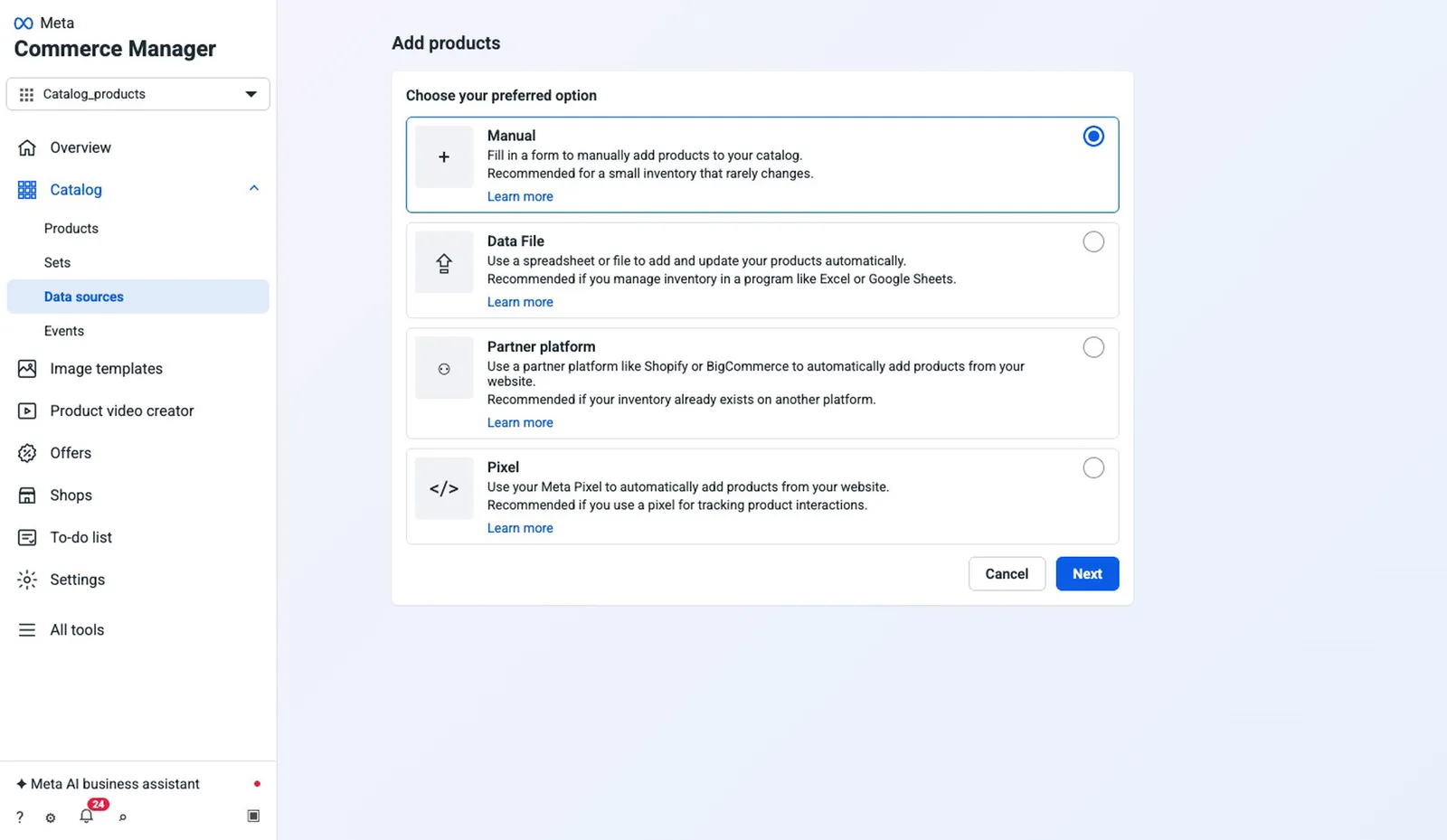
Add a data source
In Commerce Manager, open your catalog, go to Catalog → Data sources and add products. Choose Data File and click Next.
- 4
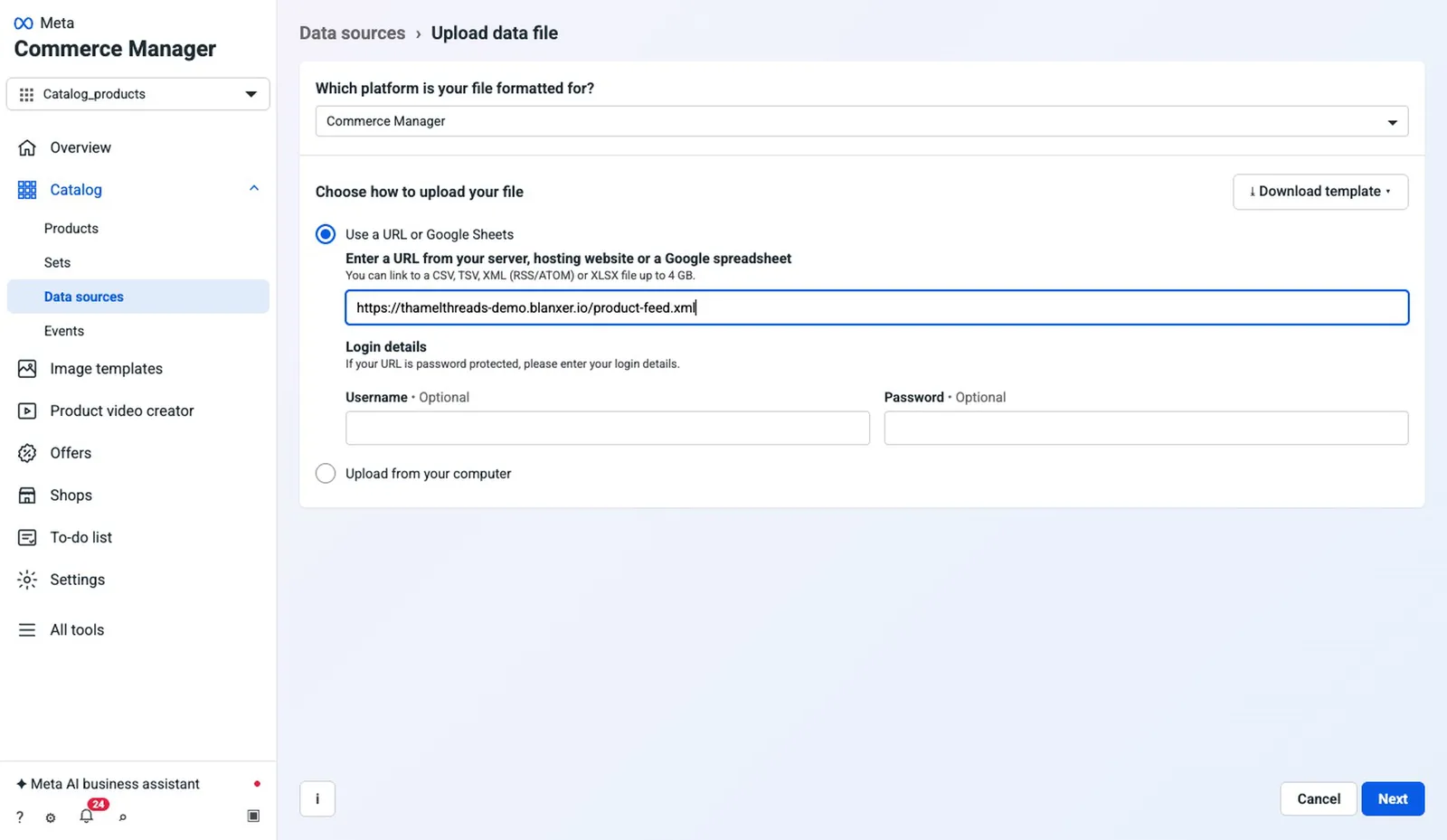
Paste the link
Use a URL is already selected. Paste the link you copied and click Next.
- 5
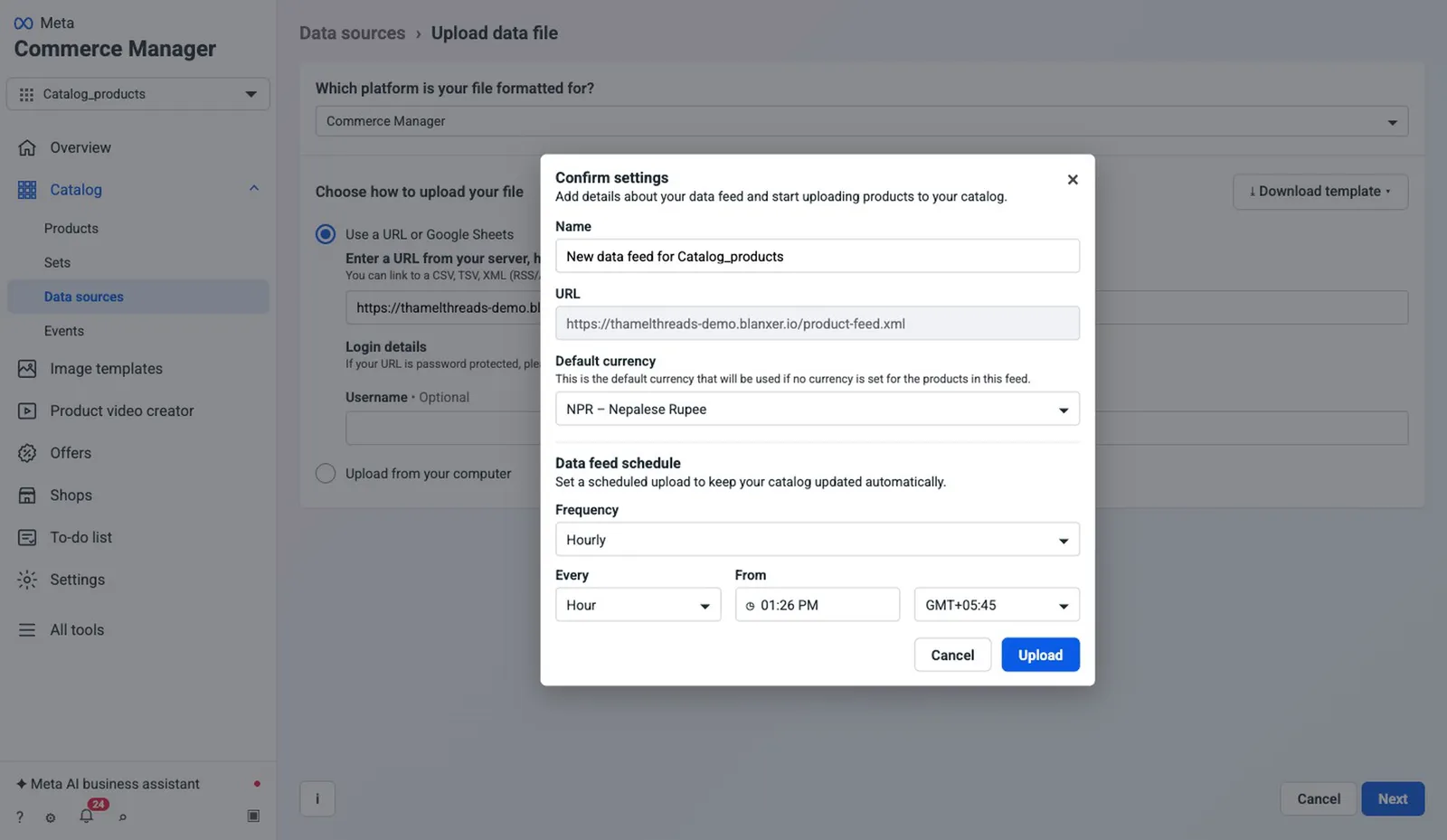
Currency and schedule
Set the default currency to NPR – Nepalese Rupee and the frequency to Hourly, on Nepal time (GMT+5:45).
- 6
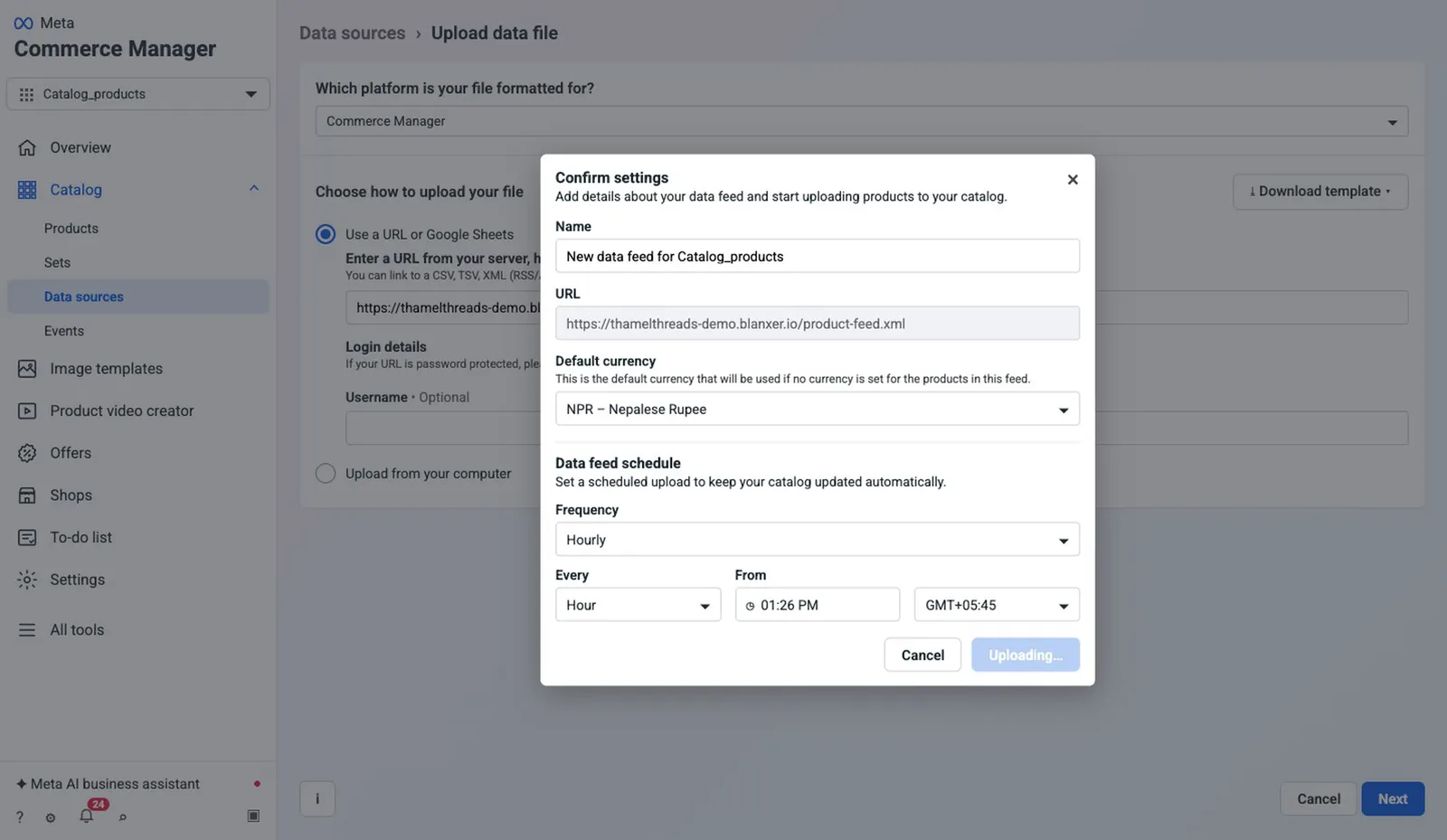
Upload
Click Upload. Meta brings in your products and re-reads the link every hour after that.
Part 3
WhatsApp and ads
- 7
Connect WhatsApp
Connect your WhatsApp Business number on the same Meta business account to this catalog. Customers then see the right prices in WhatsApp.
- 8
Use it in Meta ads
Ads that use this catalog take the website's price and stock, and out-of-stock products aren't advertised.
Good to know
- Price changes reach Meta within 1–2 hours.
- Products without a photo or price, and POS-only products, are left out of the feed.
- If you uploaded a CSV before, remove it from Data sources first, or products show twice. The one-off Export Meta Catalog CSV is still there if you need it.
More videos
All 33 videos 5:43
Products
Add products (normal inventory)
Add a product with its photos, price, variants and stock, for stores on normal inventory.
 6:18
Products
Add products (advanced inventory)
Add a product and stock it in per outlet, with its cost, for stores on advanced inventory.
 4:28
Products
Add size guides to your products
Make size charts for your clothing and link them to products, so shoppers see a Size Guide next to the sizes and pick the right one.
See Blanxer with your own business in mind.
Book a demo. We'll show you the store, checkout, POS and dashboard, and tell you honestly which plan you need.
Prefer to talk directly?
Already a customer? Support on WhatsApp +977 9802344850, Sun–Fri, 9 AM – 6 PM.
Follow Blanxer
 A Blanxer product
One AI inbox for every customer conversation.
Sambad.io brings WhatsApp, Instagram, Facebook, website chat and email into one inbox. Connect your Blanxer store and its AI answers from your catalogue, checks stock, quotes delivery and places the order right in the chat.
- Website chat
- Gmail
- Outlook
- Zoho Mail