
Collect and reply to reviews
Collect product reviews, reply to them, and after calling a customer ask them to edit their review.
Customers · 3:06 · In Nepali
Collect product reviews, with photos, from every delivered order, and reply to them from Blanxer. Good reviews give new customers the confidence to buy.
Part 1
Ask for reviews after delivery
- 1
Turn on the delivered email
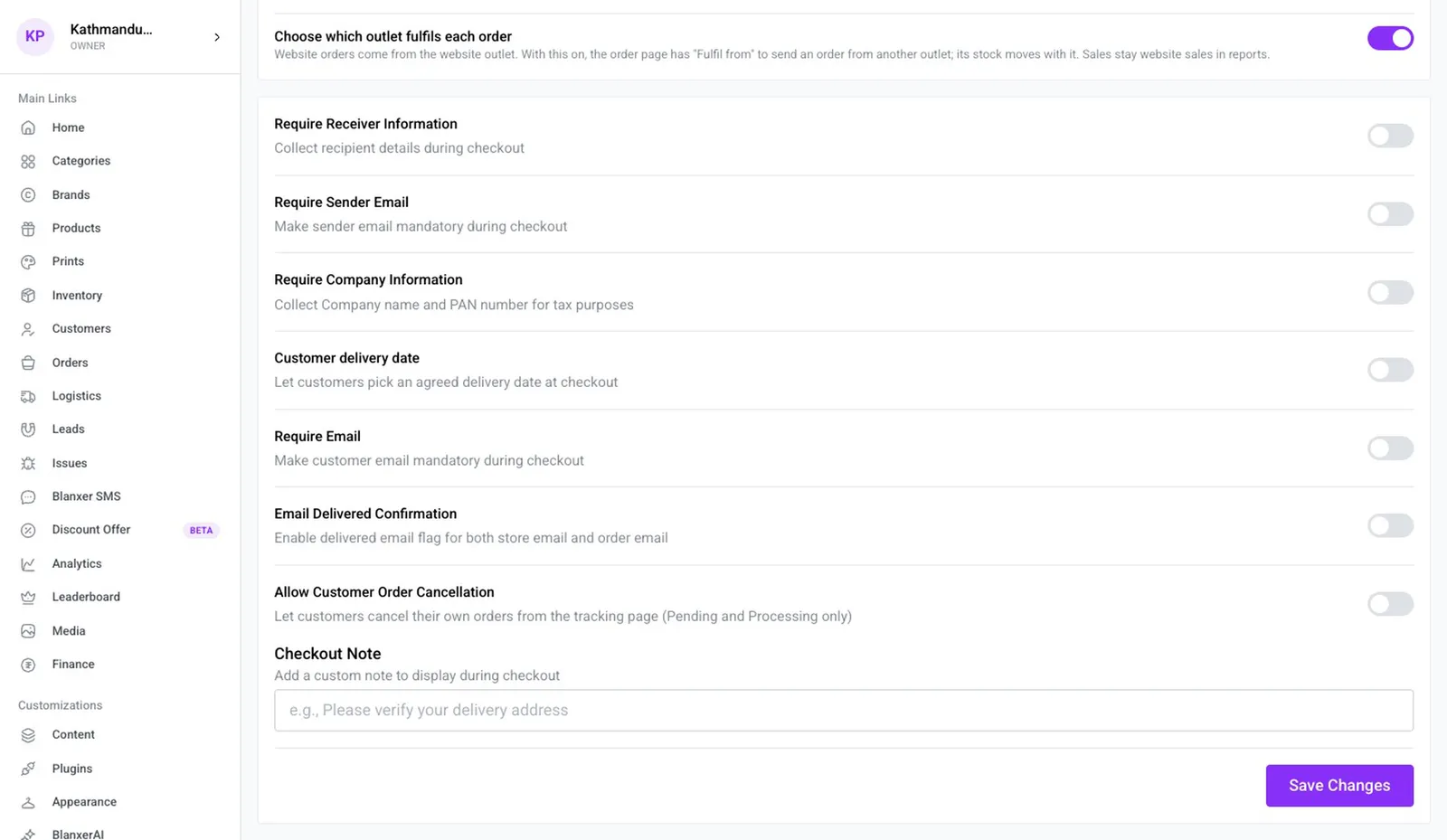
In checkout settings, turn on Email Delivered Confirmation. After delivery, the customer gets an email with a link to leave a review.
- 2
Or use the Delivered SMS
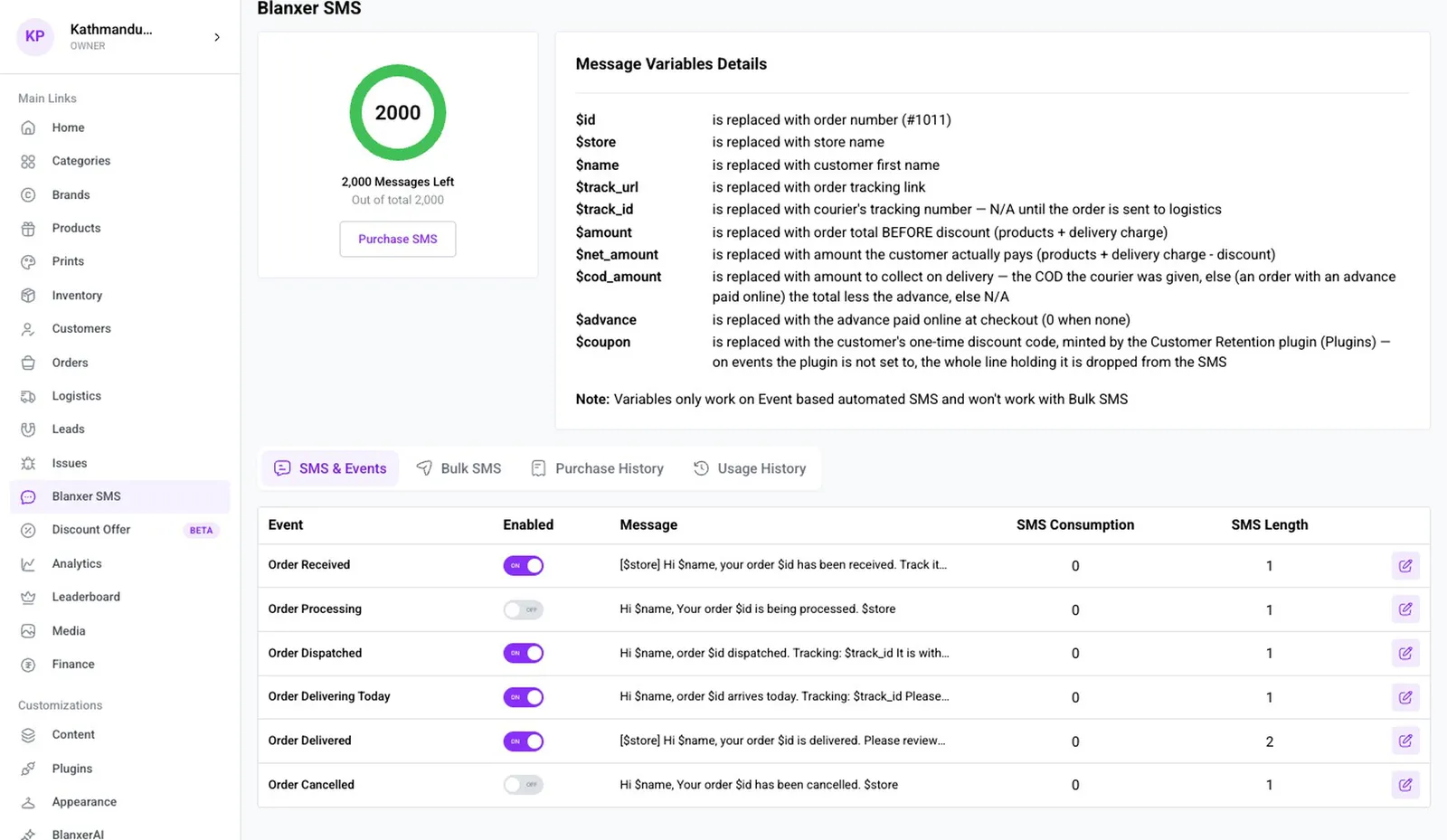
The Delivered SMS carries the tracking link, and the review is left from there. The Blanxer SMS guide shows how to set it up.
Part 2
How the customer leaves a review
- 3
Review Product
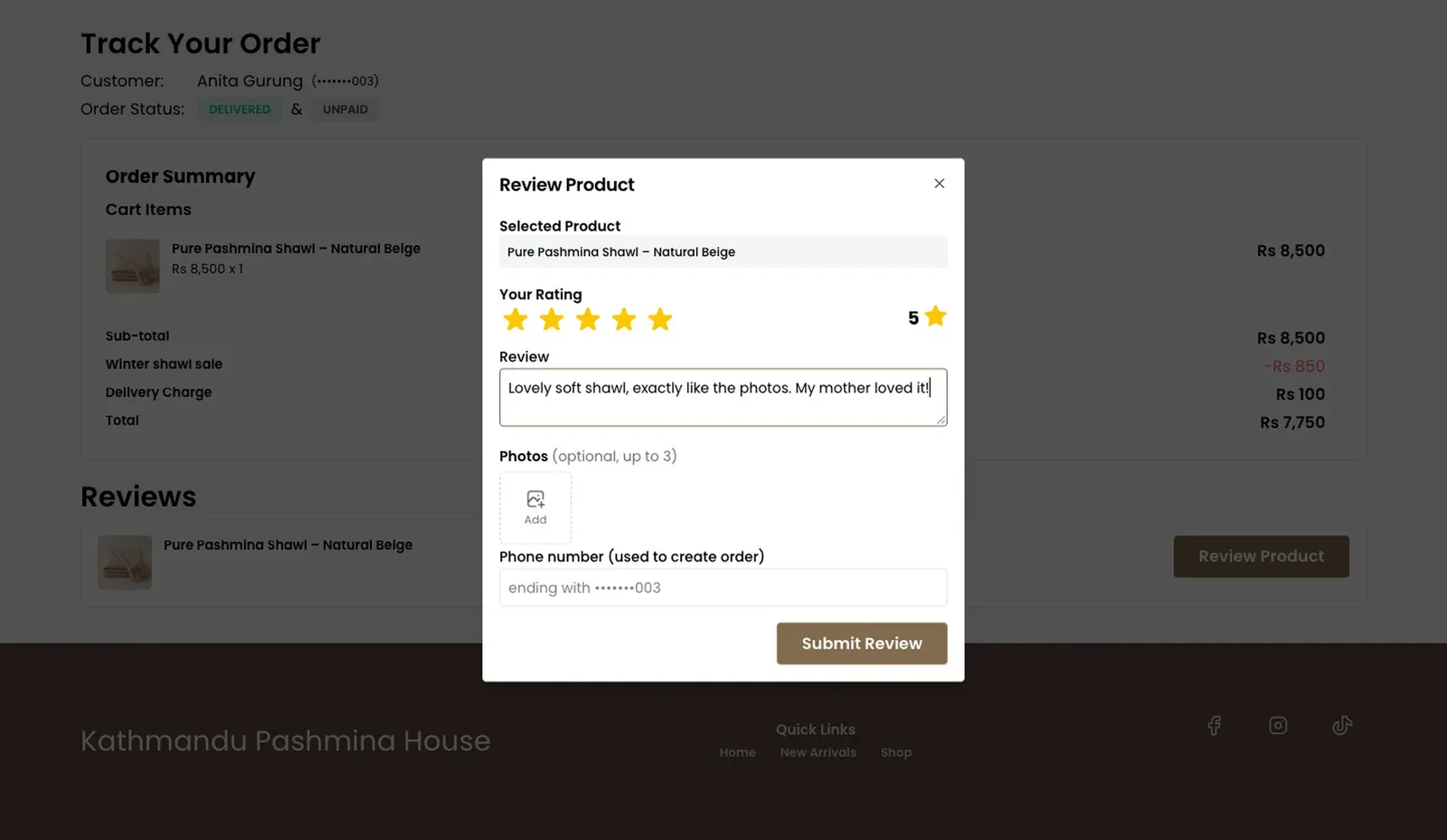
When the customer opens the link, delivered items show a Review Product button. They pick the stars and write what they thought in their own words.
- 4
Photos, then submit
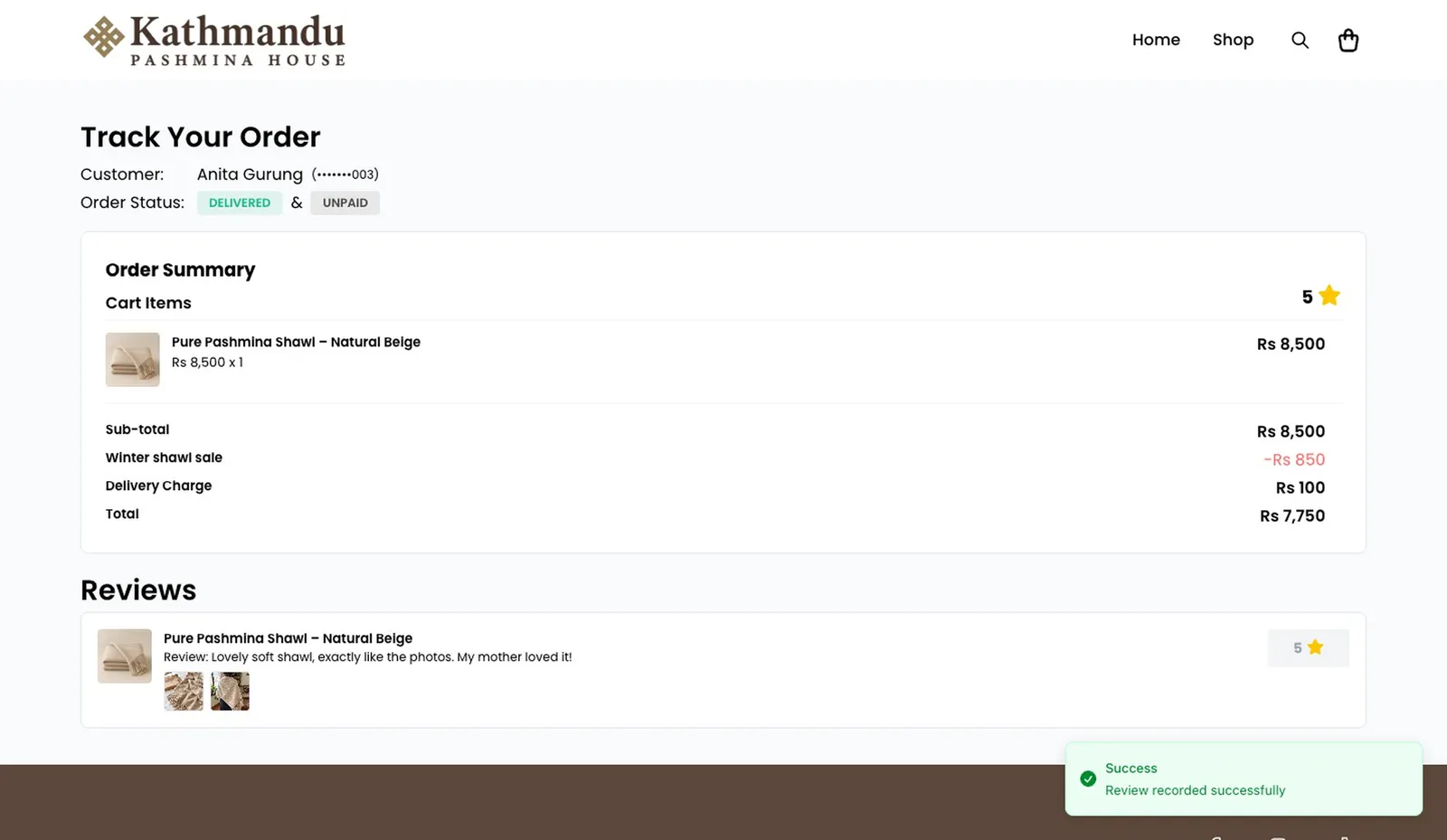
They can add up to three photos, then enter the phone number they ordered with and click Submit Review. The review arrives in Blanxer with its photos.
Part 3
Reply in Blanxer
- 5
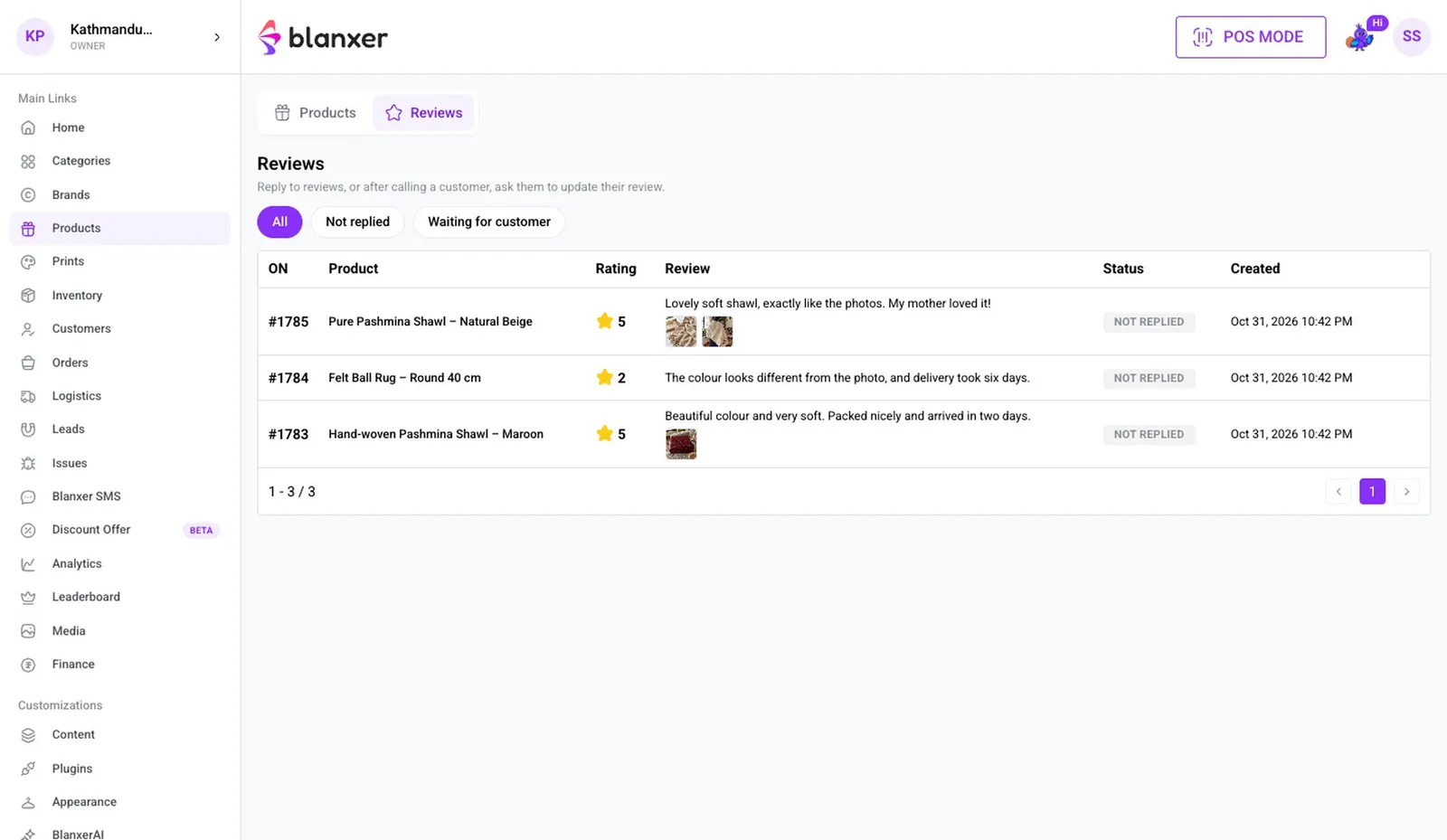
Open the Reviews tab
In Products, the Reviews tab lists every review with its stars and customer photos. Filters show reviews with no reply yet, or ones waiting for the customer.
- 6
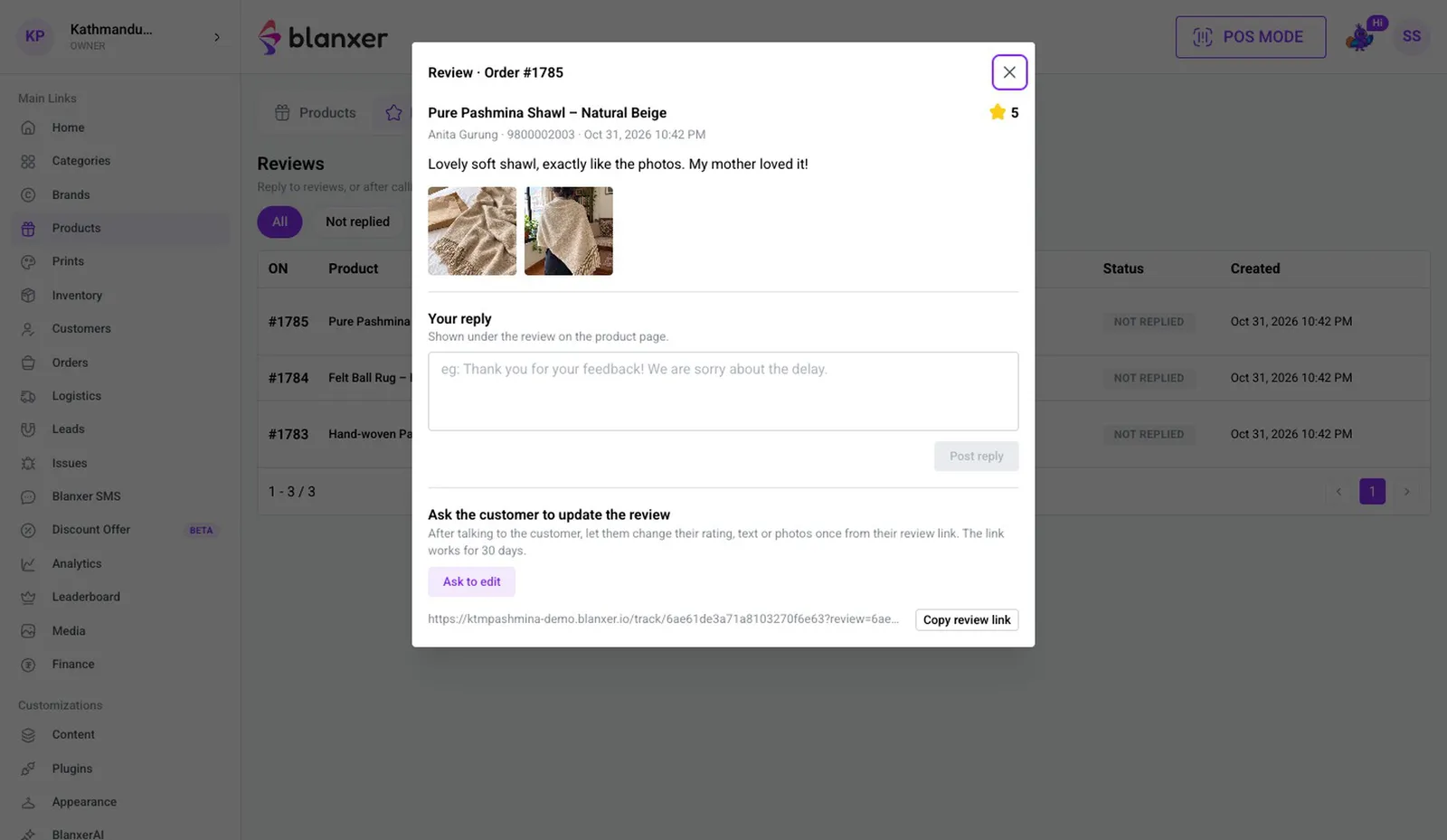
Open a review
Click a review to see the photos, the customer's name and phone number.
- 7
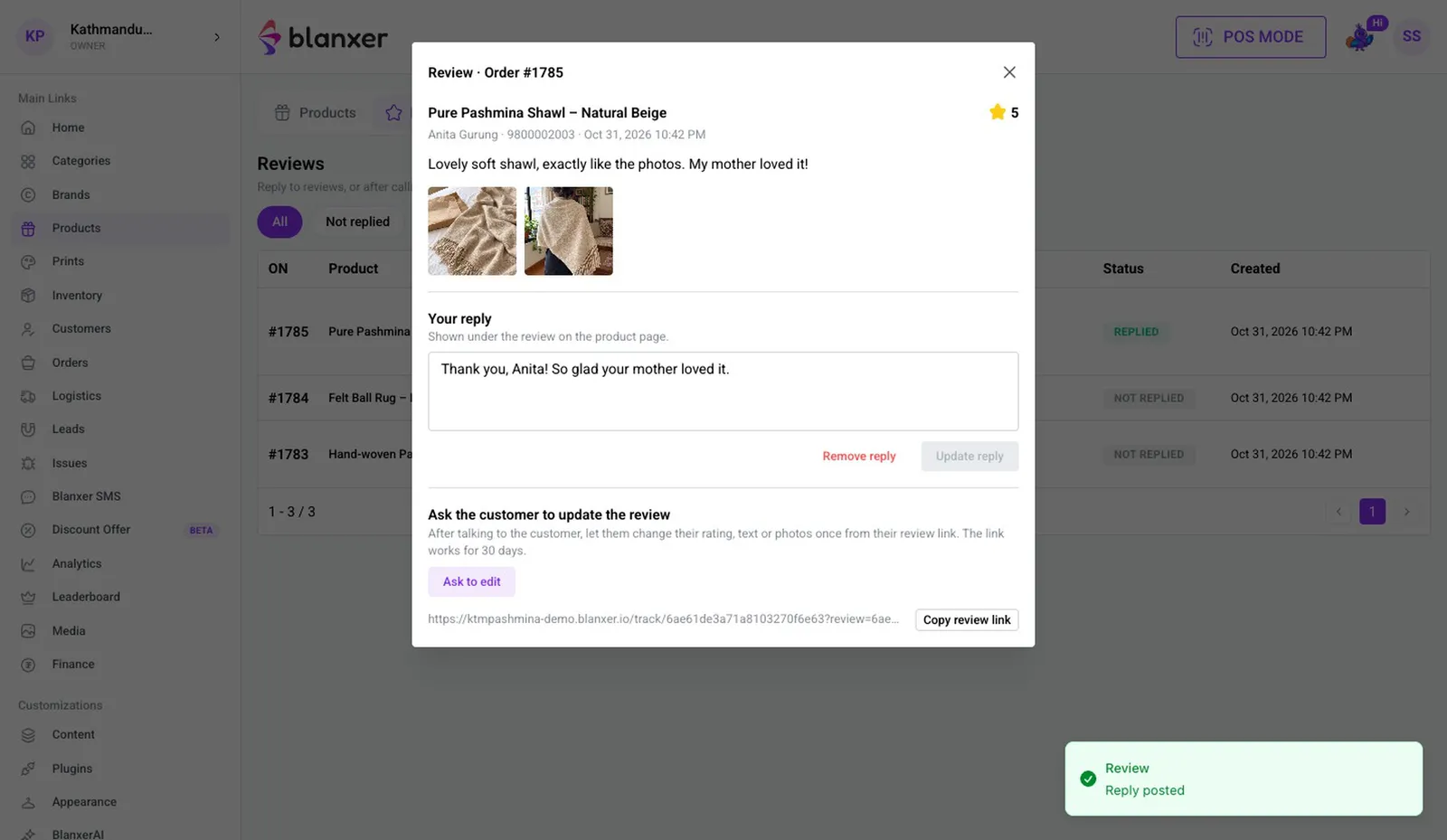
Post a reply
Write a thank-you and click Post reply. The reply shows under the review on your website.
- 8
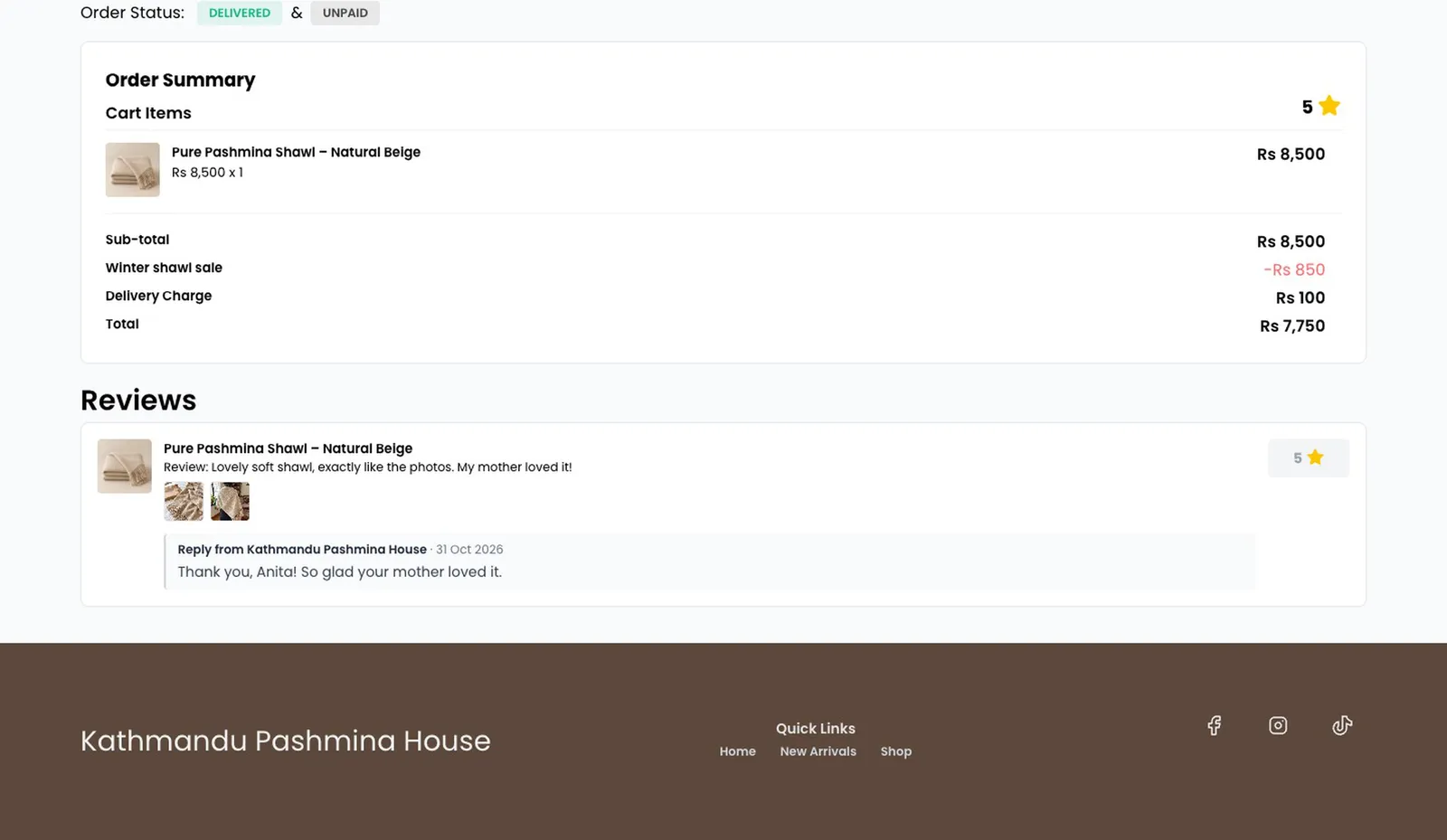
The customer sees it too
Your reply also shows under the review on the customer's own order page.
Part 4
Handle a bad review
- 9
Reply politely
Reviews can't be deleted, so start with a polite reply. Accept the customer's experience and say what you fixed; other customers see how you solved it.
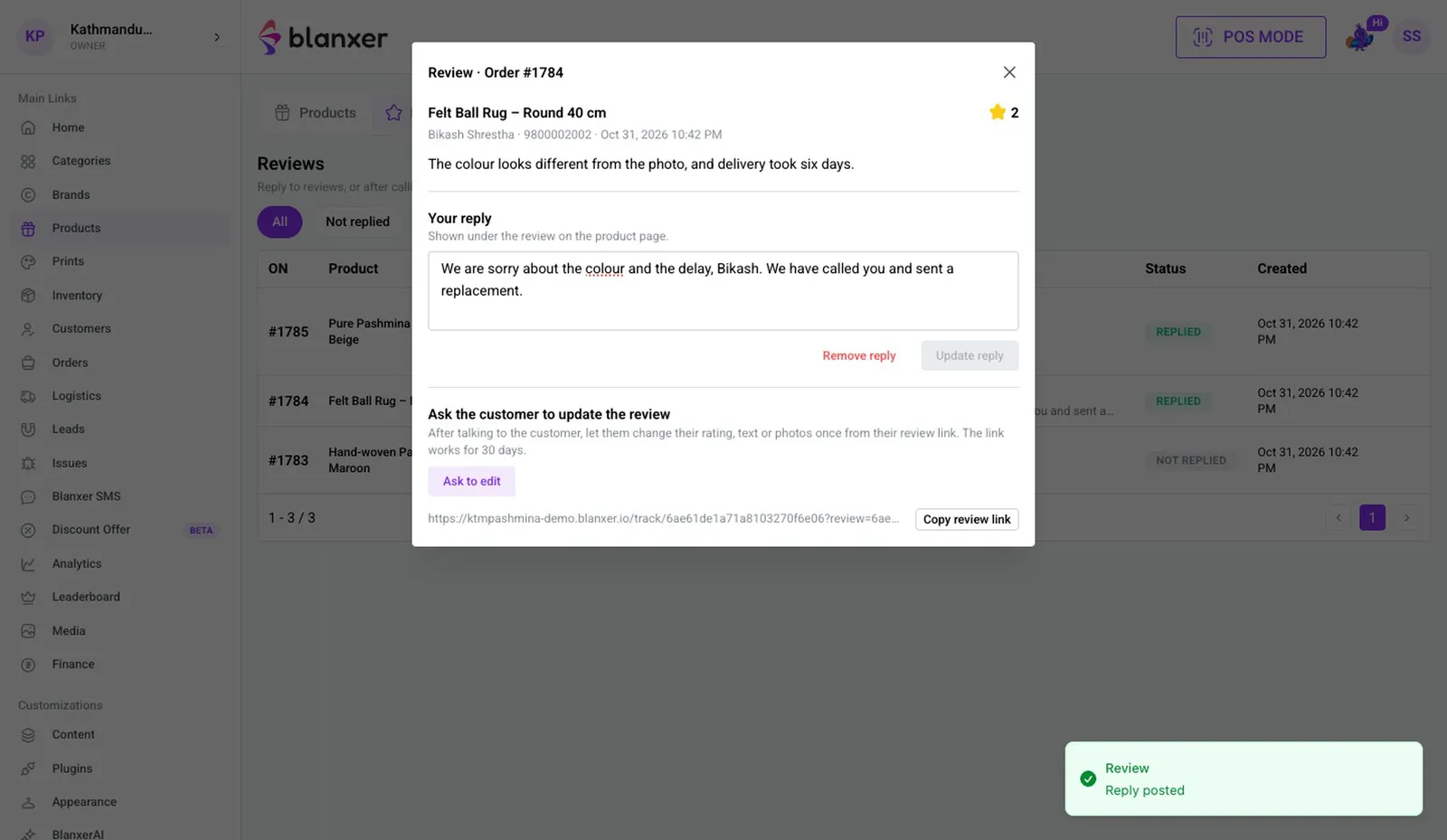
- 10
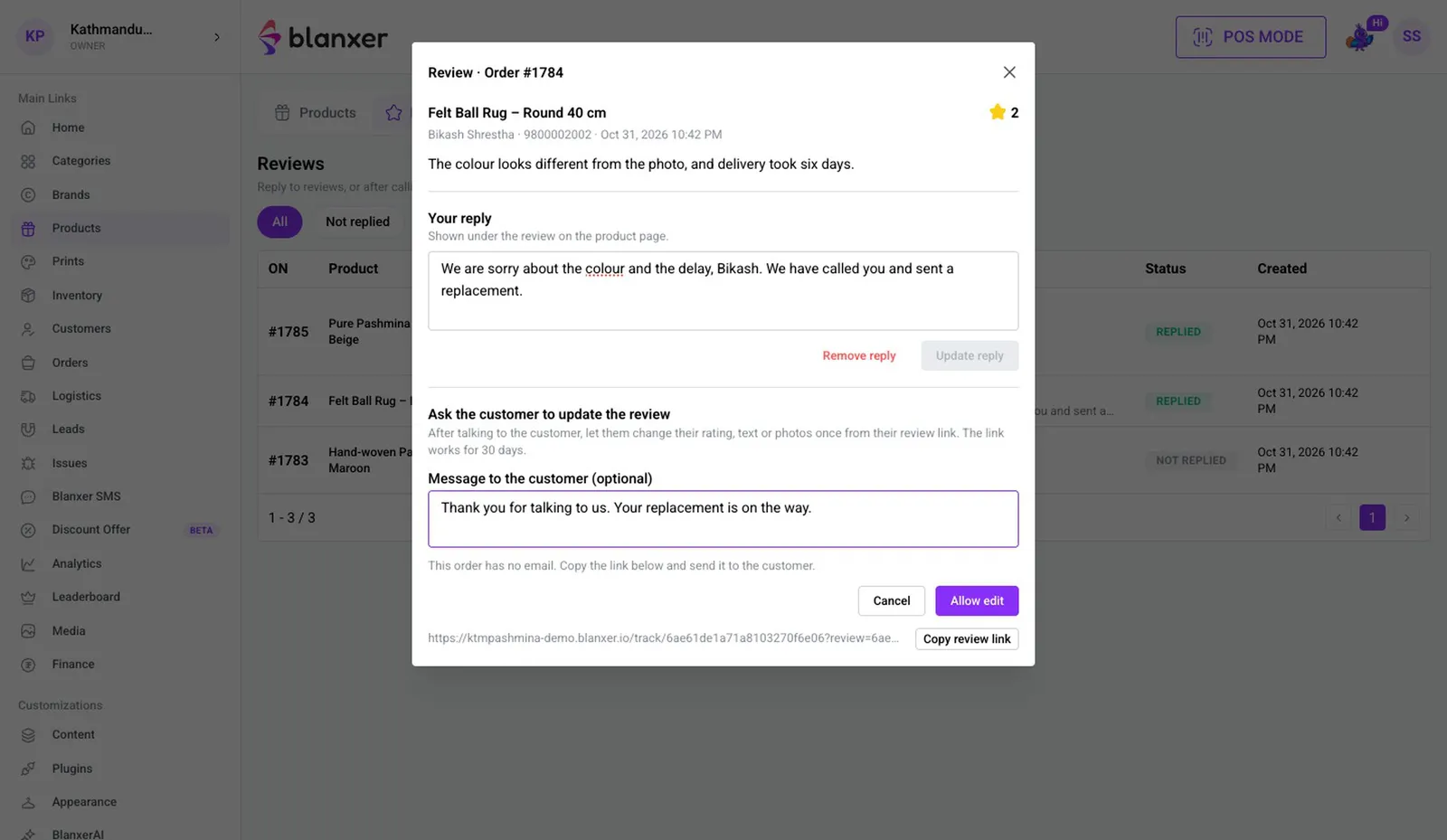
Ask to edit
After you call the customer and fix the problem, click Ask to edit and write a short message. The link goes by email if the order has one; if not, copy it and send it by SMS or Viber.
- 11
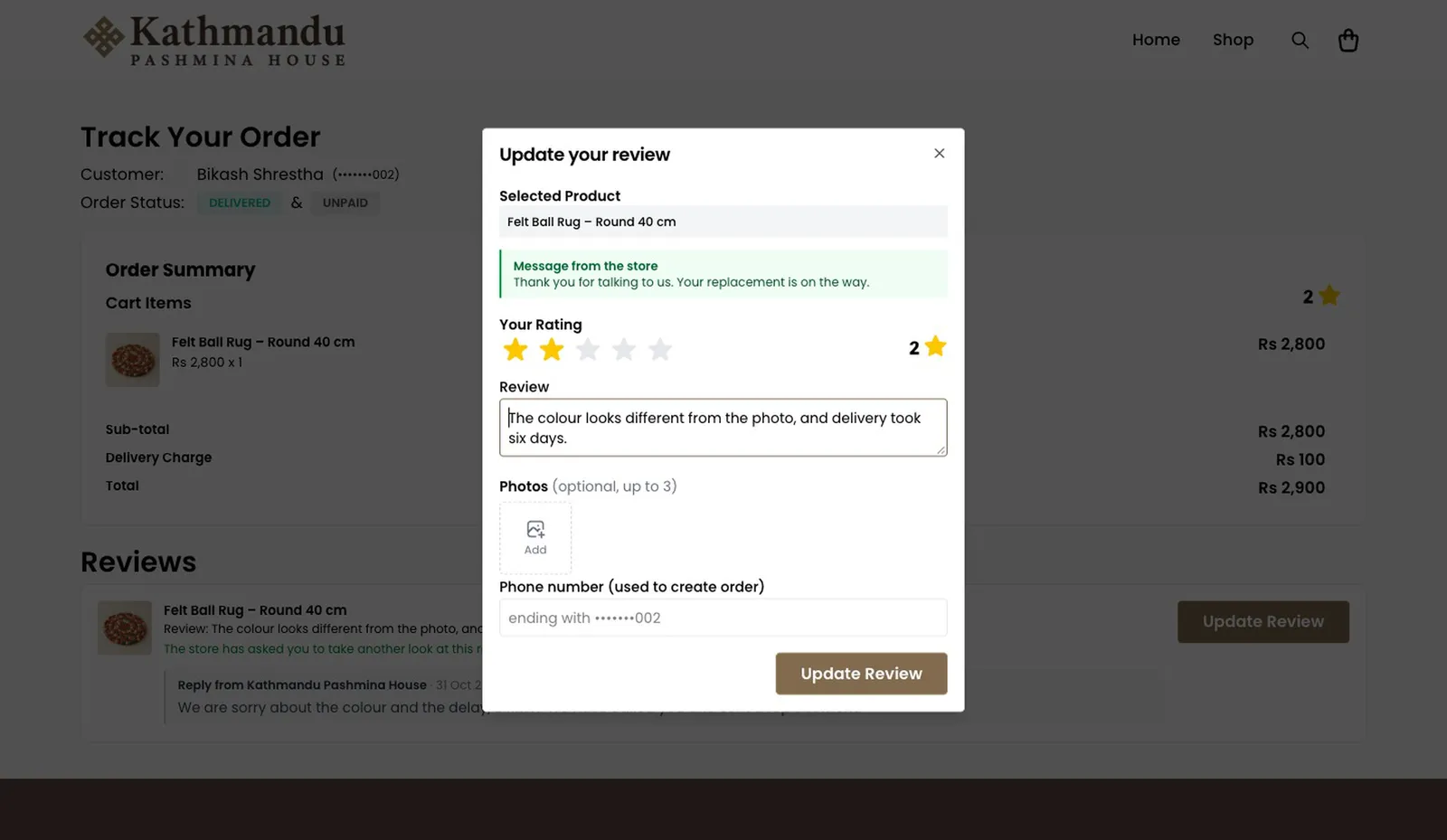
The customer edits once
The link shows your message and lets the customer edit the review once. It works for 30 days.
- 12
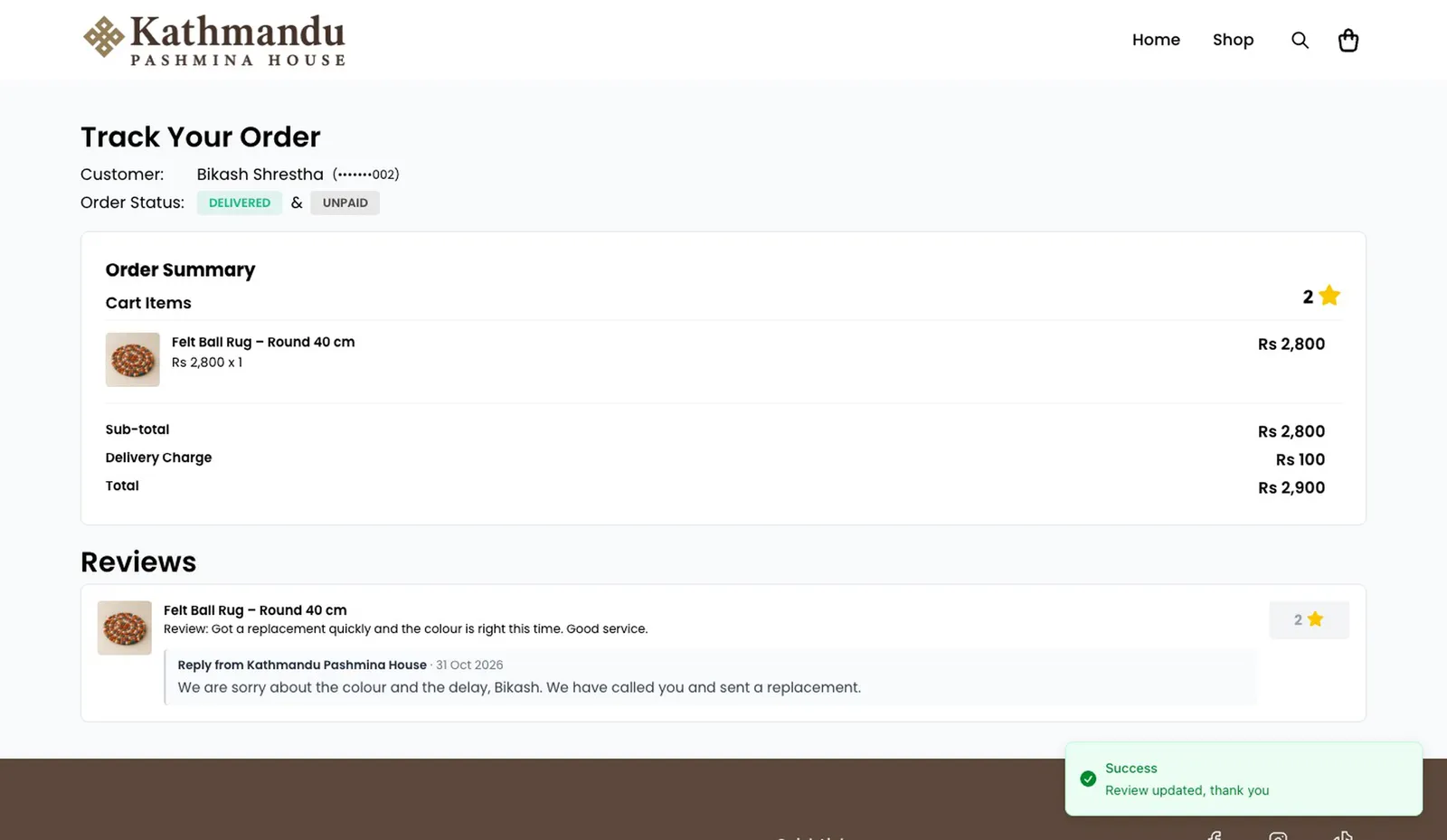
Updated everywhere
The customer edits the review and clicks Update Review. The new review shows in Blanxer and on the website by itself.
Good to know
- Reviews can't be deleted. Nepal's e-commerce law doesn't allow removing customer reviews, so there is no delete button.
- An Ask to edit link works for 30 days and allows one edit.
- A review can have up to 3 photos, and the customer confirms it with the phone number used for the order.
More videos
All 33 videos 3:29
Customers
Get customers to buy again
Use Blanxer to bring past customers back and raise how often they order from you.
 3:30
Customers
Bulk SMS to all your customers
Pick your customers or past orders and send them all one SMS from Blanxer SMS.
 1:12
Getting started
What is Blanxer?
Start here: what Blanxer is and what it does for your business, before the videos on each feature.
See Blanxer with your own business in mind.
Book a demo. We'll show you the store, checkout, POS and dashboard, and tell you honestly which plan you need.
Prefer to talk directly?
Already a customer? Support on WhatsApp +977 9802344850, Sun–Fri, 9 AM – 6 PM.
Follow Blanxer
 A Blanxer product
One AI inbox for every customer conversation.
Sambad.io brings WhatsApp, Instagram, Facebook, website chat and email into one inbox. Connect your Blanxer store and its AI answers from your catalogue, checks stock, quotes delivery and places the order right in the chat.
- Website chat
- Gmail
- Outlook
- Zoho Mail