
Get customers to buy again
Use Blanxer to bring past customers back and raise how often they order from you.
Customers · 3:29 · In Nepali
Send every buyer a personal discount code for their next order by SMS, right after they order. One-time buyers come back, and sales from returning customers are your cheapest sales.
Before you start
Blanxer SMS switched on.
Enough SMS credit.
Part 1
Set it up
- 1
Enable Customer Retention
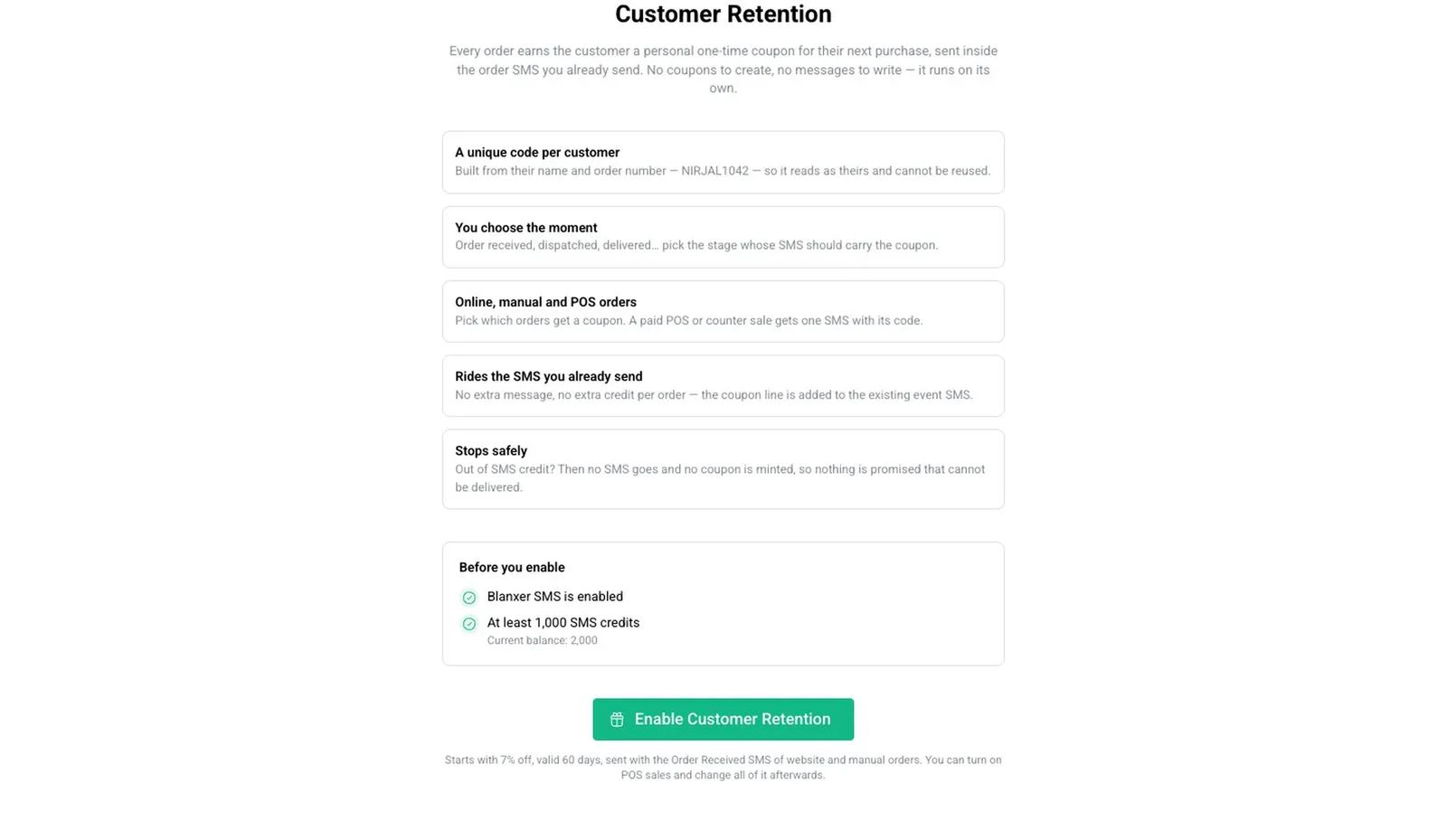
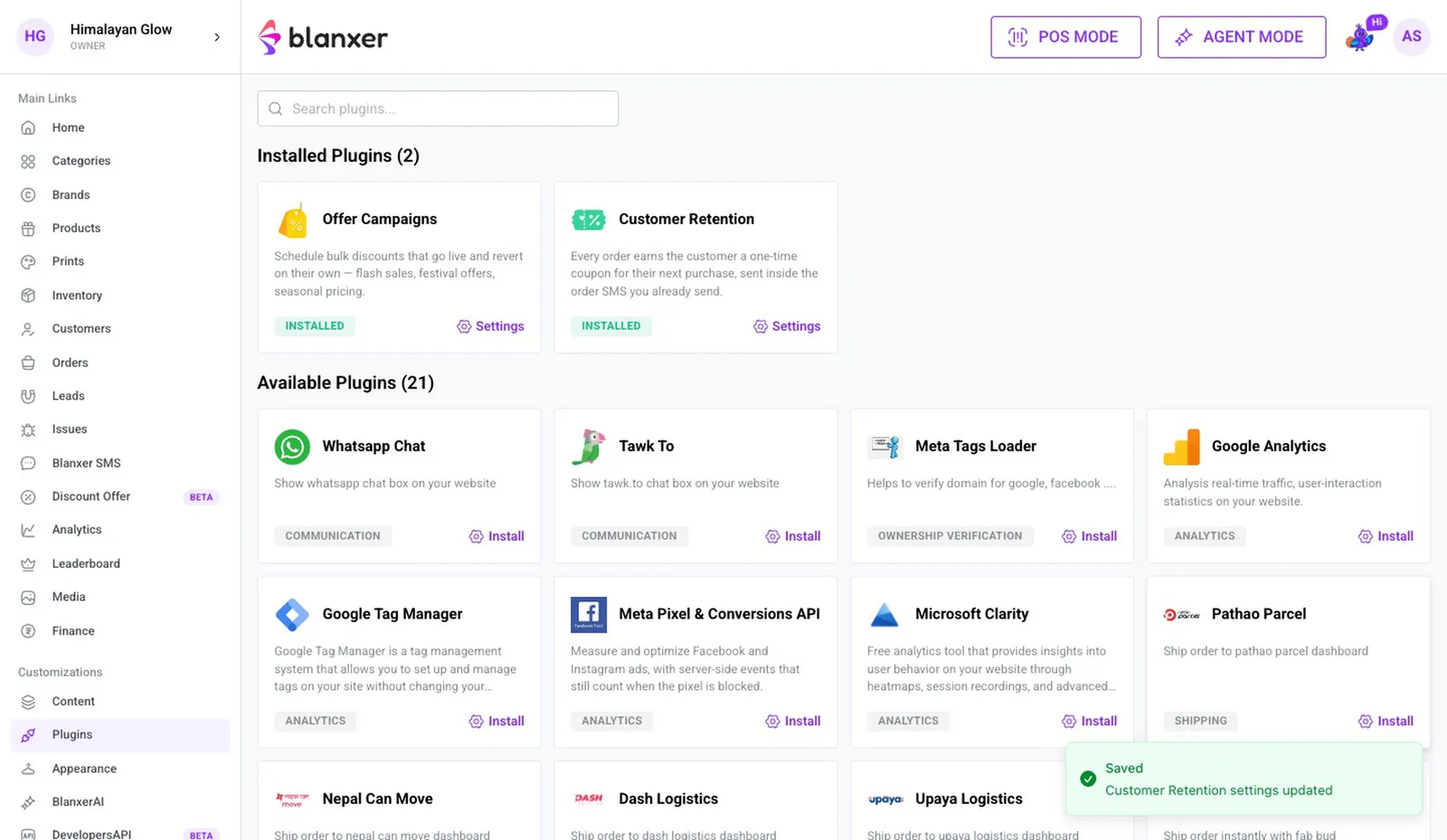
Go to Plugins and open Customer Retention. With Blanxer SMS on and enough SMS credit, click Enable Customer Retention.
- 2
Choose which orders earn a code
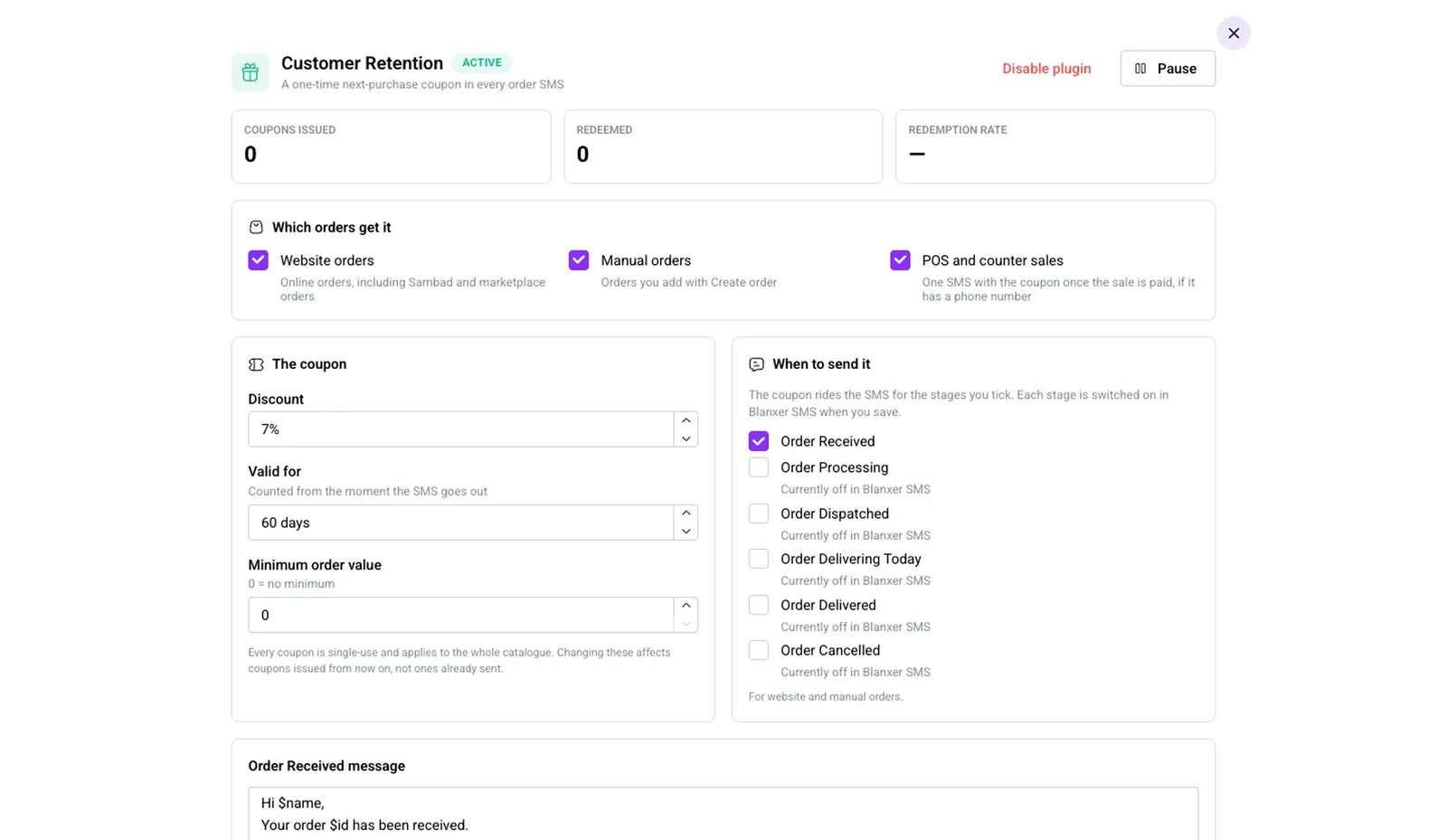
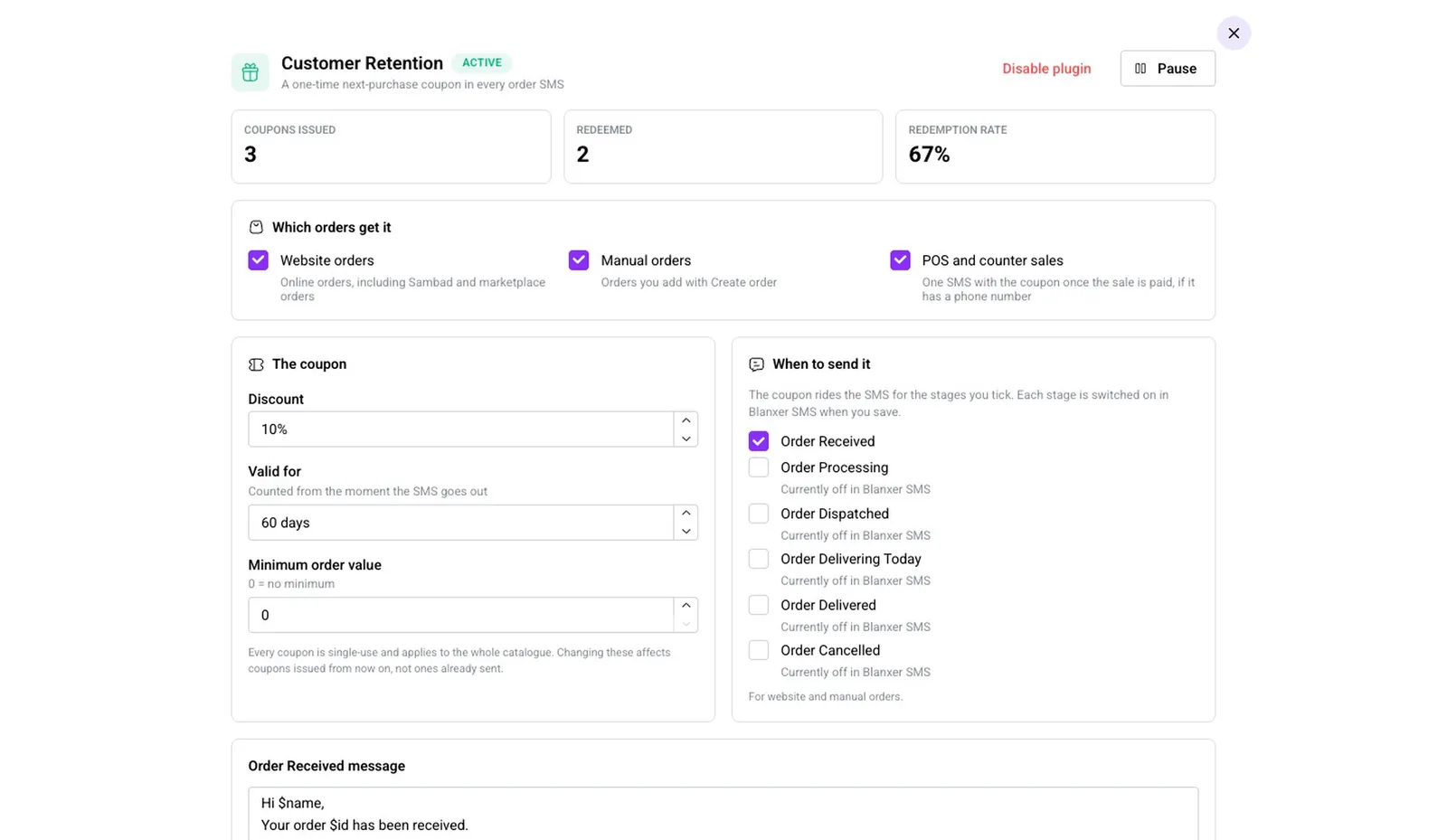
Pick the orders that get a code: website, manual orders and POS and counter sales.
- 3
Set the code
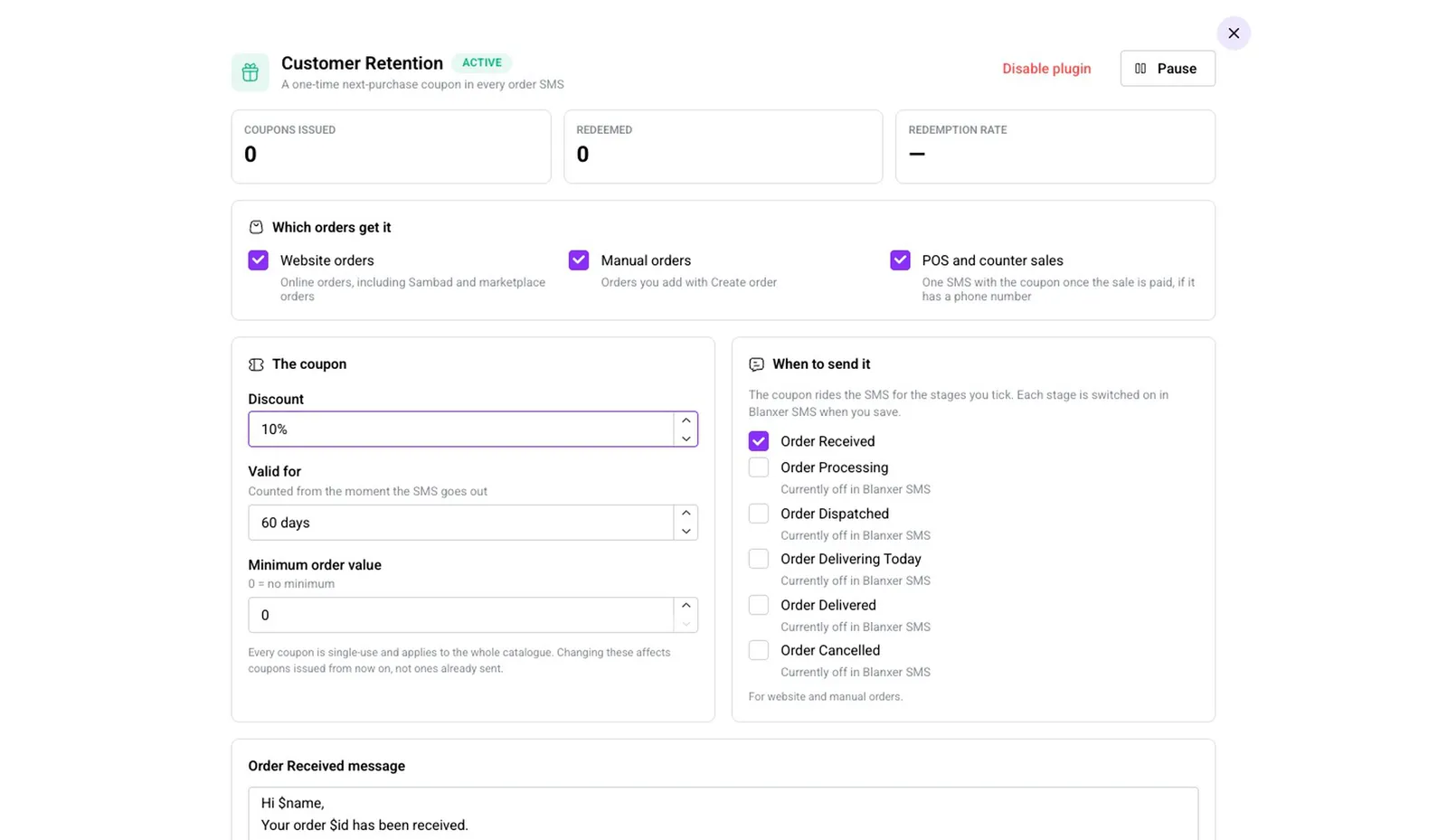
For example, 10% off the next order, valid for 60 days, single use.
- 4
Add it to the SMS
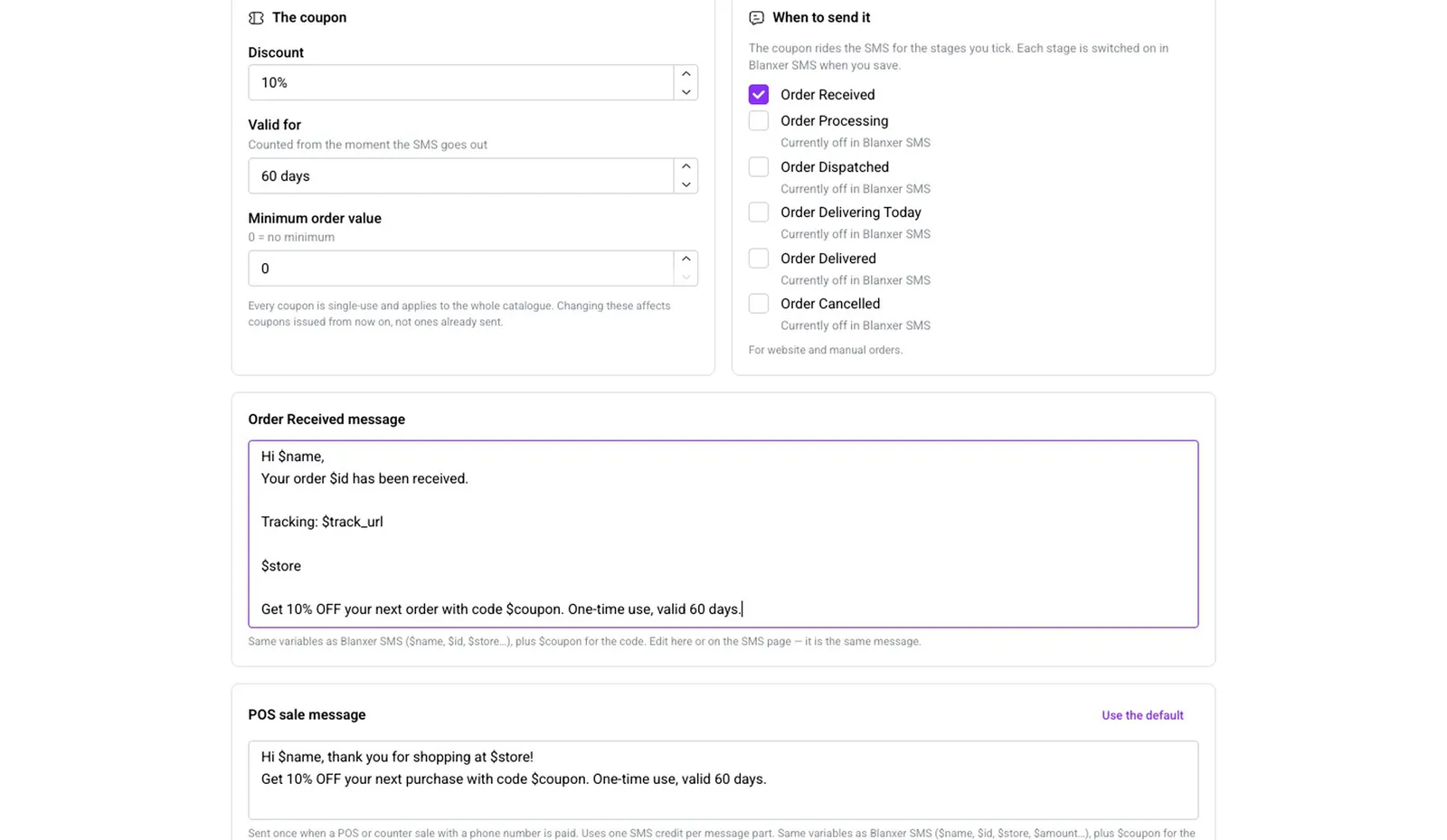
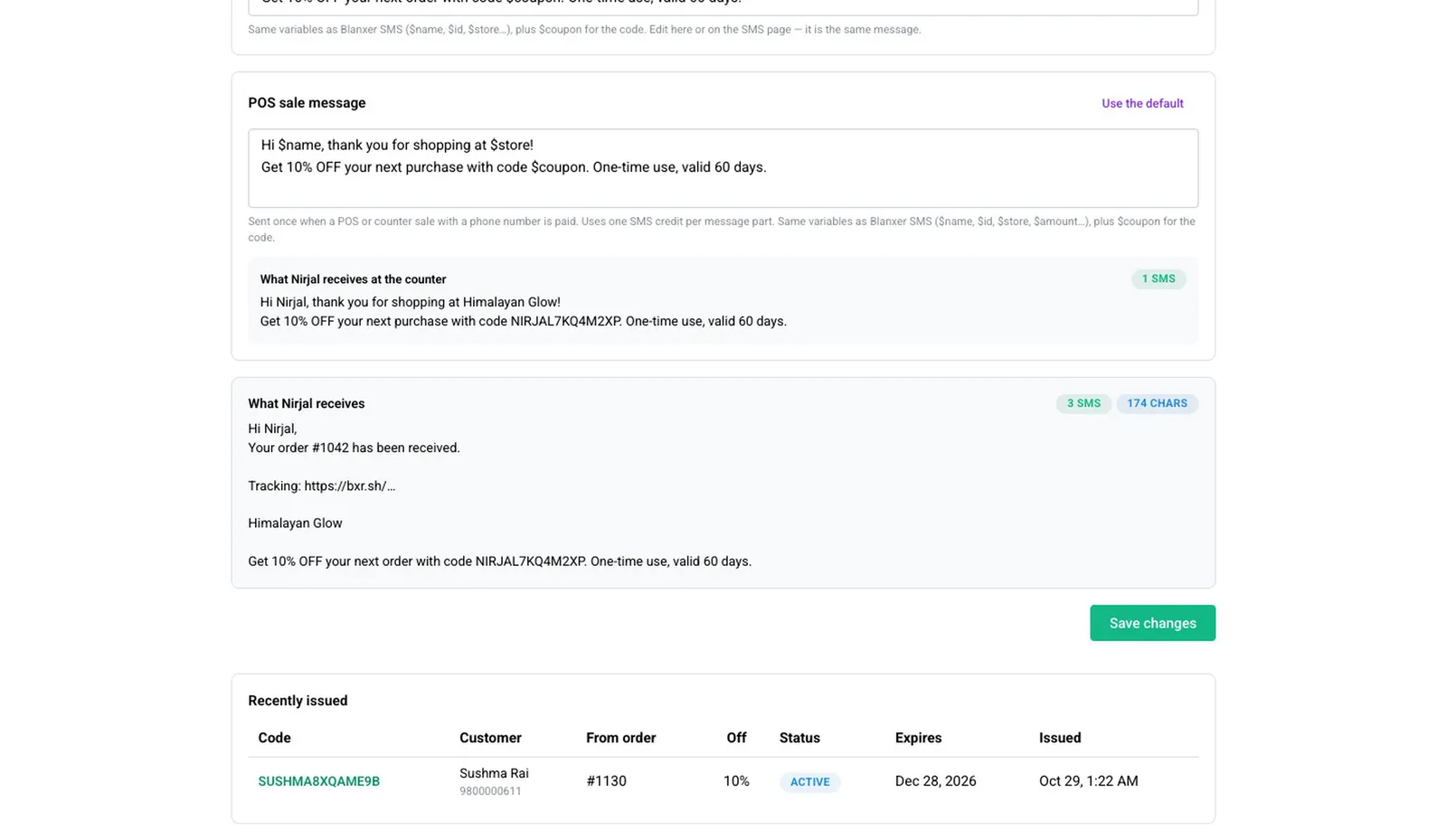
The code goes in the order-confirmed SMS, and a separate SMS is sent after a POS sale. Use the default adds the code line to the message for you.
- 5
Save
Click Save changes. From now on, every order earns a code for the next one.
Part 2
The first order
- 6
A code goes out by SMS
As soon as a customer's order is confirmed, a code is made for them and sent by SMS. It shows under Recently issued.
Part 3
The customer comes back
- 7
Apply the code at checkout
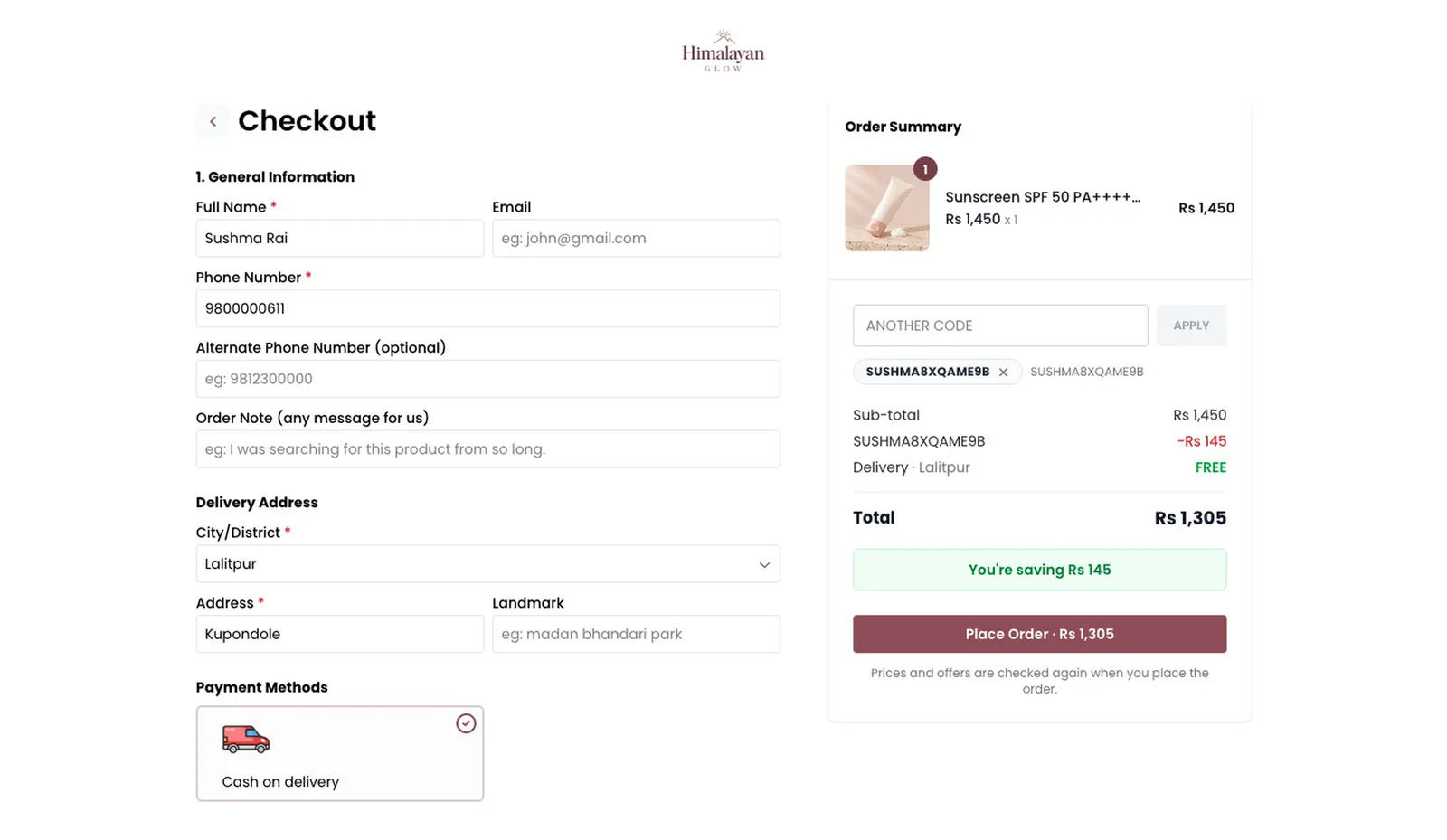
On the next order the customer enters their phone and the code from the SMS. Applying it takes 10% off and shows how much they saved.
- 8
A fresh code for next time
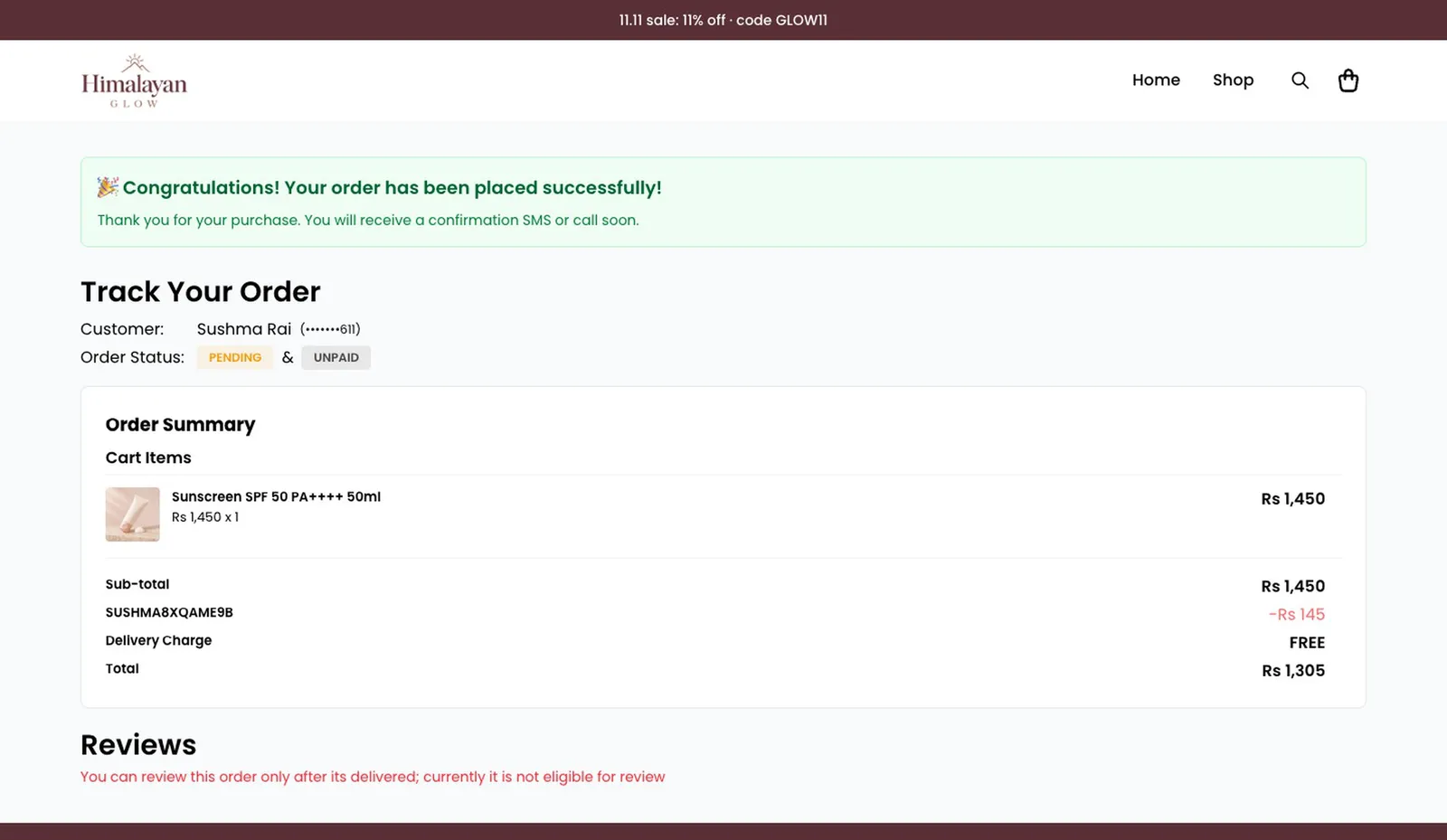
The code only works with that customer's phone number, so no one else can use it. Placing the order sends them a new code.
Part 4
At your shop and on chat
- 9
Redeem at the POS
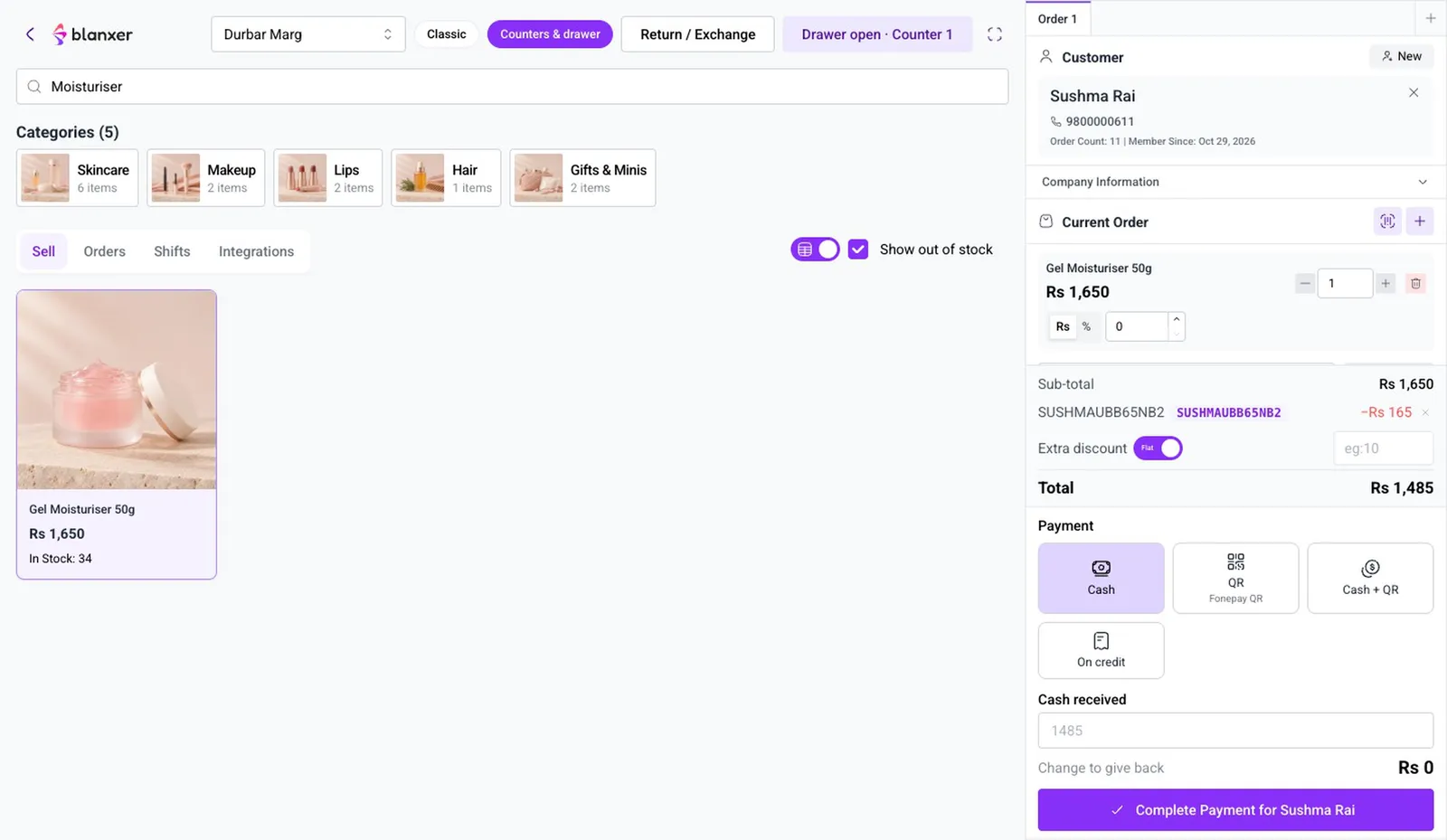
In Counters & drawer, pick the customer by phone number, add the products, enter the code and click Apply. Take payment by cash or Fonepay QR; the POS sale sends a new code too.
- 10
Redeem on a manual order
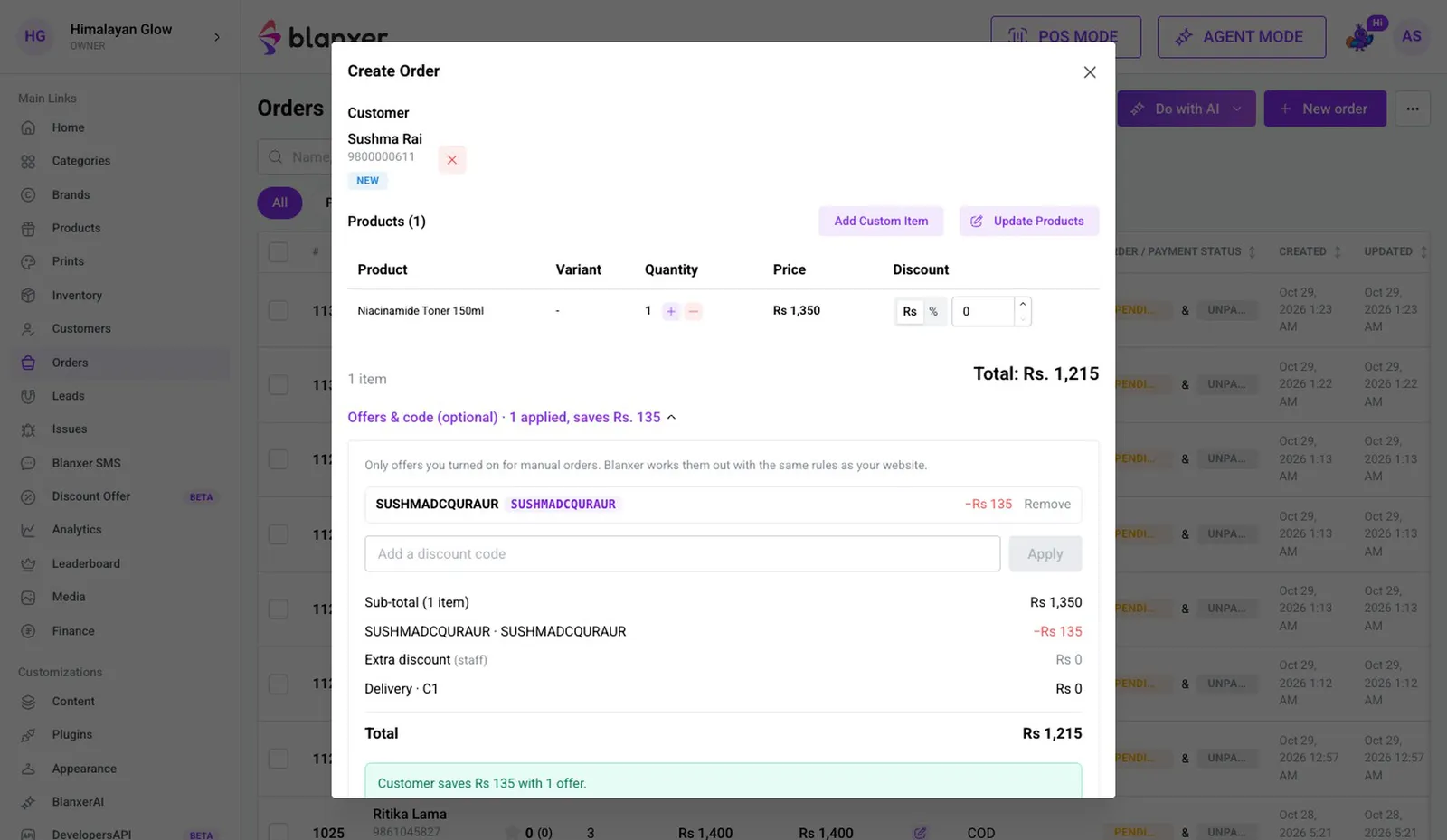
In New order, search the customer by phone, add products and enter their code under Offers & code. When a customer quotes a code on chat, staff apply it here.
Part 5
See the results
- 11
Track codes
See how many codes were issued, how many were used and the redemption rate, plus which order each code came from.
Good to know
- It needs Blanxer SMS switched on and enough SMS credit, since each code is sent by SMS.
- Each code is tied to the customer's phone number and can be used once.
More videos
All 33 videos 3:30
Customers
Bulk SMS to all your customers
Pick your customers or past orders and send them all one SMS from Blanxer SMS.
 3:06
Customers
Collect and reply to reviews
Collect product reviews, reply to them, and after calling a customer ask them to edit their review.
 1:12
Getting started
What is Blanxer?
Start here: what Blanxer is and what it does for your business, before the videos on each feature.
See Blanxer with your own business in mind.
Book a demo. We'll show you the store, checkout, POS and dashboard, and tell you honestly which plan you need.
Prefer to talk directly?
Already a customer? Support on WhatsApp +977 9802344850, Sun–Fri, 9 AM – 6 PM.
Follow Blanxer
 A Blanxer product
One AI inbox for every customer conversation.
Sambad.io brings WhatsApp, Instagram, Facebook, website chat and email into one inbox. Connect your Blanxer store and its AI answers from your catalogue, checks stock, quotes delivery and places the order right in the chat.
- Website chat
- Gmail
- Outlook
- Zoho Mail