
Deliver with your own riders (Shipday)
Connect Shipday to send orders to your own riders and follow every delivery yourself.
Delivery · 3:03 · In Nepali
Connect Shipday to Blanxer if you deliver with your own riders. Orders go to your riders through Shipday, and every status and the COD money come back into Blanxer.
Before you start
A Shipday account on a plan that includes API access.
Part 1
What Shipday does
- 1
A delivery app for your own riders
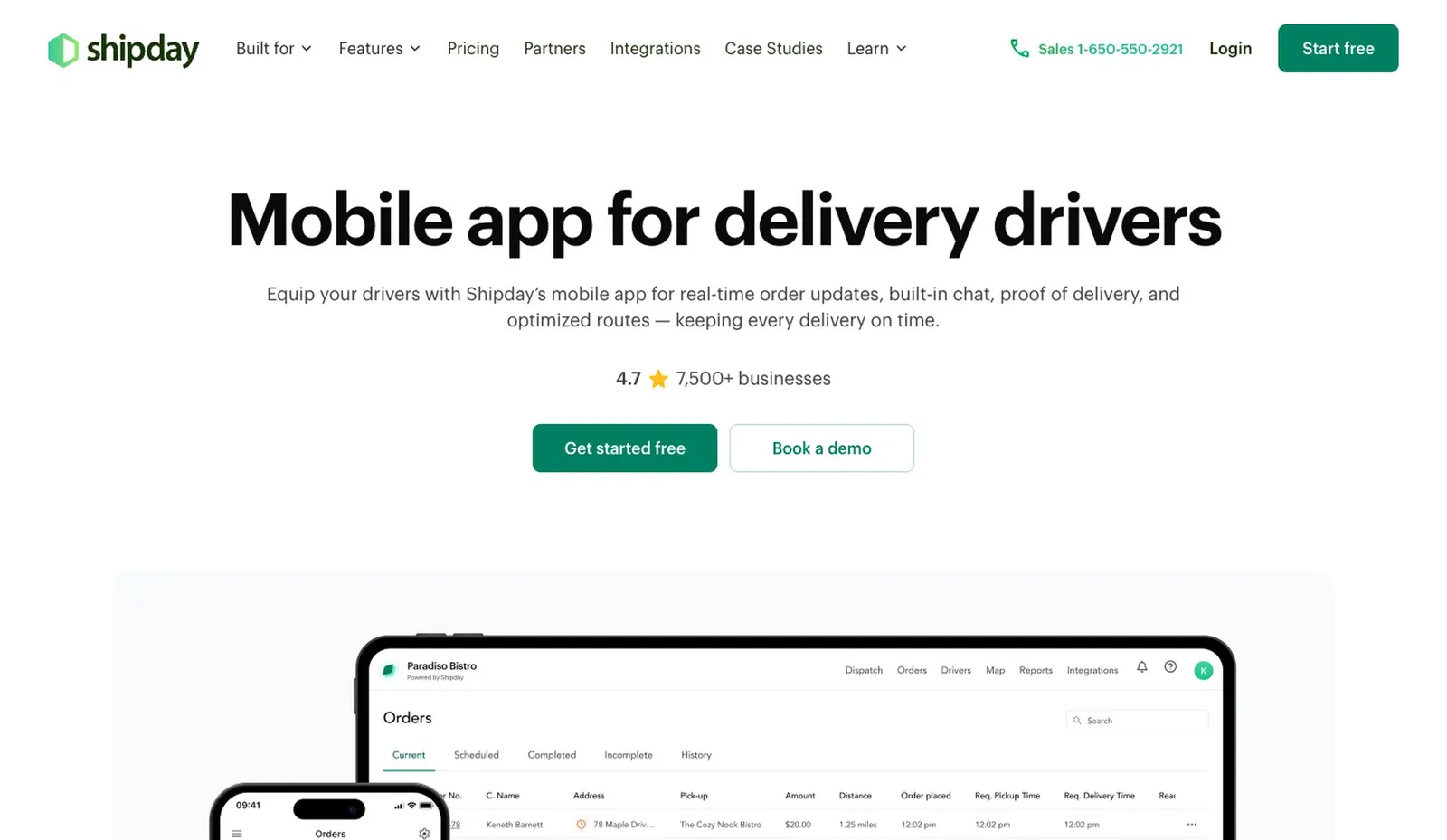
Shipday is a delivery management app for businesses that deliver with their own riders. Riders use Shipday's driver app, which shows the order, address and route.
- 2
Check your Shipday plan
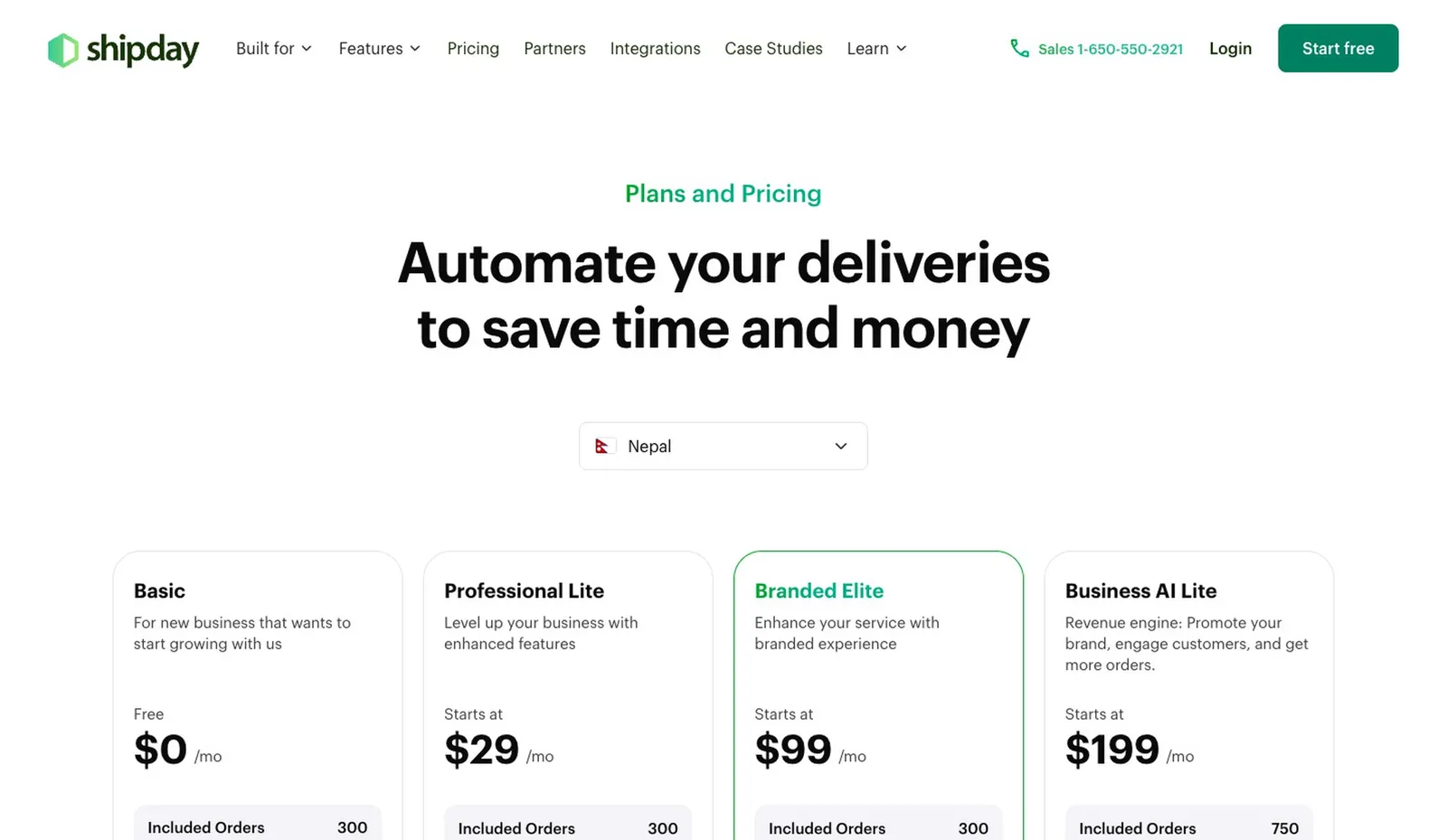
Shipday has a free plan for up to 300 orders a month. Connecting to Blanxer needs the API, so check that your plan includes it.
Part 2
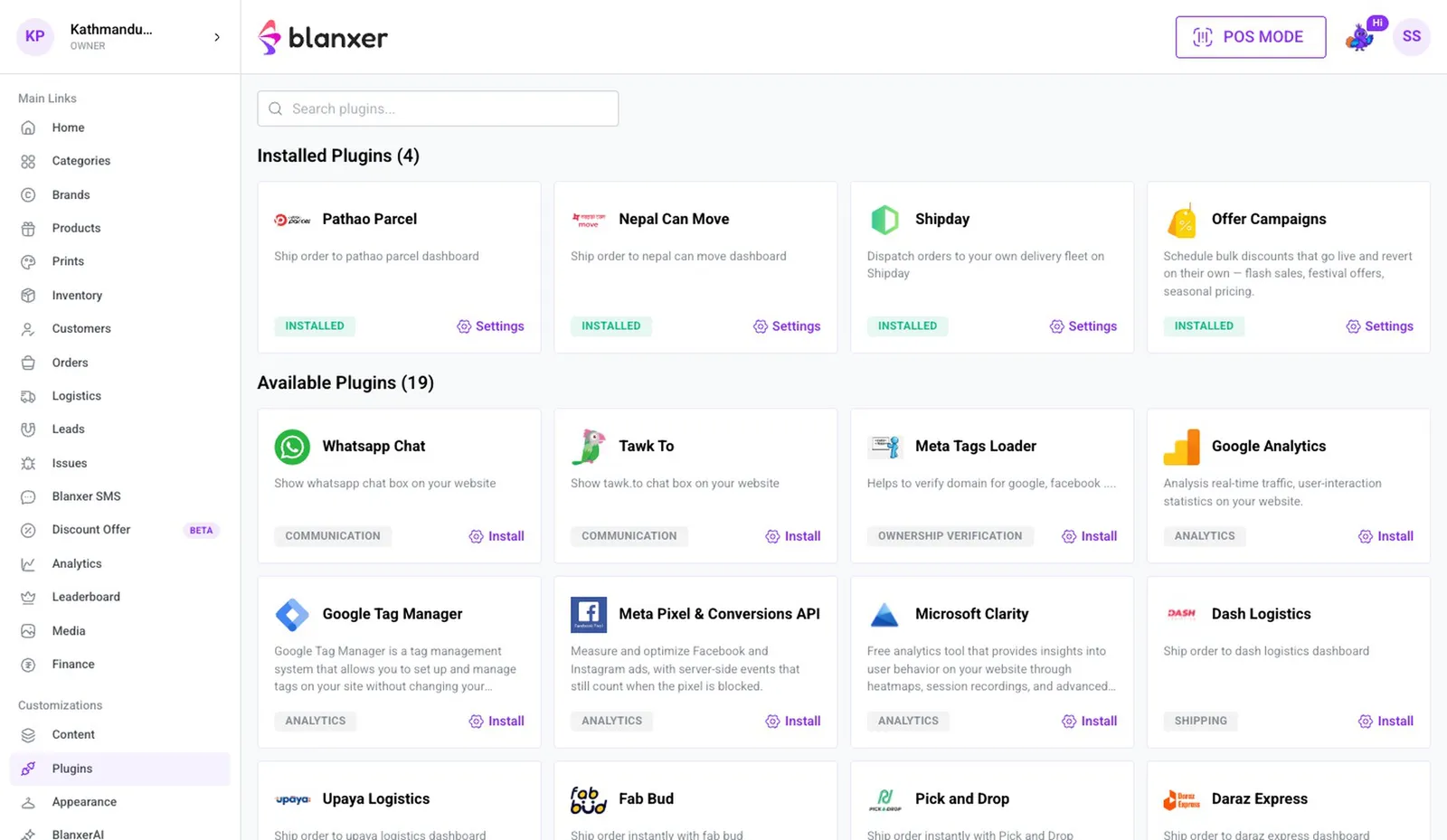
Connect it in Blanxer
- 3
Paste your API key
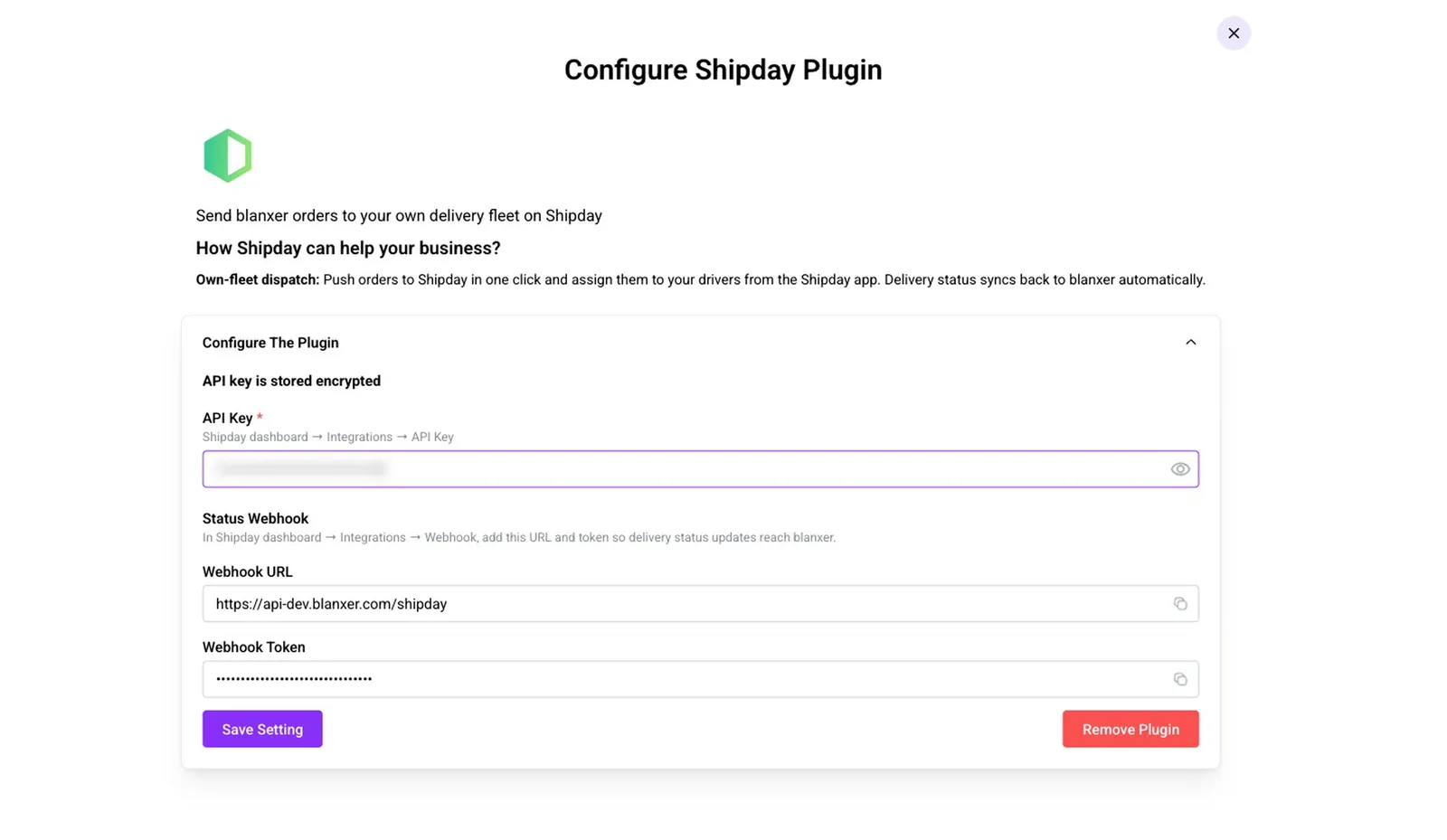
In Plugins, click the Shipday card. Copy the API key from the Integrations page of your Shipday dashboard and paste it here; Blanxer stores it encrypted.
- 4
Set up the webhook
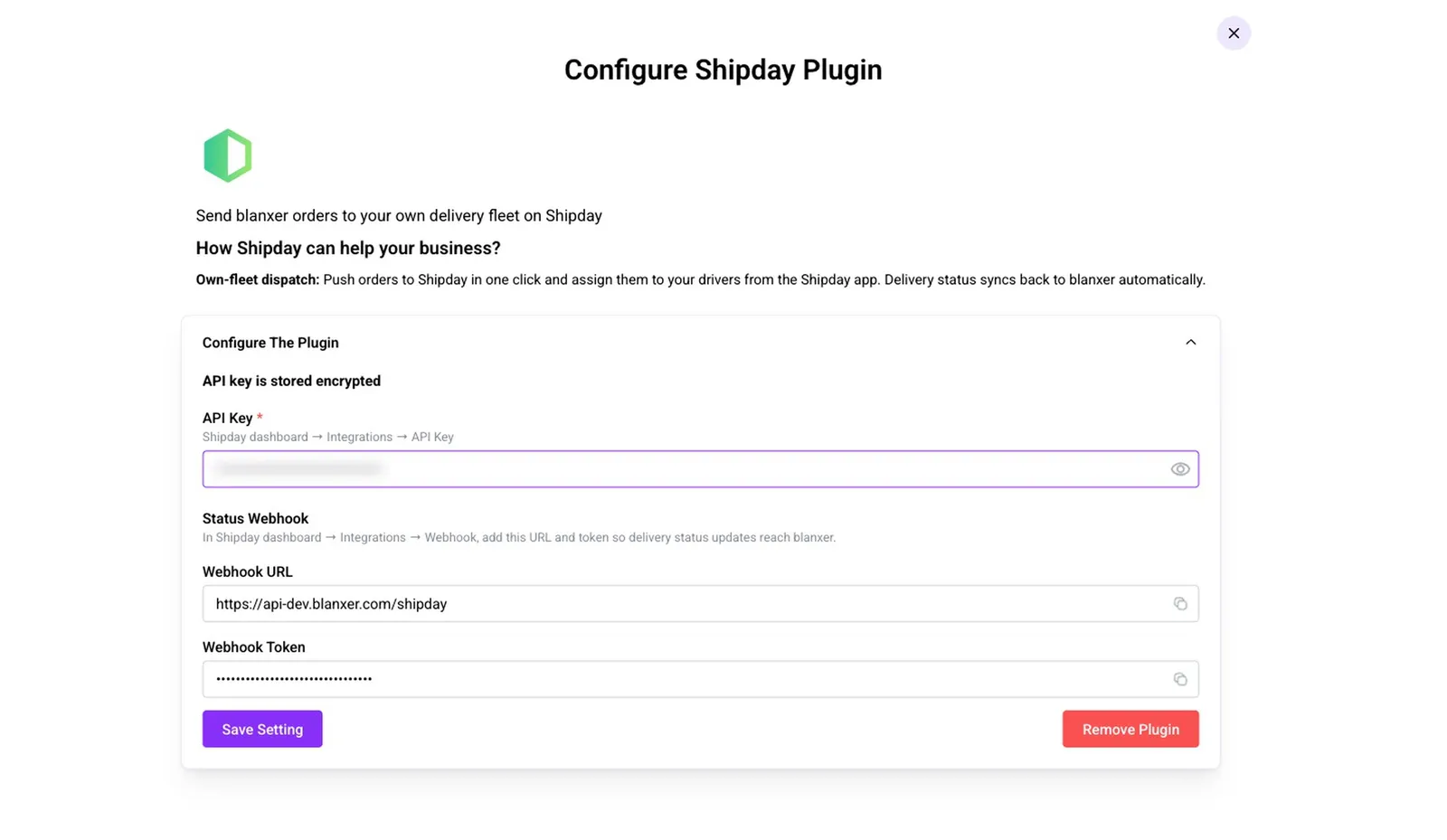
To get statuses back, copy the Webhook URL and Token and paste them into Webhook under Integrations in Shipday.
- 5
Save
Click Save Setting. Shipday is now connected to Blanxer.
Part 3
Send an order to Shipday
- 6
Submit to logistics
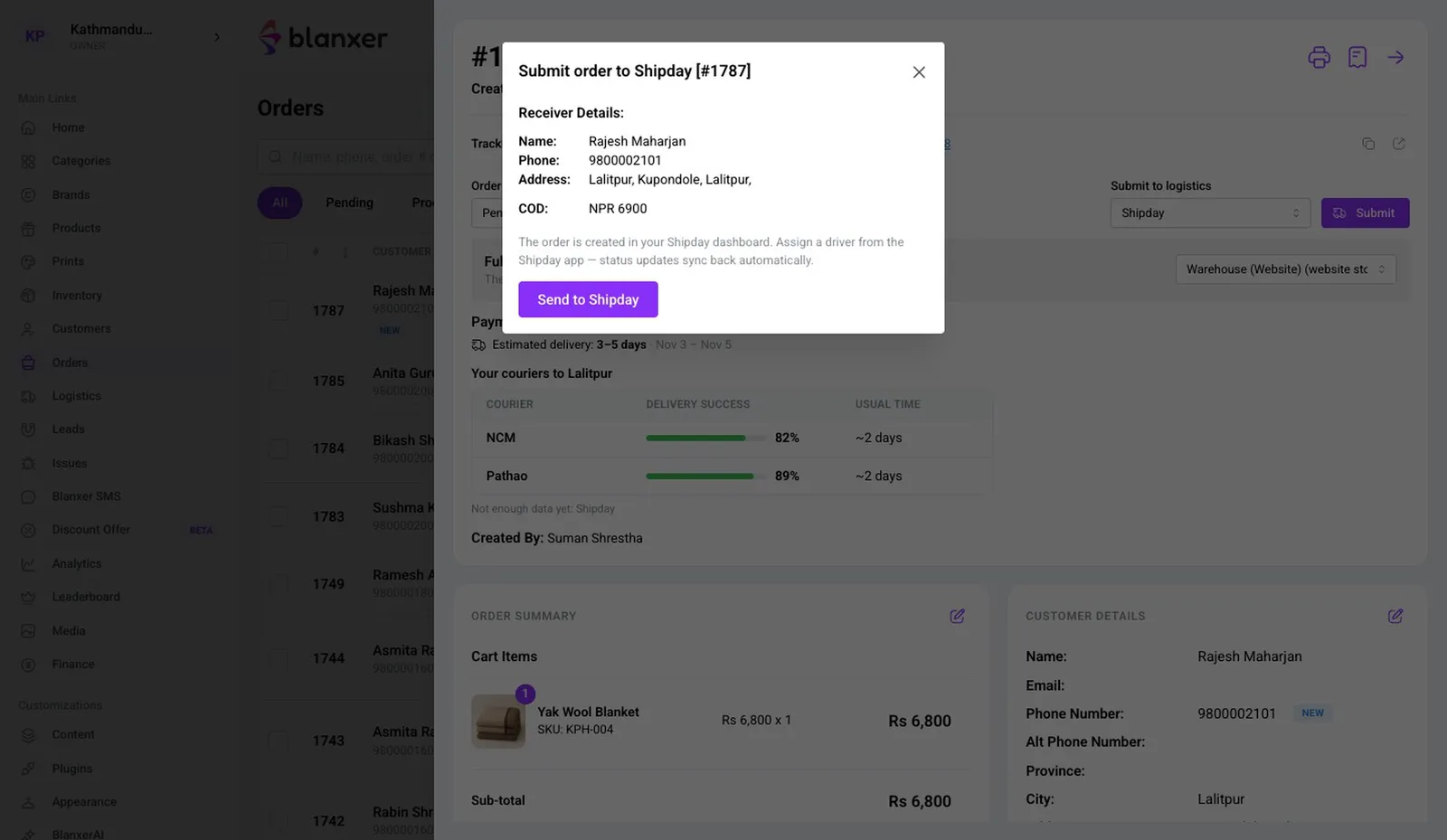
Open the order, click Submit to logistics, choose Shipday and click Submit. The customer's name, phone, address and the COD amount the rider must collect all go to Shipday.
- 7
Send to Shipday
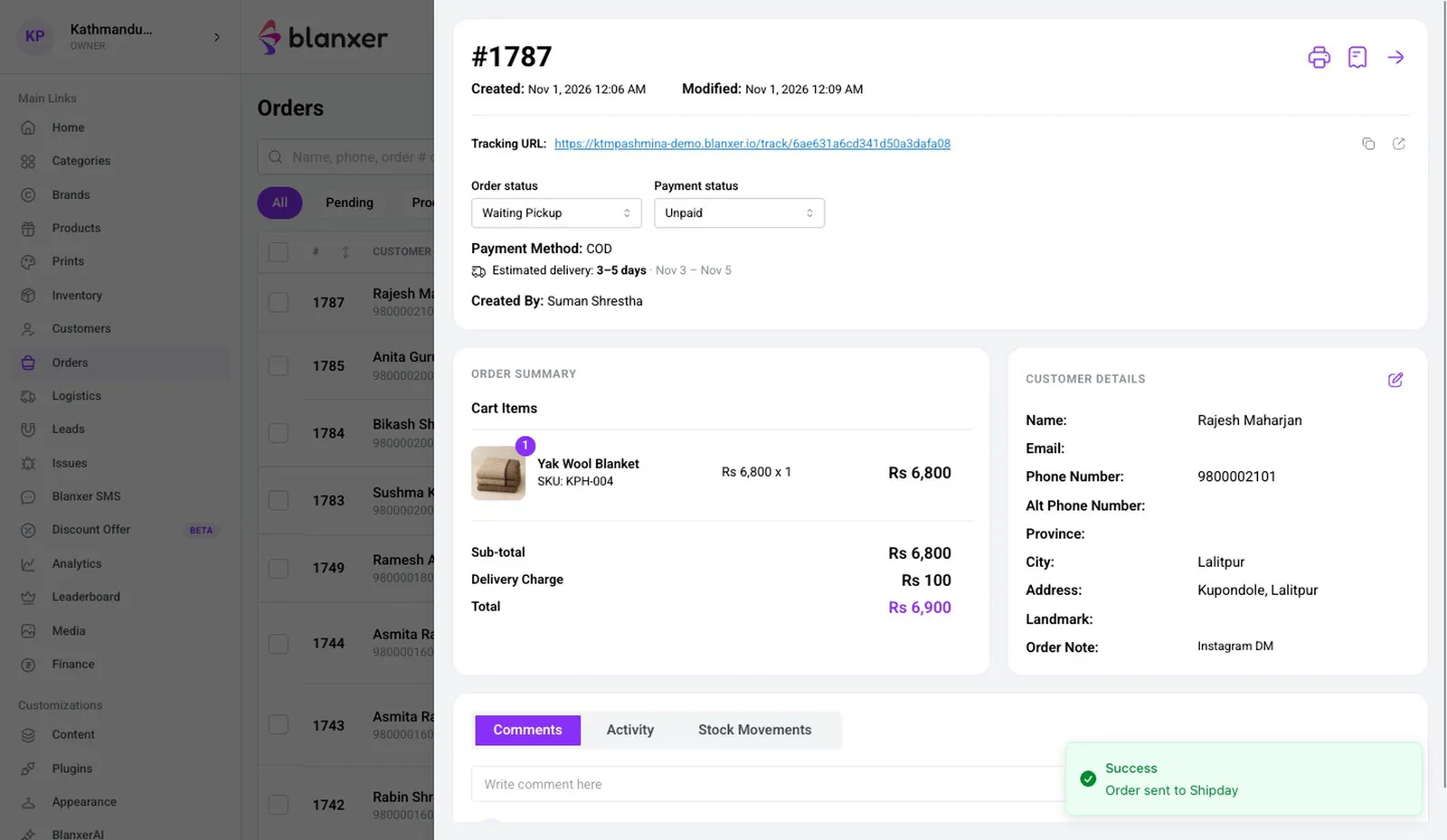
Click Send to Shipday. The order moves to Waiting Pickup and is ready to give to a rider in Shipday.
Part 4
Statuses come back on their own
- 8
Rider assigned
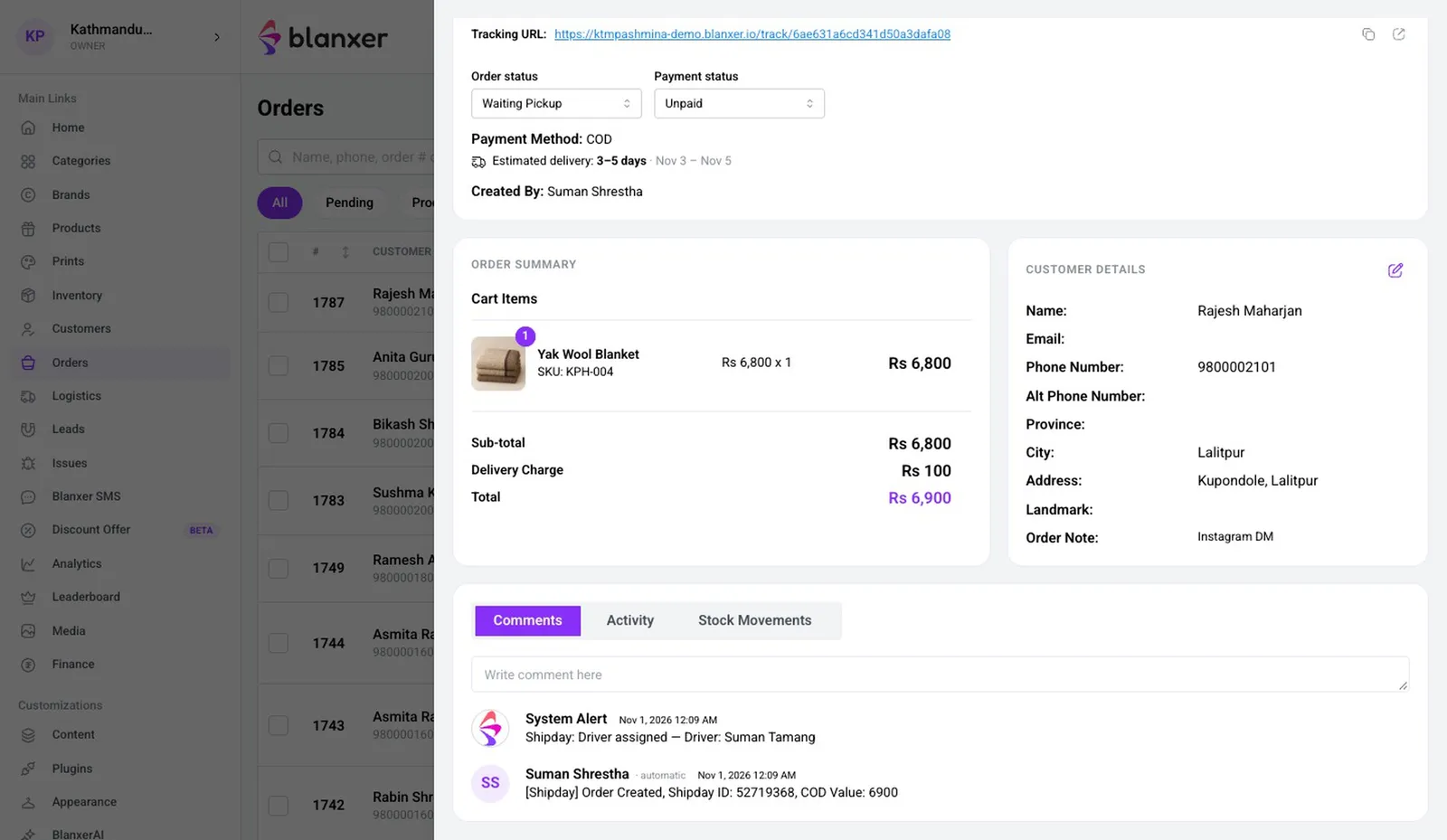
Once you assign a rider in Shipday, the rider's name appears in the order's comments.
- 9
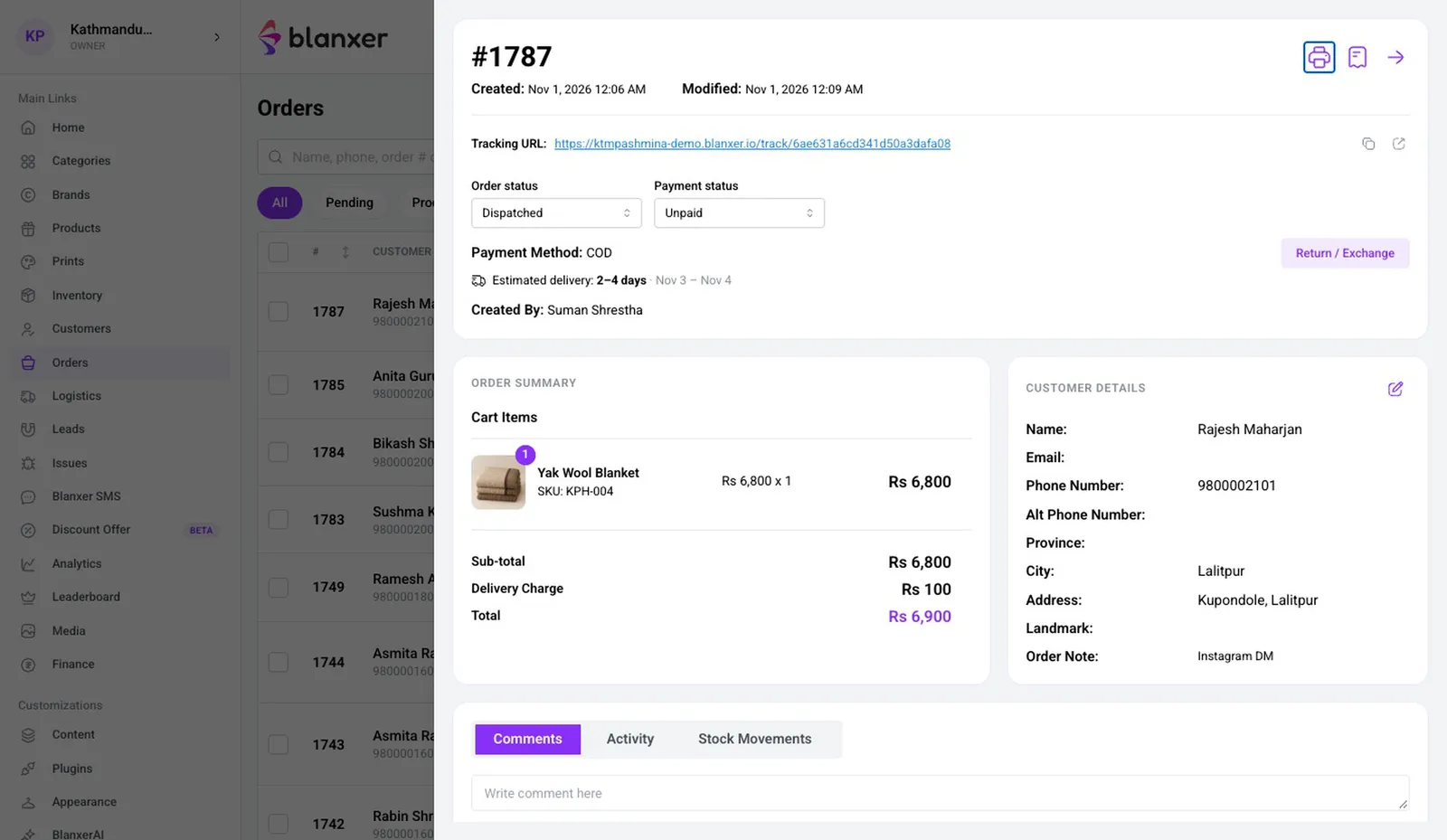
Picked up: Dispatched
When the rider picks the parcel up, the order moves to Dispatched by itself.
- 10
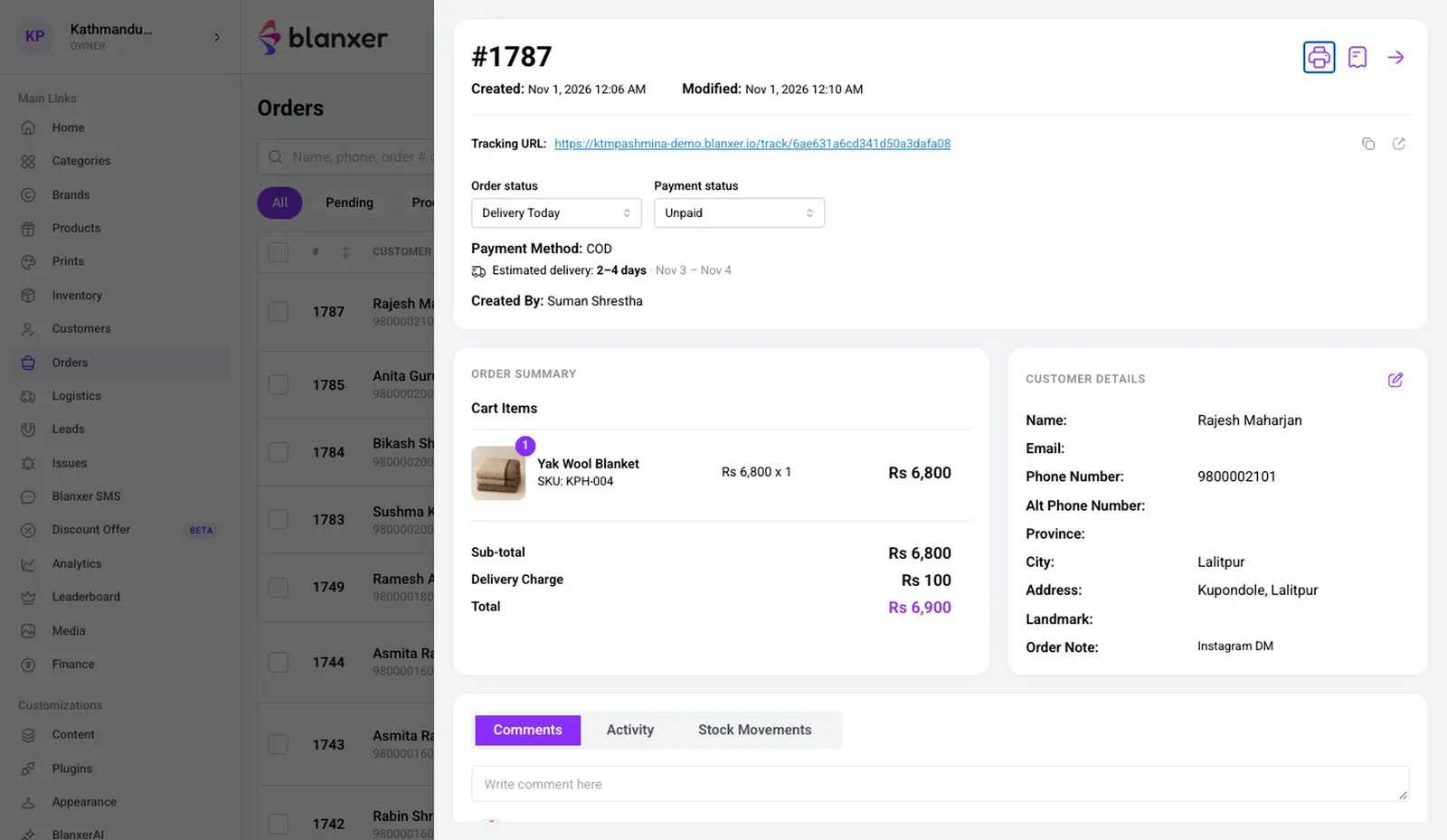
On the way
When the rider heads out to the customer, today delivery shows.
- 11
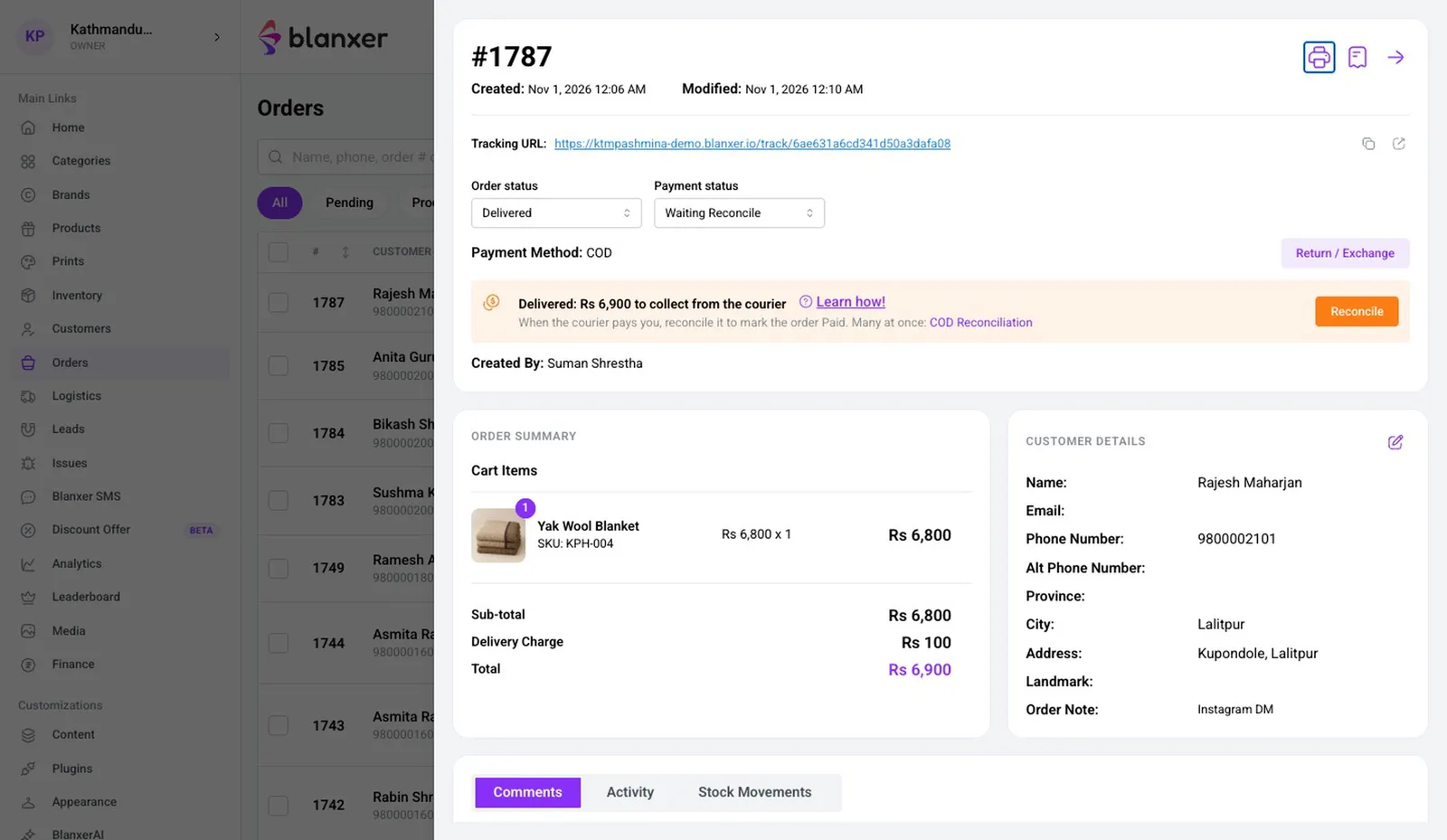
Delivered: Waiting Reconcile
On delivery the order becomes Delivered, and the payment goes to Waiting Reconcile until the rider's cash is settled.
- 12
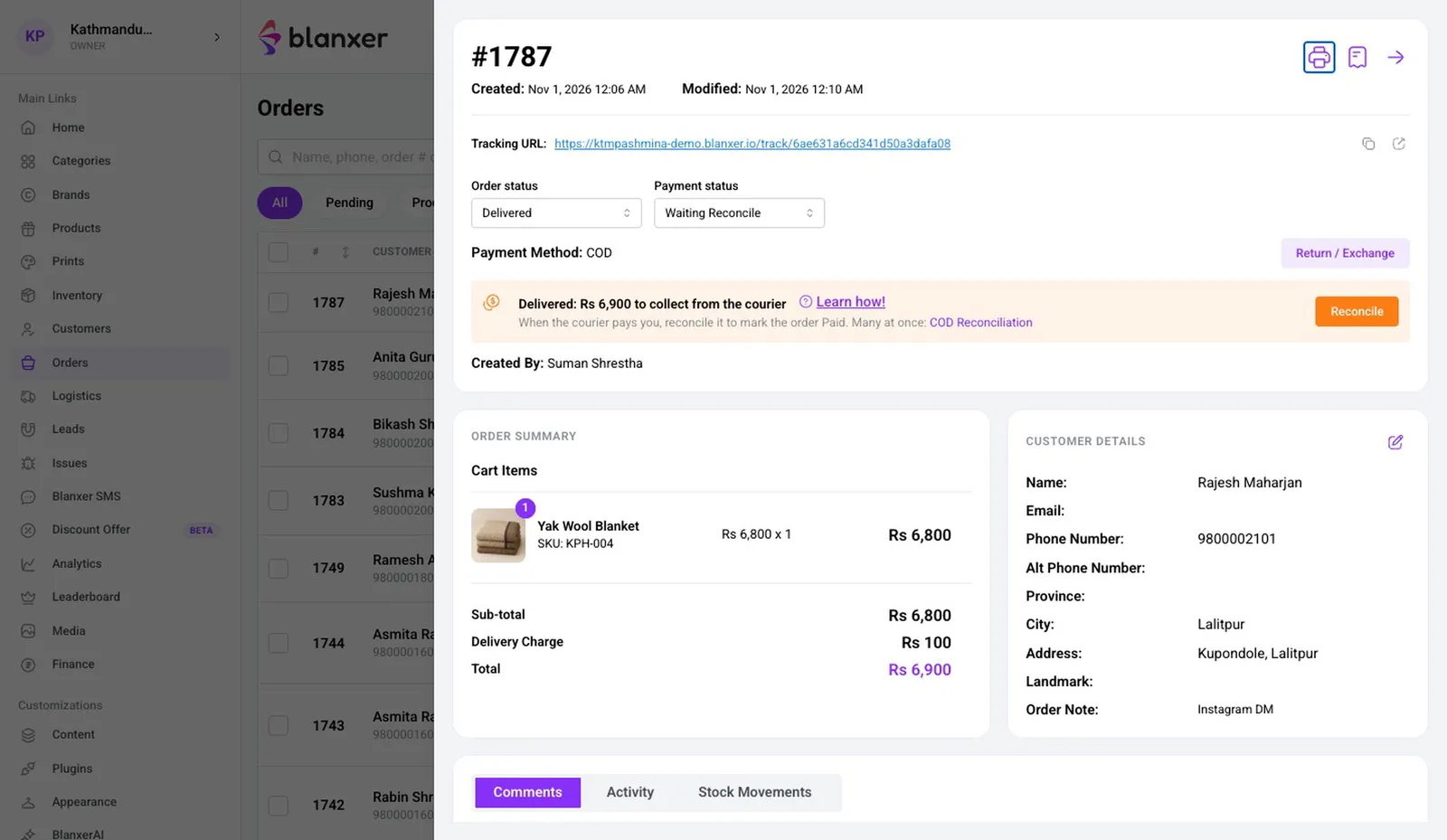
Reconcile the cash
When the rider hands over the money, click Reconcile to settle it.
Good to know
- The driver app, proof of delivery (photo or signature) and the live tracking link for customers are Shipday's features, not Blanxer's.
- Shipday's free plan covers up to 300 orders a month, but the Blanxer connection needs Shipday API access. Check your Shipday plan.
- COD orders stay in Waiting Reconcile until you click Reconcile for the rider's cash.
More videos
All 33 videos 4:22
Delivery
Connect Pathao Parcel
Connect your Pathao account, then send any order to Pathao in one click and let its status update on its own.
 7:54
Delivery
Connect Nepal Can Move (NCM)
Connect Nepal Can Move and send orders to it from Blanxer, including returns, exchanges and order comments.
 2:13
Delivery
Store pickup and multi-store fulfilment
Let customers pick up from your store, and fulfil orders from more than one store location.
See Blanxer with your own business in mind.
Book a demo. We'll show you the store, checkout, POS and dashboard, and tell you honestly which plan you need.
Prefer to talk directly?
Already a customer? Support on WhatsApp +977 9802344850, Sun–Fri, 9 AM – 6 PM.
Follow Blanxer
 A Blanxer product
One AI inbox for every customer conversation.
Sambad.io brings WhatsApp, Instagram, Facebook, website chat and email into one inbox. Connect your Blanxer store and its AI answers from your catalogue, checks stock, quotes delivery and places the order right in the chat.
- Website chat
- Gmail
- Outlook
- Zoho Mail