
Store pickup and multi-store fulfilment
Let customers pick up from your store, and fulfil orders from more than one store location.
Delivery · 2:13 · In Nepali
Let online shoppers choose Pick up at store at checkout and collect the order from one of your outlets. They skip the delivery charge, and the order reaches you tagged with the outlet.
Before you start
The Platinum plan.
Outlets set up in Blanxer.
Part 1
Set it up
- 1
Open the Checkout settings
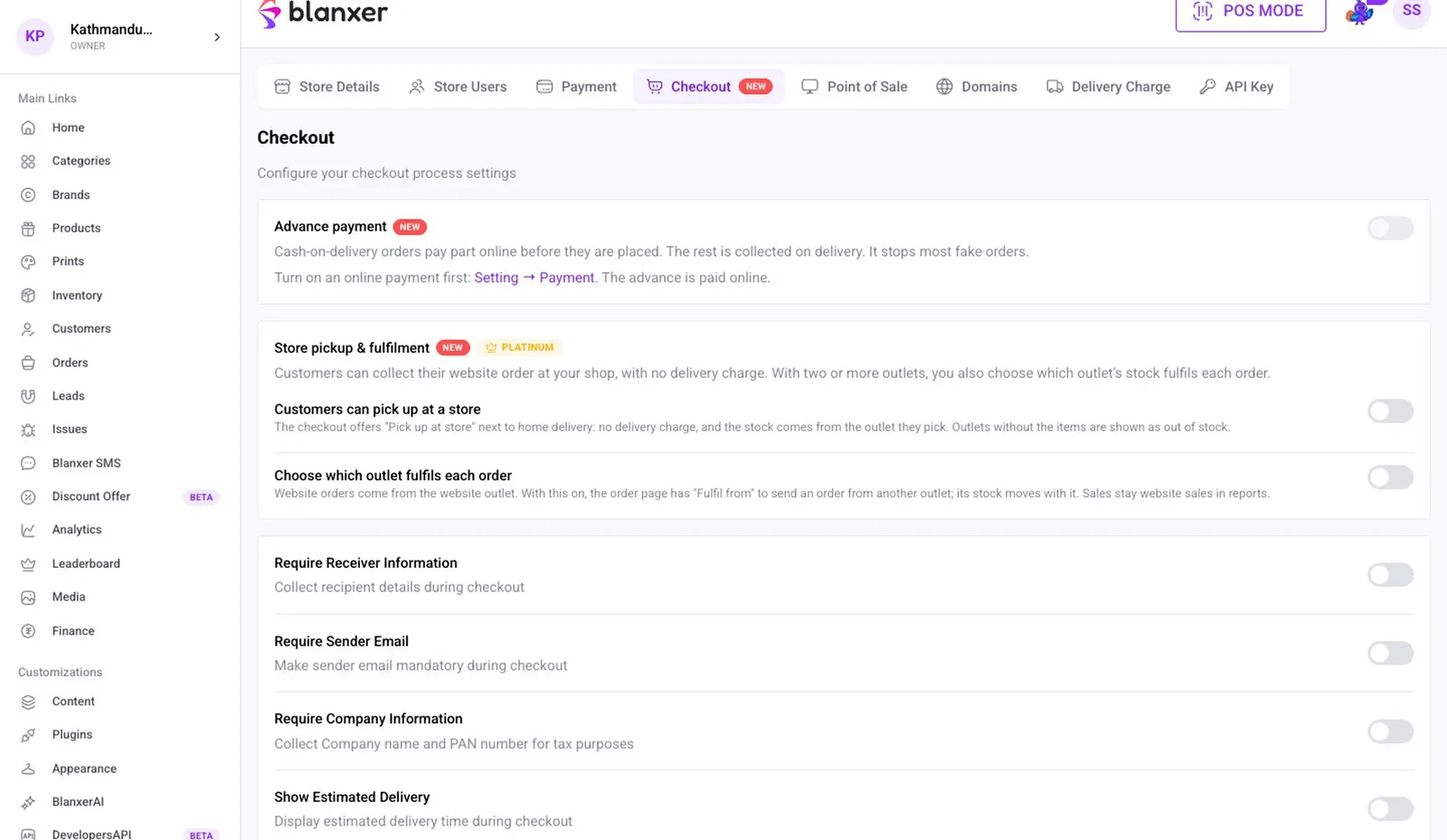
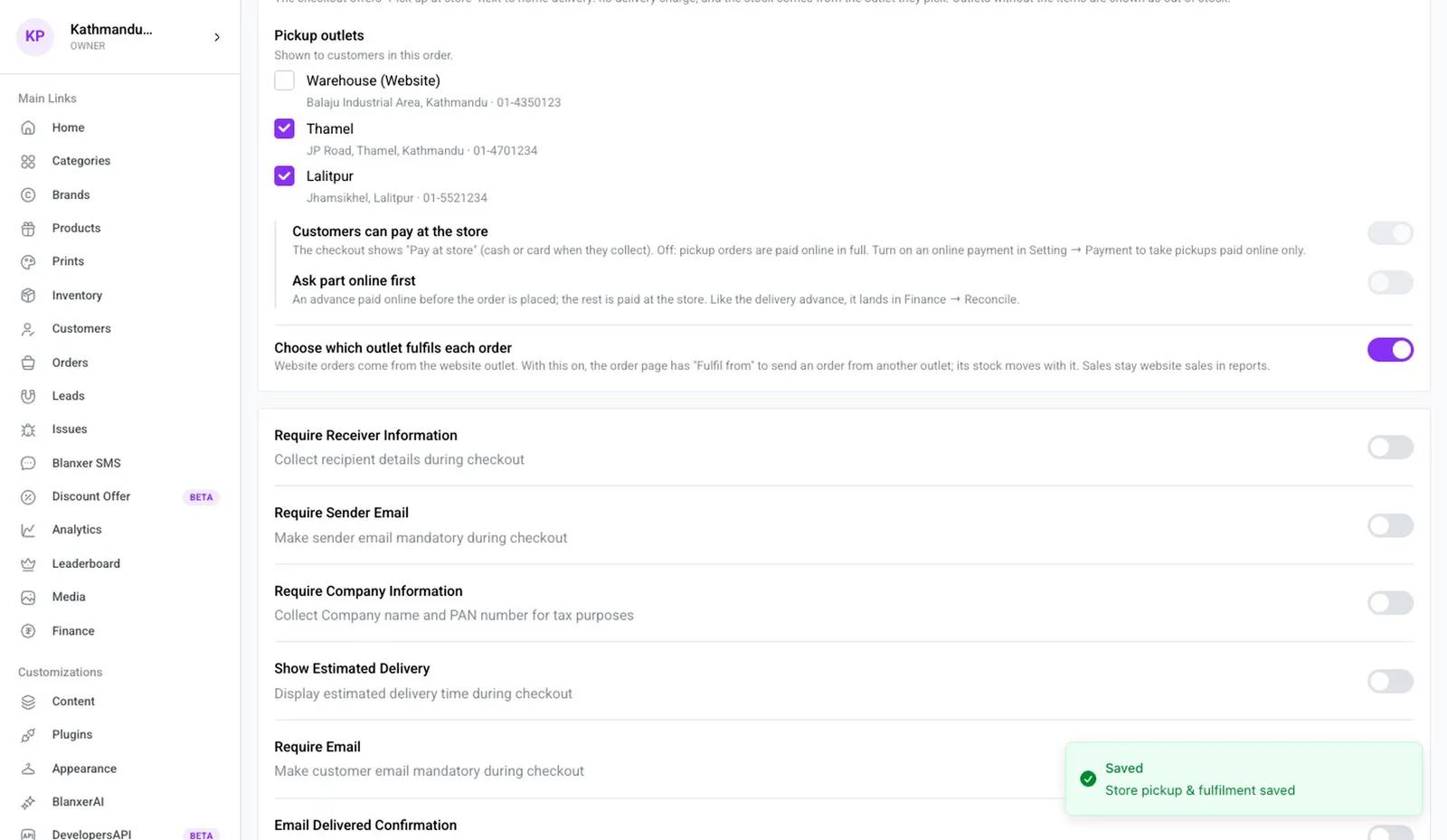
Go to Settings > Checkout. There's a card called Store pickup and fulfilment.
- 2
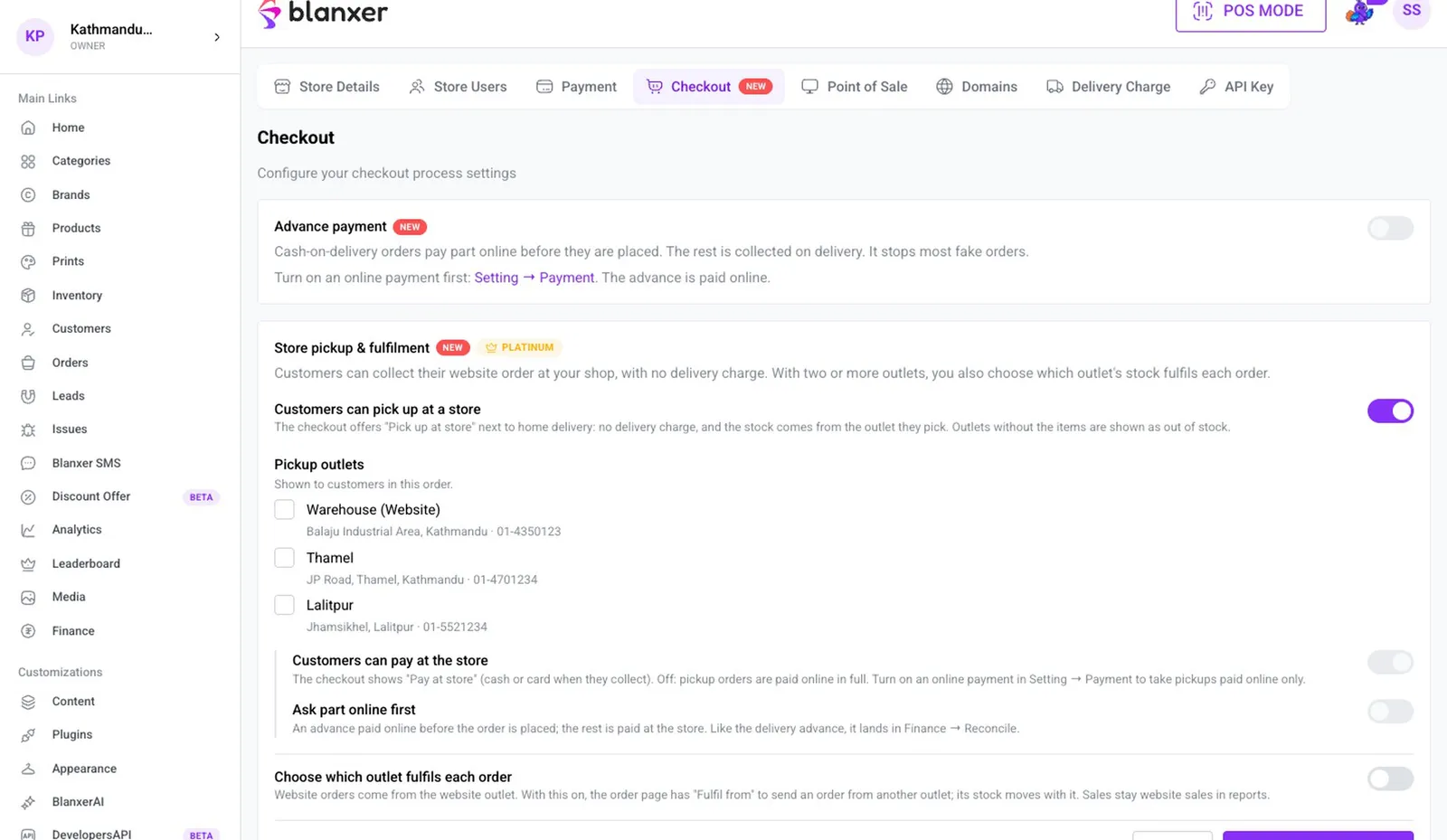
Turn Pickup on
Checkout now shows Pick up at store next to Home delivery, with no delivery charge for the customer.
- 3
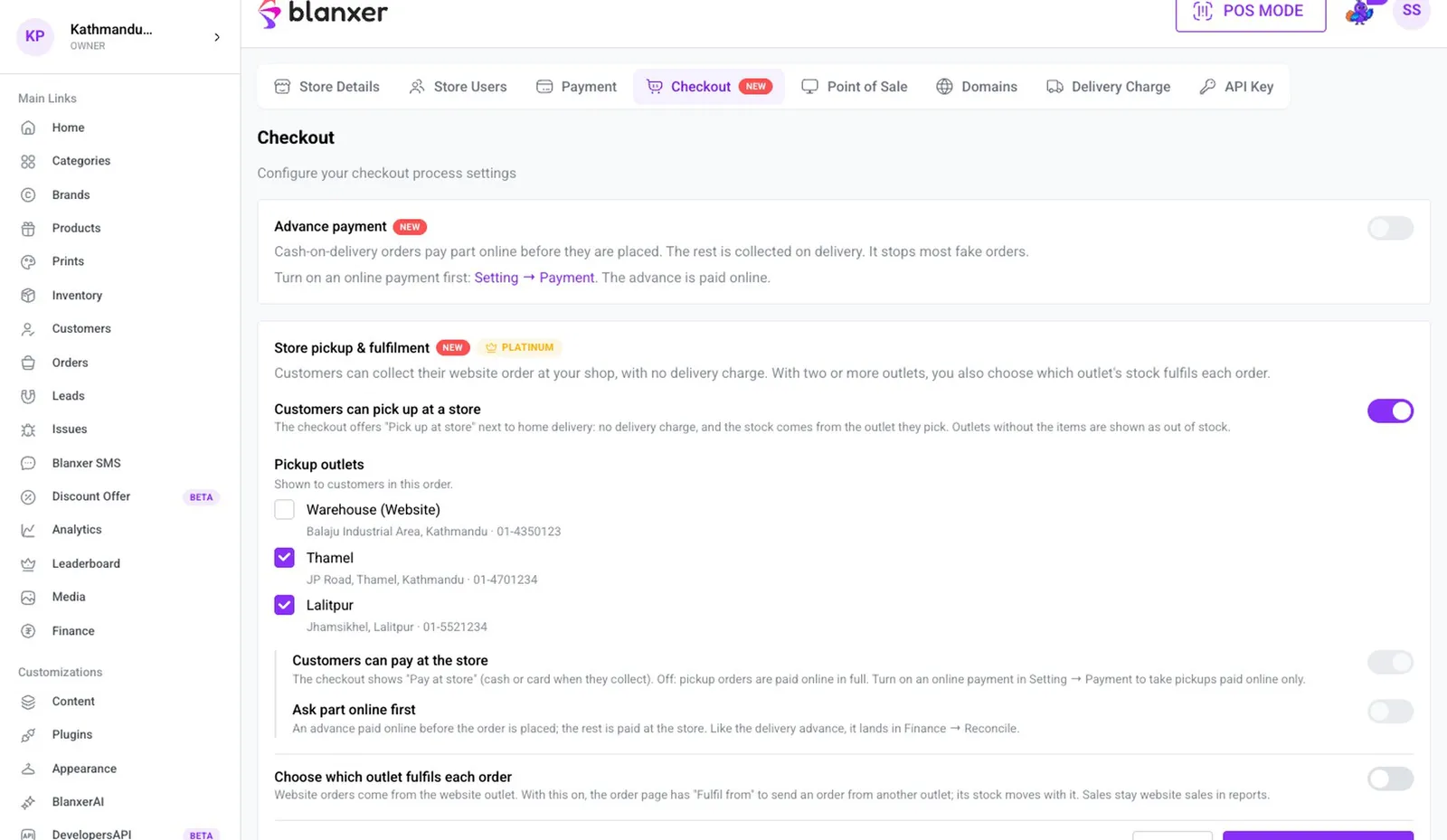
Choose the pickup outlets
Pick the outlets customers can collect from, for example Thamel and Lalitpur. The items are taken from that outlet's stock.
- 4
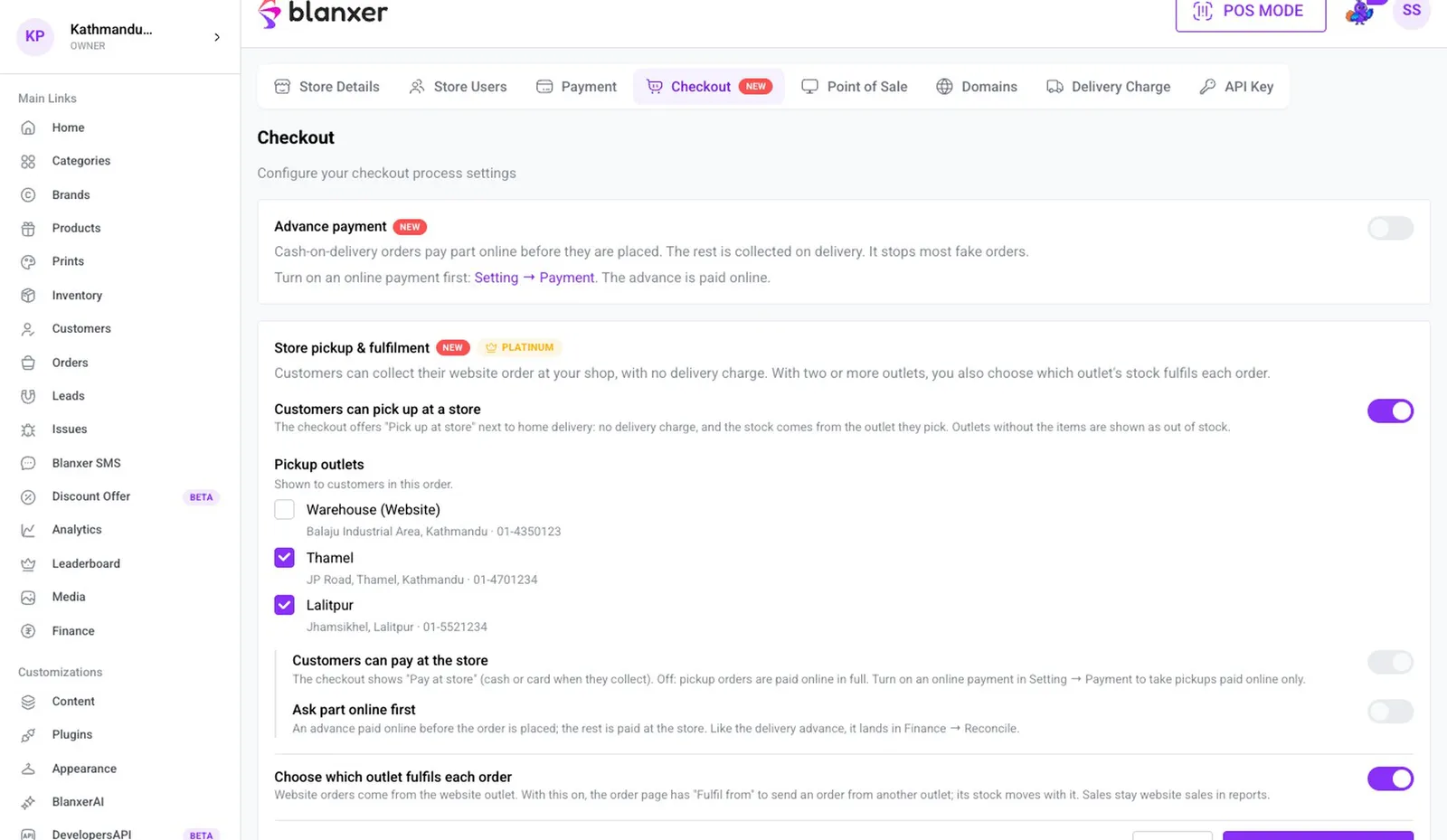
Choose which outlet fulfils orders
If you have more than one outlet, you can also choose which outlet sends out orders. The stock moves with it.
- 5
Save
Click Save pickup & fulfilment. Store pickup is ready.
Part 2
What your customer sees
- 6
Pick up at store at checkout
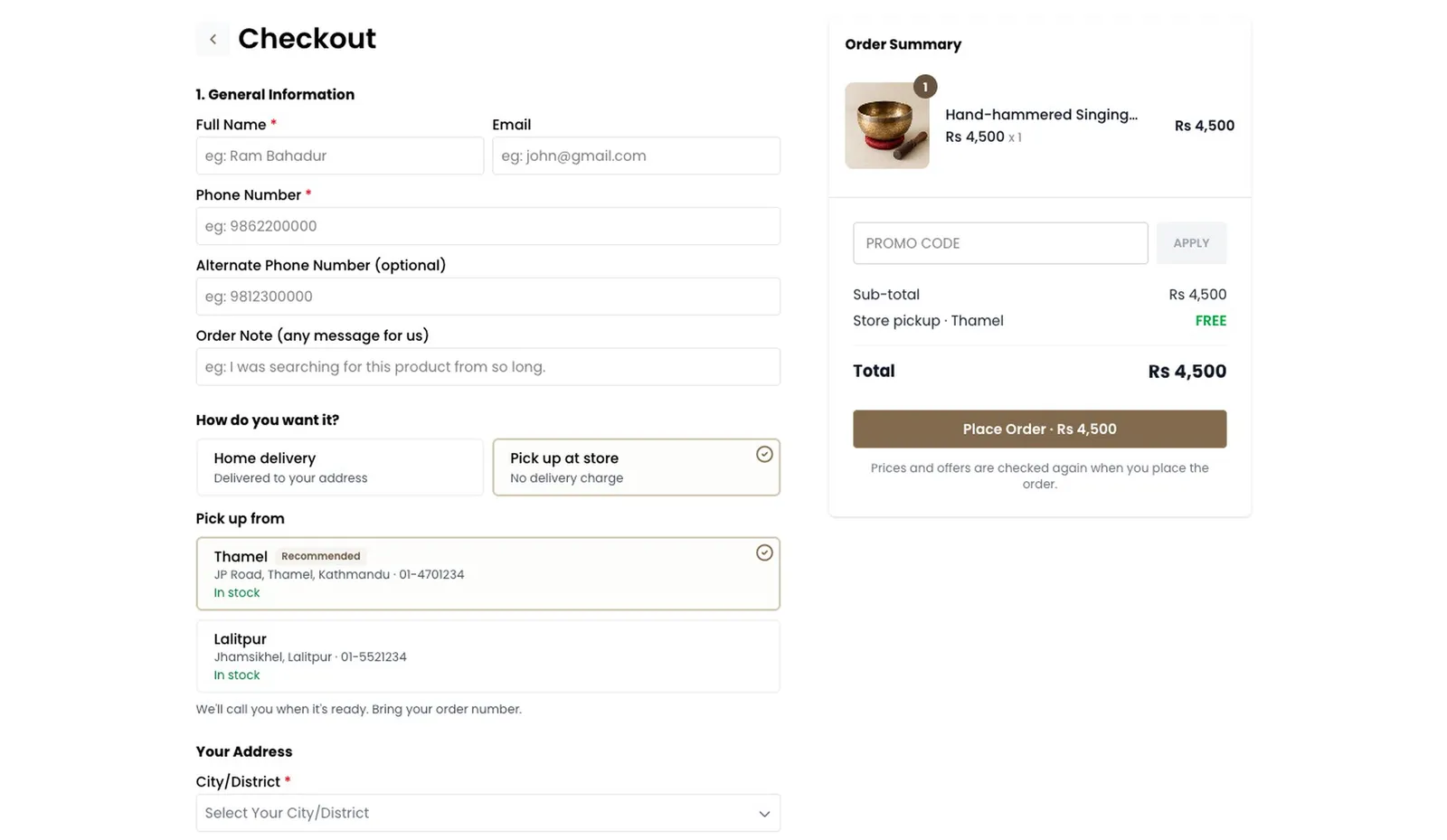
The customer adds a product to the cart and opens checkout. Pick up at store sits next to Home delivery, with no delivery charge.
- 7
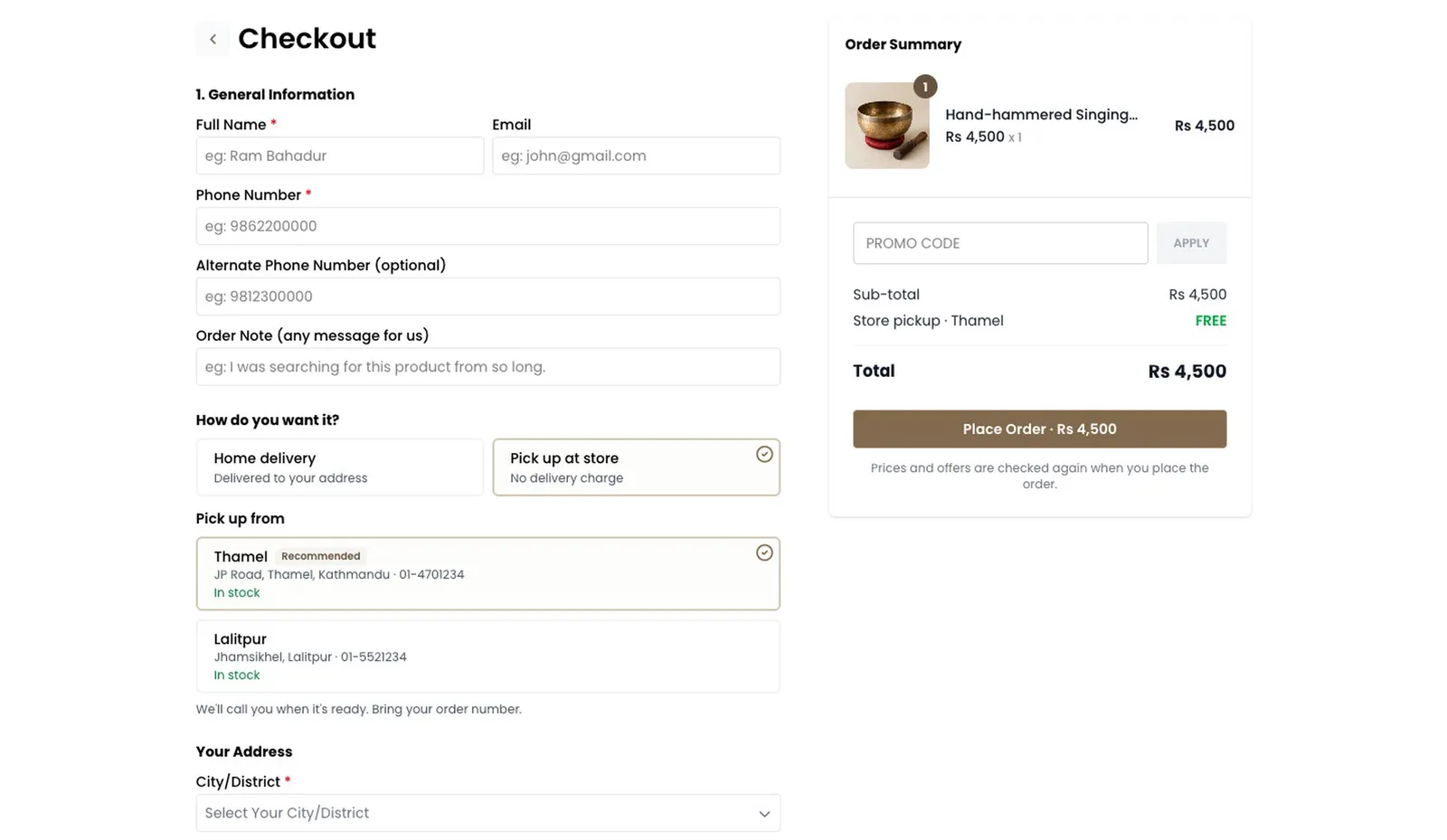
The customer chooses an outlet
They pick the outlet to collect from. Recommended is shown, and they can see which outlets have the item in stock.
- 8
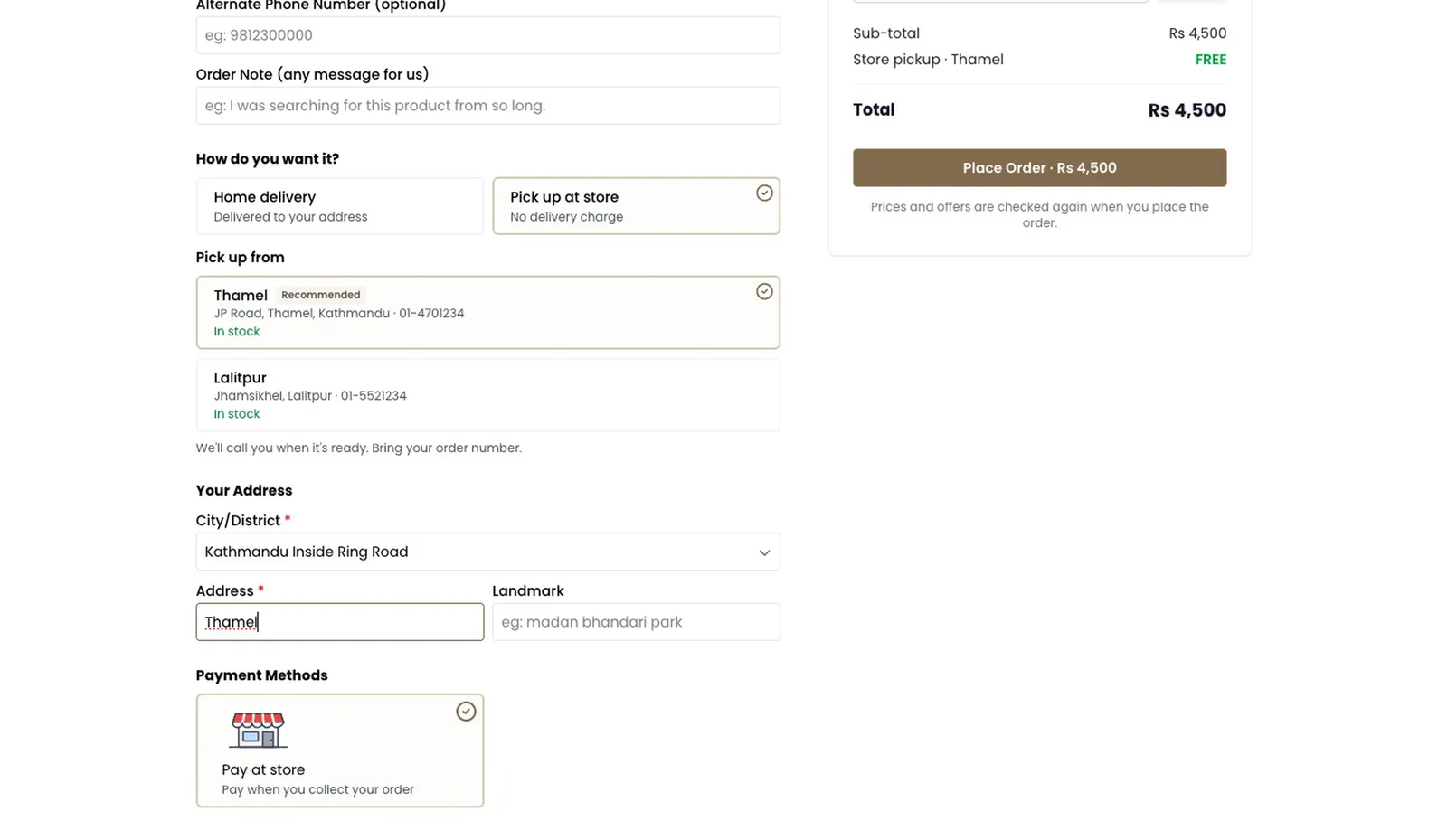
Pay at the shop
The customer enters their name and phone number. They pay at the shop when they collect, by cash or Fonepay QR.
- 9
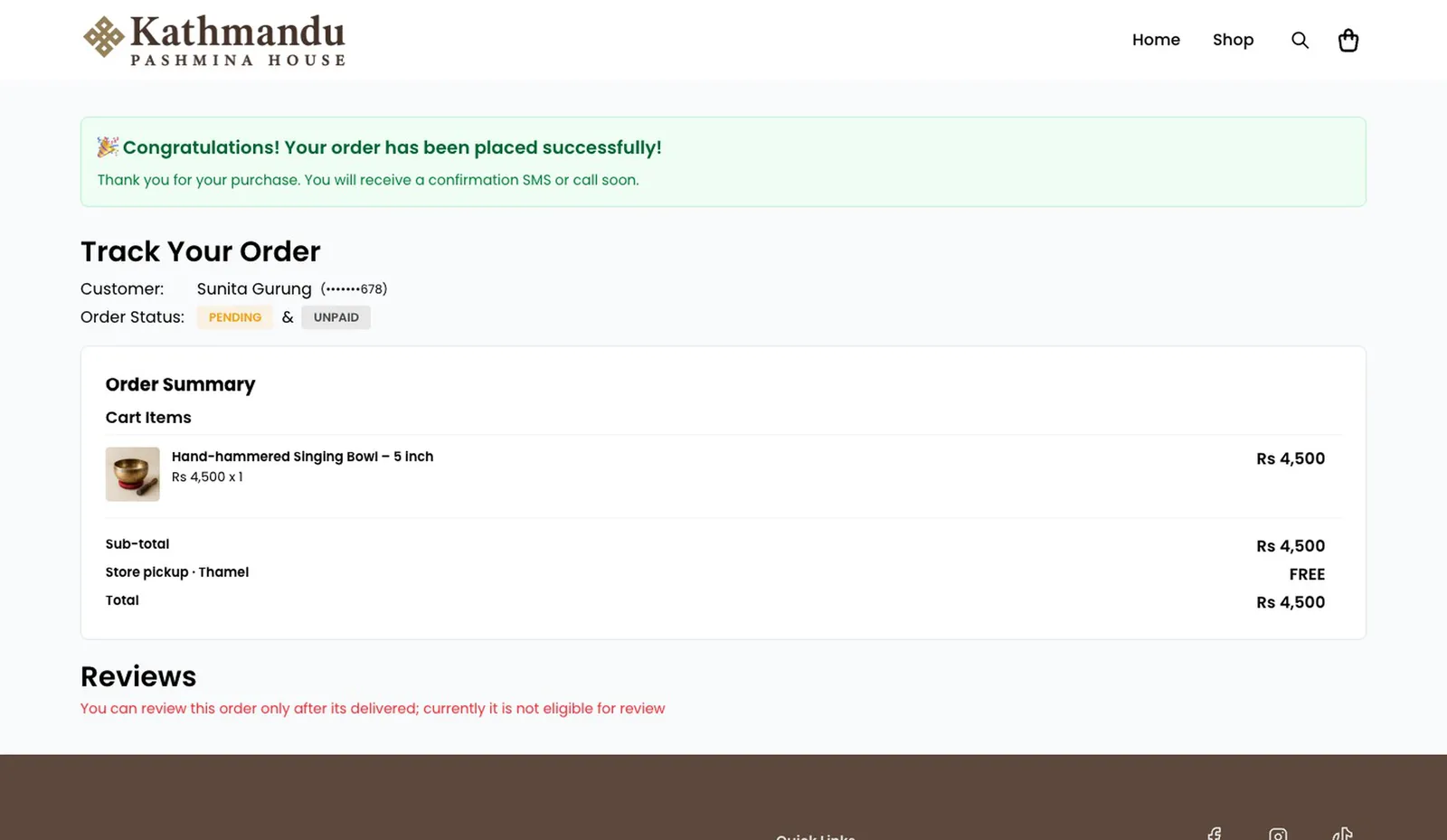
Order placed
After Place Order, the customer sees that the order is confirmed.
Part 3
What you see
- 10
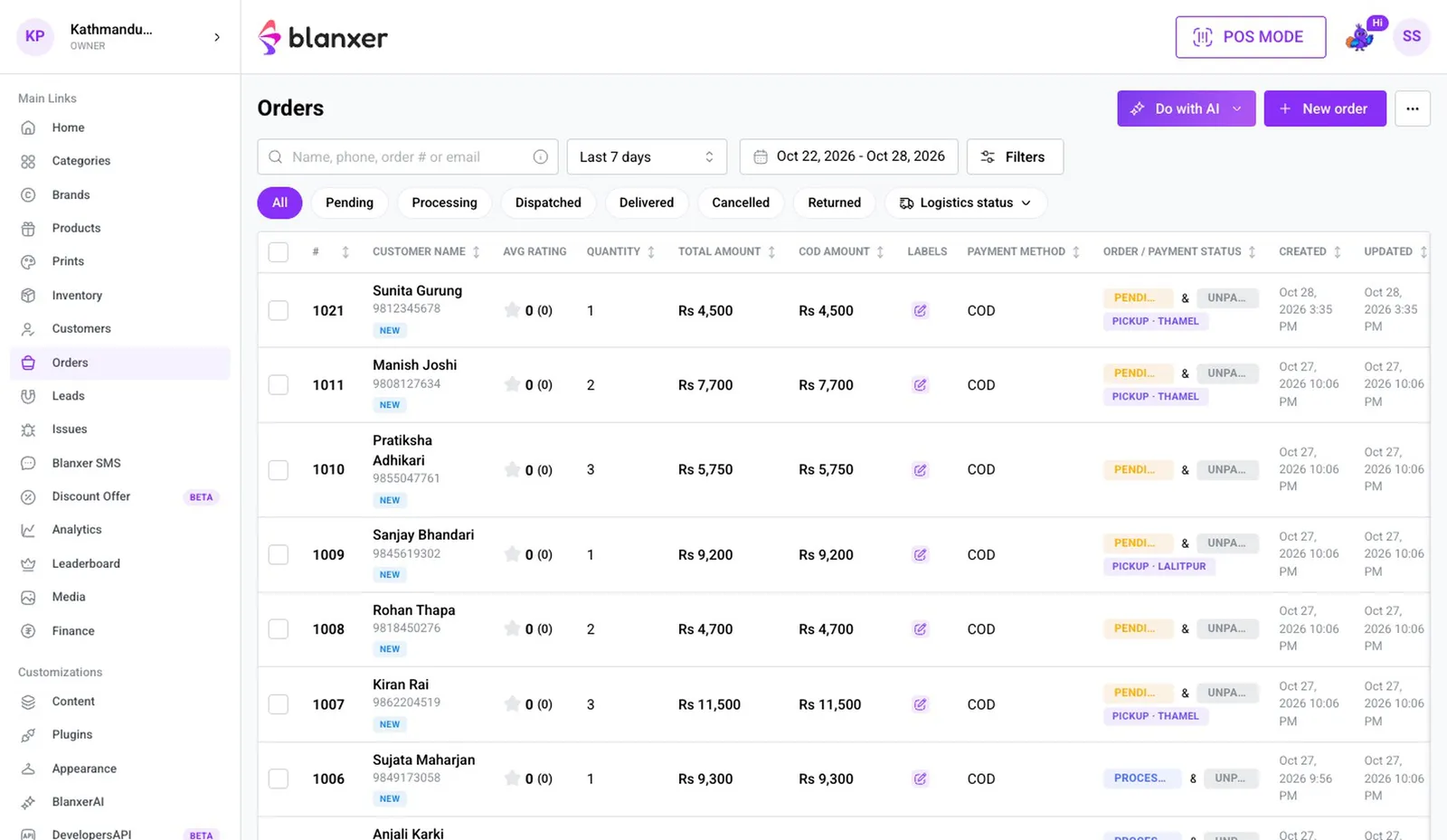
Pickup orders arrive in Orders
The new order comes into Orders tagged Pickup, with the outlet name.
- 11
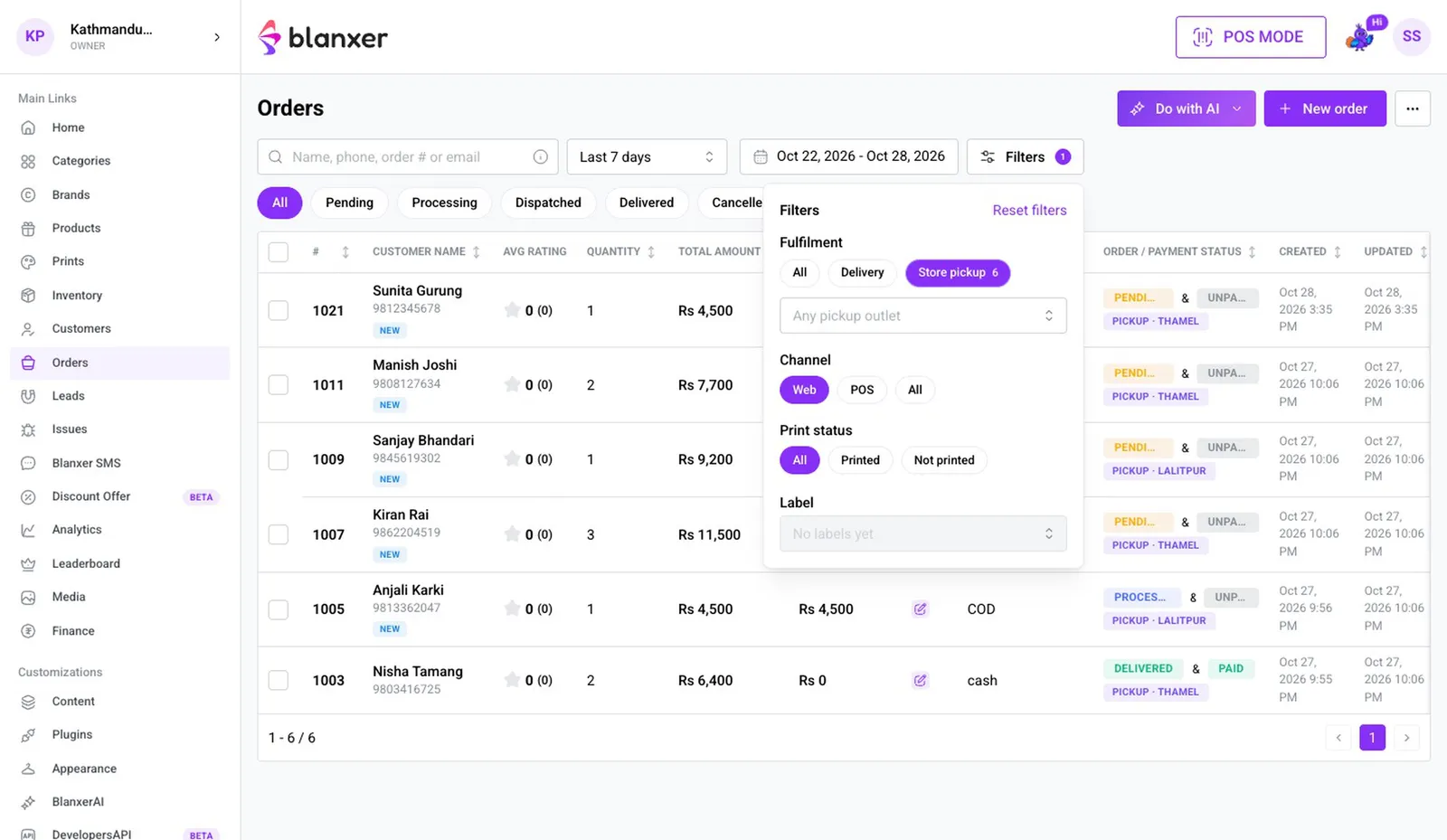
Filter pickup orders
On the Orders page, open Filters and choose Store pickup to see every pickup order in one place.
- 12
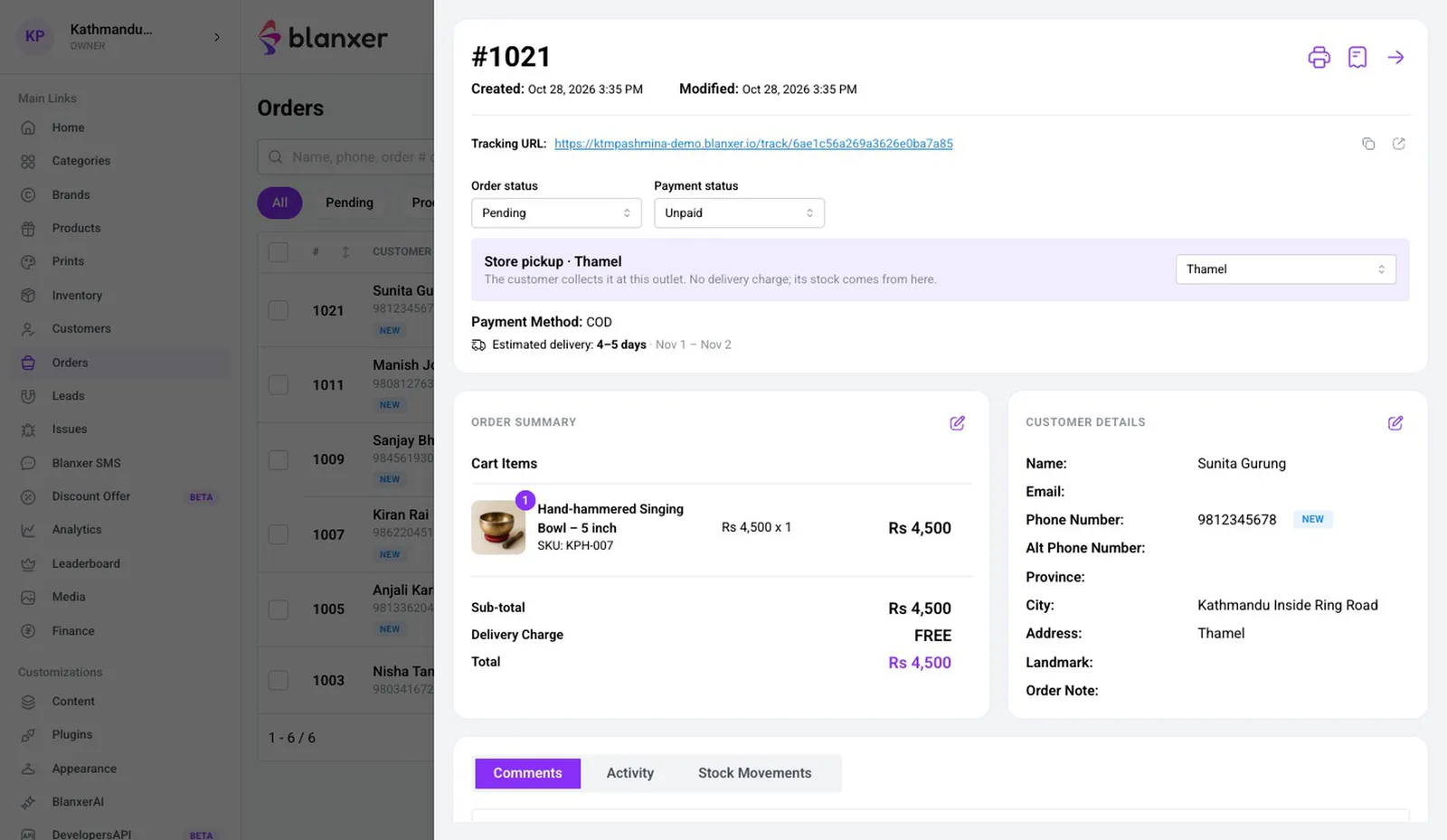
See the pickup outlet
Open the order to see which outlet the customer is coming to collect from.
Good to know
- Store pickup is available on the Platinum plan.
- A pickup order takes stock from the outlet the customer chooses.
More videos
All 33 videos 4:22
Delivery
Connect Pathao Parcel
Connect your Pathao account, then send any order to Pathao in one click and let its status update on its own.
 7:54
Delivery
Connect Nepal Can Move (NCM)
Connect Nepal Can Move and send orders to it from Blanxer, including returns, exchanges and order comments.
 3:03
Delivery
Deliver with your own riders (Shipday)
Connect Shipday to send orders to your own riders and follow every delivery yourself.
See Blanxer with your own business in mind.
Book a demo. We'll show you the store, checkout, POS and dashboard, and tell you honestly which plan you need.
Prefer to talk directly?
Already a customer? Support on WhatsApp +977 9802344850, Sun–Fri, 9 AM – 6 PM.
Follow Blanxer
 A Blanxer product
One AI inbox for every customer conversation.
Sambad.io brings WhatsApp, Instagram, Facebook, website chat and email into one inbox. Connect your Blanxer store and its AI answers from your catalogue, checks stock, quotes delivery and places the order right in the chat.
- Website chat
- Gmail
- Outlook
- Zoho Mail